
Brother HL-L2405W
4.1Editor score
Compact wireless design
Manual feed slot for envelopes
Up to 30 ppm speed
Compare the top laser printers with envelope feeders for home and office use. This guide reviews speed, connectivity, paper handling, and reliability for
Finding a reliable laser printer with an envelope feeder is essential for businesses and home offices that handle regular mailings. These devices combine speed with specialized paper handling to ensure professional results on various document types without jamming.
We evaluated ten top models based on print quality, connectivity options, and specific envelope feeding capabilities. Our analysis focuses on real-world performance, ease of setup, and long-term reliability to help you choose the right machine for your workflow.
Each pick below highlights key strengths, pros, and cons based on verified user feedback and technical specifications. Keep in mind that prices and availability change frequently, so check current listings before making your final purchase decision.
4.1Editor score

4.0Editor score

4.4Editor score
The following table provides a side-by-side comparison of all ten selected laser printers. It highlights key specifications such as print speed, connectivity, and envelope handling methods to help you quickly identify the best fit for your needs.




The Brother HL-L2405W stands out as an affordable option for those needing a laser printer with envelope capabilities. It delivers crisp black and white prints at up to 30 pages per minute, making it suitable for small offices.
We may earn a commission when you buy through this link, at no additional cost to you.
Its manual feed slot allows you to print on envelopes without needing a dedicated envelope tray. The compact design fits easily on desks, and the dual-band wireless ensures stable connections for multiple devices.
While it lacks automatic duplex printing, the manual feed slot handles envelopes well. Users appreciate the Brother Mobile Connect app for remote management and easy supply ordering.
This model is ideal for home users or small teams needing occasional envelope printing. Its reliability and low cost make it a strong contender in the budget category.
The printer fits comfortably in small spaces while offering robust wireless options for seamless integration into your network.
Use the manual feed slot to print on envelopes and other specialty media without compromising print quality or causing jams.
We may earn a commission when you buy through this link, at no additional cost to you.
The Brother MFC-L5915DW is built for high-volume environments requiring speed and reliability. With 50 pages per minute printing, it significantly reduces wait times for busy offices.
We may earn a commission when you buy through this link, at no additional cost to you.
Its robust design includes a large document glass and high-speed scanning, ensuring efficient workflow. The gigabit Ethernet provides stable connectivity, essential for shared network environments.
While it is pricier and larger, the performance gains justify the investment for businesses. The automatic duplex printing helps save paper and maintains professional document quality.
This printer is best suited for companies needing fast, consistent output. Its envelope handling capabilities ensure that mailings are processed without manual intervention.
Experience rapid processing of large documents, ensuring that productivity remains high even during peak work hours.
Utilize gigabit Ethernet for secure and stable network connections, minimizing downtime and ensuring reliable access for all users.
We may earn a commission when you buy through this link, at no additional cost to you.
The Brother HL-L2460DW combines speed and convenience with automatic duplex printing and a robust manual feed slot for envelopes. It delivers sharp prints quickly, making it ideal for home offices.
We may earn a commission when you buy through this link, at no additional cost to you.
Its dual-band wireless connection ensures stable performance even in congested network environments. The compact size saves desk space while offering full connectivity options.
Users appreciate the ease of printing on envelopes without needing to swap trays. The Brother Mobile Connect app simplifies supply management and remote printing tasks.
This model is perfect for users needing a balance of speed and functionality. Its reliability and efficient design make it a top choice for daily use.
Save paper with automatic double-sided printing while using the manual slot for envelopes and specialty media without hassle.
Connect seamlessly via dual-band Wi-Fi to print from any device, ensuring flexibility and convenience in your workspace.
We may earn a commission when you buy through this link, at no additional cost to you.
The HP LaserJet MFP M234sdw offers a reliable solution for small teams requiring efficient printing and scanning. Its auto document feeder simplifies multi-page tasks, saving valuable time.
We may earn a commission when you buy through this link, at no additional cost to you.
Security features protect your data, while the self-reset Wi-Fi ensures stable connectivity. The HP Smart app makes it easy to manage print jobs remotely.
While envelopes must be fed manually, the process is straightforward and reliable. The printer handles everyday documents well, delivering professional quality outputs.
Ideal for small businesses, this model balances cost and performance effectively. It provides essential features without unnecessary complexity, keeping operations smooth.
Built-in security protects your network from potential threats, while self-reset Wi-Fi ensures uninterrupted connectivity during work hours.
Use the HP Smart app to streamline tasks, scan to the cloud, and manage supplies effortlessly from your smartphone.
We may earn a commission when you buy through this link, at no additional cost to you.
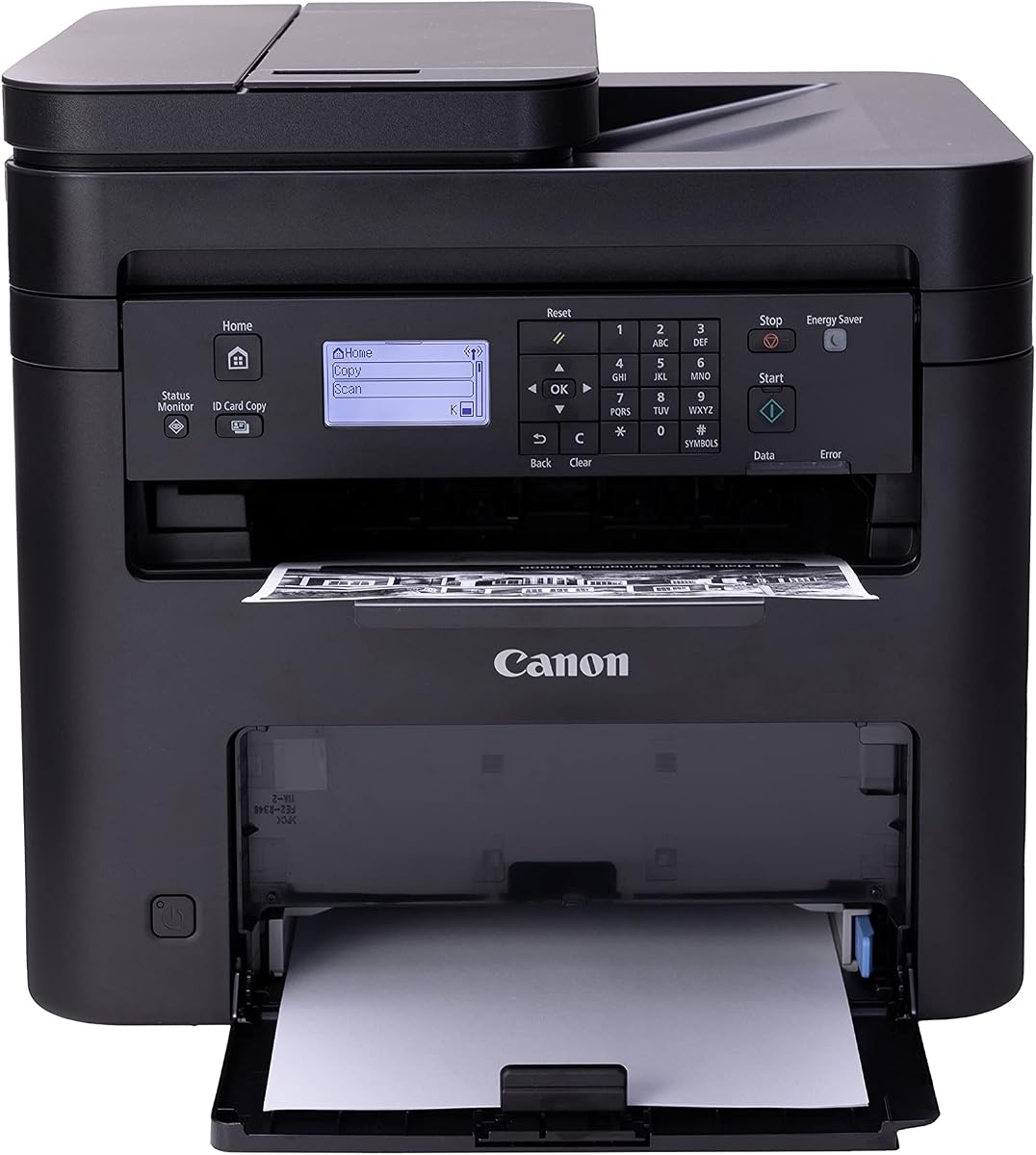
The Canon imageCLASS MF273dw provides essential multifunction features in a compact package. It prints quickly and handles duplex printing automatically, saving time and paper.
We may earn a commission when you buy through this link, at no additional cost to you.
Setup is straightforward, and the wireless connection is stable for small offices. The auto document feeder aids in scanning multi-page documents efficiently.
Envelopes are handled via a manual slot, which works well for occasional mailings. The printer is reliable and offers good value for its price.
This printer suits users needing straightforward functionality without complexity. Its performance and reliability make it a solid option for daily office needs.
Automatically print on both sides of the paper, reducing waste and producing professional double-sided documents with ease.
Achieve fast first print times to ensure you spend less time waiting and more time focusing on your core tasks.
We may earn a commission when you buy through this link, at no additional cost to you.
The Brother MFC-L2820DW brings versatile printing, scanning, and faxing capabilities to your desk. Its 36 ppm speed ensures efficient document processing for small offices.
We may earn a commission when you buy through this link, at no additional cost to you.
The touchscreen interface simplifies navigation, allowing easy access to cloud apps. The compact design saves space while providing full multifunction utility.
Envelopes can be printed via the manual feed slot, which is reliable for standard sizes. The auto document feeder helps streamline multi-page tasks.
This printer is excellent for teams needing comprehensive features in one device. Its intuitive controls and speed make it a practical choice for office use.
Print and scan directly to popular cloud services using the touchscreen, streamlining document storage and sharing efficiently.
Combine print, scan, copy, and fax functions in one compact unit, reducing clutter and enhancing workflow productivity.
We may earn a commission when you buy through this link, at no additional cost to you.
The Canon imageCLASS MF462dw II offers high-speed printing with a large 5-inch touchscreen for intuitive control. It delivers crisp monochrome prints at 37 pages per minute.
We may earn a commission when you buy through this link, at no additional cost to you.
Its expandable paper capacity allows you to handle high-volume tasks without constant refills. The auto document feeder supports duplex scanning for efficient workflows.
Envelopes are fed through the multipurpose tray, ensuring professional results on specialty media. The wireless setup is simple, getting you up and running quickly.
This printer is suited for offices needing speed and capacity. Its modern design and robust features make it a valuable addition to any workspace.
Navigate settings and tasks easily with a large color touchscreen that simplifies menu access and feature usage.
Add extra paper trays to increase capacity, reducing refills and ensuring uninterrupted printing during busy periods.
We may earn a commission when you buy through this link, at no additional cost to you.
The Brother MFC-L8930CDW is a premium color laser printer designed for professional environments. It delivers sharp color and black prints with advanced security features.
We may earn a commission when you buy through this link, at no additional cost to you.
Its 80-page auto document feeder speeds up scanning tasks, while the multipurpose tray handles envelopes and specialty paper easily. The 7-inch touchscreen offers intuitive control.
Security features protect your documents, ensuring that sensitive data remains safe. The multipurpose tray allows for custom printing on various media types.
This printer is ideal for businesses requiring color capabilities and high security. Its performance and features justify the investment for demanding office environments.
Triple-layer security protects your network and documents, ensuring data safety with integrated authentication features.
Print vibrant color documents and specialty media like envelopes effortlessly with the versatile multipurpose tray system.
We may earn a commission when you buy through this link, at no additional cost to you.
The HP LaserJet Pro MFP 3101sdw offers reliable performance for small teams requiring professional-quality output. It prints at 35 pages per minute, ensuring quick document handling.
We may earn a commission when you buy through this link, at no additional cost to you.
Its dependable Wi-Fi keeps you online, while the auto document feeder simplifies scanning and copying tasks. Duplex printing is standard to reduce paper use.
Envelopes are handled manually, but the printer ensures clean results on standard sizes. The reliability and speed make it suitable for daily business use.
This model is ideal for teams needing consistent performance. Its robust features and reliability make it a strong contender in the small office market.
Stay connected with reliable Wi-Fi that automatically finds the best connection to ensure uninterrupted printing.
Achieve sharp, professional-quality prints every time, ensuring your business documents look polished and credible.
We may earn a commission when you buy through this link, at no additional cost to you.
The Brother MFC-L2690DW is designed for compact spaces while offering essential all-in-one functionality. It delivers reliable monochrome prints at a steady 26 pages per minute.
We may earn a commission when you buy through this link, at no additional cost to you.
Its manual feed slot is perfect for envelopes and specialty media, ensuring professional output without needing extra trays. The sturdy construction ensures long-term durability.
Setup is straightforward, allowing easy wireless sharing among users. The 250-sheet tray reduces the need for frequent refills during busy periods.
This printer is ideal for small offices or home setups. Its compact size and reliable performance make it a practical choice for daily document needs.
Save space with a sturdy, compact design that withstands regular use without taking up valuable desk area.
Use the manual slot to print on envelopes and card stock, providing flexibility for various printing requirements.
We may earn a commission when you buy through this link, at no additional cost to you.
Choosing the right laser printer with envelope feeding capabilities requires balancing speed, connectivity, and specific paper handling features. This guide outlines the key factors to consider.
Determine whether you need a dedicated envelope tray or a manual feed slot. Manual slots are common in compact models and work well for occasional mailings.
Look for models with multipurpose trays if you frequently print on envelopes and specialty paper.
Print speed affects overall productivity. For high-volume offices, look for models with 30 pages per minute or higher.
Slower speeds are acceptable for home offices or occasional use.
Ensure the printer offers wireless, Ethernet, or USB options based on your network setup. Dual-band Wi-Fi provides more stability.
Mobile printing support allows you to print directly from smartphones and tablets.
A larger paper tray reduces the frequency of refills. Consider models with at least 250 sheets for efficient operation.
Expandable trays can be added for high-volume environments.
Decide if you need scanning, copying, or faxing capabilities. All-in-one models save space but may cost more.
Auto document feeders are valuable for scanning multi-page documents.
Automatic duplex printing saves paper and time. Check if the model supports double-sided printing automatically.
Manual duplexing is an option for budget-friendly models.
For business use, look for built-in security to protect sensitive data. Features like secure print and user authentication are beneficial.
Regular firmware updates help maintain security integrity.
Consider the cost per page and toner yield. High-yield toners reduce long-term expenses.
Check if subscription services are available to manage supplies efficiently.
To print on envelopes, load them into the manual feed slot with the flap facing down. Align the envelopes correctly to prevent jams and ensure proper printing orientation.
Regular maintenance is essential for longevity. Clean the rollers and interior periodically to remove dust and toner residue that could affect print quality.
Use high-quality paper and envelopes designed for laser printers to avoid melting or curling. Check your printer manual for recommended media types.
Not all envelopes are suitable for laser printers. Look for envelopes labeled as safe for laser use to avoid melting or curling. The manual feed slot is generally the best place to insert them.
Manual feeding requires you to insert envelopes one by one through a slot. Automatic feeding uses a dedicated tray or multipurpose tray for larger volumes, improving efficiency.
Jams often occur due to incorrect loading or using low-quality paper. Ensure envelopes are aligned properly and not too thick for the printer's specifications.
Printing on both sides is possible with duplex printers, but it is not recommended as envelopes are thin and may warp. Use manual feed for single-sided prints.
Access the printer menu or software settings to select 'Envelope' as the paper type. This ensures the printer adjusts heat and speed for the media.
Manual slots are more compact and versatile for occasional use. Automatic trays are better for high-volume mailings and convenience in busy offices.
Most laser printers support legal-size paper, but check the specifications. Some compact models may have limitations on paper sizes.
Clean rollers every few months or when you notice slipping. Use a lint-free cloth and water to gently wipe them to maintain performance.
We explored ten top laser printers with envelope feeding capabilities, ranging from budget-friendly options to premium business models. Each offers unique strengths in speed and paper handling.
Prioritize models that match your specific volume needs and connectivity preferences. For envelope printing, ensure the manual feed or multipurpose tray meets your requirements.
Prices and availability can fluctuate, so verify current listings before purchase. We hope this guide helps you find the perfect printer for your needs.