
Procolored K13-Lite DTF Printer
3.7Editor score
One-touch ink pumping
LiteHead technology
Smokeless oven compatible
Starting a custom apparel business requires the right tools, and a direct to garment printer for beginners is often the first major investment. These machines allow you to print detailed designs directly onto fabric without the complexity of screen printing setups.
We have evaluated ten popular models based on ease of use, print quality, maintenance requirements, and overall value. Our comparison focuses on features that matter most to new users entering the textile printing industry.
Each selection highlights specific strengths like automatic ink circulation or beginner-friendly interfaces. Please note that availability and pricing can change over time, so verify current details before making your final purchase decision today.
3.7Editor score

4.3Editor score

4.8Editor score
As an Amazon Associate we earn from qualifying purchases.
The following table provides a side-by-side overview of the key specifications and capabilities for each of the ten selected machines to help you find the perfect match for your workflow.
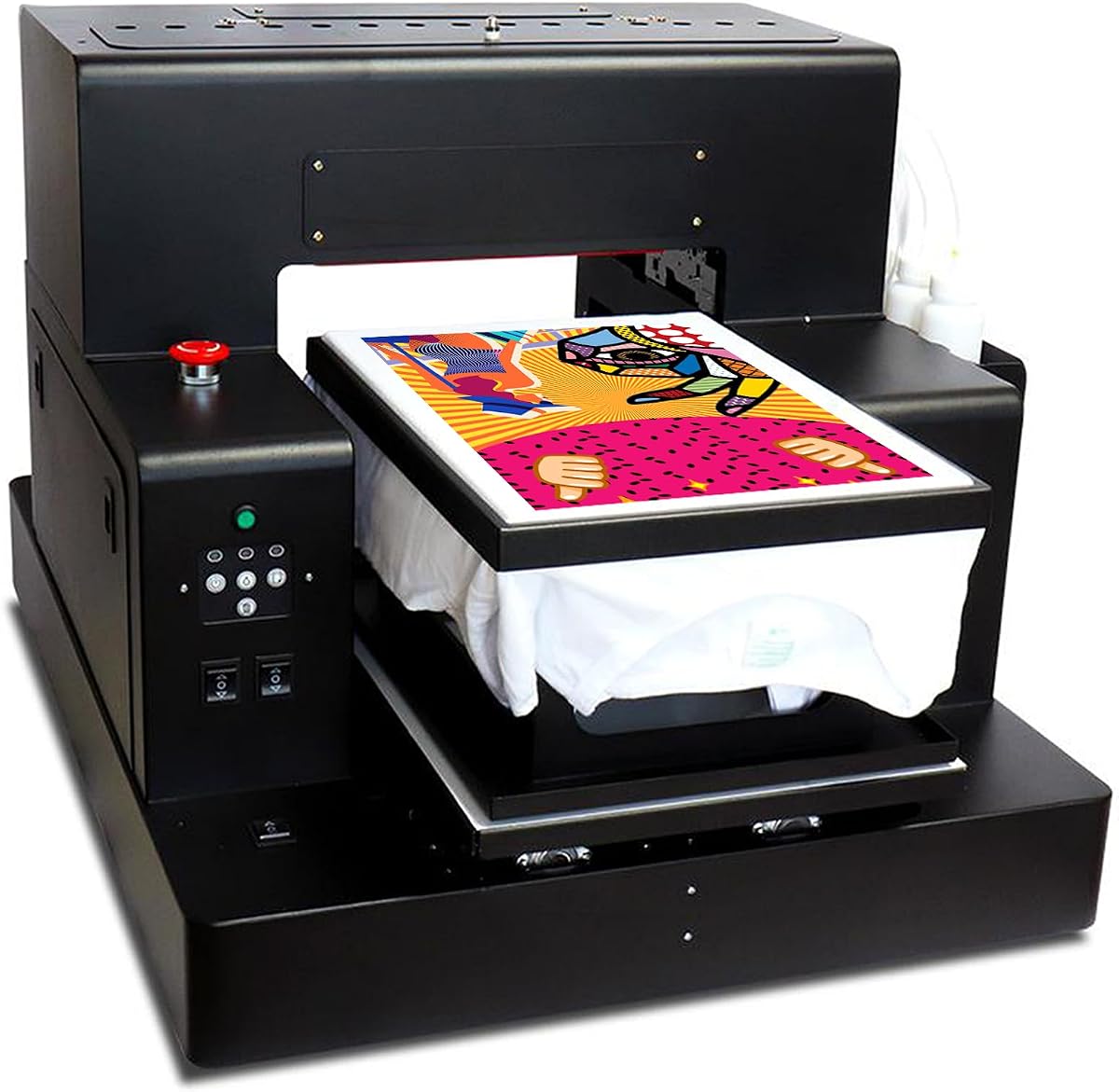

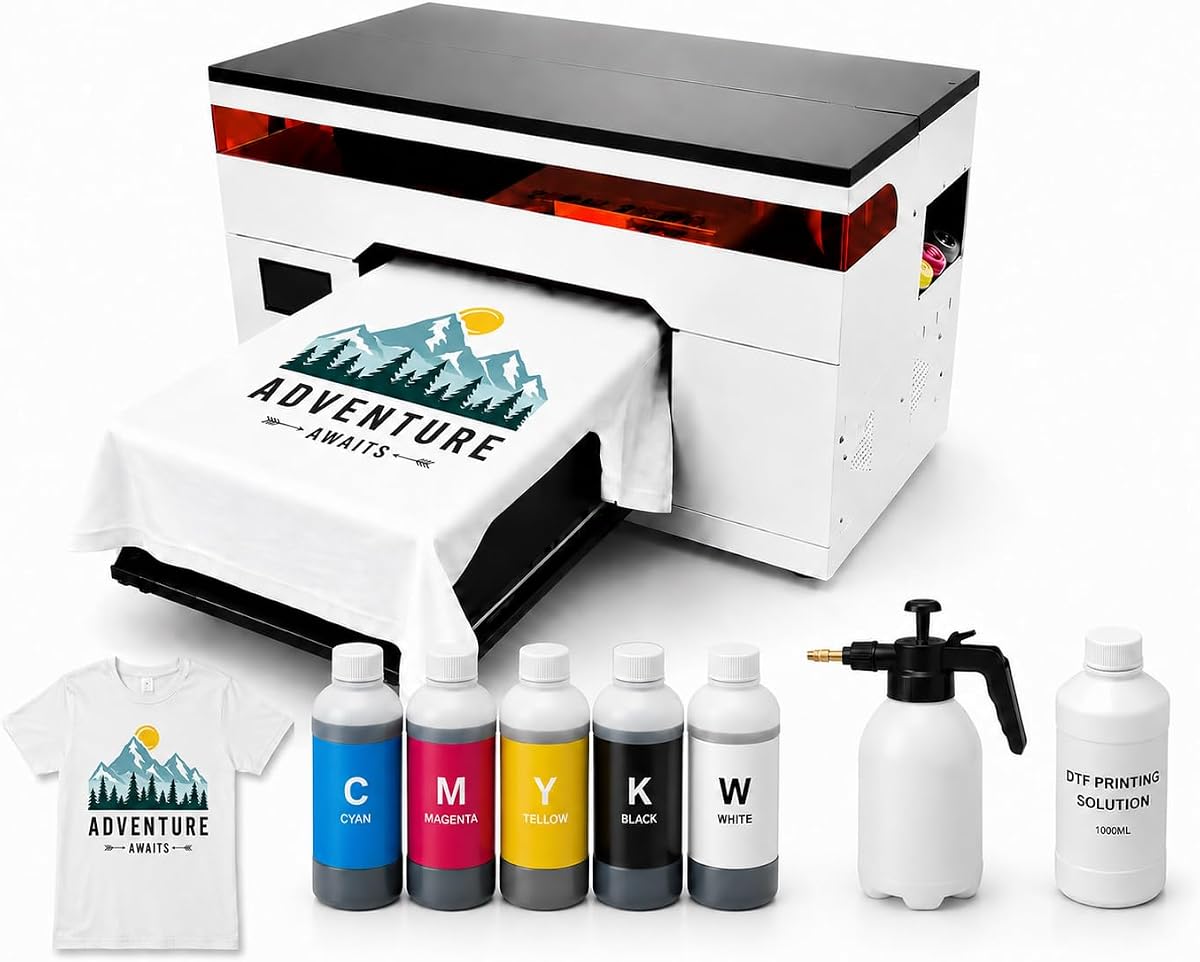


The DXZ A3 DTG Printer stands out as a top choice for beginners due to its high resolution and ease of use. It receives a solid rating from users who appreciate its ability to produce crisp and vibrant prints on various cotton apparel items.
We may earn a commission when you buy through this link, at no additional cost to you.
Its ultra-high resolution ensures that your designs look professional with smooth gradients and fine text. The inclusion of an electric sprayer and ink kit in the package means you can start printing right away without searching for extra supplies immediately.
While it performs exceptionally well, you will need to manage pretreatment for darker garments to ensure color vibrancy. The semi-automatic cleaning system helps maintain the machine, but occasional manual attention ensures consistent performance over time.
This printer is ideal for small business owners or hobbyists who want professional quality without complex industrial setups. If you value eco-friendly inks and detailed prints on cotton fabrics, this model is a strong recommendation for your startup.
With up to 2800 × 1440 DPI, this printer delivers lifelike photographic clarity that rivals much more expensive industrial machines.
The water-based inks are non-toxic and safe for sensitive skin, making them perfect for children's clothing and baby items.
We may earn a commission when you buy through this link, at no additional cost to you.
The Procolored K13-Lite is an excellent budget-friendly option for those starting a small apparel business or home studio. It features beginner-friendly controls like one-touch ink pumping and a clear touchscreen to simplify the workflow significantly.
We may earn a commission when you buy through this link, at no additional cost to you.
Its LiteHead Technology reduces maintenance complexity, which is a huge plus for new users who might find traditional printer maintenance daunting. The automatic white ink circulation system keeps your prints consistent by preventing sedimentation during long sessions.
One limitation is that it requires a Windows system for operation, which might be a constraint for Mac users. Additionally, while the printer is versatile, you may need to purchase a separate curing oven for optimal results with transfers.
If you are looking for a cost-effective entry into garment printing with professional color accuracy, this model offers great value. It is particularly well-suited for custom businesses and Etsy sellers who need flexible transfer capabilities.
The intuitive touchscreen and one-touch features make operation simple even for first-time users with no technical background.
An infrared system monitors the printing area in real time to prevent unexpected interruptions from film warping or debris.
We may earn a commission when you buy through this link, at no additional cost to you.
The DSV A3 DTF Printer offers a premium all-in-one experience that simplifies the entire printing and curing process. With a high rating from users, it is known for its reliability and speed, delivering fast results without manual maintenance hassles.
We may earn a commission when you buy through this link, at no additional cost to you.
A standout feature is the 24/7 auto maintenance system which keeps the printhead ready even after periods of non-use. This is paired with a generous two-year supply plan that ensures you never face downtime due to missing inks or powders.
While the initial cost is higher than budget models, the included oven and automated features save time and reduce operational stress. The dual alarm system alerts you to low ink or waste overflow, preventing potential issues before they affect your prints.
This printer is perfect for serious entrepreneurs who need consistent high-volume output without constant oversight. If you want a complete solution that minimizes manual intervention and maximizes uptime, this system is a top-tier choice.
The bundle includes everything from powder shaker to curing oven, ready to run out of the box for immediate production.
Automatic timed cleaning and moisturizing prevent clogs, allowing you to leave the printer unused for a week without worry.
We may earn a commission when you buy through this link, at no additional cost to you.
This bundle version of the Procolored K13-Lite combines the printer with a smokeless oven for a fully integrated workflow. Users rate it highly for its ability to reduce odors and fumes, making it a cleaner and more comfortable solution for home studios.
We may earn a commission when you buy through this link, at no additional cost to you.
The expanded starter package includes extra DTF ink and adhesive powder, allowing beginners to start printing immediately without additional purchases. This setup is particularly beneficial for Etsy sellers or small clothing brands looking for professional flexibility.
The printer retains the LiteHead Technology and smart protection systems, ensuring smooth daily operations with minimal maintenance. However, keep in mind that it still requires a Windows system and enough physical space for both the printer and the oven unit.
If you want a ready-to-go setup that minimizes extra buying, this bundle is a smart investment. The perfect oven adds significant value for indoor environments where air quality and comfort are priorities during production.
The smokeless oven helps reduce odors and fumes compared to traditional curing setups for a better indoor experience.
Two sets of DTF ink and powder are included to help you start printing right away with fewer immediate costs.
We may earn a commission when you buy through this link, at no additional cost to you.
The A3 DTG Printer with Dual XP600 Printheads is designed for industrial-level performance suitable for small business applications. It earns a perfect rating from users who value its high-resolution output and comprehensive starter kit that gets you running quickly.
We may earn a commission when you buy through this link, at no additional cost to you.
Equipped with dual printheads, this machine delivers detailed images and smooth gradients that look professional on cotton T-shirts and canvas bags. The complete kit includes inks, pretreatment, and essential accessories so you can begin installation without delay.
The adjustable platform accommodates various garment thicknesses, making it versatile for sweatshirts and tote bags. However, it is primarily designed for cotton fabrics, and you will need to perform regular maintenance to keep the white ink flowing smoothly.
This printer is an excellent choice for those who need consistent quality and a robust machine for personalized apparel production. If you prioritize durability and a full set of included supplies, this model stands out in the market.
Dual XP600 printheads deliver high-resolution printing up to 1440 DPI for detailed images and smooth gradients.
The package includes CMYKW inks, pretreatment, and software so users can begin production with included components.
We may earn a commission when you buy through this link, at no additional cost to you.
The DXZ A3 DTG Printer offers exceptional print quality with a high resolution that produces vibrant colors and crisp details. It is designed for straightforward garment printing, making it accessible for both beginners and professionals who want efficient workflows.
We may earn a commission when you buy through this link, at no additional cost to you.
Its built-in white ink mixing system ensures consistent flow, which is crucial for bright designs on darker garments. The semi-automatic cleaning system simplifies routine maintenance, helping to keep the printer ready for everyday printing with less effort.
While it delivers soft and detailed prints that preserve the natural feel of the fabric, proper pretreatment is essential for dark colors. The included motorized sprayer and ink kit provide a complete solution to start your projects right away.
If you need a reliable machine for one-off orders or small-batch production without screen-printing complexity, this is a strong contender. It is particularly well-suited for personalized apparel and custom designs that require high fidelity and vibrant results.
With up to 2800 × 1440 DPI resolution, this printer produces sharp details and rich full-color graphics.
Designed with an intuitive operating process and easy-to-load garment platen for less time on procedures.
We may earn a commission when you buy through this link, at no additional cost to you.
This multifunction printer combines DTG and DTF capabilities in a single machine, offering versatility for various fabric types. With a high resolution and a vacuum platform for precise placement, it achieves vibrant colors and consistent results across different items.
We may earn a commission when you buy through this link, at no additional cost to you.
The vacuum suction platform securely holds your printing materials in place, preventing misalignment during the printing process. This feature is particularly useful for ensuring that your designs are placed correctly on T-shirts and other apparel every time.
It uses a white ink circulation system and semi-automatic cleaning to reduce maintenance needs and prevent clogging. However, you should note that inks are not included in the package, so you will need to purchase compatible supplies separately.
If you want a single solution for printing on T-shirts, pants, and hats without changing machines, this is a practical choice. It is ideal for those who value precision and speed while needing the flexibility to switch between DTG and DTF workflows.
The L1805 6-color printhead delivers high resolution with vibrant colors, crisp details, and excellent saturation.
The built-in vacuum suction platform keeps materials in place to prevent movement and ensure precise results.
We may earn a commission when you buy through this link, at no additional cost to you.
The InkSonic R1390 DTF Printer offers a wide 13-inch print width and robust technical support for small businesses. It includes a generous ink bundle and is designed to work seamlessly with matched consumables to reduce trial and error.
We may earn a commission when you buy through this link, at no additional cost to you.
One of its best features is the 24/7 technical guidance, which provides clear installation videos and phone assistance. This ensures that users get the guidance they need to build a smoother and more confident workflow for their custom apparel.
The 3-in-1 white ink protection system helps reduce pigment settling and protects the printhead during idle periods. This makes maintenance easier for side businesses or home studios that might not print every single day of the week.
If you prioritize ongoing support and a complete bundle, this model is an excellent option for creating custom T-shirts and uniforms. It is particularly ideal for online sellers and growing brands that need reliable transfers across various fabric types.
InkSonic pairs every printer with one-on-one guidance and clear installation videos to support users daily.
The circulation, mixing, and filtration system keeps white ink flowing smoothly to reduce pigment settling.
We may earn a commission when you buy through this link, at no additional cost to you.
This multifunction printing machine offers an automatic flatbed design that supports both DTF and DTG workflows. It focuses on restoring picture effects accurately with bright colors, making it a versatile choice for DIY printing styles.
We may earn a commission when you buy through this link, at no additional cost to you.
The standard white ink stirring system helps reduce the probability of clogging by keeping the ink consistent. Additionally, the design makes parts like the motherboard and printhead easier to buy and replace compared to other models.
While it may have a more basic interface than premium models, it provides a practical solution for various fabric types without needing pretreatment steps. This makes it a suitable option for those who want flexibility without complex preparation routines.
If you value replaceable parts and a machine that can handle various items like shoes and hats, this is a strong candidate. It is well-suited for small businesses looking for a cost-effective yet flexible printing solution.
The motherboard and printhead are easier to buy and replace, reducing downtime and maintenance costs.
Suitable for T-shirts, pants, hats, and shoes with a versatile approach to various textile items.
We may earn a commission when you buy through this link, at no additional cost to you.
The A3 L805 printer combines DTG and DTF capabilities for a versatile approach to custom clothing production. It is designed to print directly onto white clothes while also supporting transfer methods for broader material compatibility and vibrant colors.
We may earn a commission when you buy through this link, at no additional cost to you.
The advanced vacuum suction platform keeps materials secure during printing to prevent movement or misalignment. This feature helps maintain precision and reliability for your designs on T-shirts, hoodies, and pants with consistent results.
It includes an automatic height adjustment system and a self-cleaning printhead mechanism to minimize manual upkeep. However, the package does not include ink, so you will need to purchase specific supplies for DTG or DTF use.
If you need a machine that offers flexibility in printing methods without compromising on resolution, this is a solid option. It is well-suited for those who want to expand their production capabilities to various items like hats and socks.
Advanced technology allows printing directly onto white clothes to ensure deep ink penetration and natural softness.
You can also print on DTF film or bronzing paper for transfers to various items like hats and socks.
We may earn a commission when you buy through this link, at no additional cost to you.
Choosing the right printer requires considering factors like print quality, ease of use, and maintenance needs. This guide breaks down the key aspects you should evaluate to find a machine that fits your specific requirements.
Resolution determines how sharp and detailed your prints will look on fabric. Higher DPI values ensure smooth gradients and fine text, which are essential for professional-quality designs. Always check the maximum resolution of the printer to ensure it meets your design standards.
For beginners, intuitive controls and a user-friendly interface are vital for a smooth workflow. Look for features like touchscreen interfaces and simplified loading systems that reduce the learning curve. A machine that is easy to set up will save you valuable time during your initial launch.
Regular maintenance is necessary to keep printers running efficiently and prevent clogs. Automatic cleaning systems or semi-automatic features can significantly reduce the time you spend on upkeep. Prioritize models with reliable ink circulation systems to avoid sedimentation issues.
The type of ink and its delivery system impact both print quality and long-term costs. Water-based inks are often safer and more eco-friendly, while DTF inks offer versatility on various materials. Ensure the printer is compatible with readily available consumables to avoid supply shortages.
Consider whether you need a printer that handles only cotton or one that supports a wider range of fabrics. Some machines offer dual functions for both direct printing and transfers, increasing your production flexibility. Choosing a versatile machine allows you to expand your product offerings more easily.
Reliable technical support is crucial when you encounter issues with complex machinery. Check if the manufacturer offers warranty coverage for key parts like printheads and if there is access to training resources. Good after-sales service can make a significant difference in resolving problems quickly.
Balance the initial cost with the features and capabilities the machine provides for your business. While budget models are attractive, consider long-term costs like ink and maintenance to avoid hidden expenses. Investing in a machine that offers good value can save you money over time.
Ensure you have enough physical space to accommodate the printer and any additional curing equipment. Some models require significant floor space or specific environmental conditions for optimal performance. Plan your workspace carefully to ensure smooth operation and workflow efficiency.
Store your machine in a clean and dust-free environment to protect sensitive components from debris. Avoid exposing the printer to extreme temperatures or humidity levels that could affect ink quality or mechanical parts.
DTG printers apply ink directly onto the fabric, which works best on cotton. DTF printers print on a film that is then transferred to the garment, allowing for a wider range of materials. Both have their advantages depending on your specific printing needs.
Pretreatment is generally required for dark-colored cotton garments to ensure ink adhesion and vibrancy. Light-colored garments often do not need pretreatment, but checking the manufacturer guidelines is always recommended.
You should run cleaning cycles daily if you print frequently. For less frequent use, ensure you perform maintenance before and after each session to prevent ink drying and clogging.
Many models are designed for small studios and home environments. Look for features like smokeless curing options to maintain a comfortable workspace without excessive fumes.
Most DTG printers use water-based inks that are eco-friendly and safe for skin. DTF printers use specialized inks for film transfers. Always use manufacturer-approved inks for best results.
Standard DTG printers work best on cotton. However, DTF printers and certain hybrid models can handle polyester and other synthetic blends effectively.
Most reputable brands offer technical support including videos and manuals. Some even provide dedicated phone assistance to help with installation and troubleshooting.
Curing times vary by machine but typically range from a few minutes to half an hour. Using a curing oven can speed up this process significantly.
Remember to verify current availability and pricing before making your final decision. The right printer will empower you to create professional-quality apparel with confidence and creativity.