
Amazon Basics Stereo 2.0 Speakers for PC or Laptop with Volume Control
4.4Editor score
USB-powered for simple connection
In-line volume control for easy access
Metal finish with scratch-free padded base
This guide compares the top external speaker setups for MacBook users, evaluating connectivity, audio quality, design fit, and value to help you choose the
Enhancing your MacBook experience often starts with better audio. External speakers provide richer sound and deeper bass than built-in options. Choosing the right setup involves considering connectivity, desk space, and desired sound quality for your daily workflow.
We analyzed ten highly rated external speakers designed for Mac and PC environments. Our comparison focuses on ease of setup, compatibility with USB-C and USB-A ports, and the clarity of audio output. Each product offers unique features tailored to different user needs and budgets.
Each pick below highlights key strengths and potential trade-offs to inform your decision. We include detailed reviews, comparison tables, and buying advice. Please note that product availability and pricing can change frequently, so verify details before purchasing.
4.4Editor score

4.4Editor score
4.5Editor score
The following table provides a side-by-side comparison of all ten selected speaker models. It outlines their primary connectivity options, key audio specifications, and unique features to help you quickly identify which model aligns best with your specific MacBook setup requirements and listening preferences.




The Logitech Z207 stands out as a top choice for MacBook users seeking reliable external audio. With a solid rating and versatile connectivity, it bridges the gap between wired and wireless listening effortlessly.
We may earn a commission when you buy through this link, at no additional cost to you.
Its Easy-Switch technology allows you to toggle between devices by simply pausing one and playing another. The passive radiator ensures bass extension without needing a bulky subwoofer, making it suitable for desktop environments.
While the Bluetooth version is not the latest standard, it maintains stable connections for most use cases. The on-speaker controls provide convenient access without needing to reach back to your computer.
This speaker is ideal for professionals who switch between phones and computers frequently. Its balance of features and performance makes it a strong recommendation for everyday audio enhancement.
Bluetooth connectivity eliminates cable clutter while maintaining consistent audio streaming from your MacBook or mobile devices.
Easy-Switch technology streamlines your workflow by allowing quick audio source changes without complex pairing menus.
We may earn a commission when you buy through this link, at no additional cost to you.
The Amazon Basics Stereo 2.0 Speakers offer a straightforward solution for MacBook owners needing extra audio. Their high rating reflects satisfaction with sound quality and ease of use for everyday tasks.
We may earn a commission when you buy through this link, at no additional cost to you.
Powered directly by USB, these speakers draw power from your MacBook without needing an outlet. The in-line volume control gives you quick access to adjust sound levels without navigating system settings.
The bottom radiator helps produce a springy bass response that exceeds expectations for this price range. While not feature-rich, they deliver reliable performance for listening to music and watching videos.
Budget-conscious users will appreciate the straightforward functionality and sturdy build. If you need basic audio enhancement without complexity, this model provides excellent value for money.
Drawing power from USB eliminates the need for extra adapters or cables to a wall outlet.
The in-line volume control allows instant adjustments directly on the cable for convenience.
We may earn a commission when you buy through this link, at no additional cost to you.
The Edifier M60 delivers premium audio performance for discerning MacBook users. Its high rating reflects satisfaction with its powerful output and high-resolution audio capabilities for detailed listening.
We may earn a commission when you buy through this link, at no additional cost to you.
Equipped with Bluetooth 5.3 and LDAC support, it streams high-fidelity audio wirelessly. The cap-sensitive touch panel offers modern interaction, responding to hand proximity for convenient control during playback.
The high-efficiency Class-D amplifier ensures clean sound even at high volumes. While the price is higher, the included aluminum stands and Hi-Res certification justify the investment for quality-focused users.
Ideal for music enthusiasts and professionals, the M60 elevates your desktop experience significantly. Its combination of power, clarity, and modern controls makes it a top-tier choice.
Bluetooth 5.3 with LDAC allows transmission of high-quality audio files without significant compression.
The cap-sensitive panel automatically activates when you approach, streamlining your interaction with the speakers.
We may earn a commission when you buy through this link, at no additional cost to you.
These monitor speakers offer a unique space-saving solution for MacBook setups. Their adaptive channel switching ensures sound remains correct regardless of where you mount them on your display.
We may earn a commission when you buy through this link, at no additional cost to you.
The built-in USB-C adapter allows direct connection to modern MacBooks. The G-sensor detects orientation and adjusts audio channels accordingly, ensuring balanced sound whether mounted on top or bottom edges.
Dual passive radiators provide deep bass despite the compact form factor. However, users should verify monitor thickness compatibility before purchase to ensure the clamp fits securely.
Best for users with limited desk space, this setup keeps your audio source unobtrusive. The touch controls add modern convenience for muting or adjusting volume quickly.
The G-sensor ensures left and right audio channels stay accurate even if you change mounting positions.
Clipping to the monitor frees up desk space, creating a cleaner workspace for productivity.
We may earn a commission when you buy through this link, at no additional cost to you.
The Creative Pebble V3 is optimized for modern USB-C MacBooks, offering straightforward connectivity. Its high rating indicates users appreciate the simplified setup and clearer audio output for conversations.
We may earn a commission when you buy through this link, at no additional cost to you.
Engineered with Clear Dialog audio processing, it enhances spoken words during video calls. The gain switch allows you to boost volume if your USB-C port supports higher power delivery.
With 45-degree elevated drivers, sound is directed straight to your ears for better clarity. While compact, it delivers rich audio suitable for music and casual use without taking up space.
Recommended for users seeking simplicity and USB-C compatibility, this speaker reduces cable clutter effectively. The combination of wired and wireless options ensures flexibility for all situations.
Clear Dialog processing isolates speech frequencies to ensure voices are distinct and intelligible during meetings.
Connecting directly via USB-C simplifies power and audio transmission, reducing the need for adapters.
We may earn a commission when you buy through this link, at no additional cost to you.
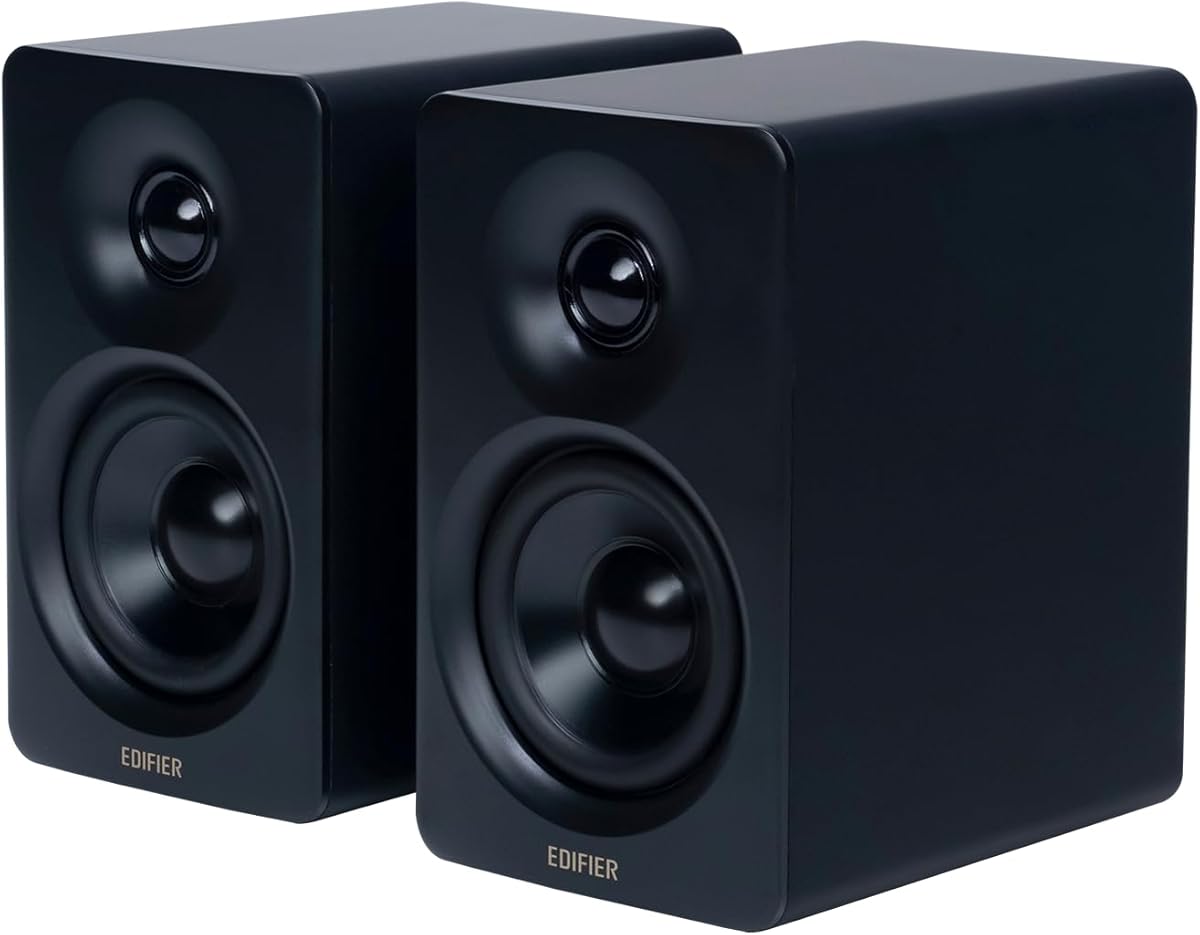
The Edifier MR3 brings studio-quality monitoring to the MacBook desktop. Its Hi-Res certification and high rating reflect accurate sound reproduction ideal for creative professionals and critical listeners.
We may earn a commission when you buy through this link, at no additional cost to you.
Multiple inputs including TRS, RCA, and Bluetooth allow simultaneous connections to various devices. The Music, Monitor, and Custom modes let you toggle between balanced listening and creative monitoring easily.
An MDF cabinet minimizes resonance for cleaner sound quality. While it takes up more desk space than compact speakers, the audio accuracy is unmatched in this category.
Best for creators who need precise sound representation, these speakers provide professional capabilities. The app integration allows deep EQ adjustments to match your listening environment.
The flat response across frequencies ensures you hear audio exactly as it is without artificial enhancement.
Support for balanced TRS inputs provides noise-free signal transfer for high-fidelity audio sources.
We may earn a commission when you buy through this link, at no additional cost to you.
These upgraded USB speakers are designed for immediate usability with MacBooks. Their simple plug-and-play nature means no software installation is required for quick audio enhancement.
We may earn a commission when you buy through this link, at no additional cost to you.
The dual high-excursion drivers and passive radiator work together to provide loud sound without distortion. USB power means you only need one cable running from your computer to the speakers.
While control options are minimal, the audio quality is sufficient for daily tasks. The soundbar form factor fits neatly in front of your monitor without obstructing your view.
Ideal for users who want quick setup without complications, these speakers deliver consistent performance. They are a reliable choice for standard office work and entertainment use.
Support for macOS, Windows, and Linux ensures these speakers work across any system you might use.
Drawing power directly from USB simplifies your desk by eliminating the need for external power adapters.
We may earn a commission when you buy through this link, at no additional cost to you.
The FUNLOGY Speaker focuses on ergonomic audio delivery with its 30-degree tilt design. This upward-facing layout directs sound directly to your ears, improving clarity without needing a loud volume.
We may earn a commission when you buy through this link, at no additional cost to you.
Despite its small size, it delivers 14W of output through dual full-range drivers. The volume dial on the front allows for tactile adjustment, offering a more traditional control method.
Gold-plated connectors reduce signal noise for cleaner audio playback. The Japanese design influence is evident in the reliable build and attention to detail in the finish.
Users looking for ergonomic sound optimization will appreciate the tilt design. It ensures that sound reaches you efficiently, making it a practical choice for desktop setups.
The angled design ensures sound waves travel directly toward your listening position for better focus.
The physical volume dial provides immediate feedback and control compared to digital volume changes.
We may earn a commission when you buy through this link, at no additional cost to you.
The Dell Speakerphone SP3022 is designed specifically for professional video conferencing on MacBooks. Its rating reflects user satisfaction with clarity and ease of use for business communication.
We may earn a commission when you buy through this link, at no additional cost to you.
AI noise cancellation filters out background noise so your voice comes through clearly. The full duplex audio ensures you can speak and listen simultaneously without robotic interruptions.
With direct Microsoft Teams and Zoom certification, setup is seamless for business apps. LED indicators show call status and volume levels, making status checks intuitive without visual screens.
Best for remote workers and professionals, this device prioritizes voice clarity over music quality. It ensures your meetings run smoothly with high-quality audio input and output.
AI algorithms actively filter out background sounds to keep your voice clear for remote teams.
Official certification with platforms like Teams guarantees compatibility and optimized performance.
We may earn a commission when you buy through this link, at no additional cost to you.
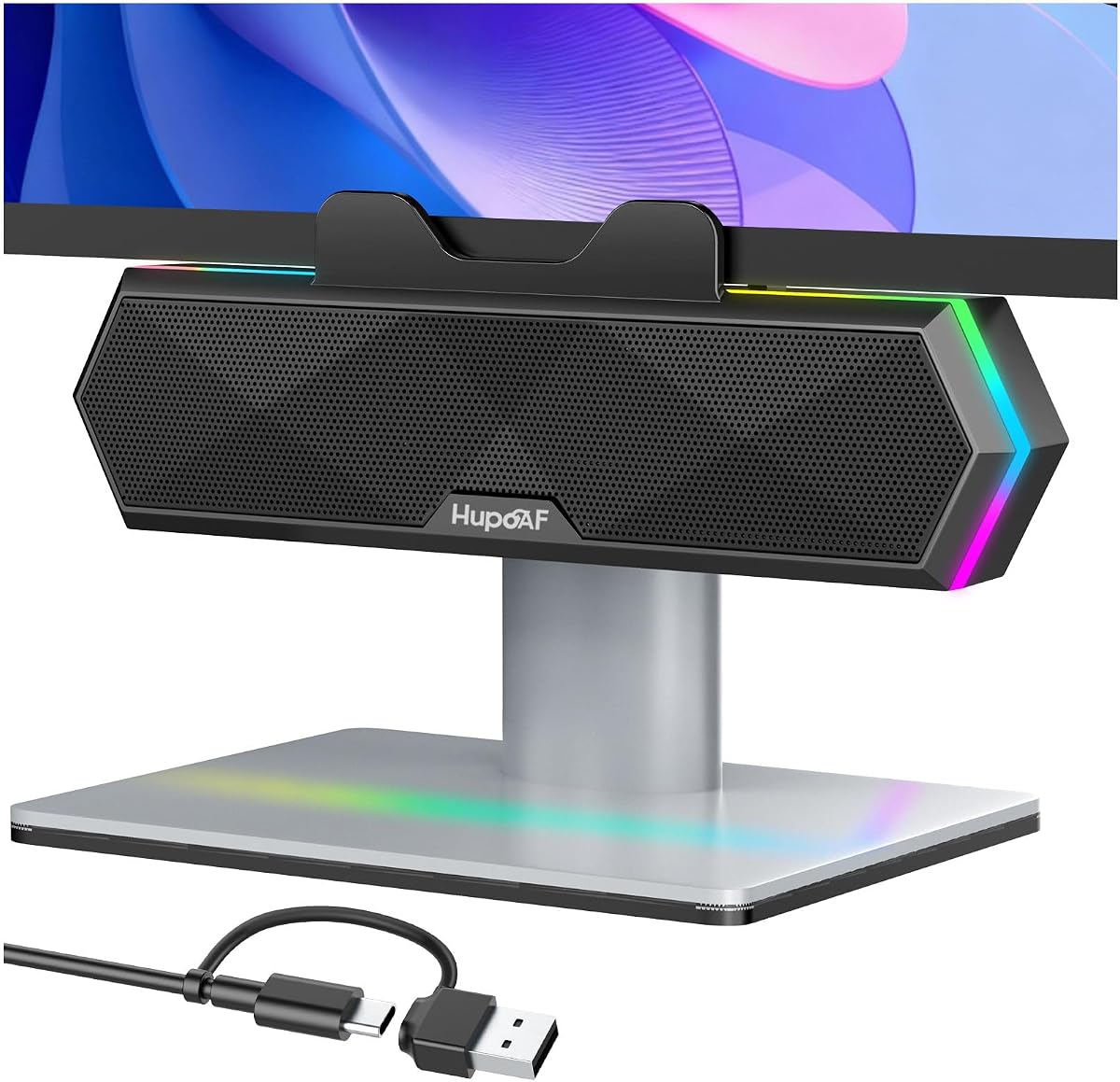
These clip-on speakers combine audio with visual appeal through dynamic RGB lighting. Their high rating indicates satisfaction with the balance of aesthetic design and functional audio performance.
We may earn a commission when you buy through this link, at no additional cost to you.
Six lighting modes let you customize the look of your desk setup to match your mood. The clip-on design ensures the speakers stay out of the way while keeping sound close to you.
Touch controls on top provide convenient access to playback and lighting changes. While the lighting is a key feature, the underlying audio quality is robust enough for daily use.
Best for gamers and enthusiasts, these speakers add personality to your workspace. They deliver a complete audio and visual upgrade to your MacBook desktop environment.
Multiple RGB modes allow you to style your desk to match your gaming or work aesthetic.
Top-mounted buttons let you manage audio and lighting without touching your computer keyboard or mouse.
We may earn a commission when you buy through this link, at no additional cost to you.
Selecting the right speakers involves balancing technical requirements with personal preference. This guide breaks down essential factors to consider for an optimal audio experience with your MacBook.
MacBooks often rely on USB-C or Bluetooth for audio output. Check if the speaker supports USB-C direct input for better compatibility without needing dongles. Bluetooth is convenient but introduces potential latency for video watching.
Prioritize USB-C wired connections for stable audio or Bluetooth 5.0+ for wireless freedom.
Look for speakers with dedicated drivers and passive radiators. These components ensure distinct highs and deep bass. Higher wattage often means better volume potential without distortion.
Check driver size and RMS power ratings to gauge sound quality.
If desk space is limited, consider monitor clip-on speakers or compact soundbars. Ensure the design fits your monitor thickness and won't obstruct your view.
Measure your desk area before purchasing to ensure a clean fit.
USB-powered speakers draw energy from your MacBook, which is efficient but requires a port. Wall-powered options free up your USB ports for other devices but need an outlet nearby.
Decide if using a USB port for power is acceptable for your workflow.
Convenient physical controls like volume dials or touch buttons make adjustment easier. Some speakers offer app-based control for EQ tuning which adds flexibility.
Look for controls that are easy to reach from your keyboard.
For watching movies or playing games, low latency is critical. Wired speakers eliminate latency completely whereas Bluetooth may have delays depending on codec support.
Choose wired connections if real-time sync is a priority for your tasks.
Metal or high-quality plastic cabinets reduce resonance and improve sound clarity. Durable construction ensures the speakers last longer on your desk.
Check material descriptions to ensure longevity and sound performance.
Start by connecting the speakers to your MacBook via USB or Bluetooth. If using a USB-C hub, ensure it supports data and power delivery for the speakers to work correctly.
Once connected, go to System Settings on your Mac and select the external speakers as the default audio output device. Adjust the system volume to a moderate level before using the speaker controls.
To care for your speakers, keep them away from liquid spills and excessive dust. Regularly wipe the surface with a dry cloth to maintain the finish and ensure the ventilation vents remain clear.
Yes. Most modern speakers connect directly via USB-C or Bluetooth. If you have an older MacBook with a headphone jack, you can use a 3.5mm aux cable if supported.
Most do, but ensure the hub supports power delivery and data transfer. Some hubs may not supply enough power for high-performance speakers.
Use a wired USB connection to eliminate Bluetooth latency. If using Bluetooth, try pairing via the Mac System Settings for better synchronization.
They can be suitable for casual play but wired is better for competitive gaming where audio latency matters for timing.
Yes. All listed models work with Mac Mini, iMac, and MacBook models as long as they have compatible USB or audio ports.
Most are plug-and-play and do not require additional drivers. However, checking manufacturer software can enable extra features on some models.
Choose USB-C for zero latency and high fidelity. Choose Bluetooth for convenience and reducing cable clutter on your desk.
We have highlighted ten excellent speaker options ranging from budget picks to premium studio monitors. The Logitech Z207 and Edifier M60 lead the list for their balance of features and performance.
Prioritize connectivity type and desk space when making your choice. Whether you need simple audio or high-fidelity sound, each model reviewed offers a distinct advantage for your specific needs.
Remember to verify current availability and product details before purchasing to ensure you get the right setup for your MacBook experience. Happy listening.