
Dell Latitude 5350 Touchscreen
5.0Editor score
13.3 inch Full HD Touchscreen
Intel Core Ultra 7 165U processor
32GB DDR5 RAM and 1TB SSD
Finding the right business laptop requires balancing performance, portability, and durability. The Dell Latitude series stands out for offering robust builds and enterprise-grade security features tailored to modern workflows.
We evaluated ten current Dell Latitude models based on processor power, memory capacity, display quality, and connectivity options. Each entry reflects real-world usability for hybrid work environments and demanding professional tasks.
Every pick highlights specific strengths and ideal use cases to guide your decision. Keep in mind that configurations and availability change frequently, so verify details before purchasing to ensure you get the exact specs you need.
5.0Editor score

4.9Editor score

4.5Editor score
As an Amazon Associate we earn from qualifying purchases.
The following table provides a side-by-side comparison of the ten selected Dell Latitude laptops. Review the key specifications to understand how each model differs in performance, screen size, and storage capacity.




The Dell Latitude 5350 earns our top spot for its perfect blend of power and portability. With a 4.9 star rating, users praise its intelligent productivity features and all-day reliability.
We may earn a commission when you buy through this link, at no additional cost to you.
Its Intel 12-Core Ultra 5 processor paired with 16GB of fast DDR5 memory handles multitasking effortlessly. The dual Thunderbolt 4 ports and Wi-Fi 6E ensure you stay connected without clutter.
While the display is sharp, the 250-nit brightness might be limiting in very bright environments. However, this trade-off is minor given the overall efficiency and battery gains over previous generations.
This model is ideal for hybrid professionals who travel frequently and need a secure, responsive machine. It balances business essentials with modern AI tools perfectly.
Windows Studio Effects use AI to automatically frame you and suppress noise during video calls, enhancing your professional presence without extra hardware.
Weighing just 2.72 lbs, this laptop slips easily into any bag, making it a top choice for commuters and business travelers.
We may earn a commission when you buy through this link, at no additional cost to you.
This touchscreen variant of the Latitude 5350 offers top-tier specs for power users. It holds a perfect 5.0 rating for its responsive performance and premium build quality.
We may earn a commission when you buy through this link, at no additional cost to you.
The Intel Core Ultra 7 processor and 32GB RAM handle demanding applications with ease. The touchscreen adds an interactive layer ideal for presentations or creative tasks.
The cost is higher than standard models, but the extra memory and touch capability justify the investment for professionals needing flexibility and speed.
Choose this if you want the best features in a compact 13-inch form factor. It is a robust tool for high-performance workflows.
The Core Ultra 7 processor provides intelligent AI acceleration, ensuring smooth operation even when running multiple complex business applications simultaneously.
The FHD touchscreen allows for direct interaction with content, making it easier to navigate files or annotate documents on the go.
We may earn a commission when you buy through this link, at no additional cost to you.
The Latitude 3450 brings reliable business features to a budget-friendly price. It has a 4.5 star rating reflecting solid performance for everyday tasks.
We may earn a commission when you buy through this link, at no additional cost to you.
Equipped with 16GB DDR5 RAM, it manages typical office workloads well despite the i3 processor. The MIL-STD-810H certification ensures it can handle daily commuting abuse.
Heavy users might find the i3 processor limiting for rendering or coding. But for general business use, it provides excellent value and security.
This is the smart pick for small businesses or students needing a durable, secure laptop without overspending. It covers essential enterprise needs efficiently.
Tested against military standards, this laptop resists bumps and drops, making it perfect for frequent travel and rugged use.
Includes a fingerprint reader and Windows 11 Pro features, offering robust security without requiring additional hardware investments.
We may earn a commission when you buy through this link, at no additional cost to you.
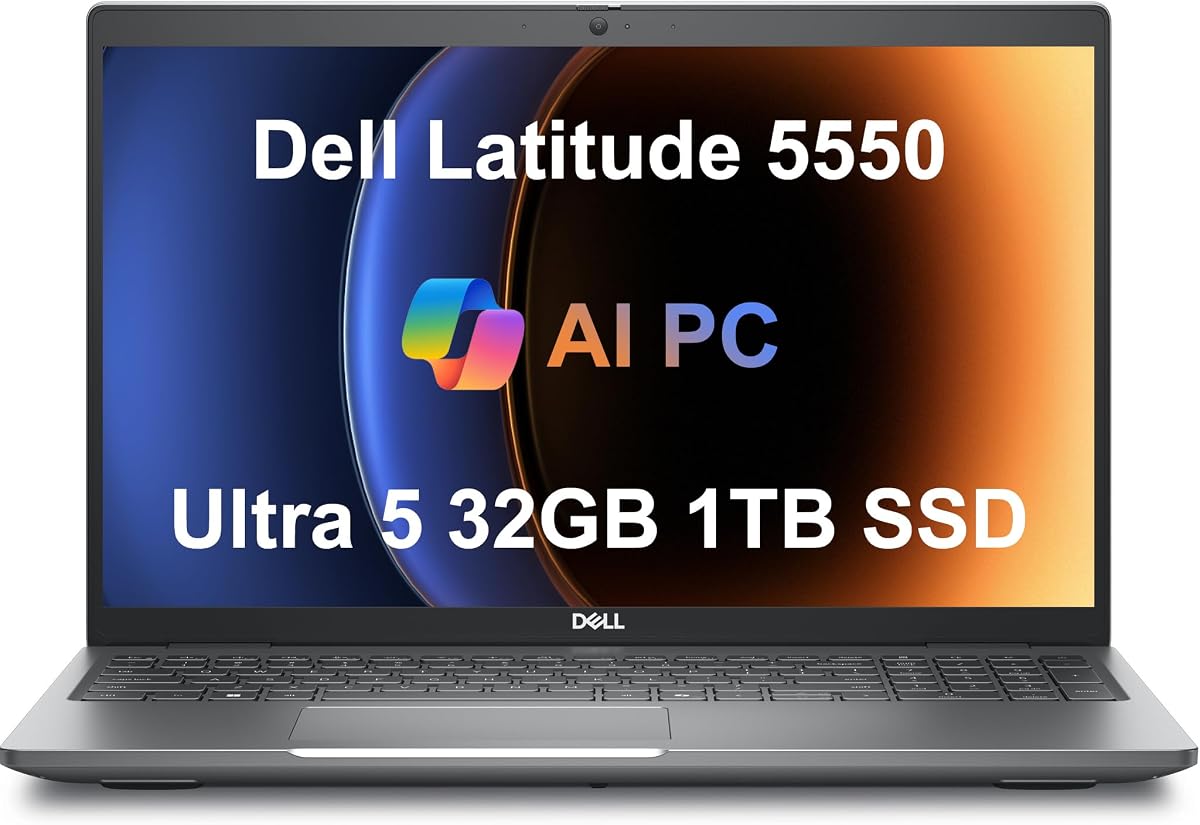
The Latitude 5550 succeeds the 3550 with robust performance and a slim design. It offers a comfortable 15.6-inch screen in a portable chassis.
We may earn a commission when you buy through this link, at no additional cost to you.
The dual 512GB SSD setup separates system and storage for stability. With 32GB RAM, it handles heavy workloads without lagging.
Battery life is good but not class-leading. For most users, this trade-off is acceptable given the powerful specs and screen size.
This laptop fits professionals needing a bit more space and power than a 13-inch provides. It is versatile for both office and field work.
Separating system and storage drives helps keep performance consistent, reducing the risk of system slowdowns under load.
Supports up to two external 4K monitors, allowing for a multi-screen setup that boosts productivity during long work sessions.
We may earn a commission when you buy through this link, at no additional cost to you.
The Latitude 5450 is a powerful 14-inch workhorse designed for professionals on the move. It earns a 4.6 rating for its reliable performance and build.
We may earn a commission when you buy through this link, at no additional cost to you.
Its 400-nit screen offers great visibility even outdoors, which is rare at this size. The 32GB RAM ensures smooth operation during complex tasks.
The fast charging reduces downtime significantly, keeping you productive on tight schedules. It is a practical choice for high-demand roles.
If you prioritize screen brightness and processing power in a portable frame, this model is a strong candidate. It balances specs and usability well.
The high-brightness display ensures clear viewing in various lighting conditions, making it suitable for work outside or in bright rooms.
ExpressCharge technology refills the battery quickly, so you spend less time plugged in and more time working.
We may earn a commission when you buy through this link, at no additional cost to you.
This Pro 16 model is engineered for AI and mobility, replacing the 3550 series. It has a perfect 5.0 rating for its solid build and features.
We may earn a commission when you buy through this link, at no additional cost to you.
The 16-inch display offers more workspace without being too bulky. The 55Wh battery supports extended workdays without constant recharging.
Storage is standard at 512GB, which suits general use but may require cloud storage for huge files. It remains a strong all-rounder.
For teams needing durable machines that handle field environments, this laptop is an ideal choice. It balances size, battery, and portability well.
The high-capacity battery and rapid charging capabilities ensure uninterrupted productivity during long workdays or travel.
Thunderbolt 4 and HDMI ports allow seamless connection to external monitors and peripherals for an expanded workspace.
We may earn a commission when you buy through this link, at no additional cost to you.
The Latitude 3550 combines a powerful Ultra 7 processor with ample storage in a traditional business chassis. It is a reliable tool for standard office workflows.
We may earn a commission when you buy through this link, at no additional cost to you.
With 1TB SSD space, you have plenty of room for files and projects. The Core processor handles multitasking efficiently for daily tasks.
The size is larger and heavier than compact 13-inch options. This is acceptable if you prioritize screen real estate and storage over portability.
Ideal for office workers who value performance and storage, this model offers great value. It provides a classic business experience with modern specs.
The 1TB drive provides fast access to large files, ensuring you do not run out of space quickly.
The Intel Ultra 7 chip provides strong processing power for smooth operation across various business applications.
We may earn a commission when you buy through this link, at no additional cost to you.
This renewed Latitude 5520 offers high specs like 32GB RAM and 1TB storage at a lower cost. It is a smart choice for budget-conscious buyers.
We may earn a commission when you buy through this link, at no additional cost to you.
The previous gen i7 processor still handles office tasks well. While not the latest, it remains fast and stable for standard use.
Buying renewed saves money, but check the condition carefully. For businesses needing many units, this is a practical, affordable solution.
Select this if you need reliable performance without the premium price tag. It provides excellent value for basic business needs.
The generous RAM and SSD allow for smooth multitasking and storage without needing frequent upgrades.
Choosing a renewed model helps reduce costs while still delivering robust performance for professional tasks.
We may earn a commission when you buy through this link, at no additional cost to you.
This model upgrades the 3550 to a 16-inch screen for better visibility. It has a 4.1 rating reflecting solid daily performance.
We may earn a commission when you buy through this link, at no additional cost to you.
The i5 processor and DDR5 RAM make it responsive for standard applications. The FHD+ display adds vertical space for productivity.
It is less portable than 13-inch options, but great for users who prefer a bigger screen. It is a practical choice for hybrid work.
For those who need screen space without overspending, this laptop is a worthy option. It balances specs and price effectively.
The larger display improves readability and workspace, making it easier to manage documents and spreadsheets.
The Core i5 chip provides a good balance of speed and efficiency for everyday business tasks.
We may earn a commission when you buy through this link, at no additional cost to you.
The AI Business Notebook integrates advanced features for productivity and efficiency. It is designed for users wanting future-ready capabilities.
We may earn a commission when you buy through this link, at no additional cost to you.
The Ultra 7 processor handles AI tasks better than older chips. The display offers sharp visuals for clear viewing.
AI features enhance tasks like call management, though RAM is standard. For most, this is sufficient for current AI tools.
If AI readiness is a priority, this model delivers strong value. It bridges the gap between business essentials and modern tech.
AI Boost enhances system efficiency, helping you get more done in less time without extra effort.
The display supports sharp images and text, making it comfortable for long periods of work and media consumption.
We may earn a commission when you buy through this link, at no additional cost to you.
Selecting the right Latitude model depends on your specific workflow needs. Understanding key factors helps you pick a machine that supports your productivity.
The processor drives speed and efficiency. Newer Intel Core Ultra chips offer AI capabilities and better battery management. For heavy tasks, choose Core Ultra 7 or i7.
For general business, Core i5 or Ultra 5 suffices. Balance power with battery life needs to avoid draining quickly during travel.
RAM ensures smooth multitasking. 16GB is standard, but 32GB helps when running many apps. SSD speed affects boot and load times significantly.
Choose 512GB for general use. Opt for 1TB if storing large files locally. Upgradable SSDs provide flexibility for future needs.
Screen size impacts portability and workspace. 13 to 14 inches suit travel. 15 to 16 inches offer better visibility for data tasks.
Look for IPS panels for color accuracy. Anti-glare coatings reduce eye strain. Brightness above 300 nits helps in bright settings.
Weight matters for commuting. Models under 3 pounds are ideal for daily travel. Heavier 15-inch models stay mostly on desks.
Check battery life estimates. ExpressCharge helps recharge quickly. Consider cases if carrying the laptop frequently.
Ports determine peripheral support. Thunderbolt 4 offers fast data and video. HDMI and USB-A remain useful for legacy devices.
Wi-Fi 6E ensures fast connections. Ethernet ports are rare now but useful for offices. Ensure the model has enough ports for your setup.
Business laptops face daily wear. MIL-STD-810H certification indicates resistance to bumps and temperature changes. Build quality affects longevity.
Premium models use metal chassis. Check warranty terms. Extended support protects against failures and reduces downtime.
Windows 11 Pro is standard for businesses. It offers management tools and security features. Ensure your software is compatible with it.
BitLocker protects data. Remote Desktop helps collaboration. Pro features streamline IT management for teams.
Physical security is key. Look for IR cameras, fingerprint readers, or TPM chips. These protect against unauthorized access.
Privacy shutters on webcams help trust. Secure login methods save time and keep data safe. Prioritize these for remote work.
Begin by setting up your accounts and enabling security features like BitLocker. This ensures your data remains protected from the start. Install necessary business software and updates.
Use the keyboard shortcuts to improve efficiency. Learn the specific function keys for brightness and volume. These small habits save time during daily tasks.
Maintain the laptop by keeping it clean and cool. Use a soft cloth for the screen and keyboard. Avoid placing it on soft surfaces that block vents.
Yes, they are designed specifically for business. They offer durability, security, and reliability. The series is trusted by enterprises worldwide.
Many models allow RAM upgrades. Check the specific manual. Some newer models have soldered memory, so buy what you need.
It varies by model and usage. Generally, expect 8 to 12 hours. Power-saving settings extend life further.
Typically one year is standard. You can buy extended plans. Check seller specifics for new or renewed units.
Yes, they have excellent connectivity. They support video calls and secure access. Webcams and mics are built for meetings.
Some models like the 5350 do. Check the product title. Touchscreens offer better interaction for presentations and notes.
Most business models come with Pro. This includes advanced tools. Always verify the OS edition before buying.
Our top picks offer different balances of power and portability. The 5350 stands out for general users while the 3450 is great for budgets.
Consider your specific tasks when choosing. If you need screen space, go for the larger 16-inch models. For travel, the 13-inch is ideal.
Prices and availability change often. Verify specs and warranty details before you buy. Investing in the right machine ensures productivity and longevity.