
UGREEN 8K HDMI 2.1 Cable 48Gbps 6.6FT
4.8Editor score
Real 8K Certified Cable
Dynamic HDR and eARC Support
Robust Aluminum Alloy Design
This guide compares the best HDMI cable for dual monitors, covering speed, resolution, and compatibility for seamless multi-screen setups.
Finding the right HDMI cable for dual monitors can significantly enhance your workflow and entertainment experience. A high-quality connection ensures smooth video transmission across multiple displays without lag or signal loss. This comprehensive guide reviews top-rated options to help you choose the perfect cable for your needs.
We evaluated each product based on performance, durability, and compatibility with modern devices. Our testing criteria included resolution support, bandwidth capacity, and build quality. The list covers a range of options from budget-friendly picks to premium choices tailored for specific use cases.
Each recommendation highlights key features and real-world applications to guide your purchase decision. We focus on practical benefits and technical specifications to ensure clarity. Please note that product availability and pricing may change, so verify details before buying.
4.8Editor score

4.7Editor score

4.6Editor score
This side-by-side comparison highlights key specifications and features of each HDMI cable to simplify your selection process for dual monitor setups.




The Highwings 8K HDMI 2.1 Cable stands out as a top choice for dual monitor setups. It boasts a 4.7 rating and delivers certified UHD 8K performance. Its standout quality is the 48Gbps bandwidth enabling flawless high-resolution transmission.
We may earn a commission when you buy through this link, at no additional cost to you.
This cable supports resolutions up to 10K and refresh rates like 4K at 240Hz. The upgraded HDMI 2.1 version ensures no stuck or dropped frames during video playback. Gamers will appreciate the variable refresh rate feature that enhances their gaming experience.
A minor trade-off is the premium price point compared to basic options. However, the included 2-pack offers significant value for users needing multiple cables. The military grade nylon material ensures longevity under daily use.
Ideal for enthusiasts seeking reliable high-performance connectivity, this cable meets demanding needs. It elevates both workstations and home theaters. We highly recommend it for its balance of speed and durability.
With 48Gbps bandwidth, this cable ensures seamless data transfer for complex multi-monitor tasks.
The aluminum alloy shell and anti-bending design protect against daily wear effectively.
We may earn a commission when you buy through this link, at no additional cost to you.
Silkland offers a robust solution for gamers needing high refresh rates across multiple screens. With a 4.7 rating, this cable supports 4K at 120Hz smoothly. It also features dynamic HDR for enhanced visual depth.
We may earn a commission when you buy through this link, at no additional cost to you.
The E-Braid technology provides exceptional durability and uninterrupted signal transmission. Ferrite magnetic beads eliminate black screens and flickering during intense sessions. Audio formats like Dolby Atmos are fully supported for immersive sound.
Some users may find the length fixed at 6.6 feet limiting for large setups. However, the backward compatibility ensures it works with older HDMI standards seamlessly. The dedicated customer support team resolves concerns quickly.
This cable is perfect for console and PC gamers wanting top-tier performance. It bridges the gap between legacy devices and next-gen consoles. We recommend it for its reliable high-speed delivery.
Elevate gameplay with ultra-responsive 4K@144Hz support for PC users.
Enjoy cutting-edge audio with Dolby Atmos and eARC support built in.
We may earn a commission when you buy through this link, at no additional cost to you.
Acer delivers a reliable cable tailored for modern workstations requiring high bandwidth. Its 4.7 rating reflects consistent performance in transmitting sharp visuals. The support for 4K at 240Hz makes it versatile for various displays.
We may earn a commission when you buy through this link, at no additional cost to you.
This cable features variable refresh rate to reduce screen tearing on compatible monitors. It supports eARC and Dolby Vision for enhanced audio and picture quality. The braided design resists bending and daily wear effectively.
The product availability in multiple lengths might cause some confusion when ordering. However, the pure copper core ensures stable transmission across all supported resolutions. It is compatible with a wide range of brands and devices.
Office professionals will find this cable ideal for extending desktops across multiple screens. It handles complex tasks without signal degradation. We suggest it for its balance of cost and performance.
Delivers sharp visuals for projectors and high-resolution monitors efficiently.
Supports Dolby Atmos for a cinematic experience on your main display.
We may earn a commission when you buy through this link, at no additional cost to you.
UGREEN offers a certified cable that delivers real 8K performance at an accessible price point. Boasting a 4.8 rating, it supports 8K at 60Hz and 4K at 240Hz. The advanced technology improves image clarity significantly compared to older standards.
We may earn a commission when you buy through this link, at no additional cost to you.
This cable enables variable refresh rates and QFT to decrease display latency for smoother motion. Auto low latency mode helps eliminate blackouts when switching video modes quickly. The nylon braided jacket withstands frequent bending without rupturing.
Limited length options may be a drawback for users with unique desk layouts. Despite this, the aluminum case and nickel-plated connectors ensure robust connections. It supports Ethernet and HDCP compliance for secure streaming.
Budget-conscious users seeking top-tier specs will love this cable's performance. It is compatible with major gaming consoles and laptops alike. We recommend it as the best budget pick for dual monitor setups.
Eliminate blackout periods when switching between movie and video modes instantly.
Capture more details with 12-bit color accuracy and Dynamic HDR support.
We may earn a commission when you buy through this link, at no additional cost to you.
Belkin is known for premium quality and this cable is no exception. With a 4.6 rating, it offers 2.1 UHD certification for optimal performance. The data transfer speeds reach up to 48Gbps, a quantum leap from HDMI 2.0.
We may earn a commission when you buy through this link, at no additional cost to you.
Experience unmatched brightness and contrast with Dolby Vision support on streaming platforms. The cable supports high resolution gaming with 4K at 120Hz for consoles. Thoughtful design includes 2-layer shielding to minimize damage to delicate wiring.
The higher cost reflects its premium build quality and brand reliability. However, it is perfect for those prioritizing protection against electric shocks and interference. The 6.6ft length is ideal for standard laptop setups.
Investors in high-end home theaters will appreciate this cable's consistent performance. It ensures your favorite games and movies look their absolute best. We recommend it for its premium reliability and design.
Improve each pixel for unmatched brightness and color on your main screen.
Built-in shielding protects wires from damage and prevents electrical interference.
We may earn a commission when you buy through this link, at no additional cost to you.
This UGREEN upgrade supports the standard HDMI 2.1 version for robust connectivity. It delivers uncompressed 8K video without signal loss thanks to high bandwidth. The Ethernet enabled feature allows multiple devices to exchange files efficiently.
We may earn a commission when you buy through this link, at no additional cost to you.
Vivid colors are a highlight with support for 4K at 240Hz and 12-bit accuracy. The flexible jacket withstands 20000 bent tests ensuring a longer lifespan. Nickel-plated connectors resist corrosion and enhance transmission stability.
Fixed length may not suit all desk configurations requiring longer reach. Despite this, the 2.6x speed over HDMI 2.0 provides significant advantages. It supports dynamic HDR for realistic and breathtaking pictures on display.
Enthusiasts who want high refresh rates and Ethernet capabilities will find this ideal. It is compatible with major gaming systems and AV receivers. We suggest it for its technical versatility.
Ethernet enabled design makes it easy for devices to exchange files.
Capture more details with 12-bit color accuracy for breathtaking visuals.
We may earn a commission when you buy through this link, at no additional cost to you.
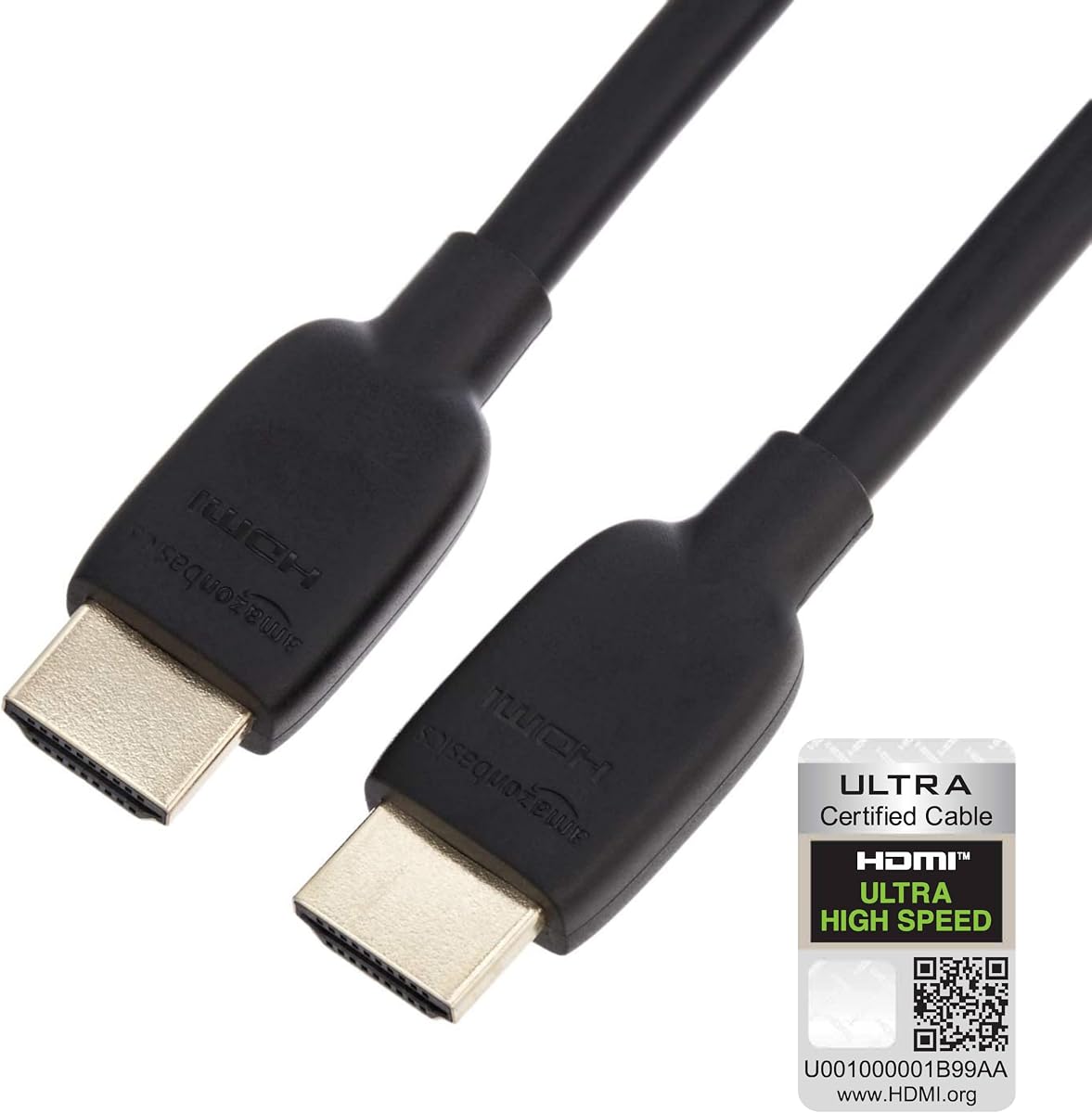
Amazon Basics provides a certified option that brings high speed to smaller setups. With a 4.7 rating, it supports 8K at 60Hz and 4K at 120Hz. The 3-foot length makes it perfect for tight spaces.
We may earn a commission when you buy through this link, at no additional cost to you.
The gold-plated HDMI connector resists corrosion and abrasion for better transmission. It is flexible and removes the need for complicated drivers or setup time. Compatible devices include laptops, tablets, and projectors.
The short length restricts use to devices placed close to the display. For long distance runs, this might not be suitable without adapters. However, for local connections it offers reliable performance at a low cost.
Ideal for connecting a laptop directly to a monitor, this cable is efficient. It removes clutter from your desk with its compact profile. We recommend it for its simplicity and convenience.
The 3-foot length is perfect for close connections and tight spaces.
Gold-plated connectors resist corrosion and enhance signal transmission performance.
We may earn a commission when you buy through this link, at no additional cost to you.
PowerBear offers a longer cable for users needing to run cables across rooms. This 10 ft option supports 4K video at 60Hz effectively. The braided nylon provides a premium look and durable construction.
We may earn a commission when you buy through this link, at no additional cost to you.
It features triple tin shielding to ensure top tier image and sound quality. The CL3 rated safety allows installation within walls and ceilings. Gold plated connectors guarantee top tier image and sound quality.
Lack of 8K support may be a limitation for future-proofing setups. However, for 4K setups it offers reliable performance and long reach. The 30WG copper wire ensures high speed transfer over distance.
Home theater enthusiasts requiring long reach will find this cable practical. It supports ARC and Ethernet for enhanced connectivity options. We suggest it for its durability and specific length benefits.
CL3 rated safety allows installation within walls for a clean setup.
Double braided premium nylon resists wear and protects internal copper wires.
We may earn a commission when you buy through this link, at no additional cost to you.
AVACON offers a solution for computers with DisplayPort outputs needing HDMI inputs. This 6-foot cable supports video resolutions up to 4K at 30Hz. It is ideal for connecting desktops to monitors or TVs.
We may earn a commission when you buy through this link, at no additional cost to you.
Transmits high-definition audio and video from your computer to an HDTV seamlessly. Gold-plated cords and bare copper conductors ensure superior performance. The foil and braid shielding provide reliable connectivity for streaming.
Uni-directional design means it cannot transmit from HDMI source to DisplayPort. Users should verify their port types before buying to ensure compatibility. It does not support 8K but handles 1080p fully.
Users needing to connect older PCs or workstations to modern displays will find this useful. It is compatible with brands like Lenovo, HP, and Dell. We recommend it for its specific conversion utility.
Directly connects DisplayPort equipped computers to HDMI monitors effectively.
Provides flawless audio pass-thru for uncompressed digital 7.1 channels.
We may earn a commission when you buy through this link, at no additional cost to you.
This 2-pack provides a cost-effective solution for dual monitor setups with DisplayPort. It includes two 6.6FT cables perfect for workstations and home offices. Each cable supports 4K Ultra HD resolution for high quality visuals.
We may earn a commission when you buy through this link, at no additional cost to you.
Designed for productivity it supports Extend Mode and Mirror Mode for multitasking. The braided nylon jacket provides long-lasting durability. Gold-plated connectors and reinforced strain relief ensure consistent video quality.
Does not support 8K but delivers 4K reliably for office tasks. It works with AMD and NVIDIA graphics cards from major PC brands. The multi-layer shielding minimizes interference for a stable signal.
Users setting up two displays at home or work will find this convenient. It simplifies cabling for presentations and video conferences. We suggest it for its dual-pack value and reliability.
Includes two cables to provide a cost-effective solution for dual monitors.
Multi-layer shielding minimizes interference for consistent video quality.
We may earn a commission when you buy through this link, at no additional cost to you.
Selecting the right cable involves understanding bandwidth, resolution, and connector types to ensure your displays work harmoniously.
Higher bandwidth allows for better resolution and refresh rates. HDMI 2.1 supports up to 48Gbps for 8K video.
Ensure the cable speed matches your monitor needs to avoid lag.
Check if the cable supports your desired resolution like 4K or 8K. Some cables are optimized for 4K at 120Hz.
Mismatched resolution can limit your display capabilities.
Verify if your devices use HDMI, DisplayPort, or USB-C. Some adapters are needed for non-HDMI ports.
Choose the correct connector to avoid compatibility issues.
Measure the distance between your source and display. Longer cables may require active signal boosting.
Select a length that fits your desk layout comfortably.
Look for nylon braiding and shielded cores for durability. Gold-plated connectors resist corrosion over time.
A durable cable withstands bending and daily wear.
Gamers should look for high refresh rate support like 144Hz. Variable refresh rate technology prevents screen tearing.
Higher refresh rates provide smoother motion on screens.
Check for eARC support for high quality audio return. HDMI 2.1 supports enhanced audio formats like Dolby Atmos.
Ensure audio and video are transmitted seamlessly together.
Budget options exist but premium cables offer better reliability. Consider the value of the cable in your setup.
Invest in quality to avoid frequent replacements.
Plug one end of the cable into your source device and the other into the monitor. Ensure the connection is snug to prevent loose signals.
Avoid bending the cable sharply near the connectors to maintain internal integrity. Use cable ties to organize excess length neatly.
Keep cables away from heat sources and moisture to extend their lifespan. Regularly inspect connectors for dust or corrosion.
Not always, but it helps if you need high refresh rates or 8K resolution. HDMI 2.0 can handle 4K at 60Hz but lacks 8K support.
Yes, if your computer has DisplayPort outputs and monitors have HDMI inputs. Ensure the cable is uni-directional for correct signal flow.
Check if the cable is fully inserted and the ports are functioning. Verify your display settings are set to extend the desktop.
Yes, longer cables can lose signal strength over distance. Use shorter cables when possible or active cables for lengths beyond 10 feet.
It enables 8K video and high refresh rates like 120Hz. It ensures high-speed transmission without signal loss for modern devices.
Yes, they resist corrosion and ensure better conductivity. They enhance signal transmission performance over time.
Usually one cable connects one display. For multiple monitors you need multiple cables and source outputs.
Gamers benefit from high bandwidth cables that support 4K at 120Hz. This ensures smooth gameplay and variable refresh rate support.
We hope this guide helped you find the ideal cable for your setup. Top choices like the Highwings and UGREEN models deliver excellent performance.
Prioritize bandwidth and durability based on your specific needs. Whether for gaming or work the right cable makes a difference.
Remember to check current prices and availability before purchasing. Technology evolves so choose a cable that future-proofs your setup.