
10Gb PCIe NIC Network Card Intel 82599EN
4.5Editor score
Genuine Intel 82599EN silicon
No vendor lock on SFP+ cage
Plug and play on Proxmox
This guide compares the top fiber optic network interface cards for speed and reliability helping you choose the right NIC for your server or desktop setup.
Fiber optic network interface cards enable high-speed data transmission over long distances with immunity to electromagnetic interference. These cards are essential for servers and desktops needing reliable gigabit or faster connections.
We compared ten top-rated fiber optic NICs based on chipset performance, compatibility, and feature sets. Our analysis covers single and dual port options ranging from ten to twenty-five gigabit speeds for various use cases.
Each pick highlights key specifications and ideal applications to help you decide quickly. Prices and availability may change so check current listings before purchasing to ensure you get the best deal for your needs.
4.5Editor score

4.9Editor score

4.3Editor score
The following table provides a side-by-side comparison of all ten fiber optic network interface cards evaluated in this guide. Each entry includes key specifications and direct links to product details on Amazon.


The StarTech 2-Port GbE SFP Network Card delivers exceptional performance with its Intel I350 series chipset offering two gigabit open SFP slots for desktop or server use. It has a perfect rating from users who appreciate its reliability and broad compatibility with various SFP modules and direct attach copper cables.
We may earn a commission when you buy through this link, at no additional cost to you.
This card unlocks any singlemode or multimode MSA-compliant SFP module allowing flexibility in network setup. It supports critical features like IPv4 and IPv6 TCP UDP offloading and link aggregation which enhance overall network efficiency and management capabilities significantly.
While it offers robust features like PXE boot enabled centralized OS deployment and VLAN tagging support users should note it is limited to 1Gbps speeds. This trade-off is acceptable for most general server and desktop applications where cost-effectiveness and reliability are prioritized over extreme bandwidth.
Ideal for IT managers and server administrators this card provides thoughtful design elements like LED indicators for port status and activity monitoring. Its low-profile bracket inclusion ensures easy installation in smaller cases making it a top choice for versatile fiber optic connectivity needs.
The Intel I350 series chipset ensures sustained performance with optimized heat management through the built-in heatsink feature.
Works seamlessly with Windows Server Linux VMware ESXi and Microsoft Hyper-V for diverse operating system environments.
We may earn a commission when you buy through this link, at no additional cost to you.
This LinksTek X520 DA1 adapter delivers stable unified 10Gb/s LAN and SAN connectivity ideal for data centers and desktop PCs needing high-speed storage. It features the powerful Intel 82599ES 10 Gigabit Ethernet Controller ensuring reliable performance across various demanding applications.
We may earn a commission when you buy through this link, at no additional cost to you.
Major features include support for Intel Virtualization Technology such as traffic management and Flexible Port Partitioning which enhances server efficiency. The adapter supports multiple storage protocols like iSCSI FCoE and NFS making it versatile for network-attached storage environments.
Users need to install drivers on Windows 11 10 and 8x which adds a minor setup step. Despite this the adapter achieves unprecedented 10GbE performance with advanced features like Receive Side Coalescing and Intel Ethernet Flow Director for optimized data handling.
Ideal for gaming NAS and virtualization this card includes both full height and low profile brackets for flexible installation. Its compatibility with Linux and Windows Server versions ensures broad adoption for users requiring robust high-speed fiber optic network connections.
The Intel 82599ES controller supports up to 20 Gbps bandwidth for PCIe 2.0 ensuring fast data transfers.
Supports VMDq and SR-IOV technologies to optimize virtual machine network performance significantly.
We may earn a commission when you buy through this link, at no additional cost to you.
The Asus 10Gbps Gigabit Ethernet PCI Express adapter offers blazing fast 10Gbps speeds capable of completing networking tasks ten times faster than standard Gigabit Ethernet. Its stylish and sophisticated aluminum heatsink keeps the card cool during high performance tasks ensuring sustained operation.
We may earn a commission when you buy through this link, at no additional cost to you.
Fiber optics compatibility allows high speed transmissions over much greater distances than traditional copper cables. The built-in SFP+ cage enables flexible connectivity using both fiber optic and Direct-Attach copper connections adapting to various network infrastructure requirements easily.
Automatic prioritization via built-in QoS technology boosts bandwidth to important streams or games which enhances user experience. However the operating temperature range is limited to 0 C to 40 C which may require additional case cooling in hot environments.
Ideal for enthusiasts and professionals needing premium performance this adapter balances speed with thermal management. Its automatic prioritization ensures smooth gameplay and data transfers making it a top premium choice for demanding network applications and high-speed storage needs.
The aluminum heatsink design ensures the card stays cool during intensive data transmission tasks reliably.
Built-in QoS boosts bandwidth for gaming and streaming ensuring a prioritized network experience always.
We may earn a commission when you buy through this link, at no additional cost to you.
This 10Gtek card is equipped with a high quality original Intel 82599EN controller which supports I/O virtualization and makes servers more stable. It offers a single SFP+ port ideal for connecting to 10 Gigabit SFP+ modules DAC or AOC cables for data center environments.
We may earn a commission when you buy through this link, at no additional cost to you.
The PCI-E X8 lane design ensures compatibility with both PCI-E X8 and PCI-E X16 slots providing flexible installation options. It supports 10G speeds exclusively which simplifies configuration but limits adaptability for systems needing lower speed options like 1G or 2.5G.
Users benefit from a 3 Year warranty and lifetime technology support ensuring long-term reliability and assistance. While it does not support hot swapping this adapter is well-suited for stationary server or desktop installations needing stable high-speed network access.
Ideal for users needing a reliable 10G solution this card provides robust features like jumbo frame support and checksum offload. Its inclusion of brackets for small form factor cases makes it accessible for diverse hardware setups requiring efficient fiber optic networking.
The Intel 82599EN controller ensures stable performance and supports key virtualization features reliably.
Includes a 3 Year warranty and lifetime technology support for peace of mind.
We may earn a commission when you buy through this link, at no additional cost to you.
This network card features the Realtek RTL8127 controller with exclusive RealWoW technology enhancing data transmission stability and wake-up diagnostics. It offers a single 10G SFP+ port delivering a dramatic 10x speed increase over standard Gigabit adapters for professional network needs.
We may earn a commission when you buy through this link, at no additional cost to you.
The PCIe Gen4 x1 interface design allows operability in PCIe X1 X4 X8 and X16 slots ensuring wide compatibility. It supports PXE WOL and Jumbo Frames alongside IEEE 802.1Q VLAN tagging adapting to complex network environments effectively for diverse applications.
While it supports Linux kernels up to 6.15 it does not support FreeBSD or ESX/ESXi limiting some enterprise virtualization scenarios. Users can simply scan the QR code on the NIC to quickly download and install drivers reducing setup complexity significantly.
Ideal for modern Windows and Linux users this card provides comprehensive protocol support and bracket options for easy installation. Its high-stability controller and speed capabilities make it a strong choice for systems needing reliable high-speed fiber optic connectivity without complexity.
RealWoW technology significantly enhances data transmission stability and wake-up diagnostics for reliability.
Full height and low profile brackets included simplify installation in any computer case type.
We may earn a commission when you buy through this link, at no additional cost to you.
This card features genuine Intel 82599EN silicon delivering sustained 10 Gigabit throughput for NAS transfers VM migration and iSCSI storage. Unlike branded cards it rejects no modules making all third-party DAC twinax AOC and optics link up without vendor lock issues.
We may earn a commission when you buy through this link, at no additional cost to you.
It supports plug and play on Proxmox TrueNAS Unraid and ESXi detected by other systems like Ubuntu and Debian with no driver steps. The passive heatsink design runs warm by design requiring case airflow or a small fan to maintain optimal performance in silent builds.
With only four PCIe lanes it seats in any x4 x8 or x16 slot leaving the rest of the board free. Included full-height and low-profile brackets ensure compatibility with ATX towers 1U and 2U racks and mini-ITX systems effectively.
Ideal for budget-conscious users this card offers Intel-level performance at a lower cost. Its jumbo frames to 9KB and checksum offload running in hardware ensure efficiency making it the best budget choice for high-speed fiber optic connectivity without compromising quality.
Unlike Intel branded cards this allows any compatible third-party SFP+ modules to work freely.
Detected by Proxmox and Linux without driver installation saving setup time.
We may earn a commission when you buy through this link, at no additional cost to you.
The CX4121A is a dual 25GbE SFP28 fiber port adapter based on the Mellanox ConnectX-4 Lx EN MT27711A0 converged Ethernet controller. It provides a cost-effective and flexible Ethernet solution for Web 2.0 cloud data analytics and storage platforms needing extreme speed.
We may earn a commission when you buy through this link, at no additional cost to you.
It supports IEEE 802.3by 25 Gb/s and other standards like Energy Efficient Ethernet and VLAN tags allowing for advanced network configurations. Auto-negotiates to PCIe X8 X4 lane and switches PCIe Gen versions ensuring compatibility with existing motherboard slots easily.
Supports RDMA over RoCE and Overlay Networks via NVGRE VXLAN and GENEVE optimizing virtualization and storage performance. Users need to install Open Fabrics Enterprise Distribution or Windows Distribution which may add setup steps for non-server environments.
Ideal for data centers and virtualization this card serves as a drop-in alternative to MCX4121A-ACAT for server applications. Its high-speed dual port design ensures simultaneous 25GbE performance making it a top choice for demanding enterprise networking and storage requirements.
PCIe 3.0 x8 interface provides 64Gb/s bandwidth to support dual 25GbE ports simultaneously.
Supports VXLAN and GENEVE for advanced overlay networks in cloud environments.
We may earn a commission when you buy through this link, at no additional cost to you.
This fiber optic network card features an 82599EN chip ensuring fast speed stable performance and low consumption with low latency. It offloads TCP/UDP/IP checksums freeing up CPU resources to process other applications effectively improving overall system throughput significantly.
We may earn a commission when you buy through this link, at no additional cost to you.
The SFP+ optical port suits single mode and multimode modules as well as active optical and direct attach cables. Its gold-plate fingers offer effective antioxidant properties and reliable contact reducing hardware faults and sudden disconnection problems over time.
Users should note it is compatible with PCIE X1 X4 X8 X16 slots but not older PCI slots requiring compatible hardware. The included low-profile and full height brackets allow flexible installation in various chassis sizes from 2U to 3U configurations.
Ideal for industrial PCs workstations and servers this card supports multiple operating systems and applications. With auto adaptive transmission rate and dual duplex modes it offers reliable connectivity and includes an optical module for immediate network deployment needs.
Gold-plate fingers prevent oxidation and hardware faults ensuring long service life.
Includes one multimode optical module to get started without extra purchases.
We may earn a commission when you buy through this link, at no additional cost to you.
The TP-Link TX401 delivers extreme speeds of up to 10 Gbps with the latest 10GBase-T technology ensuring smooth data transmissions for internet and local networks. Its versatile compatibility means it is backwards compatible with multiple data rates automatically negotiating speeds for optimal performance.
We may earn a commission when you buy through this link, at no additional cost to you.
Quality of Service technology prioritizes performance for gamers helping avoid network congestion during PC gaming sessions. It includes a free 1.5 m CAT6A Ethernet cable rated for up to 10 Gbps maximizing performance without needing extra purchases immediately.
While it offers excellent support for Windows and Linux systems it is limited to copper connections rather than fiber optic. This makes it less suitable for long-distance runs but ideal for users needing high speed within existing copper infrastructure setups easily.
Ideal for home users needing high speed this card includes low-profile and full-height brackets for mini towers. With a 2-year warranty and free technical support it provides reliable performance and customer service for diverse operating system network needs.
Built-in QoS prioritizes game traffic ensuring smooth play without lag.
Free CAT6A Ethernet cable ensures the adapter performs at top speeds.
We may earn a commission when you buy through this link, at no additional cost to you.
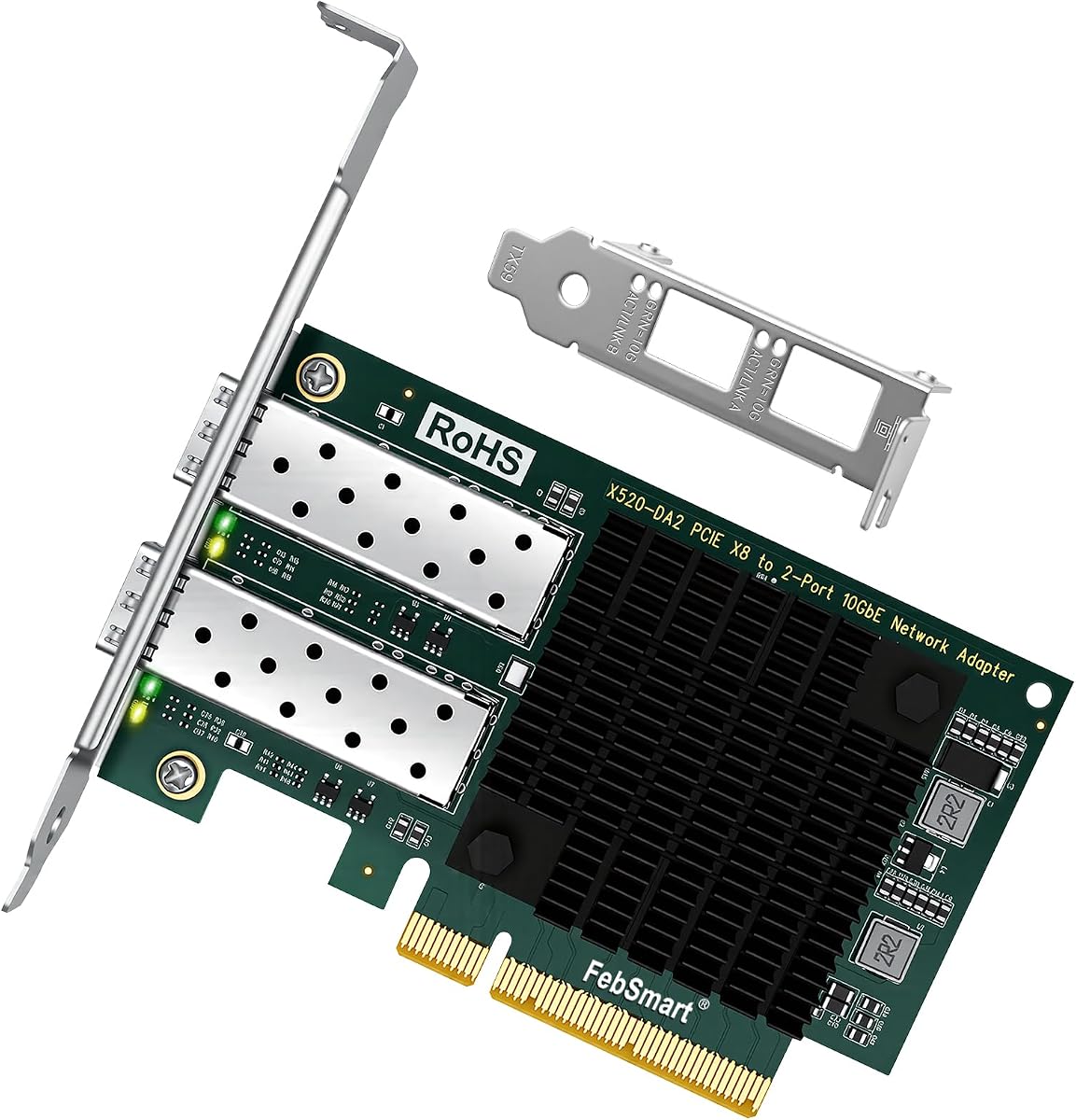
This adapter delivers stable 10Gb/s LAN and SAN connectivity for desktops servers and data centers powered by the Intel 82599ES 2x 10Gb/s Ethernet controller. It offers two 10GbE SFP+ optical ports ideal for virtualization and storage-intensive environments needing dual connection redundancy.
We may earn a commission when you buy through this link, at no additional cost to you.
Compliance with OFED and WinOF-2 standards ensures wide compatibility with SFP28 transceivers and cables. It supports Intel Data Direct I/O Technology Intelligent Offloads and Intel Virtualization Technology including VMDq and SR-IOV optimizing data flow for complex server workloads.
Users need to install drivers on Windows 11 10 and 8x but Windows Server versions are driver free. The 40 Gbps total bandwidth from the PCIe x8 interface ensures full-duplex connections for both transmit and receive paths maintaining optimal speed.
Ideal for users needing two fiber optic ports this adapter includes low profile and full height brackets for flexible installation. Its robust virtualization support and dual port design make it a top value choice for professional server and storage setups efficiently.
Two 10GbE SFP+ ports allow for failover configurations in critical server environments.
Supports SR-IOV and VMDq for optimized virtual machine network performance.
We may earn a commission when you buy through this link, at no additional cost to you.
Selecting the right fiber optic network interface card requires considering several technical factors to ensure compatibility and performance for your specific setup.
The controller chipset determines the card's performance and feature set. Intel controllers are widely trusted for reliability while Realtek and Mellanox offer cost-effective or high-speed alternatives. Check compatibility with your operating system before purchase.
Choose a proven chipset to avoid driver issues and ensure stability.
Fiber optic NICs come in speeds ranging from 1Gbps to 25Gbps. Ensure your network infrastructure supports the card's speed. SFP+ ports allow flexible transceiver choices but verify if you need single-mode or multi-mode fiber compatibility.
Match the port speed to your switch capabilities for optimal performance.
PCIe version and lane count (x1 x4 x8 x16) must match your motherboard slots. Some high-speed cards require PCIe 3.0 or 4.0. Verify slot availability and bandwidth to prevent bottlenecks during high throughput operations.
Confirm the card fits your motherboard's PCIe slot and version.
Ensure the card supports your operating system and drivers are readily available. Linux users should check kernel versions for open-source support while Windows users need verified drivers for stability.
Verify OS and driver support before buying to avoid installation issues.
Small form factor cases require low-profile brackets. Check if the card includes both full-height and low-profile brackets for flexibility. This ensures installation in mini-ITX and tower cases without extra hardware.
Look for included brackets that match your PC case size.
Server environments benefit from SR-IOV and VMDq support which optimize virtual machine networking. These features improve multi-tenant performance and network isolation without additional overhead on the host CPU.
Ensure virtualization features are supported for server-grade reliability.
Some cards reject third-party SFP modules requiring expensive branded optics. Check for vendor lock restrictions to save money and increase flexibility. Unlocked cages allow broader choices for compatible fiber transceivers.
Avoid vendor lock to reduce future transceiver costs.
High-speed cards generate heat and need adequate cooling. Look for built-in heatsinks and ensure your case has sufficient airflow. Some cards require additional fans to maintain performance during sustained operation.
Ensure proper cooling to prevent thermal throttling and downtime.
Install the card into an available PCIe slot and secure it with screws. Connect fiber optic cables securely to the SFP ports ensuring they are locked properly. Verify link status LEDs show active connections.
Download and install drivers from the manufacturer or use built-in OS drivers. Configure IP settings and VLANs through your network admin tools. Verify throughput and latency using benchmark tools.
Regularly clean dust from the card's heatsink and ensure case airflow is maintained. Monitor driver updates to prevent compatibility issues. Protect fibers from bending sharply to avoid signal loss and physical damage.
SFP+ ports typically support up to 10Gbps speeds while SFP28 ports support up to 25Gbps. SFP28 is required for faster 25G networks but both use similar connector sizes. Ensure your cables and transceivers match the port standard.
Most cards include drivers for Windows Server 2016 and newer in the OS package. Older versions may require downloading drivers from the manufacturer. Always check compatibility lists to ensure stable support.
Yes if the card has SFP+ ports you can use direct attach copper cables for short connections. This offers a cost-effective solution without fiber transceivers. Ensure the DAC cable matches the port speed requirements.
Older kernels may not support newer cards. Check if your kernel version is supported or install open-source drivers like ixgbe. Verify that the PCIe slot is properly populated and recognized by the system.
Most consumer PCIe cards do not support hot swapping. You must power down the system before installation or removal. Enterprise servers may support it but check specific specs to confirm hot plug capabilities.
Small form factor cases require low profile brackets to fit properly. Most cards include both brackets. Measure your case height to ensure the standard bracket fits if not using the low profile option.
We have reviewed ten fiber optic network interface cards ranging from reliable 1Gbps options to high-speed 25GbE solutions. Our top picks include the CX4121A for dual port performance and the 10Gb PCIe NIC for budget reliability.
Prioritize chipset performance and compatibility with your operating system and motherboard slots. Ensure thermal management meets your case requirements to maintain consistent performance under load.
Prices and availability may change so check current listings before purchasing to secure the best deal for your network upgrade needs.