
Thermalright TL-P9
4.7Editor score
Low noise operation
S-FDB bearings
4PIN PWM interface
Discover the top 92mm case fans for quiet cooling and performance. This guide compares ten leading models to help you choose the best fan for your build.
Finding the right cooling solution is crucial for any computer build. Nine centimeter fans offer a compact size that fits many tight spaces while delivering solid airflow for processors and cases.
We evaluated ten highly rated models based on noise levels, bearing technology, and airflow performance. Each option brings unique strengths for different budgets and specific cooling needs in modern systems.
Every entry includes detailed specifications and real-world usage notes to guide your decision. Prices and availability can shift frequently, so verify current listings before making your final purchase online.
4.7Editor score

4.8Editor score

4.8Editor score
The following comparison table provides a side-by-side overview of key specifications for all ten selected fans. Use this data to quickly identify which model fits your specific space constraints and performance requirements.


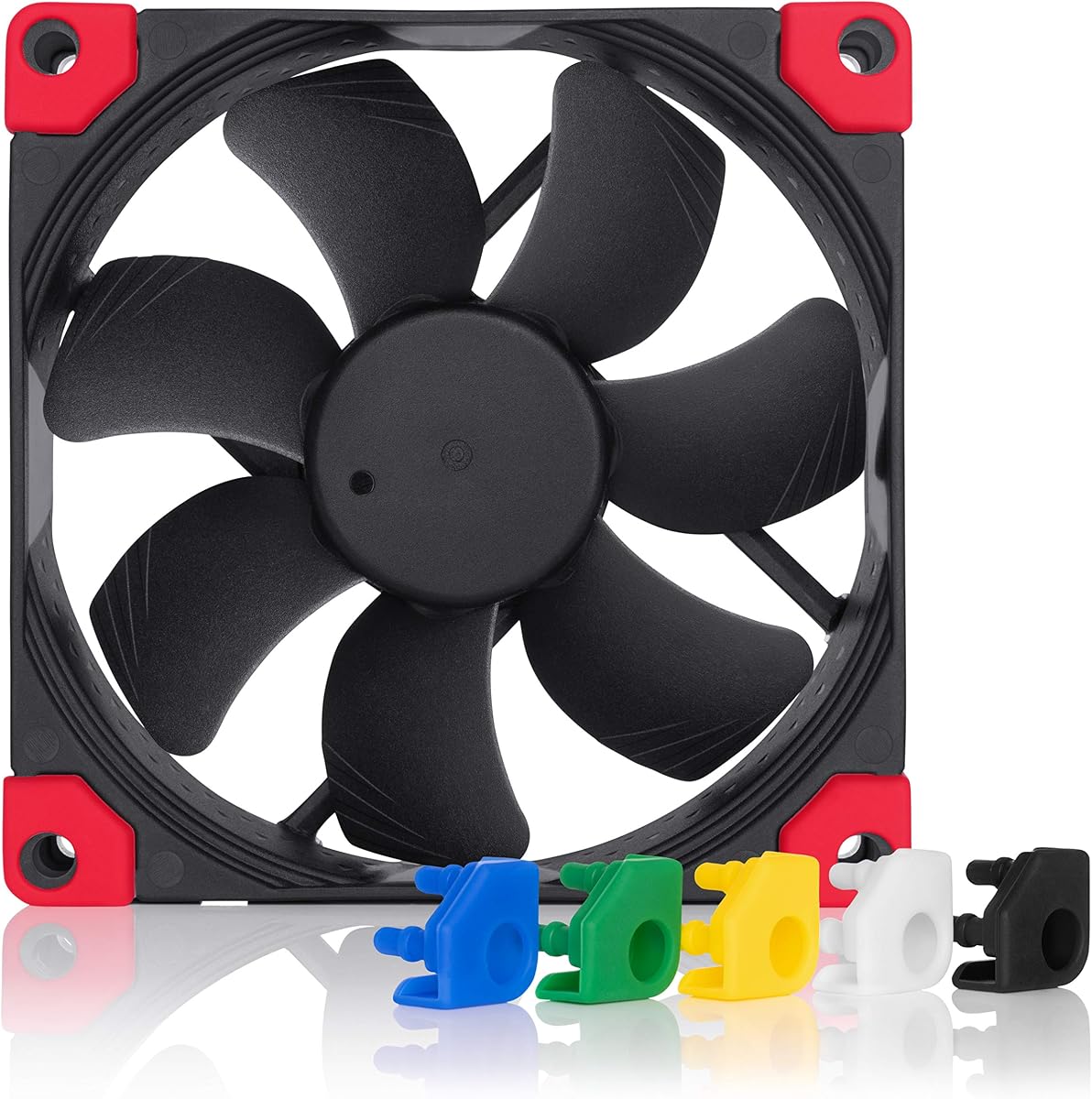


The Noctua NF-A9 PWM stands as a benchmark for quiet cooling in small form factor builds. With a stellar rating from users, this fan delivers reliable performance without compromising on acoustic comfort.
We may earn a commission when you buy through this link, at no additional cost to you.
Its A-series design features Flow Acceleration Channels that optimize airflow efficiency. The Advanced Acoustic Optimisation frame ensures minimal vibration, making it ideal for sensitive workstations or home theater PCs.
While it costs more than budget options, the included Low-Noise Adaptor allows further speed reduction. The 150,000 hour MTTF rating provides peace of mind for long term usage without frequent replacement.
This model is perfect for builders who prioritize silence and reliability. If you need a dependable 92mm solution for a CPU cooler or compact case, this fan remains a top recommendation.
The frame geometry and blade shape work together to reduce turbulence noise significantly.
The 4-pin PWM connection allows for automatic speed adjustments based on system temperature.
We may earn a commission when you buy through this link, at no additional cost to you.
The ARCTIC P9 PWM PST offers impressive versatility for its price tag. Users appreciate the ability to control speeds precisely via the 4-pin connector, which helps tailor cooling to specific workload needs.
We may earn a commission when you buy through this link, at no additional cost to you.
Its high static pressure makes it suitable for radiators or dense heat sinks where air resistance is a factor. The PST feature simplifies cabling by allowing multiple fans to daisy chain from a single header.
At lower speeds, the motor remains barely perceptible. However, pushing it to its maximum RPM may introduce more noise than premium alternatives. This trade-off is acceptable given the cost savings.
Ideal for budget-conscious builders needing PWM control and decent airflow. It balances performance and affordability effectively for cases with limited space for larger cooling components.
Optimized blades push air through restrictive spaces without losing too much pressure.
The built-in splitter reduces cable clutter inside your PC case significantly.
We may earn a commission when you buy through this link, at no additional cost to you.
This fan solves the height constraint issue common in ITX builds. Its 14mm profile allows clearance for memory modules or low-profile CPU coolers where standard 25mm fans would not fit.
We may earn a commission when you buy through this link, at no additional cost to you.
The chromax.black.swap edition provides aesthetic flexibility with included color options. The HS-PWM technology ensures the fan stops completely when not needed, adding to system silence during light tasks.
Performance remains strong despite the thin form factor. The speed range allows for fine-tuning, though users should be aware that higher speeds might increase noise slightly more than thicker models.
Best for compact builds requiring high clearance. It combines premium engineering with practical design, making it a preferred choice for those seeking a slim yet effective cooling solution.
Slimmer casing enables fitting into tight chassis layouts without sacrificing too much cooling.
Anti-vibration pads come in multiple colors to match your system's visual theme.
We may earn a commission when you buy through this link, at no additional cost to you.
A classic standard for thin fans, this model delivers consistent airflow in low height scenarios. The SSO2 bearing ensures long life and minimal vibration even at higher rotational speeds.
We may earn a commission when you buy through this link, at no additional cost to you.
Unlike the chromax version, this retains the iconic brown color. It functions identically in performance, offering the same PWM control and low noise profile for general purpose use.
Users rely on it for legacy systems or specific compact cases. The retail packaging ensures you get all necessary mounting hardware. It is a straightforward choice for those prioritizing function.
Perfect for anyone needing a slim fan without extra frills. It proves that a proven design does not need to change to remain effective and widely supported in modern cooling setups.
Proven SSO2 bearings minimize friction and extend the fan's operational lifespan significantly.
Slim profile fits easily where standard height fans would interfere with components.
We may earn a commission when you buy through this link, at no additional cost to you.
This Thermalright model punches above its weight in terms of silence and value. It targets budget builds that still demand decent performance without breaking the bank with expensive brands.
We may earn a commission when you buy through this link, at no additional cost to you.
The S-FDB bearings keep noise levels low even under load. Silicone feet help absorb vibrations, ensuring the fan does not transmit noise to the case chassis during operation.
While it may lack premium aesthetics, it cools effectively. The 7-blade design balances airflow and noise well. It is a practical choice for users who care about functionality over looks.
Ideal for those upgrading old systems on a strict budget. It delivers quiet cooling that meets most standard thermal needs without the premium price tag of competitors.
Delivers reliable airflow at a price point that saves significant money for other parts.
Soft rubber feet help isolate vibration noise from the PC chassis effectively.
We may earn a commission when you buy through this link, at no additional cost to you.
The P9 Silent focuses on simplicity with a fixed speed optimized for quiet operation. It avoids complex PWM signaling, which can be useful for setups where constant airflow is preferred over variable speeds.
We may earn a commission when you buy through this link, at no additional cost to you.
Its bearing design reduces friction to maintain performance over time. While it lacks automatic speed control, voltage control offers a manual alternative for adjusting noise levels as needed.
Static pressure is adequate for standard cooling tasks. It is less flexible than PWM options but remains reliable for dedicated exhaust or intake spots where consistent air movement matters.
Best for users wanting a straightforward quiet fan. It works well in cases where automatic control is not necessary and consistent cooling is the primary goal.
Fixed speed design eliminates the need for motherboard PWM configuration.
Alloy lubricant bearing technology helps extend service life under continuous use.
We may earn a commission when you buy through this link, at no additional cost to you.
This version brings the proven NF-A9 performance in a black finish to match dark themed builds. It retains the same acoustic optimization features as its brown counterpart ensuring high quality cooling.
We may earn a commission when you buy through this link, at no additional cost to you.
The chromax swap allows users to personalize the look of their build. You can change the color of the anti-vibration pads to suit different motherboard or case accents easily.
Performance is identical to the standard model with excellent noise levels. It is an upgrade choice for those who value aesthetics alongside reliable thermal performance in their systems.
Perfect for enthusiasts building a cohesive dark theme. It offers the best balance of style and function available in the Noctua 92mm fan range.
Black frame design helps reduce visual contrast in dark PC builds effectively.
Included colored pads allow quick changes to match your build theme.
We may earn a commission when you buy through this link, at no additional cost to you.
This 15mm fan offers a compromise between standard and ultra thin sizes. It provides more airflow than 14mm options while remaining low enough for tight clearances in compact cases.
We may earn a commission when you buy through this link, at no additional cost to you.
With a high max speed, it pushes significant air volume when needed. The vibration damping pads ensure that this speed does not translate into excessive noise or rattling.
It is a strong alternative to pricier options for budget builds needing slim profiles. The black color adds a modern touch suitable for many PC aesthetic preferences without extra cost.
Ideal for tight clearance scenarios requiring maximum airflow. It serves well as a CPU cooler accessory where space is limited but cooling efficiency cannot be sacrificed.
Thicker than 14mm models but still fits in many tight spaces for better cooling.
Sleek black finish blends well with modern PC cases and components.
We may earn a commission when you buy through this link, at no additional cost to you.
The FLX version is designed for older systems or users preferring simpler connections. It uses a 3-pin connector which is compatible with almost all headers without needing specific PWM support.
We may earn a commission when you buy through this link, at no additional cost to you.
Speed selection is manual via included adaptors. This allows you to choose a fixed speed based on your noise tolerance without dealing with complex BIOS settings for control.
Silence is exceptional at lower speeds thanks to the low voltage adaptor. It trades some flexibility for absolute quiet, making it perfect for workstations needing minimal background noise.
Best for legacy builds or silent PC enthusiasts. It offers the same quiet performance as PWM versions but through a simpler manual speed control mechanism.
Adaptors let you choose between three fixed speeds easily based on need.
3-pin design works with almost any motherboard header without special support.
We may earn a commission when you buy through this link, at no additional cost to you.
This fan prioritizes raw performance over silence. With a massive speed range, it is capable of pushing air through highly restrictive radiators or heatsinks that other fans struggle with.
We may earn a commission when you buy through this link, at no additional cost to you.
The 0dB mode ensures it stops completely when idle. This feature is vital for noise-sensitive environments where even low speed fans might still be audible during quiet moments.
Fluid dynamic bearing technology supports its high RPM capabilities. While it can be loud under load, it provides the cooling power needed for demanding thermal scenarios.
Ideal for enthusiasts needing maximum airflow in a 92mm footprint. It is the go-to choice for cases with extreme cooling requirements where space is severely limited.
High pressure design handles thick radiators and restrictive air paths effectively.
0dB mode stops fan completely during idle for absolute silence when cooling is not needed.
We may earn a commission when you buy through this link, at no additional cost to you.
Selecting the right fan involves balancing size, noise, and airflow. This guide breaks down the key factors to ensure you choose a unit that fits your case and cooling needs.
Most 92mm fans are 25mm thick, but slim versions at 14mm or 15mm exist. Measure your case or cooler clearance carefully before buying to ensure the fan fits without obstructing components.
Always check depth specifications alongside width and height to avoid fitting issues in compact enclosures.
PWM fans allow your motherboard to adjust speeds automatically based on temperature. This offers the best balance of silence and cooling. Fixed speed fans are simpler but lack this dynamic control.
Choose PWM for automatic speed control unless you have a specific reason for a fixed speed fan.
Bearings determine longevity and noise. Fluid dynamic and sleeve bearings are common in this size. SSO2 or similar proprietary bearings often offer longer life and less friction for quieter operation.
Look for bearing types known for low friction and long life in your target price range.
High airflow fans are better for open cases moving air freely. High static pressure fans excel when pushing air through restricted areas like radiators or dense CPU heatsinks.
Match the pressure type to where you plan to install the fan in your build.
Noise is measured in decibels (dB). Lower numbers mean quieter operation. However, real world noise often depends on how hard the fan is spinning. Consider if you need a quiet unit for a workstation.
Prioritize lower dB ratings if silence is more important than max cooling speed.
Quality fans include screws, rubber mounts, and sometimes adapters. These accessories help reduce vibration which lowers noise. Ensure the box includes what you need to install it securely.
Check the included kit for vibration damping mounts to reduce case noise.
Established brands often have better quality control and warranties. While budget options can work well, premium brands typically offer longer MTTF ratings and better acoustic engineering.
Consider brand support if you want reliable service or specific warranty terms.
Many fans now come in black or chromax designs to match modern builds. If style matters, look for color options that complement your case. Performance usually remains the same across color variants.
Select a design that fits your visual theme without sacrificing performance.
Install the fan securely using provided screws to ensure it stays in place. Tighten them just enough to prevent shaking but not so much that the frame bends or cracks.
Connect the fan cable to a compatible motherboard header. For PWM fans use a 4-pin header to enable automatic speed control based on system temperature.
Clean the fan blades regularly to maintain airflow efficiency. Dust buildup can cause imbalance and increased noise over time so use compressed air periodically.
They can be louder if spinning at high RPM to move the same air volume as a larger fan. However, modern 92mm models with PWM control stay very quiet at lower speeds.
No, physical dimensions do not match. You would need an adapter bracket to mount it, but airflow will be limited compared to a correctly sized fan.
Pulse Width Modulation allows the fan speed to be controlled electronically by the motherboard. This enables automatic adjustments based on heat instead of running at full speed constantly.
Most motherboards support both 3 and 4 pin headers. If you have a 3-pin fan it will fit directly into a 4-pin PWM header and run at full speed.
Use rubber anti-vibration mounts if available. They decouple the fan from the case frame significantly reducing the transmission of vibration noise.
Quality fans often have an MTTF rating of 150,000 hours or more. This means they can run for years without failure under normal operating conditions.
We reviewed ten excellent models ranging from premium Noctua units to affordable ARCTIC options. Each offers unique strengths whether you need silence, thin profiles, or raw cooling power.
Prioritize physical fit and PWM control for the best experience. Balancing your budget with these factors will lead to a reliable build that stays cool and quiet.
Always check current prices before buying since they fluctuate. Finding a sale on a premium fan can offer significant savings compared to the standard price.