
Silkland 54Gbps DisplayPort Cable 2.1 Secure Latch
4.7Editor score
Secure Latch Design
54Gbps Bandwidth
Durable Braided Jacket
This guide compares the top 10 Displayport cables for 144Hz monitors, evaluating bandwidth, build quality, and VESA certification to ensure optimal gaming
Finding the right Displayport cable for 144Hz gaming is essential for unlocking the full potential of your high refresh rate monitor. A quality cable ensures stable signal transmission, eliminates screen tearing, and supports the latest HDR standards for immersive visuals.
We evaluated ten top-rated cables based on VESA certification, bandwidth capacity, connector durability, and real-world compatibility with modern graphics cards. Each product was selected to meet the demanding requirements of competitive gaming and multimedia consumption.
Each pick below highlights specific strengths like bandwidth headroom, shielding quality, and latch design. Prices and availability change frequently, so verify the current details before purchasing to ensure you get the best value for your setup.
4.7Editor score

4.6Editor score

4.7Editor score
The following table compares key specifications across all ten selected cables, highlighting bandwidth, resolution support, connector materials, and compatibility features to help you make an informed decision.
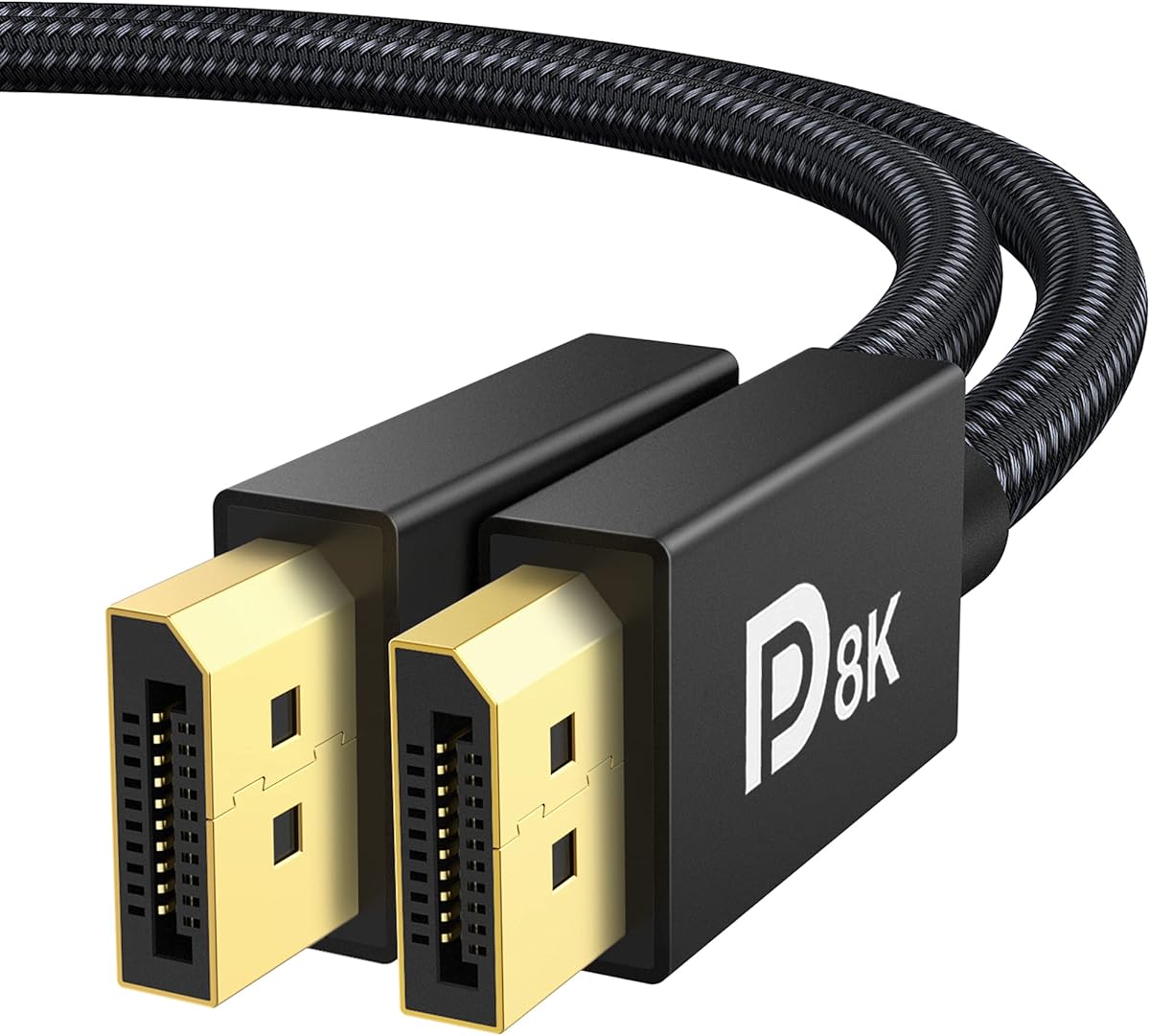


The Silkland 54Gbps 16K DisplayPort Cable 2.1 stands out as a premier choice for gamers seeking future-proof connectivity. With a VESA certification and support for resolutions up to 16K@60Hz, it delivers exceptional bandwidth headroom for high refresh rate displays.
We may earn a commission when you buy through this link, at no additional cost to you.
Its 54Gbps bandwidth ensures smooth performance at 4K@240Hz and supports Dynamic HDR for richer contrast. The cable features triple shielding to prevent signal loss and maintains stable transmission even in environments with significant electromagnetic interference.
While it lacks a secure latch, its robust nylon braided construction and 24K gold-plated connectors ensure long-lasting durability. The groove design on the port makes it easier to disconnect in tight spaces without damaging the connection.
This cable is ideal for users with high-end graphics cards like the RTX 4090 or AMD RX 7900 XTX. It provides the stability and speed required for competitive gaming setups demanding 144Hz or higher refresh rates.
The 54Gbps bandwidth ensures compatibility with next-gen monitors, allowing you to upgrade your display without needing a new cable.
Support for Dynamic HDR and lossless 7.1 channel audio pass-through enhances immersion in both games and media consumption.
We may earn a commission when you buy through this link, at no additional cost to you.
The IVANKY VESA Certified 8K DisplayPort Cable 1.4 is a reliable choice for gamers focused on performance without overspending. It officially meets VESA standards, guaranteeing consistent signal transmission for 4K@240Hz displays.
We may earn a commission when you buy through this link, at no additional cost to you.
Its 32.4Gbps bandwidth supports high refresh rates like 4K@240Hz, which is sufficient for most current gaming needs. The cable features a nylon braided jacket rated for 28,000+ bends, offering robust protection against daily wear and tear.
While it is limited to DisplayPort 1.4 capabilities, the dynamic HDR support and 24K gold-plated connectors ensure quality visuals and durability. The latch-free design prevents accidental disconnections but may require careful handling when unplugging.
This cable is perfect for users with RTX 3090 or 4080 graphics cards looking to drive 144Hz or 240Hz monitors. It balances cost-effectiveness with high-quality construction for everyday gaming reliability.
With a jacket rated for over 28,000 bends, this cable withstands frequent plugging and unplugging better than standard PVC options.
Support for G-Sync and FreeSync technologies ensures smooth, tear-free gameplay during intense multiplayer sessions.
We may earn a commission when you buy through this link, at no additional cost to you.
The Silkland 80Gbps DisplayPort Cable 2.1 sets a new standard for high-performance connectivity. It is the first VESA-certified DP80 cable on Amazon, offering unprecedented bandwidth for future display technologies.
We may earn a commission when you buy through this link, at no additional cost to you.
With 80Gbps bandwidth and UHBR20 support, this cable can handle uncompressed 4K@240Hz and supports up to 16K@60Hz with DSC. It is tailored for gamers who demand the absolute highest data transfer speeds available.
Its triple shielding and tinplate blocks minimize electromagnetic interference, ensuring stable transmission even over long distances. The 24K gold-plated connectors provide optimal signal quality and corrosion resistance for long-term use.
This premium option is best suited for early adopters of 8K monitors or multi-display setups. While it may be overkill for standard 144Hz gaming, it guarantees compatibility with next-generation hardware upgrades.
The 80Gbps bandwidth ensures you can run multiple 4K displays at high refresh rates without compression artifacts.
Features lossless 7.1/5.1/2.0 uncompressed audio pass-through, delivering immersive surround sound without additional cables.
We may earn a commission when you buy through this link, at no additional cost to you.
The UGREEN 16K DisplayPort Cable 2.1 delivers exceptional reliability and performance for high-refresh displays. It features a VESA certification and supports up to 16K@30Hz, ensuring compatibility with the latest monitor technologies.
We may earn a commission when you buy through this link, at no additional cost to you.
Its 54Gbps bandwidth provides ample headroom for 4K@240Hz gaming. The aluminum alloy housing accelerates heat dissipation, preventing overheating during extended gaming sessions and maintaining signal integrity.
The triple shielding design resists electromagnetic interference, reducing signal loss. The nylon braided jacket offers strong durability, and the lack of a 20-pin power issue simplifies usage with modern devices.
This cable is ideal for users with RTX 5090 or RX 7900 XT graphics cards. It offers a solid balance of build quality and performance for competitive gaming at 144Hz or higher.
The aluminum housing helps keep the connector cool, ensuring stable performance during prolonged high-bandwidth usage.
Support for Multi-Stream Transport allows you to connect multiple monitors to a single graphics card output efficiently.
We may earn a commission when you buy through this link, at no additional cost to you.
The Capshi 8K DisplayPort Cable 1.4 is designed for users seeking flexibility without sacrificing performance. It is officially VESA certified, ensuring it meets industry standards for 8K@60Hz and 4K@144Hz support.
We may earn a commission when you buy through this link, at no additional cost to you.
With 32.4Gbps bandwidth, this cable supports high refresh rates like 4K@144Hz. The 30AWG tinned copper conductors make the cable more flexible and slimmer than traditional options, aiding in cable management.
Its dynamic HDR support optimizes dark scenes for better visibility. The FEC error correction ensures stable data transmission, reducing the risk of screen artifacts during demanding gaming sessions.
This cable is a practical choice for gamers with RTX 3080 or 4070 Ti graphics cards. It provides reliable connectivity for 144Hz displays while maintaining a slim profile for easier routing.
The slim 30AWG conductors make this cable easier to route through desk grommets compared to bulkier alternatives.
Dynamic HDR technology optimizes contrast and brightness, making shadows in dark scenes clearer during gameplay.
We may earn a commission when you buy through this link, at no additional cost to you.
The Ubluker DisplayPort Cable offers a cost-effective solution for high-bandwidth connectivity. It features 54Gbps bandwidth and complies with VESA standards, making it suitable for modern gaming monitors.
We may earn a commission when you buy through this link, at no additional cost to you.
Support for UHBR and HBR3 ensures compatibility with 8K@60Hz and 4K@240Hz displays. The nylon braided jacket provides durability, and the cable is ready for FreeSync and G-Sync technologies.
Its 8B/10B encoding and optional FEC help maintain signal stability. While branding is minimal, the cable supports the latest graphics cards and monitors effectively.
This cable is a practical choice for budget-conscious gamers needing 144Hz support. It delivers reliable performance for daily use without requiring a premium price.
54Gbps bandwidth ensures you can utilize the full potential of high refresh rate 4K monitors without bottlenecks.
Works seamlessly with RTX 5090 and AMD RX 9070 XT graphics cards for next-generation gaming setups.
We may earn a commission when you buy through this link, at no additional cost to you.
The IVANKY 80Gbps DisplayPort Cable 2.1 delivers exceptional performance for high-resolution setups. It is officially VESA certified, ensuring reliable transmission for 16K@60Hz and 8K@240Hz displays.
We may earn a commission when you buy through this link, at no additional cost to you.
Its 80Gbps bandwidth and UHBR20 support provide massive data capacity. The double nylon braided jacket offers high durability, and the aluminum alloy housing facilitates heat dissipation.
Support for HDR, DSC1.2a, and FEC ensures rich visuals and stable signal transmission. While the latch-free design requires care when unplugging, the robust build ensures long-term reliability.
This cable is best for users planning to upgrade to 8K monitors or multi-screen setups. It provides the bandwidth headroom needed for next-generation high-refresh displays.
The FEC error correction mechanism ensures stable high-speed transmission without signal loss or artifacts.
The double nylon braided design significantly outperforms PVC in resisting wear and accidental bends.
We may earn a commission when you buy through this link, at no additional cost to you.
The Silkland 54Gbps DisplayPort Cable 2.1 features a secure latch design for added stability. It is VESA certified, ensuring reliable performance for 8K@240Hz and 4K@144Hz displays.
We may earn a commission when you buy through this link, at no additional cost to you.
Its 54Gbps bandwidth supports uncompressed 8K content. The secure locking latch prevents signal interruptions from accidental tugs, making it ideal for high-traffic gaming setups.
The triple shielding design blocks electromagnetic interference, and the 28AWG tinned copper conductors ensure stable transmission. The double-braided nylon exterior offers robust protection against wear.
This cable is perfect for users who value stability and easy disconnection. The latch design adds convenience, and the VESA certification guarantees consistent performance with modern hardware.
The locking latch prevents accidental disconnections caused by pets or pets, ensuring uninterrupted gaming sessions.
Triple shielding and tinplate blocks minimize interference, providing clean audio and video signals without artifacts.
We may earn a commission when you buy through this link, at no additional cost to you.
This product listing is currently unavailable. It is not possible to provide detailed specifications or performance analysis for this item. Buyers should choose alternatives from the available options.
We may earn a commission when you buy through this link, at no additional cost to you.
We recommend focusing on the top 10 picks for reliable performance. Ensure you select a cable that meets your specific resolution and refresh rate needs.
Current market trends show strong availability for VESA certified cables. Prioritize certified options to guarantee quality and compatibility with your hardware.
Stay tuned for updates if this product becomes available. In the meantime, the other listed options provide excellent value and performance.
We may earn a commission when you buy through this link, at no additional cost to you.
This product listing is currently unavailable. No technical details or performance data can be shared for this item. Check back later for stock updates.
We may earn a commission when you buy through this link, at no additional cost to you.
Consider the top-ranked options like Silkland or UGREEN for immediate solutions. These models are widely available and meet the necessary standards.
Ensuring you have a certified cable is key for 144Hz performance. Avoid uncertified alternatives that may compromise your display quality.
We appreciate your understanding. The top 8 options in this guide offer reliable performance for high refresh rate gaming.
We may earn a commission when you buy through this link, at no additional cost to you.
Choosing the right Displayport cable requires understanding bandwidth, specifications, and connector build quality.
Bandwidth determines how much data can be transferred. For 144Hz at 1080p or 1440p, a cable with 25Gbps is sufficient, but higher resolutions like 4K@144Hz demand 32.4Gbps or more. 2.1 cables offer up to 54Gbps for future-proofing.
Always verify the cable's bandwidth matches your monitor's highest resolution and refresh rate to avoid compression or signal loss.
VESA certification ensures the cable meets industry standards for performance and compatibility. Certified cables undergo testing to confirm they can handle the claimed bandwidth and resolution without signal degradation.
Prioritize cables with official VESA certification to guarantee reliability and avoid cheap knockoffs that may fail under load.
Connectors made with 24K gold plating resist corrosion and ensure stable signal transfer. Aluminum alloy housings improve durability and help dissipate heat during long gaming sessions.
Look for gold-plated connectors and sturdy housings to extend the cable's lifespan and maintain consistent performance.
Triple shielding protects against electromagnetic interference, which can cause signal loss or screen flicker. High-quality cables use braided jackets and internal layers to block interference from other electronics.
Choose cables with multiple shielding layers to ensure a stable connection, especially in setups with high-power devices nearby.
Cable length affects signal integrity. Shorter cables like 6.6ft are ideal for most setups. If you need longer lengths, ensure the cable supports signal boosting or is rated for the specific distance.
Measure your setup carefully to select the appropriate length. Avoid excessive slack that can lead to tangling or damage.
DisplayPort 2.1 offers significantly higher bandwidth than 1.4. For 4K@144Hz or higher, a 2.1 cable ensures future compatibility. 1.4 cables work well for current needs but may limit future upgrades.
Check your monitor and GPU supported versions. If both support 2.1, invest in a 2.1 cable for long-term value.
Some cables feature secure locking latches to prevent accidental disconnection. Others use latch-free designs for easy removal. Latches offer stability but require pressing a button to disconnect.
Choose based on your preference for stability versus convenience. Latches are beneficial for high-traffic or child-pet environments.
Modern cables support Dynamic HDR and lossless audio pass-through. Ensure your cable supports DSC if you plan to run high refresh rates at 4K or higher.
Verify support for the latest HDR and audio standards to fully utilize your monitor and sound system capabilities.
Connect the cable directly from your GPU to the monitor. Avoid using adapters or extensions that may degrade signal quality or reduce bandwidth. Ensure both ends are fully seated until the latch clicks.
Route the cable carefully to avoid sharp bends or kinks. Keep it away from power cables to minimize electromagnetic interference. Use cable ties or clips to secure slack and prevent tangling.
Inspect the connectors periodically for dust or damage. Keep them clean with a dry cloth. Avoid pulling the cable by the jacket when disconnecting to protect the internal conductors.
Yes, a low-quality cable may not support the required bandwidth for 144Hz at high resolutions, leading to reduced refresh rates or flicker. Certified cables ensure stable transmission.
Not necessarily. DisplayPort 1.4 can handle 4K@144Hz with DSC. However, DP2.1 offers better headroom for 4K@240Hz and future displays without compression.
VESA certification means the cable has been independently tested to meet performance standards. It guarantees the cable can handle the claimed bandwidth and resolution.
HDMI 2.1 can support 144Hz but has different bandwidth limits. DisplayPort is generally preferred for PC monitors, but HDMI 2.1 works for most modern setups.
Flickering may result from poor shielding, incorrect cable version, or loose connections. Try a certified cable and ensure both ends are fully plugged in.
Quality braided cables can last several years with regular use. Avoid bending or yanking the cable to extend its lifespan. Inspect connectors for corrosion or wear.
Yes, they require cables capable of the necessary bandwidth. Most modern cables are rated for this, but verify the specs match your monitor's requirements.
Yes, DisplayPort 2.1 cables are backward compatible with 1.4 and earlier standards. They will function normally but will limit bandwidth to the older standard's speed.
The Silkland 54Gbps 16K DisplayPort Cable 2.1 stands out as the top choice for its VESA certification and robust bandwidth. It delivers exceptional performance for current and future high-refresh displays.
When selecting a cable, prioritize VESA certification, bandwidth, and shielding quality. Avoid uncertified cables that may fail to support your monitor's full capabilities or cause signal instability.
Prices and availability change frequently. Always verify the current details and ensure your GPU and monitor support the cable version before purchasing for the best results.