
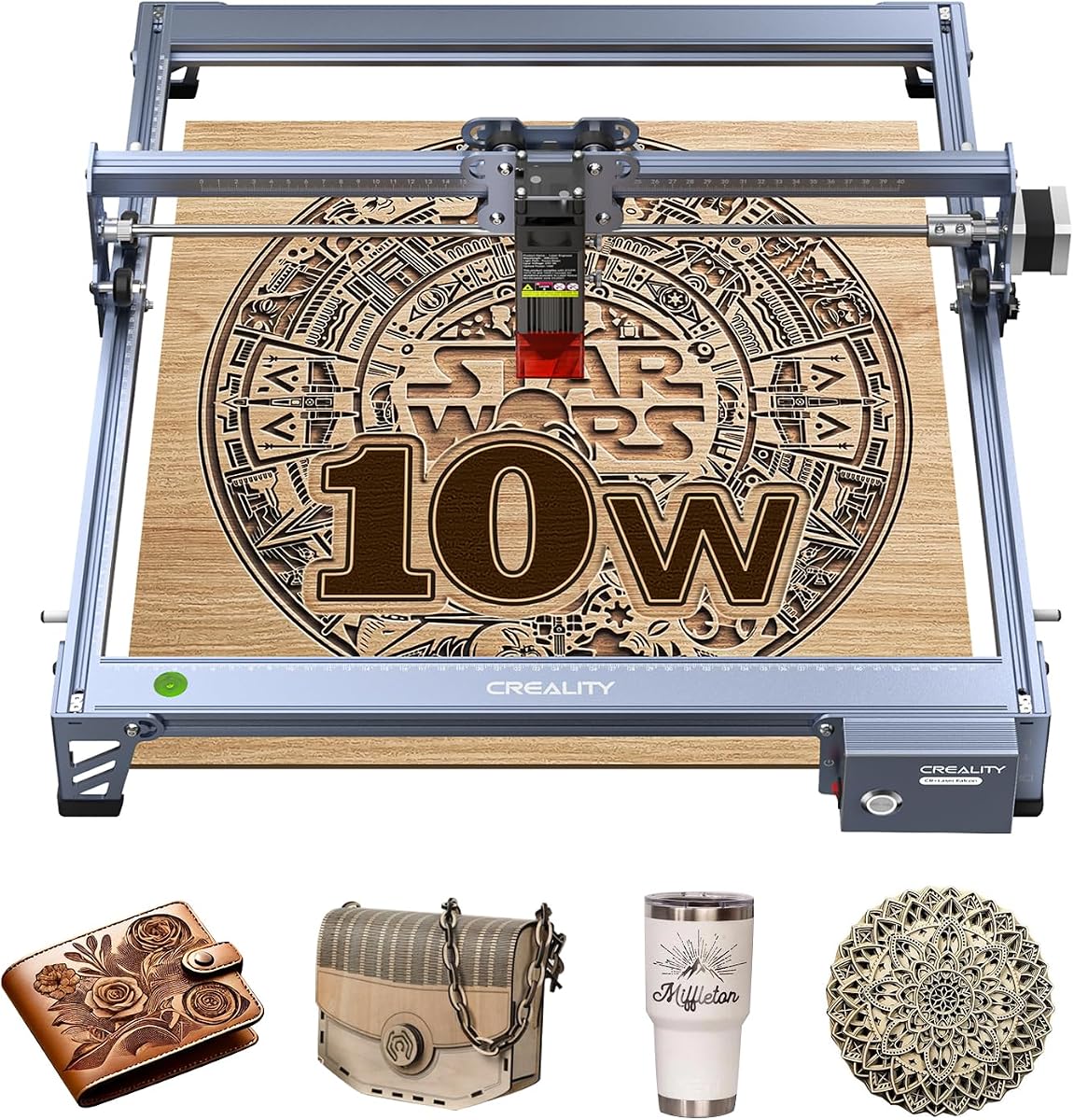
Creality Falcon 10W Laser Engraver Machine
4.2Editor score
72W effective power
0.06mm precision
Wide material compatibility
Choosing the right laser engraver can transform your creative projects into professional-quality results. Whether you are a hobbyist or a small business owner, finding a reliable machine is crucial for consistent performance and safety.
We have analyzed the latest models from Creality to bring you a comprehensive comparison. Our review covers key features like speed, precision, safety, and ease of use to help you make an informed decision.
Each pick highlights specific strengths and ideal use cases for different users. Please note that product availability and pricing may change frequently, so always check the latest details before purchasing.
4.2Editor score

4.2Editor score

3.8Editor score
As an Amazon Associate we earn from qualifying purchases.
This side-by-side comparison highlights the key specifications and features of all ten top-rated Creality laser engraver models available in the market today.




The Creality Falcon A1 10W Laser Engraver stands out as a top choice for users seeking a balance of power and safety. It delivers 80W of output power with a fully enclosed design that ensures safe operation.
We may earn a commission when you buy through this link, at no additional cost to you.
Its high speed of 600mm/s and HD camera auto positioning make it incredibly efficient for detailed work. The pre-assembled nature means you can start creating almost immediately after unboxing.
While it offers excellent precision, it is important to note that it does not support highly reflective materials. This limitation is common for this type of laser but worth considering for your specific projects.
For hobbyists and small businesses looking for reliability and ease of use, this model is a strong recommendation. It combines advanced features with a user-friendly interface.
The Class 1 safety rating and fully enclosed design protect users from laser exposure and smoke.
With 600mm/s speed, this machine reduces project time while maintaining high accuracy on various materials.
We may earn a commission when you buy through this link, at no additional cost to you.
This model is an excellent entry point for those on a budget who still need professional results. It offers 72W of effective power and high precision for a variety of materials.
We may earn a commission when you buy through this link, at no additional cost to you.
The workspace is spacious enough for most projects, and the included safety goggles provide necessary protection. It cuts through 12mm wood easily, making it versatile for different applications.
While it lacks some automated features of higher-end models, the performance justifies the lower cost. Users might need to spend a bit more time on setup compared to pre-assembled options.
Ideal for beginners or those testing the waters of laser engraving, this machine delivers consistent quality without a high price tag.
Offers premium features at a fraction of the cost of other professional-grade engravers.
Works well with wood, leather, acrylic, and fabric, expanding creative possibilities significantly.
We may earn a commission when you buy through this link, at no additional cost to you.
The Falcon A1 Pro brings professional-grade features to the desktop with its 20W output and touch screen interface. It is designed for serious makers who need speed and precision.
We may earn a commission when you buy through this link, at no additional cost to you.
Its auto-focus system and app control allow for seamless workflow management. The high speed of 600mm/s ensures that batch production is efficient and reliable.
While the cost is higher, the features justify the investment for businesses or advanced hobbyists. The enclosure keeps smoke and noise contained, maintaining a clean workspace.
If you require top-tier performance and are willing to invest in quality, this machine is a standout option in the market today.
20W power allows for cutting thicker materials and detailed engraving with equal ease.
Touch screen and app control streamline the design and execution process for users.
We may earn a commission when you buy through this link, at no additional cost to you.
This model emphasizes ease of use with its smart camera and recognition features. It is ready to use straight out of the box, which is a significant plus for many users.
We may earn a commission when you buy through this link, at no additional cost to you.
The graphic outline extraction feature helps users transform ideas into engraving paths quickly. The high speed makes it suitable for time-sensitive projects without compromising quality.
Users should be aware of limitations regarding acrylic cutting and reflective materials. However, for general engraving tasks, it performs admirably.
This machine is perfect for those who want a streamlined experience with advanced tech features integrated into the workflow.
Smart camera reduces setup time and increases accuracy by automating positioning tasks.
Graphic outline extraction simplifies design input for non-designers using the machine.
We may earn a commission when you buy through this link, at no additional cost to you.
With a 10W output and 72W machine power, this engraver balances cost and capability effectively. It offers a large workspace that accommodates bigger projects with ease.
We may earn a commission when you buy through this link, at no additional cost to you.
The high precision of 0.06mm ensures clean cuts and sharp details on various materials. Safety features like the anti-UV filter protect your eyes during operation.
Users need to assemble the unit within 20 minutes, which is manageable but requires patience. Compatibility with various software ensures flexibility in design creation.
It is a solid choice for DIY enthusiasts who value versatility and robust build quality over automated features.
0.06mm spot focus allows for intricate details on small items like jewelry.
Supports Wi-Fi, USB, and SD card for versatile data transfer options.
We may earn a commission when you buy through this link, at no additional cost to you.
This model is built for professional cutting with its 22W optical output and auto cut-through compensation. It handles thick materials like 15mm basswood effectively.
We may earn a commission when you buy through this link, at no additional cost to you.
The integrated enclosure and flame detector provide a secure environment for industrial-style work. The high speed supports batch processing needs for small businesses.
While powerful, it comes with a higher price tag and some complexity in setup. Users should be prepared for a learning curve to maximize its potential.
For those needing industrial power in a desktop format, this machine delivers unmatched cutting capabilities and reliability.
Auto cut-through paths optimize workflow for consistent results across multiple items.
Flame detector and laser detection provide advanced safety layers for professional use.
We may earn a commission when you buy through this link, at no additional cost to you.
The Falcon A1C introduces AI technology to simplify the engraving process. Its AI camera and One-Tap Engraving make it incredibly intuitive for beginners.
We may earn a commission when you buy through this link, at no additional cost to you.
The interchangeable laser platform allows users to switch between different modules for various projects. The high speed ensures rapid production times for creative work.
While the workspace is compact, it is ideal for small to medium projects. The AI features reduce the need for manual adjustments significantly.
For those who want the latest tech in a user-friendly package, this machine offers a seamless experience with great results.
AI converts photos into engraving art automatically, saving hours of manual editing.
Switch laser modules easily to adapt to different material needs without buying new units.
We may earn a commission when you buy through this link, at no additional cost to you.
This unit features a smart touchscreen that simplifies operation without needing a computer. It allows direct access to files and settings for a seamless workflow.
We may earn a commission when you buy through this link, at no additional cost to you.
The auto focus and HD camera ensure precise placement every time. Air assist functions help maintain clean cuts and a smoke-free environment.
While the touchscreen is convenient, the high cost may be prohibitive for casual users. It is best suited for professional studios where time is money.
For those seeking a standalone solution with high-end features, this model provides exceptional control and convenience.
Operates independently of PCs, allowing for direct file management on the device.
HD camera preview helps users place designs accurately without guesswork.
We may earn a commission when you buy through this link, at no additional cost to you.
This mini engraver offers impressive speed and modularity in a compact form. It supports 300+ materials, making it versatile for various projects.
We may earn a commission when you buy through this link, at no additional cost to you.
The quick-swap module feature allows for rapid transitions between different laser heads. It is lightweight and portable, ideal for makers on the go.
While powerful for its size, it is limited to smaller projects due to its workspace. However, it delivers high precision and speed for desktop use.
For those needing a portable solution with advanced features, this machine is an excellent choice.
Easy to move between workshop and home, making it ideal for small spaces.
Broad compatibility with 300+ materials ensures diverse creative possibilities.
We may earn a commission when you buy through this link, at no additional cost to you.
This model is designed for accessibility with its zero assembly requirement. It is ready to engrave immediately after unboxing, which is great for new users.
We may earn a commission when you buy through this link, at no additional cost to you.
The high speed and vivid engraving quality ensure professional results. Six safety protections provide peace of mind for home use.
While it does not require assembly, this limits customization options for advanced users. It is a plug-and-play solution for most needs.
For beginners or those who want a hassle-free experience, this machine delivers quality and convenience.
Zero assembly design means you can start working within minutes of receiving your package.
Six safety features protect users from potential hazards during operation.
We may earn a commission when you buy through this link, at no additional cost to you.
Selecting the right laser engraver involves understanding your needs, budget, and the specific features that matter most for your projects.
Power determines what materials you can cut and how fast. Higher wattage like 20W or 22W allows for thicker cuts and faster production times.
Look for models with sufficient power to handle your primary materials without sacrificing speed.
Safety is paramount with laser devices. Look for Class 1 enclosures, emergency stops, and filters to protect your eyes and workspace.
Choose a model with robust safety certifications to ensure a safe working environment for you and others.
Speed affects how quickly you can complete projects, while precision impacts the detail of your work. High speed combined with fine precision is ideal for detailed graphics.
Prioritize machines that offer high speed without compromising the quality of the engraving results.
Compatible software ensures you can design and control the machine easily. Models that support LightBurn or LaserGRBL offer more creative flexibility.
Check for software that is user-friendly and supports the file types you commonly use.
The workspace size limits the physical dimensions of your projects. Ensure the machine fits the size of materials you plan to engrave regularly.
Select a workspace that balances compact design with the capacity for your typical project sizes.
Some machines come pre-assembled while others require DIY assembly. Pre-assembled units save time and reduce initial frustration for new users.
Choose a setup level that matches your technical comfort and available time for installation.
Prices vary widely based on features and power. Determine how much you are willing to spend and prioritize features that deliver the best value.
Balance the cost against the durability and longevity of the machine for the best long-term investment.
Always start by preparing your material properly. Ensure the surface is clean and free of debris to allow for the best laser interaction.
Use the software to position your design correctly. Utilize camera features if available to align the laser with your material precisely.
Regular maintenance like cleaning lenses and filters is essential. Keep the machine in a well-ventilated area to prevent overheating and dust buildup.
The Creality Laser Engraver can handle wood, leather, acrylic, paper, and some metals. It is not suitable for highly reflective materials or clear glass without special treatment.
Yes, models like the Falcon A1 are Class 1 safe with full enclosures. Always follow safety protocols and use safety goggles when needed.
Many models require a computer for design and control, but some offer app or touchscreen operation. Check specific model capabilities before purchasing.
With proper maintenance, these engravers can last several years. Regular cleaning and avoiding overuse extend the lifespan of components.
Some models come with rotary attachments for curved objects. Check if your model supports this accessory for cylindrical engraving.
Higher wattage models like 20W cut thicker materials faster. Choose based on your material thickness and production speed requirements.
Yes, proper ventilation is necessary to remove smoke and fumes. Use enclosed models with smoke extraction features for best indoor performance.
Some models like the A1C support interchangeable modules. This allows you to upgrade power or precision without buying a new machine.
The Falcon A1 Pro stands out for power and the Falcon 10W offers budget value. Each model in this guide caters to different user needs and budgets.
Prioritize safety and software compatibility when making your choice. The right machine should fit your workflow and offer room to grow.
Always verify current pricing and availability before buying. Features and support can change, so check the latest product details.