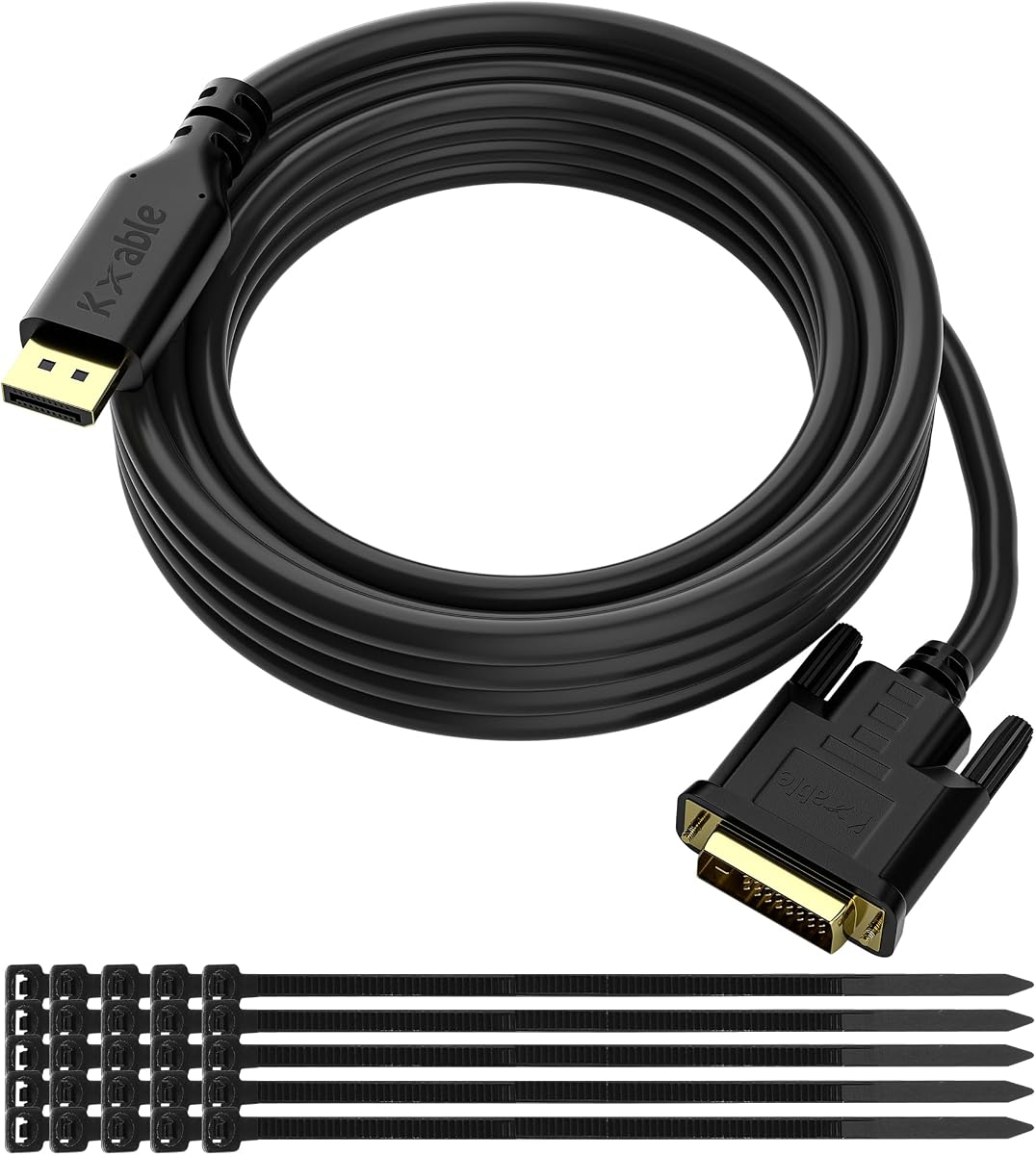
Gold-Plated DisplayPort to DVI Cable – 25 FT
4.8Editor score
Extra long 25 feet reach
High quality pure copper wire
Includes 25 cable ties
This comprehensive guide compares ten top-rated Displayport to DVI cables to help you find the right connection for your monitor and PC setup.
Finding the right Displayport to DVI cable ensures your older monitors work seamlessly with modern graphics cards without losing video quality or stability.
We analyzed ten highly-rated cables based on build quality, signal stability, connector design, and user feedback to help you make an informed purchasing decision.
Each pick highlights specific strengths and trade-offs so you can choose the best option for your budget and setup needs while noting prices change often.
4.8Editor score

4.6Editor score

4.6Editor score
Below is a side-by-side comparison of all ten cables to help you quickly identify which model matches your length and feature requirements.


This BENFEI cable is rated highly for its stable connection and reliable performance when connecting modern PCs to older DVI monitors. It is designed to deliver Full HD video without flickering or signal dropouts during normal use.
We may earn a commission when you buy through this link, at no additional cost to you.
The built-in IC chip ensures accurate conversion from DisplayPort to DVI signals while the gold-plated connectors resist wear and tear. The latches provide a secure fit that prevents accidental dislodging during use.
While it only works one way and has a standard length, these constraints are acceptable for most home or office desktop setups where the PC and monitor are close together.
This is an ideal pick for anyone needing a dependable short cable for gaming or work monitors that rely on DVI inputs without requiring advanced features.
The release button latch ensures the connector stays firmly attached to your display port for stable signal delivery.
Professional shielding and advanced chips reduce interference so your video stream remains clear even with high refresh rates.
We may earn a commission when you buy through this link, at no additional cost to you.
This cable is a premium choice for those who need significant distance between their computer and monitor without sacrificing signal quality. It carries strong ratings for its build materials and consistent video performance.
We may earn a commission when you buy through this link, at no additional cost to you.
Its pure copper wire and multi-layer shielding ensure that even at 25 feet the signal remains strong and interference free. The included cable ties help keep your workspace organized when routing the long wire.
While the price is higher and the bulk might be excessive for tight setups, the length and quality justify the cost for large offices or home theater configurations.
Choose this option if you require long reach and durable materials to future proof your connection setup against frequent movement or wear.
Pure copper wire transmits signals more effectively than cheaper alternatives ensuring minimal loss over longer distances.
Free cable ties let you neatly bundle and route the long wire without needing extra accessories to manage the excess length.
We may earn a commission when you buy through this link, at no additional cost to you.
Cable Matters offers a trusted budget option that does not compromise on core signal integrity or connection stability for standard desktop setups. Users appreciate its simplicity and consistent performance.
We may earn a commission when you buy through this link, at no additional cost to you.
The use of bare copper conductors and dual shielding provides reliable transmission that resists interference even in crowded electronic environments. This ensures your display remains stable during extended use.
While it lacks extra features like length options or cables, it serves its purpose well for basic connectivity needs without unnecessary cost or complexity.
This is a great pick for budget conscious buyers who want a reliable standard length cable from a reputable manufacturer for everyday use.
Foil and braid shielding work together to block external noise so your video signal stays clean and clear.
Bare copper conductors ensure maximum signal transfer efficiency compared to cheaper steel or alloy materials inside cables.
We may earn a commission when you buy through this link, at no additional cost to you.
This active cable is built to handle multi-monitor setups that require Eyefinity or SLS modes. It ensures stable performance across several displays by actively managing the signal conversion process.
We may earn a commission when you buy through this link, at no additional cost to you.
Its construction includes tinned copper conductors and a durable ABS shell which add robustness against daily handling. The active design helps maintain stability even when driving multiple screens simultaneously.
The added cost is justified if you are running a multi-monitor configuration where passive cables might fail to synchronize correctly across outputs.
Choose this for advanced workstation needs where you must run several displays and need reliable active signal handling technology.
Active mode ensures stable connections for multiple displays without requiring extra adapters or complex manual configurations.
The ABS shell protects internal components from physical impact and environmental stress better than plastic alternatives.
We may earn a commission when you buy through this link, at no additional cost to you.
No product data is currently available for this item. We are unable to list specific features or performance details at this time.
We may earn a commission when you buy through this link, at no additional cost to you.
Please check the product page directly for the most up-to-date information from the seller.
This listing is reserved for future updates if data becomes available.
For now consider one of the confirmed products in this guide for reliable connectivity.
This entry will be updated with verified information once the product details are confirmed by the seller or manufacturer.
We may earn a commission when you buy through this link, at no additional cost to you.
Selecting the right cable depends on your monitor type, required length, and specific connectivity needs for your PC setup.
Most cables are uni-directional meaning they only work from DisplayPort source to DVI display. Ensure your PC has the DisplayPort output and your monitor has DVI input before buying to avoid incompatible hardware.
Check that the cable explicitly states uni-directional support to ensure proper signal conversion for your setup.
Measure the distance between your PC and monitor to choose the correct cable length. Cables under 6 feet suit tight desk setups while 25 feet options work for large rooms or separate equipment.
Select a cable slightly longer than your measured distance to allow for routing and strain relief without tension.
Verify that the cable supports the resolution and refresh rate of your display. Most support 1080p at 60Hz which is standard for Full HD monitors but avoid cables with unclear specs.
Aim for cables that explicitly list 1080p 60Hz support to ensure smooth performance for video and gaming.
Look for gold plated connectors to prevent corrosion and ensure a stable signal connection. Latches add extra security so the cable does not slip out accidentally during use.
Gold plating combined with a latch design gives you durability and peace of mind over time.
Copper conductors and multi-layer shielding reduce signal interference and maintain clear video quality. Bare copper or tinned copper wires are preferable over cheaper steel alternatives for better conductivity.
Strong shielding and pure copper cores help maintain stable image output even in environments with lots of electronic devices.
Adequate warranty periods like 12 months or more protect your purchase against defects. Check the sellers reputation for customer support before buying to ensure you can resolve issues easily.
Prioritize products with solid warranty coverage and responsive customer service teams for long term reliability.
Active cables contain chips to manage signal conversion which is helpful for multi-monitor setups or advanced features. Passive cables are cheaper but may not support complex configurations or higher refresh rates.
Choose active cables only if you need multi-monitor support or have specific technical requirements that standard cables cannot meet.
Consider if the cable includes accessories like ties or clips to help route the wire neatly. This is especially important for long cables in large rooms where organization matters.
Cables with included management accessories help keep your workspace tidy and reduce the risk of tripping or tangling.
Ensure both your PC and monitor are powered off before connecting the cable. Insert the DisplayPort end into your graphics card output and the DVI end into your monitor input until the latches click securely.
After connecting power on both devices and allow the system to detect the monitor. If the display does not appear check your graphics settings to enable the extended or mirrored screen correctly.
To disconnect the cable press the release button on the DisplayPort connector before pulling it out. Regularly inspect the connectors for dust or damage to maintain optimal signal quality over time.
No you cannot directly connect to HDMI without an additional adapter or converter. You will need an active HDMI adapter to bridge the signal since DVI does not carry audio or HDMI protocol.
No DVI ports do not support audio so this cable only transmits video signals. You must connect audio separately via speakers or a headset using your PC audio jack.
Most cables are uni-directional and only work from DisplayPort source to DVI display. They cannot convert signals from DVI to DisplayPort so check the specs before buying.
Most support Full HD 1080p at 60Hz which is standard for many monitors. Higher resolutions like 4K generally require different connectors like DisplayPort or HDMI.
Flickering often occurs if the cable is damaged or too long for the signal. Try a shorter cable or check that the connectors are fully seated and the latches locked.
Active DisplayPort to DVI cables support Eyefinity technology but standard ones may not. Check if the product explicitly states compatibility with multi-monitor modes before purchasing.
Look for a white rectangular port with multiple small pins and four screws on your monitor. This is the standard DVI-D or DVI-I input that these cables connect to.
Yes as long as the cable supports 1080p at 60Hz and has good shielding. High quality cables prevent signal dropouts during gameplay.
The top picks offer strong performance with the BENFEI cable as the balanced choice and the Gold-Plated option for long reach.
Prioritize cables with gold plating and secure latches to ensure reliable connections and longevity for your setup.
Always check current prices and availability before buying since these details can change frequently on retail platforms.