
Acer Nitro V 15.6
4.6Editor score
RTX 4050 Graphics
165Hz Refresh Rate
Affordable Price Point
Finding the right gaming laptop for Diablo 4 requires balancing powerful graphics with efficient cooling to handle intense demon battles and dark environments smoothly.
We compared leading models based on GPU performance, display quality, and thermal management to ensure you get the best value for your gaming investment today.
Each pick highlights specific strengths for Diablo 4 gameplay while noting that prices and availability may change so always verify details before making your final decision.
4.6Editor score

4.4Editor score

4.3Editor score
As an Amazon Associate we earn from qualifying purchases.
This side by side comparison helps you quickly identify which gaming laptop offers the best balance of power display and price for your specific Diablo 4 needs.




This model stands out as our top pick for Diablo 4 due to its balanced combination of RTX 5060 power and efficient ROG cooling technologies.
We may earn a commission when you buy through this link, at no additional cost to you.
The 165Hz display ensures fluid motion during fast combat while DLSS 4 on the Blackwell architecture boosts frame rates significantly in demanding dungeons.
While the battery life is not exceptional under heavy gaming loads the cooling system keeps thermal throttling minimal for long play sessions.
Gamers seeking a reliable high performance machine for Diablo 4 will find this laptop delivers consistent frame rates and visual fidelity.
The vapor chamber and liquid metal cooling keep the CPU and GPU cool during intense demon slaying sessions.
The ACR film on the screen enhances contrast making dark areas in Sanctuary easier to see clearly.
We may earn a commission when you buy through this link, at no additional cost to you.
This laptop leverages the AMD Ryzen 7 260 and RTX 5060 to deliver powerful AI enhanced gaming suitable for complex Diablo 4 scenarios.
We may earn a commission when you buy through this link, at no additional cost to you.
The 32GB of DDR5 memory ensures you can run background apps like voice chat and streaming without impacting game performance.
While the Wi-Fi 6 is slightly older than Wi-Fi 7 it still provides stable low latency connections for online multiplayer raids.
Content creators and gamers alike will appreciate the ample memory and storage combined with the vibrant 180Hz display for immersive play.
The 32GB DDR5 RAM allows seamless switching between game and productivity tools without lag or slowdown.
RTX 50 Series AI technology enhances frame rates and image quality for smoother Diablo 4 gameplay experiences.
We may earn a commission when you buy through this link, at no additional cost to you.
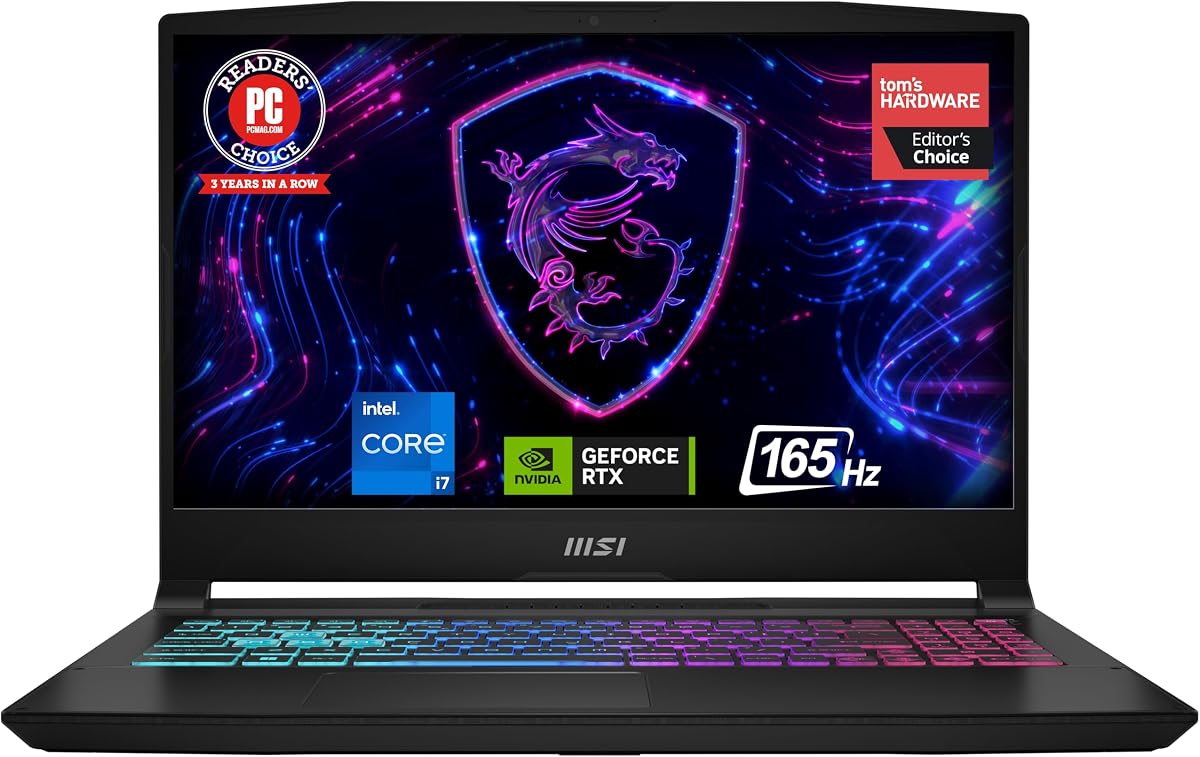
This model offers an impressive entry point into Diablo 4 gaming with a reliable Core i7 and RTX 4050 capable of smooth performance.
We may earn a commission when you buy through this link, at no additional cost to you.
The 165Hz refresh rate ensures fluid movement in fast combat scenarios which is critical for dodging enemy attacks effectively.
While the RTX 4050 is not the latest flagship it still handles ray tracing and DLSS well for a more affordable price tag.
Budget conscious gamers will find this laptop delivers excellent performance per dollar with room to upgrade storage or memory later.
Delivers solid Diablo 4 frame rates without the premium cost associated with high end gaming laptops.
Available slots allow future memory or storage upgrades to keep pace with growing game file sizes.
We may earn a commission when you buy through this link, at no additional cost to you.
This top tier model provides exceptional power for players who want maximum visual fidelity and frame rates in Diablo 4.
We may earn a commission when you buy through this link, at no additional cost to you.
The RTX 5070 Ti handles high settings with ease ensuring you can explore every corner of Sanctuary without compromise.
The 240Hz Nebula display offers crisp clear visuals that make every spell cast and enemy hit look incredibly detailed.
For enthusiasts willing to invest in the best this laptop offers unmatched performance for AAA gaming and creative work.
The RTX 5070 Ti delivers top level frame rates for the most demanding Diablo 4 graphics settings.
The 240Hz screen ensures ultra smooth motion making fast paced action feel incredibly fluid.
We may earn a commission when you buy through this link, at no additional cost to you.
This model offers a rare blend of a large screen and portability making it ideal for gamers who want immersion on the go.
We may earn a commission when you buy through this link, at no additional cost to you.
The RTX 5060 provides sufficient power to handle Diablo 4 at high settings while keeping the laptop surprisingly light.
The 144Hz refresh rate is smooth enough for most players though some may prefer higher refresh rates for competitive play.
Gamers needing a bigger canvas for inventory management and chat will appreciate the generous screen size without bulk.
The 17.3 inch display provides ample space for UI elements during complex Diablo 4 gameplay.
The translucent chassis offers a distinctive look that stands out from traditional gaming laptops.
We may earn a commission when you buy through this link, at no additional cost to you.
This model is praised for its excellent balance of performance and subtlety making it suitable for gaming and work environments alike.
We may earn a commission when you buy through this link, at no additional cost to you.
The 32GB of RAM ensures multitasking is effortless whether you are streaming gameplay or managing creative projects simultaneously.
While the RTX 4050 is not the fastest card it still delivers smooth performance for Diablo 4 at moderate settings.
Gamers who value a clean look and reliable performance will appreciate this laptop's ability to blend into any setting.
The 32GB DDR5 RAM ensures smooth multitasking even with multiple applications open during gaming sessions.
Its subtle design allows it to fit well in both casual gaming and professional work environments.
We may earn a commission when you buy through this link, at no additional cost to you.
This entry level option brings Diablo 4 gaming to a wider audience with a very accessible price point for new gamers.
We may earn a commission when you buy through this link, at no additional cost to you.
The 165Hz display ensures fluid visuals even when performance is optimized for lower settings to maintain smooth gameplay.
While 8GB of RAM may limit multitasking it is sufficient for running the game and basic background applications.
Gamers on a tight budget can start their demon slaying journey here with room to upgrade later.
Provides a cost effective way to start playing modern titles like Diablo 4 without breaking the bank.
Memory and storage can be upgraded later to improve overall system performance and multitasking capabilities.
We may earn a commission when you buy through this link, at no additional cost to you.
This model balances display quality and GPU performance making it a strong choice for players prioritizing smooth visuals.
We may earn a commission when you buy through this link, at no additional cost to you.
The 180Hz screen offers fluid motion which is particularly useful for tracking fast moving enemies in the game.
The RTX 5050 is suitable for 1080p gaming ensuring you can maintain high frame rates with optimized settings.
Gamers wanting a high refresh screen without a top tier GPU price will find this option particularly attractive.
The 180Hz screen delivers incredibly smooth motion making gameplay feel responsive and fluid.
Advanced cooling keeps performance steady during long sessions even in demanding dungeon environments.
We may earn a commission when you buy through this link, at no additional cost to you.
This laptop stands out with a QHD resolution which offers significantly more pixel detail for immersive Diablo 4 exploration.
We may earn a commission when you buy through this link, at no additional cost to you.
The RTX 4070 provides enough power to handle the higher resolution while maintaining playable frame rates in most areas.
The Cooler Boost 5 technology ensures stable performance even when the GPU is pushed hard during intense battles.
Gamers wanting sharper visuals will find this model offers a noticeable upgrade in clarity over standard FHD options.
QHD resolution delivers detailed textures and clearer environments enhancing the game world immersion.
The robust cooling system ensures sustained performance during extended gaming sessions without overheating.
We may earn a commission when you buy through this link, at no additional cost to you.
This model is designed for gamers who need power on the go with a chassis slim enough for daily travel and work.
We may earn a commission when you buy through this link, at no additional cost to you.
The RTX 5060 ensures that despite the thin design you do not sacrifice performance in demanding games like Diablo 4.
The 180 degree hinge allows for flexible positioning making it easier to find comfortable viewing angles in various locations.
Portable gamers will appreciate the combination of strong GPU performance and a sleek unobtrusive design for everyday use.
The thin chassis makes it easy to carry anywhere without adding significant weight to your travel bag.
Smart AI features help optimize performance and interaction to improve productivity during gaming and work.
We may earn a commission when you buy through this link, at no additional cost to you.
Choosing the right gaming laptop requires understanding specific hardware needs to ensure smooth gameplay and longevity for titles like Diablo 4.
The GPU is the most critical component for Diablo 4 as it handles ray tracing and high resolution textures effectively.
Look for RTX 4060 or higher to enjoy high frame rates and DLSS features that enhance visual fidelity without sacrificing speed.
A high refresh rate screen such as 144Hz or 165Hz ensures smooth motion which is vital for fast-paced combat scenarios.
Resolution should be at least 1080p but 1440p is preferred if your GPU can handle the extra pixel density comfortably.
Diablo 4 is CPU intensive especially in busy areas so a strong processor ensures no bottlenecks during peak performance moments.
Select a processor with at least 6 cores and modern architecture to handle background tasks alongside game physics smoothly.
At least 16GB of RAM is recommended to allow smooth multitasking and avoid stuttering during open world exploration.
A fast NVMe SSD is essential for quick loading times so aim for 512GB or higher to store your game and updates.
Effective cooling is necessary to prevent thermal throttling during long play sessions especially in demanding dungeon zones.
Look for laptops with vapor chambers or multiple fans to keep the system cool under sustained load conditions.
Wi-Fi 6 or better ensures stable online connections for multiplayer modes which are central to the Diablo experience.
Sufficient ports allow connection to external monitors and peripherals enhancing your overall gaming setup flexibility.
While gaming on battery is limited choosing a laptop with decent battery life helps during non-gaming productivity tasks.
Aim for models with efficient processors to extend battery life when away from a power outlet for extended periods.
A sturdy chassis ensures durability if you plan to move your laptop frequently between home and work environments.
Weight matters if you travel often so balance performance with portability to find a model that fits your lifestyle.
Keep your laptop on a hard flat surface to ensure proper airflow to the cooling vents during gaming sessions.
Update your graphics drivers regularly to take advantage of the latest optimizations for Diablo 4 and other titles.
Clean the keyboard and vents periodically with compressed air to prevent dust buildup that can cause overheating.
The minimum GPU recommended is an RTX 3050 or equivalent but for smooth gameplay with ray tracing aim for at least an RTX 4060. This ensures you can run the game on higher settings without frequent frame rate drops.
Yes 16GB of RAM is sufficient for Diablo 4 but 32GB is recommended if you plan to stream or run multiple applications in the background. This will ensure smooth performance during long gaming sessions.
A refresh rate of 144Hz or higher is beneficial as it makes combat feel smoother and more responsive. While the game may not always hit high frame rates a faster screen improves visual fluidity significantly.
Yes good cooling is essential because Diablo 4 pushes hardware hard during intense combat and exploration. Laptops with vapor chambers or advanced fan systems prevent throttling and maintain consistent performance.
You can upgrade RAM and storage on most laptops but the GPU and CPU are usually soldered. Check the model details to see if these components can be upgraded before making a purchase.
Wi-Fi 6 provides more stable connections which helps reduce lag during online raids and battles. While older Wi-Fi standards work Wi-Fi 6 ensures better performance in congested network environments.
We hope this guide helps you find the perfect laptop to enhance your Diablo 4 adventure with the right balance of performance and value.
Prioritize GPU power and display quality to ensure you get the most immersive experience while playing one of the year's top titles.
Always verify current prices and availability before purchasing since offers may change frequently across different retailers.