
SANSUI 24 Inch Curved 160Hz Gaming Monitor
4.4Editor score
160Hz Refresh Rate
1500R Curved Panel
FreeSync Compatibility
Finding the right curved 160Hz gaming monitor transforms your setup into a competitive edge. These displays deliver smooth motion and immersive depth perfect for FPS and racing games. We focus on key specs like response time and color accuracy to help you choose wisely.
Our team analyzed ten leading models based on panel quality, connectivity options, and ergonomic design. We prioritized monitors that balance performance with value ensuring you get high refresh rates without breaking the bank. Each entry offers unique strengths for different gaming styles and desk spaces.
Every pick includes detailed specs pros and cons to guide your decision making process. Remember that availability and pricing fluctuate regularly so check current deals before purchasing. This list is updated for November 2026 to reflect the latest market offerings and technology standards.
4.4Editor score
4.5Editor score

4.6Editor score
As an Amazon Associate we earn from qualifying purchases.
This side by side comparison highlights the core specifications of each monitor to help you find the perfect match for your gaming needs and budget constraints.






The SANSUI 24 inch curved monitor delivers impressive performance for its price with a 160Hz refresh rate and VA panel technology. It scored 4.4 stars from users who appreciate the smooth motion and deep contrast ratios suitable for gaming sessions.
We may earn a commission when you buy through this link, at no additional cost to you.
Its 1500R curvature wraps around your field of view reducing eye strain during long play times. The inclusion of both HDMI and DP ports ensures compatibility with most modern GPUs while supporting up to 160Hz via either connection.
While it lacks speakers the audio jack allows you to connect headphones or external speakers easily. The stand only tilts which may limit ergonomic setups but VESA mounting options let you use third party arms for better positioning.
This monitor is ideal for budget conscious gamers who want high refresh rates without spending too much. Its reliable performance and solid color coverage make it a strong contender for entry level competitive gaming setups.
The 1500R curve creates a natural wraparound effect that pulls you into games making edges less distracting during intense scenes.
With 160Hz and FreeSync support screen tearing is minimized ensuring fluid motion during fast paced action and competitive matches.
We may earn a commission when you buy through this link, at no additional cost to you.
SANSUI expands its lineup with this 27 inch model offering more screen real estate while keeping the same 160Hz refresh rate. Users rate it highly for its clear visuals and responsive performance in both gaming and productivity tasks.
We may earn a commission when you buy through this link, at no additional cost to you.
The 1500R curve remains consistent reducing distortion across the wider panel. HDR mode can be enabled through the OSD menu when using HDMI providing better contrast in supported content though it is not very advanced.
It features helpful gaming tools like crosshairs and timers that enhance the user experience. The lack of speakers means you will need external audio but the audio jack ensures connectivity options remain open for headsets.
Gamers needing a bigger view without paying premium prices will find this model appealing. Its balance of size speed and value makes it a practical upgrade from smaller monitors for casual and competitive players alike.
The 27 inch size provides more workspace for multitasking or wider fields of view in simulation and open world games.
Preset modes like FPS and RTS optimize display settings for specific genres improving clarity and reaction times during gameplay.
We may earn a commission when you buy through this link, at no additional cost to you.
This SANSUI 24 inch monitor boasts a slightly higher user rating thanks to its fast 1ms MPRT response time and vibrant color performance. It delivers crisp motion handling essential for competitive shooters and racing titles.
We may earn a commission when you buy through this link, at no additional cost to you.
Its 110% sRGB and 97% DCI-P3 coverage make it stand out for color accuracy among budget options. The 1500R curve and 160Hz refresh work together to minimize blur and ghosting during rapid movement.
Ergonomic features include tilt adjustment and Kensington lock for security in shared spaces. While it lacks speakers the wide viewing angle ensures colors remain consistent even when viewing from the side during collaborative sessions.
For users seeking quick reactions and solid color without high costs this unit fits well. It suits players who prioritize motion clarity and vibrant visuals over extra features like speakers or USB hubs.
The 1ms MPRT response reduces ghosting ensuring moving objects stay sharp and clear during high speed gaming scenarios.
Wide color gamut coverage delivers richer hues that make games and media pop with life-like detail and contrast.
We may earn a commission when you buy through this link, at no additional cost to you.
CRUA offers a rare 32 inch 4K curved monitor that supports 160Hz refresh rates for ultra sharp visuals. Users praise the depth and clarity this resolution provides especially for open world and strategy games.
We may earn a commission when you buy through this link, at no additional cost to you.
Built-in speakers reduce desk clutter by offering decent audio without extra devices. The 1500R curve enhances immersion while the high contrast ratio ensures deep blacks and vibrant details in dark scenes.
Connectivity includes HDMI 2.1 and DP 1.4 for next-gen console compatibility. However running 4K at 160Hz demands a powerful graphics card which may limit accessibility for casual gamers or older systems.
This monitor is best for enthusiasts who want premium resolution and speed in one package. Its combination of 4K detail and high refresh rates makes it a versatile tool for gaming and media consumption.
The 3840×2160 resolution brings out fine textures and edges for a crystal clear image that enhances visual fidelity.
Integrated speakers offer hassle-free sound for casual listening or gaming without needing external audio solutions on your desk.
We may earn a commission when you buy through this link, at no additional cost to you.
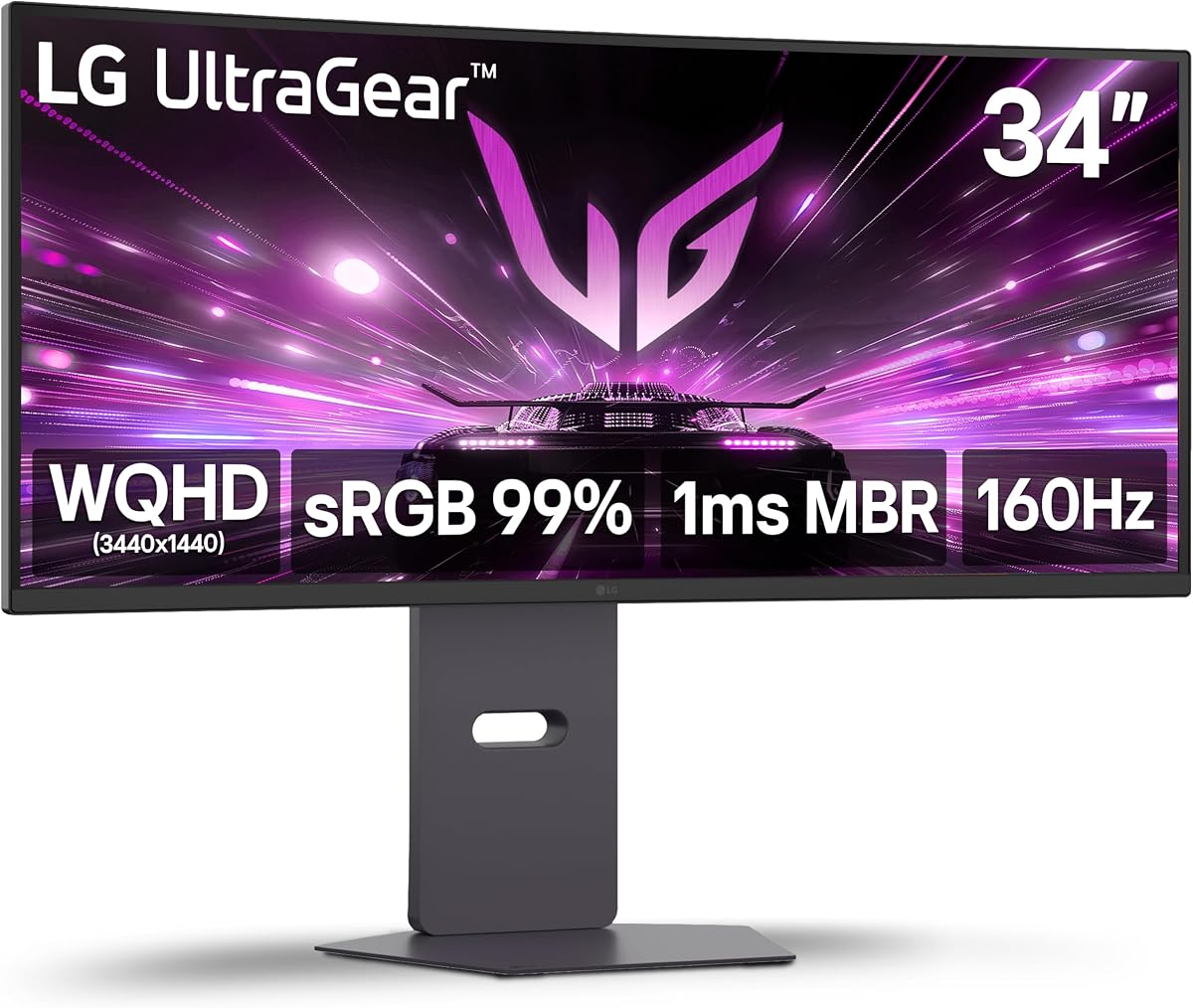
LGs 34 inch Ultragear model combines ultrawide immersion with high performance features that justify its top spot. It received strong feedback for its smooth gameplay and robust build quality across various genres.
We may earn a commission when you buy through this link, at no additional cost to you.
The height adjustable stand allows perfect eye level alignment reducing neck strain during long sessions. HDR10 and 99% sRGB ensure colors stay vivid while FreeSync Premium eliminates tearing for buttery smooth motion.
Its 1800R curve balances immersion with usability for multitasking. Built-in Waves MaxxAudio provides rich sound so you can enjoy games without external speakers though many users still prefer headsets for focus.
This monitor stands out for those wanting a balanced premium experience without going too far. It suits serious gamers who need reliable performance ergonomic comfort and vivid visuals all in one package.
Tilt height and swivel adjustments let you customize the viewing angle for maximum comfort during extended gaming marathons.
FreeSync Premium syncs refresh rates with your GPU to prevent screen tearing and stuttering for seamless competitive play.
We may earn a commission when you buy through this link, at no additional cost to you.
This renewed version of the LG Ultragear offers the same top-tier performance at a lower price. Users gave it perfect scores reflecting its consistent functionality and visual quality after refurbishment.
We may earn a commission when you buy through this link, at no additional cost to you.
It retains all core specs like 160Hz refresh HDR10 and ergonomic adjustments. The renewal process ensures the panel and stand are in excellent condition making it a smart buy for budget savvy enthusiasts.
Renewed units often include essential cables and accessories though packaging might be basic. Amazon standard renewal policies apply here providing peace of mind for those seeking premium models at reduced rates.
If you want high-end specs without paying full price this option is compelling. It is ideal for gamers comfortable with refurbished tech who still want reliability and cutting-edge display performance.
Choosing renewed delivers premium features like 160Hz and FreeSync for less than buying brand new from retail channels.
Customer feedback shows this renewed model performs as well as new units with no visible defects or functional issues.
We may earn a commission when you buy through this link, at no additional cost to you.
Samsungs Odyssey G55C features a deeply curved 1000R panel that wraps tightly around your vision for maximum immersion. Reviewers note this curve enhances focus by minimizing edge distractions during intense gaming sessions.
We may earn a commission when you buy through this link, at no additional cost to you.
QHD resolution provides crisp detail while HDR10 brings vivid colors and deep blacks. The 1ms MPRT response time ensures quick reactions in competitive titles and Eye Saver Mode helps reduce strain over time.
While highly immersive the deep curve may feel uncomfortable for text-heavy tasks compared to flatter panels. The stand tilts but does not adjust in height so VESA mounting may be needed for ergonomics.
This monitor excels for gamers who prioritize presence and speed. Its unique curve and strong specs make it a standout choice for those who want to feel fully inside the game world.
The 1000R radius matches human eye curvature creating a cinematic wraparound effect that enhances peripheral vision.
Eye Saver Mode reduces blue light emissions helping prevent fatigue during extended gameplay or work sessions.
We may earn a commission when you buy through this link, at no additional cost to you.
Sceptre delivers an ultrawide experience with a 180Hz refresh rate that exceeds many competitors in its range. Users appreciate the speed and screen space it offers for both gaming and multitasking.
We may earn a commission when you buy through this link, at no additional cost to you.
Its 1500R curve and WQHD resolution balance detail with immersion. Unique LED back cover lights add a modern flair to your setup while dual DisplayPort connections allow for flexible dual PC setups.
Built-in speakers provide convenience though sound quality is standard. Color accuracy at 99% sRGB is decent but may need calibration for professional work making it best suited for entertainment and gaming.
This model is a great pick for those wanting ultrawide speed on a budget. Its fast refresh and wide screen make it ideal for racing and flight sims where peripheral view matters most.
The 21:9 aspect ratio gives 30 percent more screen space enabling side by side window use without extra monitors.
180Hz refresh delivers smoother frame transitions than standard 160Hz panels enhancing responsiveness in competitive games.
We may earn a commission when you buy through this link, at no additional cost to you.
Alienware brings premium build quality and performance with this 34 inch curved monitor designed for enthusiasts. Its 180Hz refresh and low input lag make it a favorite for competitive gamers seeking reliability.
We may earn a commission when you buy through this link, at no additional cost to you.
WQHD resolution with 95% DCI-P3 coverage ensures rich color fidelity that enhances game visuals. VESA DisplayHDR 400 certification adds depth to supported content while console mode optimizes settings for next-gen hardware.
The iconic design and solid construction justify the investment for many. Stand ergonomics are limited to tilt so height adjust may need aftermarket solutions but the panel performance remains top tier.
This monitor is best for users who value brand reliability and high-end specs. Its blend of speed color accuracy and console support makes it a versatile choice for all types of gamers.
Console mode auto adjusts picture settings for Xbox or PlayStation ensuring optimal visuals with minimal manual tweaking needed.
High DCI-P3 coverage delivers cinematic colors that make game worlds look vibrant and true to life.
We may earn a commission when you buy through this link, at no additional cost to you.
AOC pushes boundaries with a 200Hz refresh rate offering some of the smoothest motion available on curved ultrawides. Users report exceptional fluidity that makes competitive gameplay feel effortless and highly responsive.
We may earn a commission when you buy through this link, at no additional cost to you.
The 0.3ms MPRT response time reduces motion blur ensuring sharp visuals even in fast scenes. Its ergonomic stand includes height adjustment which is a plus for comfort alongside the 1500R curve.
HDR ready support enhances contrast though true HDR performance varies. The WQHD resolution keeps images detailed while Adaptive-Sync prevents tearing across different GPUs and frame rates.
This monitor is ideal for speed focused gamers wanting maximum refresh rates. Its blend of high Hz low response and solid ergonomics makes it a top pick for performance driven setups.
200Hz refresh delivers extremely fluid visuals that give a distinct advantage in reaction heavy competitive scenarios.
0.3ms MPRT response keeps moving targets sharp and clear reducing ghosting for precise tracking and aiming.
We may earn a commission when you buy through this link, at no additional cost to you.
Selecting the right monitor requires balancing resolution refresh rate curve radius and ergonomic features to suit your gaming style and desk setup needs.
A 160Hz refresh rate ensures smooth motion and reduced input lag which is critical for competitive shooters. Look for 1ms MPRT response to minimize ghosting and blur during fast action.
Higher refresh rates improve visual fluidity while low response times keep targets sharp making both essential for winning matches.
Choose between 24 inch FHD for clarity and value or 34 inch WQHD for immersive workspace. Higher resolutions provide detail but demand stronger GPUs to maintain high frame rates.
FHD suits budget builds while WQHD offers better multitasking and sharper visuals for single player or creative gaming.
Curved panels like 1000R or 1500R wrap around your view to reduce eye strain and distortion. Deeper curves increase presence but may limit productivity tasks compared to flatter screens.
Pick a curve radius that matches your viewing distance for comfortable immersion without excessive neck movement.
VA panels deliver deep contrast and good color accuracy ideal for dark scenes in games. IPS offers wider viewing angles and better color but usually higher cost and contrast.
VA remains a solid choice for gaming contrast while IPS suits color critical work if budget allows.
FreeSync or G-Sync compatibility prevents screen tearing by syncing the monitor refresh rate with the GPU. This ensures smooth visuals during frame rate fluctuations.
Always check that your graphics card supports the same sync technology as the monitor for optimal performance.
Height tilt swivel and pivot adjustments help maintain proper eye alignment and reduce fatigue during long sessions. VESA mounting allows using third party arms for flexible desk setups.
Adjustable stands improve comfort but cost more so consider ergonomics when choosing models within your budget.
Ensure the monitor has DisplayPort 1.4 and HDMI 2.1 for maximum refresh rates and bandwidth. Audio jacks are useful if speakers are absent from the unit.
Having multiple port options guarantees compatibility with future upgrades and consoles for versatile setups.
Look for monitors with 99% sRGB or DCI-P3 coverage for vibrant game visuals. HDR support adds contrast depth though basic HDR10 is common in mid-range panels.
Better color gamut improves immersion while HDR enhances dynamic range in supported games and media content.
Position the monitor at eye level roughly two feet away to prevent neck strain. Use the adjustable stand or a VESA arm to achieve optimal tilt for viewing comfort.
Enable adaptive sync in graphics settings to prevent screen tearing. Adjust brightness and contrast in the menu to match room lighting and reduce eye fatigue during long sessions.
Clean the screen gently with a microfiber cloth avoiding chemical sprays directly on the surface. Keep ventilation ports clear to prevent overheating and ensure consistent performance over time.
Yes 160Hz provides noticeably smoother motion than standard 60Hz monitors reducing blur and input lag. It enhances competitive play by making tracking enemies easier improving reaction speed and immersion.
Curved monitors reduce edge distortion by aligning pixels to your field of view. The 1500R or 1000R curves minimize bending effects that flat panels show on the sides.
To sustain 160Hz at WQHD you need a mid to high end GPU like RTX 3060 or better. Lower resolutions like FHD require less power but still benefit from capable graphics cards.
Absolutely curved gaming monitors work well for multitasking and productivity. Their wide screens allow multiple windows side by side improving workflow and document handling.
MPRT stands for Moving Picture Response Time measuring how quickly pixels change to reduce motion blur. Lower MPRT values ensure clearer fast moving images during gaming sessions.
Most curved gaming monitors support VESA 75×75 or 100×100 mounts but verify specs before buying. Wall mounting or arm use helps optimize ergonomics and save desk space.
Our top picks include the SANSUI 24 for budget buyers and the LG 34G600A-B for overall performance. These models balance speed clarity and comfort to enhance your gaming setup effectively.
Prioritize refresh rate and response time for competitive play or resolution and color for immersive single player experiences. Match the monitor to your PC power and desk space before purchasing.
Prices and availability change often so check current listings before buying. Review the detailed specs above to ensure the monitor fits your specific gaming needs.