
Redragon M612 Wired RGB Optical Gaming Mouse
4.6Editor score
9 Programmable Buttons
5 DPI Levels
Ergonomic Claw Design
This guide compares the top drag click mice for gaming and productivity, highlighting sensor accuracy, ergonomics, and programmable features for every player.
Finding the right mouse can transform your gaming experience by improving precision and comfort during long sessions. Drag click mice are specifically designed to enhance this technique, allowing for rapid clicks without excessive hand strain or fatigue.
We evaluated ten leading models based on sensor performance, build quality, ergonomics, and customization options. Our comparison focuses on how well each mouse supports drag clicking while maintaining reliability across different game genres and user preferences.
Each pick highlights unique strengths such as lightweight design, advanced sensors, or budget-friendly pricing. Keep in mind that availability and pricing may change frequently, so check current listings before making your final decision.
4.6Editor score

4.6Editor score

4.6Editor score
This detailed comparison table outlines key specifications for each of the ten selected mice, helping you quickly identify which model offers the features you need for drag clicking and competitive play.
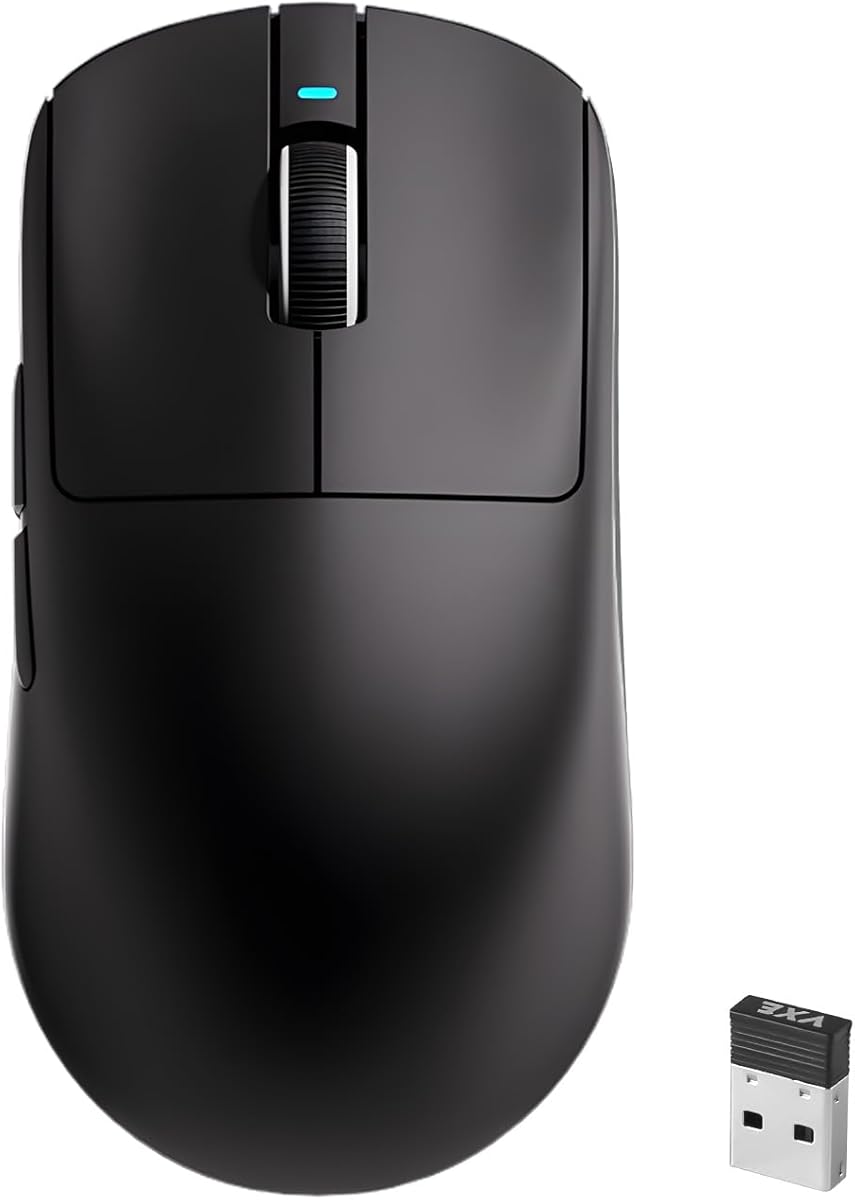




The Redragon M612 offers exceptional value for gamers seeking a budget-friendly option optimized for drag clicking. With a solid 4.6 rating, it delivers reliable performance through programmable buttons and ergonomic design tailored to reduce hand fatigue.
We may earn a commission when you buy through this link, at no additional cost to you.
Its 8000 DPI sensor allows precise control while five levels provide versatility across different game genres. The frosted coating ensures a secure grip during rapid movements, enhancing drag click consistency and accuracy during intense sessions.
While the wired connection limits mobility, it ensures stable data transmission crucial for competitive gaming. The software requires some setup but unlocks extensive customization options including macros and DPI adjustments for tailored user preferences.
Ideal for entry-level gamers or those upgrading from basic mice, this model balances cost and features effectively. It stands out as a strong contender for players prioritizing ergonomics and customization without a high price tag.
The streamlined claw-grip design supports natural hand positioning, minimizing strain during long gaming sessions.
Five backlit modes enhance setup ambiance with dynamic lighting effects that complement other gaming peripherals.
We may earn a commission when you buy through this link, at no additional cost to you.
The Redragon M923 PRO bridges the gap between budget and premium with wireless freedom and high DPI accuracy. Its 4.6 rating reflects consistent performance in drag clicking scenarios thanks to reliable sensors and ergonomic shaping.
We may earn a commission when you buy through this link, at no additional cost to you.
With Bluetooth, 2.4G, and wired modes, users can switch based on priority for speed or convenience. The 24K DPI sensor ensures pinpoint tracking while eight programmable buttons offer tactical keybinds for complex gaming strategies.
The software support allows full customization of buttons and DPI settings, empowering users to optimize performance. While RGB lighting adds style, disabling it extends battery life, making this mouse versatile for both competitive and casual play.
This model is ideal for players wanting wireless convenience without sacrificing performance. Its balance of features and reliability earns it a top spot for those seeking an all-around gaming mouse.
Supports Bluetooth, 2.4G, and wired connections for seamless switching between devices and usage scenarios.
Eight programmable buttons can be assigned to macros or hotkeys, enhancing in-game efficiency and response.
We may earn a commission when you buy through this link, at no additional cost to you.
The Razer Viper V3 Pro sets a benchmark for high-end drag click mice with its ultra-lightweight build and 8000Hz polling rate. Designed alongside esports pros, it delivers unmatched speed and precision for competitive scenarios demanding quick reflexes.
We may earn a commission when you buy through this link, at no additional cost to you.
Optical switches ensure zero double-click issues and 0.2ms actuation for instant response. The Focus Pro 35K sensor tracks flawlessly even on glass, while the battery life supports extended use without frequent recharges.
While the price reflects premium materials and engineering, the performance gains justify the investment for serious gamers. Optimization via Synapse allows fine-tuning for individual preferences, ensuring every flick and drag click feels responsive.
This model is best suited for competitive players who prioritize speed and precision. Its durability and high-tech features make it a long-term investment for those aiming for top-tier performance.
The 8000Hz polling rate ensures near-instantaneous input registration, critical for competitive advantage.
Optical switches eliminate mechanical bounce, providing consistent clicks with zero debounce delay.
We may earn a commission when you buy through this link, at no additional cost to you.
The ATK R1 SE+ combines lightweight ergonomics with a versatile sensor ideal for drag clicking. Weighing just 55g, it reduces fatigue during intense battles while maintaining precise tracking through the PAW3395SE sensor.
We may earn a commission when you buy through this link, at no additional cost to you.
Web-driven customization eliminates the need for heavy software installations, allowing quick adjustments via browser. The tri-mode connectivity supports Bluetooth, 2.4G, and wired use, ensuring flexibility across different gaming setups.
Its ergonomic design fits various grip styles comfortably, making it suitable for extended sessions. Although RGB is minimal, the focus remains on performance and reliability, appealing to users who prefer functionality over aesthetics.
This mouse is perfect for gamers seeking portability and precision without bloat. Its web-driven approach and lightweight design make it a standout choice for modern, efficient gaming.
Adjust DPI, polling rates, and buttons directly in your browser, streamlining setup and customization.
Supports Bluetooth, 2.4G, and wired connections to adapt seamlessly to any device or scenario.
We may earn a commission when you buy through this link, at no additional cost to you.
The Redragon M910-K offers robust features for gamers seeking customization and comfort at a budget-friendly price. Its fire button accelerates click rates, while five user profiles allow seamless switching between game-specific settings.
We may earn a commission when you buy through this link, at no additional cost to you.
Nine programmable buttons enable extensive macro support, enhancing gameplay flexibility for RPGs or MOBAs. The ergonomic contour ensures a secure grip, reducing slippage during rapid movements essential for effective drag clicking.
Though software is straightforward, it provides sufficient control for most users. The wired connection ensures stable data transfer, critical for competitive play where latency can impact performance.
This model appeals to players wanting versatile controls without breaking the bank. Its combination of ergonomics and macro support makes it a solid choice for diverse gaming genres.
A dedicated fire button converts one click into three, increasing output speed for competitive scenarios.
Five profiles let users switch settings quickly between games, ensuring optimal configurations are always ready.
We may earn a commission when you buy through this link, at no additional cost to you.
The MOJO Pro Performance Silent Gaming Mouse is designed for users who prioritize quiet operation without sacrificing performance. Its silent buttons eliminate noise, making it ideal for late-night sessions or shared environments.
We may earn a commission when you buy through this link, at no additional cost to you.
With a 12000 DPI sensor and adjustable force settings, it supports precise aiming and drag clicking. The ergonomic design ensures comfort during extended play, reducing strain on hands and wrists.
While heavier than many modern mice, this weight can provide stability for some users. The software allows customization of buttons and DPI, ensuring adaptability to different gaming preferences.
This model suits players needing a quiet yet capable mouse. Its ergonomic design and silent operation make it a practical choice for casual and serious gamers alike.
Advanced silent buttons reduce noise significantly, allowing undisturbed gameplay during late hours.
Force settings allow users to tailor click resistance, improving comfort and reducing finger strain.
We may earn a commission when you buy through this link, at no additional cost to you.
The Redragon M913 Impact Elite is optimized for MMO gamers needing extensive customization and endurance. Its 12 side buttons provide quick access to abilities, while wireless and wired modes offer flexibility based on play style.
We may earn a commission when you buy through this link, at no additional cost to you.
With 16 programmable buttons and a reliable optical sensor, this mouse supports complex macros and precise drag clicks. The 45-hour battery ensures uninterrupted gameplay, minimizing downtime during long sessions.
Although heavier, the design accommodates large hands and diverse grip styles. The RGB lighting adds visual appeal, complementing gaming setups with customizable color effects.
This mouse is best for MMO enthusiasts or users requiring numerous programmable inputs. Its feature-rich design and strong battery life make it a versatile option for varied gaming needs.
12 side buttons provide quick access to essential skills, streamlining complex gameplay without reaching keyboards.
Up to 45 hours on one charge ensures continuous performance without frequent interruptions for recharging.
We may earn a commission when you buy through this link, at no additional cost to you.
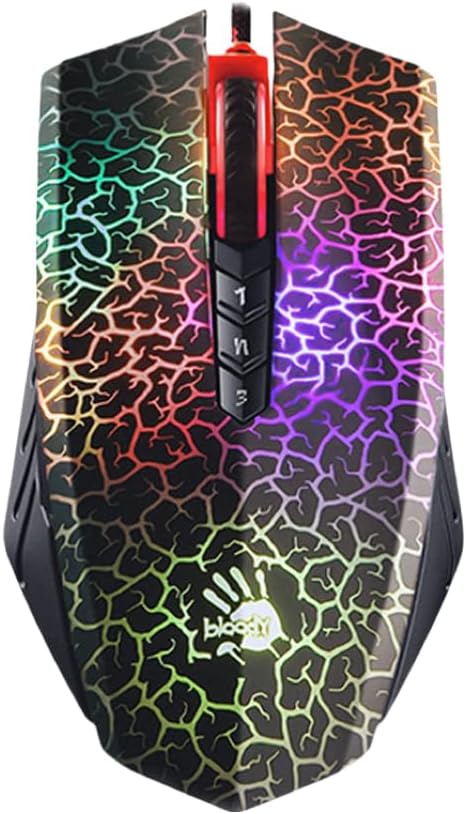
The Bloody A70 II features Light Strike switches delivering 0.2ms response for unparalleled speed. This optical technology ensures precise execution, making it ideal for drag clicking and rapid-fire gaming scenarios.
We may earn a commission when you buy through this link, at no additional cost to you.
With an 8000 DPI sensor and X'GLIDE Armor for smooth movement, it balances performance with durability. The software supports advanced macros, allowing deep customization for complex strategies and workflows.
Optimal performance pairs with branded mouse pads, ensuring consistent glide and control. The ergonomic build reduces fatigue, supporting extended gaming or work sessions comfortably.
This model suits players focused on speed and durability. Its optical switches and advanced features make it a powerful choice for competitive environments demanding quick, precise inputs.
Optical switches deliver 0.2ms response, eliminating debounce delay for faster, cleaner clicks.
Enhanced glide coating reduces friction, extending foot lifespan and improving overall movement smoothness.
We may earn a commission when you buy through this link, at no additional cost to you.
The Logitech G PRO X2 SUPERSTRIKE delivers unmatched speed with 30ms faster clicks for elite performance. Designed with esports pros, it features a HERO 2 sensor and haptic feedback for immersive, precise gameplay.
We may earn a commission when you buy through this link, at no additional cost to you.
With 44000 DPI and LIGHTSPEED wireless, it ensures lag-free tracking even in noisy environments. The thin-wall case and UHMWPE feet provide effortless movement, reducing friction for fluid motion.
Haptic feedback adds a tactile layer, enhancing engagement without compromising accuracy. While expensive, its performance and durability justify the cost for competitive players seeking a professional edge.
This mouse is ideal for pros and enthusiasts prioritizing speed and immersion. Its advanced features and lightweight design make it a top-tier choice for serious competitive play.
Real-time haptic feedback enhances immersion by providing tactile responses synchronized with in-game actions.
Constructed with thin walls and advanced glides, ensuring durability while maintaining an ultra-light form.
We may earn a commission when you buy through this link, at no additional cost to you.
The Razer Basilisk V3 combines ergonomic comfort with advanced features tailored for versatile use. Its 26K DPI sensor ensures pixel-perfect tracking, while the HyperScroll wheel offers free-spin and tactile modes for fluid navigation.
We may earn a commission when you buy through this link, at no additional cost to you.
With 11 programmable buttons and a thumb rest, it supports extensive customization and comfort. The Chroma RGB lighting integrates dynamically with over 150 games, enhancing the aesthetic appeal of setups.
Although wired, it delivers stable, low-latency performance critical for precision gaming. The optical switches provide crisp responses, ensuring reliability during high-intensity gameplay scenarios.
This model suits gamers and professionals needing a versatile, ergonomic mouse. Its blend of comfort, customization, and performance makes it a reliable choice for extended daily use.
Switch between free-spin and tactile modes, balancing speed and precision for content or gaming.
Over 16.8 million colors and reactive effects allow full aesthetic personalization aligned with gameplay.
We may earn a commission when you buy through this link, at no additional cost to you.
Selecting the right drag click mouse depends on understanding key factors like sensor precision, ergonomics, and programmability to match your play style.
Sensor accuracy is critical for drag clicking as it determines how faithfully the mouse translates movement to cursor motion. Look for high DPI options above 16000 for granular control and low acceleration ensuring consistent performance across surfaces.
Ergonomic design reduces fatigue during long sessions, especially essential for drag clicking which involves repetitive finger motion. Choose a shape that complements your grip style—palm, claw, or fingertip—to maintain comfort and control.
Programmable buttons and macro support enhance flexibility by letting you assign complex actions to single clicks. This feature is vital for competitive games requiring quick keybinds and customizable drag click configurations.
Connectivity impacts latency and convenience; wired mice provide stable low-latency connections while wireless models offer freedom. Consider your priority between stability and mobility when deciding on tri-mode or standard connections.
Durable switches and materials extend lifespan, crucial for drag clicking which stresses mechanical components. Look for mice with high click-cycle ratings and optical switches to avoid double-click issues over time.
Weight influences control and fatigue during rapid movements. Lighter mice under 60g reduce strain but may feel less stable; find a balance that suits your hand size and gameplay intensity.
Robust software enables detailed tweaking of DPI, polling rates, and button mappings. Ensure the mouse supports intuitive software for effortless profile management and real-time adjustments.
Price reflects features and performance; set a budget balancing must-have specs against extra options. Many affordable models offer excellent drag click capabilities without premium pricing.
Proper grip and finger placement are key to effective drag clicking. Rest your finger on the main button and slide it slightly forward while clicking quickly to maximize rapid inputs.
A good drag click mouse combines lightweight design, responsive switches, and ergonomic comfort to reduce fatigue during repetitive motions. High DPI sensors and customizable buttons further enhance precision and versatility for competitive scenarios.
Drag clicking is generally permitted in most games since it uses standard mechanical input. However, some anti-cheat systems may flag rapid-fire techniques, so always check game rules to avoid penalties.
Practice consistent finger placement on the main button, ensuring your finger glides lightly without lifting completely. Experiment with mouse weight and grip pressure to find what maximizes your rapid click consistency.
Optical switches reduce debounce delay and mechanical wear, offering faster and more reliable clicks. This makes them ideal for drag clicking, where speed and durability are essential to maintain performance over time.
Modern wireless mice with low-latency tech like HyperSpeed or LIGHTSPEED support drag clicking without noticeable lag. Ensure battery life is sufficient to maintain performance during extended gaming sessions.
Lighter mice under 60 grams reduce hand strain and enable quicker movements. However, personal preference varies—some gamers prefer slightly heavier models for stability and control.
Choosing the right drag click mouse requires balancing performance features with personal comfort needs. Top picks like the Razer Viper V3 Pro lead in speed, while the Redragon M612 offers great budget value for casual players.