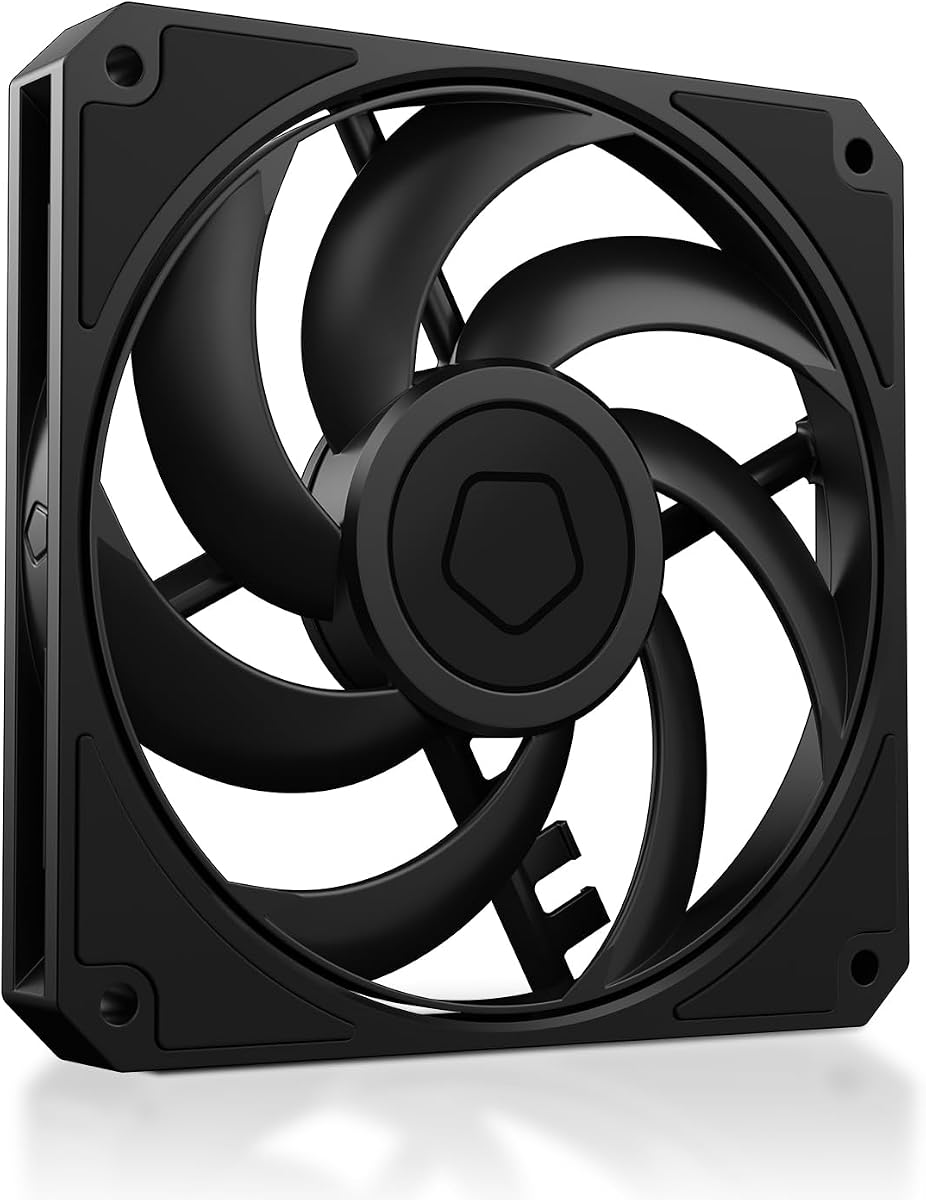
ID-COOLING AM-120-SLIM
4.8Editor score
Ultra-slim 15mm design
59.6 CFM airflow
Hydraulic bearing
This guide compares the top low profile case fans for small builds, focusing on cooling performance, noise levels, and slim designs for restricted spaces.
Finding the right cooling solution for compact builds requires careful attention to thickness and airflow. Low profile case fans deliver strong performance while fitting into tight spaces that standard fans cannot accommodate without obstruction or noise issues.
We evaluated ten top models based on static pressure, airflow capacity, and acoustic performance. Our analysis covers slim designs ranging from fourteen to sixteen millimeters, ensuring compatibility with small form factor cases and low profile coolers.
Each pick highlights key strengths and trade-offs to help you match the fan to your specific build needs. Please note that product availability and pricing can change over time, so always verify current details before purchasing.
4.8Editor score

4.9Editor score

4.6Editor score
This side-by-side comparison highlights key specifications and strengths for each model to help you quickly identify the best fit for your specific build requirements and space constraints.



This premium slim fan is widely recognized for its exceptional balance of silence and cooling capability. With a rating of 4.9 stars, it stands out as a top choice for builders who prioritize acoustic comfort without sacrificing thermal performance.
We may earn a commission when you buy through this link, at no additional cost to you.
Its award-winning A-series design features Flow Acceleration Channels and an Advanced Acoustic Optimisation frame. These engineering choices allow it to deliver superior quiet cooling performance even in tightly constrained environments like low-profile CPU coolers or HTPC builds.
The only trade-offs are the higher price compared to budget alternatives and the signature brown color scheme which may not suit all aesthetic preferences. However, the included accessories like anti-vibration mounts and extension cables justify the investment for long-term reliability.
If you need a fan that guarantees minimal noise while maintaining high static pressure for radiators or heatsinks, this model is the best recommendation. It is ideal for users who value premium engineering and proven reliability in compact PC setups.
These channels reduce blade tip turbulence to lower noise and improve airflow efficiency across the fan frame.
With a Mean Time To Failure exceeding 150,000 hours, this fan is built to last through years of continuous operation.
We may earn a commission when you buy through this link, at no additional cost to you.
This fan offers exceptional value for builders working with limited vertical clearance in their cases. It delivers a powerful 59.6 CFM airflow and 2.7mmH2O static pressure while maintaining a slim 15mm thickness that fits where standard fans cannot.
We may earn a commission when you buy through this link, at no additional cost to you.
Its hydraulic bearing reduces friction and vibration effectively, keeping noise levels low even under demanding conditions. The intelligent 4-pin PWM speed control allows the system to automatically balance cooling and noise based on temperature readings.
While it is quieter than many rivals at low speeds, the maximum noise level reaches 31 dB(A) which some might find audible in silent setups. Additionally, the plastic construction is functional but lacks the premium feel of higher-end competitors.
For Mini-ITX or SFF builds where space is tight but performance matters, this is the best budget option. It provides reliable cooling for CPU air coolers and compact radiator setups without breaking the bank.
The pressure rating makes it suitable for restricted airflow scenarios like dense heatsinks and radiators.
Speed varies from 500 to 2500 RPM to adapt instantly to changing thermal loads in your system.
We may earn a commission when you buy through this link, at no additional cost to you.
This three-pack option is perfect for users who need multiple slim fans for a comprehensive cooling solution. It features high static pressure to guarantee efficient cooling even with increased air resistance on heat sinks and radiators.
We may earn a commission when you buy through this link, at no additional cost to you.
The upgraded engine technology and newly developed fan design improve performance noticeably compared to previous models. Noise remains minimal thanks to the PWM control which adjusts speed between 200 and 2100 RPM based on system needs.
While the airflow is lower than some competitors, the focus on static pressure ensures it works well in restrictive environments. The PST daisy-chaining capability is useful but may require careful cable management in very tight enclosures.
If you need multiple fans for an ITX build with multiple heatsinks or radiators, this pack offers the best combination of performance and quantity. It is an ideal choice for bulk installs where every millimeter of height counts.
High static pressure ensures air is pushed through dense fins where standard fans might struggle.
Power and Signal Transfer allows multiple fans to connect to one header reducing motherboard port usage.
We may earn a commission when you buy through this link, at no additional cost to you.
This fan brings the slim profile to a 140mm form factor for those needing wider coverage. It ensures efficient cooling even with increased air resistance and is suitable for use on heat sinks and radiators.
We may earn a commission when you buy through this link, at no additional cost to you.
The performance is enhanced by upgraded engine technology which maintains noise to a minimum while ensuring maximum cooling. With a speed range of 150 to 1800 RPM, it balances quiet operation with strong airflow.
While it offers higher airflow than the 120mm versions, the extra height might not fit extremely tight low-profile cases. The larger size is beneficial for moving more air across wider radiators without increasing fan count.
If your build supports 140mm mounting slots but you need to minimize vertical height this is the right choice. It is ideal for HTPC cases with space constraints but requiring high volume air movement.
The wider diameter moves more air volume for better cooling coverage across large surfaces.
Design elements focus on reducing motor noise to keep acoustic levels low during operation.
We may earn a commission when you buy through this link, at no additional cost to you.
This edition brings the award-winning A-series design to an all-black finish with self-adhesive colored anti-vibration pads. It is perfect for builders who want premium performance without brown branding or mismatched colors.
We may earn a commission when you buy through this link, at no additional cost to you.
The Flow Acceleration Channels and Advanced Acoustic Optimisation frame deliver superior quiet cooling performance. It stops at 0 percent PWM for semi-passive systems allowing the fan to halt completely during low load conditions.
The chromax.black.swap feature allows customisation with different pad colors to match your build theme. While slightly more expensive, the aesthetic freedom and premium engineering justify the cost for style-conscious users.
If you are building a sleek black case and need a reliable slim fan that matches your setup perfectly this is the ideal match. It offers the same reliability as the standard version with a more modern look.
Self-adhesive anti-vibration pads let you customize the look without affecting fan performance.
The fan stops completely at zero PWM to reduce noise to absolute zero when cooling isn't needed.
We may earn a commission when you buy through this link, at no additional cost to you.
While not explicitly a slim 15mm fan, this model is highly rated for its low noise performance in standard mounts. The optimized frame ensures peak performance on radiators while the seven airflow-optimized blades reduce noise.
We may earn a commission when you buy through this link, at no additional cost to you.
It can be operated with very low minimum RPM for very quiet operation which is ideal for silent builds. The long life rifle bearing gives an operating lifetime of 80,000 hours ensuring consistent performance over time.
The main limitation is its standard height which may not fit all low-profile cases. However, if your chassis allows standard thickness this fan offers excellent noise and airflow balance backed by German engineering.
For users who prioritize silence above all else and have standard clearance this is a top recommendation. It delivers German quality and reliable operation that lasts for years of silent daily use.
Designed and manufactured in Germany to ensure high quality standards and consistent performance.
Runs at very low minimum speeds to minimize noise when high cooling is not required.
We may earn a commission when you buy through this link, at no additional cost to you.
This fan is designed for small form factor cases where balanced performance is critical. It features a well-designed superior S-FDB bearing that keeps noise low while providing maximum cooling performance when needed.
We may earn a commission when you buy through this link, at no additional cost to you.
The four corners are equipped with vibration absorbing pads to reduce friction and noise caused by rotation. It is suitable for low-profile CPU air coolers to maximize heat dissipation performance when paired with downward coolers.
While the maximum speed is lower than some competitors, the focus on balance ensures consistent cooling without excessive noise. The PWM connection allows the motherboard to control speed up to 1500 RPM automatically.
If you need a reliable fan for a compact case that balances silence and airflow this is a strong choice. It is ideal for users who want efficient cooling without aggressive fan speeds or loud noise.
This superior bearing type extends service life and keeps noise levels at the lowest possible level.
Absorbing pads reduce friction noise to allow low-noise performance during high rotation speeds.
We may earn a commission when you buy through this link, at no additional cost to you.
This fan is built for 92mm slots and fits perfectly with low-profile CPU coolers like the NH-L9 series. Its 14mm thin design makes it one of the slimmest options available for compact PC cases.
We may earn a commission when you buy through this link, at no additional cost to you.
The A-Series design with Flow Acceleration Channels and AAO frame system ensures superior cooling and quiet operation. It offers a wide speed range from 500 to 2500 RPM to manage heat effectively under varying loads.
The 92mm size limits its application to specific compact builds rather than standard 120mm slots. However, for those specific setups it provides the premium cooling and reliability you expect from Noctua.
If you need a 92mm fan for a small CPU cooler this is the best choice for quiet performance. It is specifically tailored for users who need thin clearance on compact motherboards and CPU blocks.
Perfect match for 9cm low-profile CPU coolers and very compact PC chassis with limited mounting options.
Speed control allows the fan to standstill at zero percent for semi-passive cooling systems.
We may earn a commission when you buy through this link, at no additional cost to you.
This version uses a 3-pin Molex connector instead of PWM but includes Low-Noise Adaptors for speed control. The three speeds of 1850, 1400, and 950 RPM allow fine-tuning for airflow or near-silent operation.
We may earn a commission when you buy through this link, at no additional cost to you.
It includes anti-vibration mounts, fan screws, and a Y-cable for powering the fan directly from the power supply. This makes it versatile for users who want simpler power connections without relying on motherboard PWM headers.
Without automatic PWM control you lose some dynamic adjustment compared to PWM models. But the fixed speed steps are stable and predictable which can be better for steady state cooling requirements in older systems.
For users who need a 3-pin fan or want simplified power setup this is a strong alternative to PWM versions. It is ideal for systems where automatic speed adjustment is not necessary or available.
These adapters reduce voltage to set fixed lower speeds for near-silent operation when full speed is not needed.
The Molex connector offers broader compatibility with older power supplies and cases without PWM headers.
We may earn a commission when you buy through this link, at no additional cost to you.
This model is the standard premium option offering all the benefits of the A-series design in a slim 120mm package. It features the award-winning design with Flow Acceleration Channels for superior quiet cooling performance.
We may earn a commission when you buy through this link, at no additional cost to you.
Automatic speed control via the 4-pin PWM header keeps noise to a minimum while ensuring maximum performance. The included Y-cable allows running two PWM fans on the same header to optimize your motherboard connections.
The 1850 RPM maximum speed with the Low-Noise Adaptor allows for versatile tuning based on your cooling needs. It is built for reliability with a MTTF exceeding 150,000 hours for long-term operation.
If you want the classic premium slim fan experience with reliable speed control this is the perfect pick. It is ideal for general low-profile cooling needs where silence and efficiency are top priorities.
This accessory allows you to connect two fans to one header to save ports on your motherboard.
Included adapter reduces speed to 1400 RPM for quieter operation when maximum cooling is not required.
We may earn a commission when you buy through this link, at no additional cost to you.
Selecting the right slim fan involves evaluating dimensions, airflow, and noise levels to match your specific case constraints and cooling needs.
Thickness is the most critical specification when choosing a low profile fan. Standard fans are usually 25mm thick while slim fans range from 14mm to 16mm. Always measure your case or cooler clearance before buying to ensure the fan fits without obstruction.
Choose the thinnest fan that meets your thermal needs to maximize space for other components.
Airflow measured in CFM indicates how much air moves through the fan while static pressure measures its ability to push air through resistance. For unrestricted cases prioritize airflow while for heatsinks or radiators prioritize static pressure.
Balance these metrics based on whether your fan will be exposed or restricted by components.
Noise levels measured in dB(A) determine how quiet the fan is during operation. Look for models with low decibel ratings especially if you want a silent build. Many premium fans offer semi-passive operation where they stop at low loads to reduce noise further.
Prioritize lower decibel ratings for environments where silence is a key requirement.
PWM fans offer automatic speed control via motherboard headers while 3-pin fans offer fixed speed settings or require resistors for reduction. PWM is generally preferred for better efficiency and automatic cooling management without user intervention.
Choose PWM for modern motherboards and automatic control while 3-pin suits older systems.
Bearing types such as hydraulic or S-FDB affect both noise and lifespan. Hydraulic bearings reduce friction and vibration to extend life and quiet operation. High-quality bearings ensure consistent performance over many years of continuous use.
Opt for hydraulic or S-FDB bearings for longevity and quiet operation in high-demand environments.
Frame features like Flow Acceleration Channels and optimized corners reduce turbulence and noise while improving airflow. Look for fans with advanced acoustic optimization to ensure smoother air movement through the blades.
Advanced frame designs provide better cooling efficiency without increasing noise levels.
Ensure the fan connector matches your motherboard header type. Some fans come with Y-cables or daisy-chaining capabilities to connect multiple fans to a single header reducing cable clutter.
Check connectivity requirements to ensure compatibility with your specific system layout.
Color and finish matter for visible builds. Some models offer all-black versions or customisable pads to match case colors. Avoid mismatched fans that detract from your overall build theme if aesthetics are important.
Choose a color scheme that complements your case and other components for a cohesive look.
Install the fan with the airflow direction aligned with your case ventilation strategy. Ensure mounting screws are tightened securely but not over-tightened to avoid frame damage or vibration noise.
Connect the fan to the correct motherboard header or power supply. For PWM fans use the header to enable automatic speed control while 3-pin fans may need manual BIOS adjustments.
Regularly clean the fan blades and grill with compressed air to remove dust buildup. Dust accumulation can reduce efficiency and increase noise so schedule monthly cleaning checks for optimal performance.
They are used in small form factor builds, HTPCs, and low profile CPU coolers where vertical space is restricted. They provide cooling without obstructing nearby components like RAM or GPU.
Not necessarily. Slim fans are optimized for low noise but often operate at higher speeds to move air through tight spaces. Quality matters more than thickness so choose reputable models for silence.
Yes they can function as either intake or exhaust depending on how you mount them. Just ensure the arrow on the frame matches your desired airflow direction.
Most slim fans use standard screw sizes. The included screws are usually sufficient but check the mounting hole diameter to ensure compatibility with your case standoff positions.
Low profile fans typically range from 14mm to 16mm thickness. Standard fans are usually 25mm thick so always measure your available clearance before purchasing.
Yes due to reduced blade depth they often move less air. However high static pressure models compensate for this by pushing air through resistance more effectively.
Most premium slim fans have a MTTF of over 150000 hours which translates to years of continuous use. Bearings play a large role in determining actual lifespan.
Yes many fans support daisy-chaining via PWM PST or come with Y-cables to connect multiple units to one header for cleaner cable management.
We reviewed ten top models ranging from premium Noctua options to budget-friendly alternatives like ID-COOLING. The Noctua NF-A12x15 PWM remains the top pick for its balance of performance and silence.
Prioritize thickness and static pressure if you have tight cases or dense radiators. For silent builds choose models with low decibel ratings and hydraulic bearings.
Always check current availability and verify your case clearance before purchasing to ensure a perfect fit for your specific build requirements and cooling goals.