
Comu Action Pro
4.8Editor score
Auto-generated AI docs
Six-mic adaptive setup
70-hour battery life
Discover the top AI Lapel Devices for 2026. We compare transcription accuracy, battery life, and privacy features to help you choose the perfect wearable
AI Lapel Devices are transforming how professionals capture and process conversations. These wearable recorders use advanced AI to transcribe meetings, summarize key points, and organize notes without manual typing. Finding the right device ensures you never miss important details during critical discussions or interviews.
We evaluated ten leading models based on audio quality, transcription accuracy, and ease of use. Our analysis covers battery life, privacy standards, and smart features like real-time translation. Each product was reviewed against strict criteria to ensure you get reliable performance in any setting.
This guide highlights the top picks for different needs, from budget-friendly options to premium enterprise solutions. Each section details specific strengths and trade-offs to help you decide. Note that availability and pricing can change, so check current listings before purchasing.
4.8Editor score

4.5Editor score

4.4Editor score
This table provides a side-by-side comparison of all ten models to highlight key differences. Review each feature set to understand which device aligns best with your specific workflow and requirements.




The Plaud Note Pro stands out as the top choice for professionals needing reliable transcription and context. It combines advanced AI with a sleek design that fits effortlessly into any workflow. Its high rating reflects strong performance in both audio capture and smart summarization features.
We may earn a commission when you buy through this link, at no additional cost to you.
This device excels at capturing rich context by allowing users to snap photos or type notes during recording. The AI directional audio ensures voices are isolated clearly even in noisy environments. Users can chat with recordings to extract insights quickly, making meetings actionable immediately.
While the premium price is higher than some alternatives, the included features justify the investment. Privacy standards are enterprise-grade, ensuring sensitive data remains protected. The only minor trade-off is the dependency on the app for full functionality which may limit offline use.
Ideal for business professionals and legal experts, this recorder ensures no detail is missed. The magnetic case and Find My support prevent loss during travel. It is the most versatile tool for those who prioritize accuracy and security in their documentation.
Snap photos or type notes alongside audio to provide richer context for future reference.
Built with ISO and SOC compliance to ensure all sensitive conversation data remains secure.
We may earn a commission when you buy through this link, at no additional cost to you.
This Pocket recorder is designed specifically to integrate with the Apple ecosystem. Its rating shows strong satisfaction among users who value convenience. The device turns conversations into actionable insights without complex setup steps.
We may earn a commission when you buy through this link, at no additional cost to you.
The MagSafe compatibility allows for hands-free attachment to phones during meetings. This ensures the device stays positioned correctly for optimal audio capture. AI insights organize content into clear summaries and action items, saving time on manual note review.
Battery life is a significant strength, lasting up to four days on a single charge. This reduces the need for daily charging during busy schedules. Users should note that some advanced AI tools may require an optional subscription.
It is perfect for iPhone users seeking a seamless workflow. The one-tap recording ensures you never miss a moment. For those in the Apple ecosystem, this offers the best balance of convenience and performance.
Attach directly to your iPhone for effortless hands-free recording without holding devices.
Automatically maps conversations to extract key points and follow-up tasks instantly.
We may earn a commission when you buy through this link, at no additional cost to you.
The Plaud NotePin S offers a unique wearable approach for daily note-taking. Its rating indicates high utility for professionals needing a hands-free solution. The device transforms long discussions into structured maps and lists efficiently.
We may earn a commission when you buy through this link, at no additional cost to you.
With over 10,000 professional templates, users can generate specific outputs like mind maps. The device supports 112 languages, making it excellent for international teams. Four accessories allow it to be worn as a necklace or pin for comfort.
Weighing only 0.61 oz, it is nearly invisible during long events. Privacy standards match enterprise requirements for secure data handling. Battery life is solid but slightly shorter than some competing models for all-day events.
Ideal for creative and medical professionals, it balances comfort with powerful features. The physical record button ensures precise control without screen interaction. It is the top choice for those who prioritize discreet, wearable recording.
Generate tailored summaries and to-do lists from over 10,000 industry-specific templates.
Wear as a pin, clip, or necklace to fit your specific daily workflow.
We may earn a commission when you buy through this link, at no additional cost to you.
EurekaMind combines recording with web search capabilities for deeper insights. It helps users dig deeper into topics by linking audio to online information. The device delivers a strong performance for everyday productivity needs.
We may earn a commission when you buy through this link, at no additional cost to you.
One of its standout features is the built-in web search for smarter productivity. This allows you to ask the AI questions that go beyond your recordings. The card-sized design makes it easy to carry and slide into a wallet or pocket.
The free starter plan includes unlimited transcription which is rare at this price. Privacy and security standards are enterprise-grade for safe data protection. Some advanced tools may require a premium upgrade for full access.
This is ideal for students and journalists who need quick context. The speaker recognition helps distinguish between multiple people easily. It offers a cost-effective solution with powerful AI features for general use.
Ask AI questions that search the web to add context to your recordings.
Enjoy unlimited transcription without monthly fees using the included starter plan.
We may earn a commission when you buy through this link, at no additional cost to you.
This device offers excellent value with a lifetime free starter plan. It is a smart choice for those needing transcription without ongoing costs. Its strong performance across meetings and interviews makes it highly versatile for users.
We may earn a commission when you buy through this link, at no additional cost to you.
The Wi-Fi sync is up to 10 times faster than Bluetooth, speeding up workflow. A vertical knowledge base improves industry specific transcription accuracy. The triple-mic array ensures clear audio capture in various environments.
Users appreciate the unlimited storage options which are rare at this price. Privacy is maintained with AES encryption and CCPA compliance. Some advanced features like deep dive analysis require an optional upgrade.
Perfect for executives and attorneys, it delivers professional results at a lower cost. The magnetic design allows for quick placement on phones or notebooks. It is the most budget-friendly option with full enterprise capabilities.
Enjoy unlimited transcription and summaries without any monthly subscription fees.
Specialized models for real estate, legal, and finance improve accuracy.
We may earn a commission when you buy through this link, at no additional cost to you.
The Comu Action Pro earns top marks for its ability to create documents. Its rating reflects high user satisfaction with its automated workflows. The device excels at turning raw audio into structured business materials.
We may earn a commission when you buy through this link, at no additional cost to you.
Auto-generated AI docs mean you get editable slides and emails without prompts. The six-mic setup includes bone conduction for superior voice isolation. With 70 hours of battery life, it is ideal for multi-day conferences.
The dedicated AI button lets you request follow-ups instantly. Unlimited core features make it a complete productivity solution. The main trade-off is the higher price point compared to basic models.
It is perfect for busy executives needing instant output. The bone-conduction mic ensures clarity in noisy environments. For those who want AI to handle document creation, this is the leading choice.
Turn conversations into editable presentation slides and email drafts instantly.
Use bone conduction to capture voice directly for maximum clarity.
We may earn a commission when you buy through this link, at no additional cost to you.
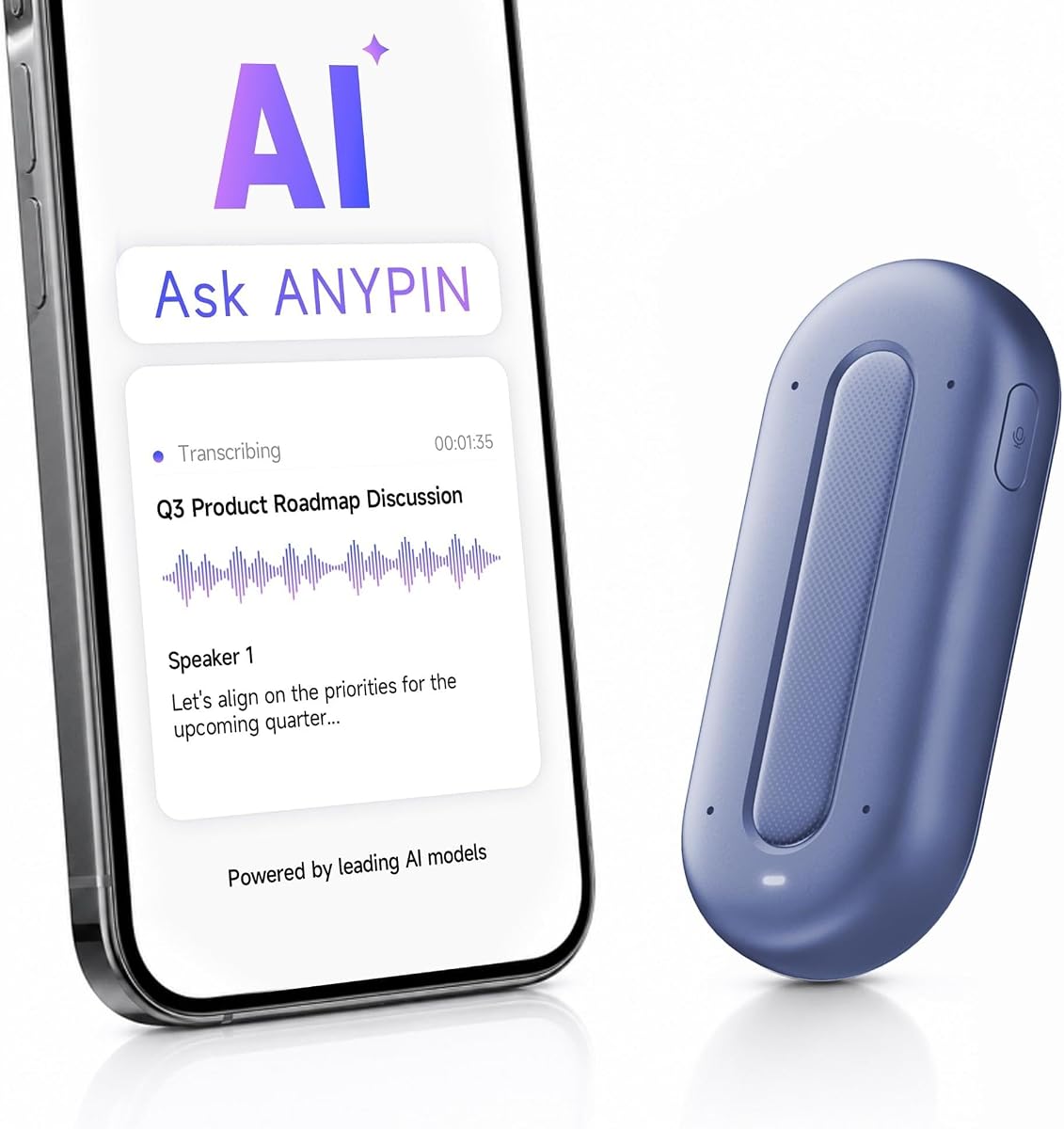
ANYPIN offers a generous one-year unlimited transcription plan. Its approach focuses heavily on privacy and local data handling. The device delivers solid performance for users wanting immediate value without fees.
We may earn a commission when you buy through this link, at no additional cost to you.
No subscription is required to start using the core AI features. On-device encryption ensures that recordings stay secure before sync. It supports over 120 languages for global use cases.
While the rating is slightly lower, the privacy features are robust. The Wi-Fi sync is fast for transferring data to the app. USB-C data transfer is not supported, which limits offline access options.
This is great for privacy-conscious users who prefer local storage. The wearable design ensures it stays present during conversations. For a no-commitment start, it is a reliable option for personal use.
Get a full year of unlimited transcription with no auto-renewal fees.
Keep recordings encrypted locally until you choose to sync them.
We may earn a commission when you buy through this link, at no additional cost to you.
This badge functions as a versatile companion for daily tasks. It focuses on local processing for privacy and offline use. Users appreciate the customizable design that reflects personal style.
We may earn a commission when you buy through this link, at no additional cost to you.
The device supports translation across 102 languages with offline capabilities. Local processing ensures personal data stays on the device without uploads. The touch screen allows for easy navigation without phone pairing.
While it is a powerful tool for translation, it does not offer full transcription. Users should download the specific app to access full AI features. It is a great gadget for travelers and personal use.
Ideal for those needing privacy and offline access to info. The badge format makes it easy to carry anywhere. For non-transcription tasks, it is a unique and practical assistant.
All processing happens on device so your data never goes to the cloud.
Upload your own photos to create unique wallpapers for the screen.
We may earn a commission when you buy through this link, at no additional cost to you.
The Z02 Badge scores a perfect rating for its combination of features. It serves as a powerful translator and meeting assistant in one. Users find it highly effective for breaking language barriers on the go.
We may earn a commission when you buy through this link, at no additional cost to you.
It includes eight AI tools like meeting minutes and mind map organization. Real-time speaker distinction helps manage group discussions efficiently. The device supports multiple languages with instant translation capabilities.
To access full AI features you need to download the dedicated app. Network connection is required for some translation services. The customizable wallpaper adds a personal touch to the design.
Perfect for international travelers and bilingual users. The badge form factor is lightweight and comfortable. For those needing instant translation and simple recording, this is a top rated choice.
Auto sorts key points and action items to boost work productivity.
Break language barriers with instant translation during travel.
We may earn a commission when you buy through this link, at no additional cost to you.
The SYNCO AI Mini is tailored for Android creators. It combines hardware and AI software for efficient content planning. Users appreciate the lifetime free tools that eliminate subscription costs.
We may earn a commission when you buy through this link, at no additional cost to you.
It connects via USB-C to your phone for seamless recording. AI noise reduction and voice leveling ensure consistent audio quality. The app turns speech into mind maps and summaries for quick editing.
This is a wireless option that is easy to set up for mobile use. While it lacks full transcription, the AI organization is useful. It is an excellent choice for those focused on content creation.
Ideal for YouTubers and mobile journalists using Android. The lifetime AI tools make it a valuable long-term asset. For creators needing clear audio and basic organization, this is a strong pick.
Use AI summaries and mind maps without any monthly fees.
Plug into USB-C phones to start recording for vlogs.
We may earn a commission when you buy through this link, at no additional cost to you.
Selecting the right AI Lapel Device requires evaluating several key factors. This section helps you understand what features matter most for your workflow.
Look for models that offer high accuracy in transcription and support multiple languages. If you work internationally, a device supporting over 100 languages is essential. Accuracy ensures that your notes are usable without manual correction.
Check if the AI can distinguish between speakers to improve clarity.
Battery life is critical for long meetings or travel days. Aim for devices with at least 20 hours of recording time. Some premium models offer up to 70 hours for continuous use.
Longer battery life means fewer interruptions and more reliable capture.
Ensure the device meets enterprise privacy standards like ISO or SOC compliance. Your conversations often contain sensitive business data that needs protection. Encryption during storage and transit is a must-have feature.
Local processing options can add an extra layer of privacy for secure data.
Choose a device that syncs easily with your phone via Bluetooth or Wi-Fi. Fast sync speeds reduce the time spent waiting for notes to process. One-tap recording features are vital for quick capture.
Simple interfaces ensure you focus on the conversation rather than the device.
The device should be comfortable to wear for long periods. Options with pins, clips, or magnetic backs offer flexibility. Lightweight designs ensure discretion during formal events.
A small footprint prevents the device from drawing attention during use.
Advanced AI tools like auto-generated documents or action items add value. Check if the device offers context capture such as photo integration. These features transform raw audio into structured insights.
Ensure the AI assistant provides actionable results rather than just text.
Some devices offer free starter plans while others require paid subscriptions. Consider the long-term cost of accessing premium features. A lifetime free plan can be a significant benefit for budget users.
Verify the total cost of ownership before committing to a specific model.
Local storage capacity allows you to keep recordings on the device. Cloud backup options ensure your data is safe if the device is lost. Look for models with generous built-in memory.
Secure storage options prevent data loss during critical projects.
Start by setting up the companion app on your smartphone. Follow the pairing instructions to connect your device via Bluetooth or Wi-Fi. Ensure your software is updated for the latest features and security patches.
For best audio quality, attach the device to your collar or chest area. Keep it away from noise sources like phones or fans during recording. Use the dedicated button to start and stop recording quickly.
Regularly sync your recordings to the cloud to back them up. Clean the microphone ports with a dry cloth to maintain audio clarity. Store the device in its case when not in use to prevent damage.
Some devices offer local processing for basic tasks. However, full transcription and AI summaries usually require an internet connection. Check the specific model for offline capabilities before purchasing.
Most top models comply with enterprise security standards like ISO and GDPR. Ensure the device offers encryption for data at rest and in transit. Review privacy policies to confirm data handling practices.
Many devices have specific modes for capturing phone calls. However, local laws vary on recording consent. Always ensure you have permission before recording calls to stay compliant.
Top models offer high accuracy rates in ideal conditions. Noise and accents can impact quality. Using a device with multiple microphones helps improve clarity and accuracy significantly.
Some models offer lifetime free starter plans. Others require subscriptions for advanced AI features. Check the product details to see what is included with your purchase.
Battery life varies by model. Expect around 20 to 70 hours of recording on a single charge. Standby time can last even longer for continuous monitoring.
Some AI Lapel Devices allow calendar sync for action items. This feature helps you stay organized after meetings. Check the specific app features for integration options.
Most devices support both platforms via their respective apps. However, some specific features like MagSafe are iPhone exclusive. Ensure compatibility with your phone before buying.
The top picks highlight a range of options for every professional need. From the comprehensive Plaud Note Pro to the budget-friendly Comulytic Note Pro there is a solution for everyone. Choosing the right one ensures productivity and privacy.
Prioritize features like privacy compliance and battery life when selecting a device. Ensure the AI tools match your workflow requirements for maximum value. The right device transforms how you manage your daily conversations.
Always check current availability before making your purchase. Prices and features may change so verify the latest details. Investing in the right tool ensures your meetings are captured accurately.