
WALI Computer Monitor Stand for Desk
4.7Editor score
Supports up to 44 lbs
Large vented platform
Under stand storage space
Finding the right laptop riser is essential for maintaining healthy posture and improving productivity. A good stand elevates your screen to eye level, reducing neck strain during long work sessions.
We compared ten leading models based on build quality, stability, adjustability, and compatibility with various laptop sizes. Our analysis focuses on real-world usability and ergonomic benefits.
Each pick highlights specific strengths like cooling, portability, or heavy-duty support. Note that product availability and pricing may change over time so verify details before purchasing.
4.7Editor score

4.8Editor score
4.7Editor score
As an Amazon Associate we earn from qualifying purchases.
This side-by-side comparison highlights key specifications across all ten models to help you quickly identify the best fit for your specific workflow and device size.






The BESIGN LS03 stands out as a top choice due to its premium aluminum construction and ergonomic design. It elevates laptops to a perfect viewing level which helps improve posture significantly.
We may earn a commission when you buy through this link, at no additional cost to you.
Its detachable design allows for easy assembly in just three steps. The open aluminum structure ensures good ventilation preventing overheating during intensive tasks.
While it offers a fixed elevation of around 6 inches, this is sufficient for most users seeking to align their screen with eye level. The rubber holders keep laptops secure without scratches.
Ideal for home and office setups, this riser balances stability with portability. It is a reliable pick for anyone wanting a durable, no-fuss solution.
Elevating your laptop screen reduces strain on your neck and spine during extended work periods.
The open design promotes airflow which helps maintain optimal operating temperatures for your device.
We may earn a commission when you buy through this link, at no additional cost to you.
This Lamicall model offers versatility with adjustable height and angle settings to suit different needs. Its larger base ensures it remains stable even when typing vigorously.
We may earn a commission when you buy through this link, at no additional cost to you.
Made from high-quality aluminum, it supports laptops up to 17.3 inches. The ventilation holes help cool devices during heavy use.
Although it costs more than some basic stands, the adjustability and durability justify the investment for long-term use. It folds down for easy transport.
Best suited for users who need flexibility in their workspace. It works well for both stationary desks and on-the-go environments.
The upgraded large base prevents shaking and sliding during typing sessions.
Multiple ventilation holes ensure your laptop stays cool under load.
We may earn a commission when you buy through this link, at no additional cost to you.
The LOXP stand features a unique 360 degree rotating base making it easy to share screens without moving the entire device. It is built with durable fiber metal for stability.
We may earn a commission when you buy through this link, at no additional cost to you.
Its height and angle can be adjusted to keep the screen at eye level reducing physical strain. The non-slip pads secure laptops effectively.
While rotation adds convenience, some users might find it less stable if tightened poorly. However, for collaborative environments, this feature shines.
A great choice for office presentations or dual-worker desk setups. It combines functionality with ergonomic benefits.
Rotate the screen easily for face-to-face meetings or shared viewing.
One-piece fiber metal offers better longevity than standard aluminum.
We may earn a commission when you buy through this link, at no additional cost to you.
Designed for heavy-duty use, this stand supports devices up to 22 lbs thanks to its dual-support rod mechanism. It ensures a wobble-free typing experience.
We may earn a commission when you buy through this link, at no additional cost to you.
The geometric heat-vent design maximizes airflow preventing thermal throttling during gaming or video editing. It accommodates laptops from 10 to 16 inches.
The dual-foldable design makes it portable despite its robust build. Users appreciate its ability to improve posture during long sessions.
Best for power users with larger laptops. It delivers reliability and cooling performance unmatched by lighter stands.
Dual rods distribute weight evenly to eliminate wobble completely.
Unique vent geometry offers better cooling than standard solid stands.
We may earn a commission when you buy through this link, at no additional cost to you.
Amazon Basics delivers a solid option with up to 7 inches of height adjustment for personalized comfort. Its lightweight aluminum build is easy to carry.
We may earn a commission when you buy through this link, at no additional cost to you.
The open hollow design promotes airflow helping to keep laptops cool. It fits devices up to 15.6 inches making it ideal for most ultrabooks.
Foldable and space-saving, it fits into most laptop bags. While it may not suit heavier devices, it is sufficient for daily office work.
A budget-friendly pick for casual users. It offers essential ergonomic benefits without unnecessary frills or high costs.
Adjust height up to 7 inches to find your optimal viewing angle.
Compact and lightweight for easy transport between locations.
We may earn a commission when you buy through this link, at no additional cost to you.
WALI stands out for its massive weight capacity supporting up to 44 lbs. Its large shelf accommodates monitors and printers alongside laptops.
We may earn a commission when you buy through this link, at no additional cost to you.
The open design beneath the stand allows storage of keyboards and accessories reducing clutter. Rubber pads prevent slipping on your desk surface.
While the metal shelf is sturdy, it may scratch certain laptop finishes without additional padding. However, the cost efficiency is hard to beat.
Ideal for heavy setups or shared office spaces. It provides robust functionality at an incredibly accessible price point.
Supports up to 44 lbs allowing for large devices or dual screens.
Under-stand space stores accessories keeping desktops tidy and organized.
We may earn a commission when you buy through this link, at no additional cost to you.
This Lamicall version emphasizes a 360 degree rotating base perfect for team presentations and client demonstrations. It supports laptops up to 17.3 inches.
We may earn a commission when you buy through this link, at no additional cost to you.
Made from high-quality aluminum, it stays stable during typing. The larger base ensures reliability when sharing screens with colleagues.
While it requires more desk surface due to its base size, the ergonomic height helps prevent neck strain. It folds for travel convenience.
Great for professionals who need to pivot screens frequently. It combines stability with collaboration-friendly features.
Rotate screen for face-to-face chats without moving the entire setup.
Ideal for meetings and team reviews where screen sharing is key.
We may earn a commission when you buy through this link, at no additional cost to you.
Weighing just 0.49 pounds, this stand is ideal for frequent travelers. It offers six height levels allowing customization for eye-level viewing.
We may earn a commission when you buy through this link, at no additional cost to you.
The triangle design adds stability despite its minimal size. Smooth edges protect hands and devices from scratches.
It is a basic solution without advanced cooling or rotation, but it excels in portability. Perfect for cafes and temporary setups.
Choose this if weight and size are top priorities. It delivers essential elevation without bulk.
Lightweight 0.49 pounds fits easily in backpacks or pockets.
Folds to less than 1 inch thickness for space-saving storage.
We may earn a commission when you buy through this link, at no additional cost to you.
Built with sturdy metal, this stand supports up to 17.6 lbs ensuring stability for heavier laptops. Ventilation holes keep devices cool during use.
We may earn a commission when you buy through this link, at no additional cost to you.
Its foldable design makes it easy to slip into a backpack. Rubber mats secure laptops in place protecting against scratches.
While it supports devices up to 15.6 inches, the metal construction offers better durability than cheaper plastics. It is a reliable choice.
Recommended for daily office users seeking longevity. It balances weight capacity with portability.
Metal construction ensures the stand withstands daily use without wear.
Ventilation holes promote airflow to maintain safe operating temperatures.
We may earn a commission when you buy through this link, at no additional cost to you.
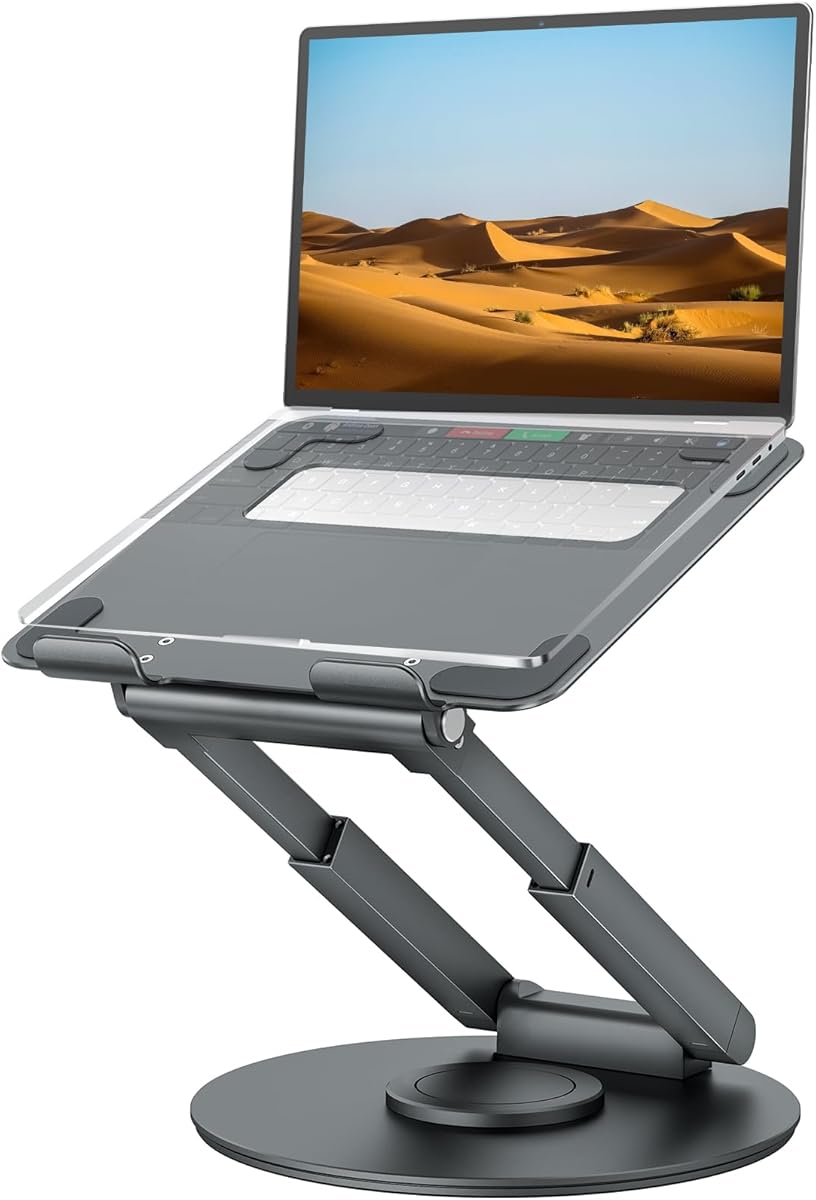
The tounee stand supports sit-to-stand workflows allowing you to switch postures easily throughout the day. It adjusts from 2.1 to 21 inches.
We may earn a commission when you buy through this link, at no additional cost to you.
Its large base and pivot joints provide stability up to 22lbs. The 360 degree swivel makes sharing screens effortless.
While pricey, the health benefits of active standing justify the cost. It folds for storage when not in use.
Best for health-conscious professionals. It transforms a standard desk into an active workspace.
Sit to stand functionality reduces muscle tension and increases productivity.
Wide range from 2.1 to 21 inches fits sitting and standing needs.
We may earn a commission when you buy through this link, at no additional cost to you.
Selecting the right laptop riser involves considering ergonomics, compatibility, build quality, and portability to match your specific workspace needs.
Look for stands that elevate the screen to eye level to reduce neck and back strain. Adjustable height and angle are crucial for finding a comfortable position.
Prioritize models that offer customization to fit your posture and desk setup.
Ensure the stand supports your laptop size typically ranging from 10 to 17 inches. Check weight capacity to avoid instability with heavier devices.
Verify compatibility with your specific laptop model before purchasing.
Aluminum and metal alloys provide better stability and heat dissipation than plastic. Check for rubber pads or silicone grips to prevent sliding and scratches.
A solid base is essential to prevent wobble during typing.
If you travel often, choose foldable and lightweight models. Compact dimensions help fit the stand into your bag without adding bulk.
Consider weight when selecting for on-the-go use.
Open designs with ventilation holes help cool your device by promoting airflow. This prevents overheating during intensive tasks like gaming or video editing.
Look for models with heat-vent features for better performance.
Dual-rod mechanisms and wide bases enhance stability. Avoid models that shake or slide when you type on your laptop.
Test or read reviews regarding stability for your specific setup.
Some stands offer rotating bases for presentations or sit-to-stand adjustments. Decide if these extra functionalities add value to your workflow.
Focus on features that align with your daily needs.
Budget options work well for basic needs while premium stands offer advanced ergonomics. Balance cost with durability and essential features.
Invest in longevity if you use your stand daily.
Place the stand on a flat, solid surface to ensure maximum stability. Adjust the height and angle to align the screen with your eye level for better posture.
Regularly clean the stand and rubber pads to remove dust and debris. Wipe aluminum surfaces with a soft cloth to maintain appearance.
Avoid placing excessive weight on the stand beyond its capacity. Fold it properly when storing to prevent bending or structural damage over time.
The ideal height elevates the top of your screen to eye level. This reduces neck strain and encourages an upright posture during work.
Most stands are safe if they support your laptop's weight and size. Check capacity limits and use protective pads to prevent scratches.
Open designs with ventilation holes significantly improve airflow. This helps prevent overheating compared to flat surfaces.
Yes, a stable stand allows typing without wobble. Look for dual-rod or wide-base models for stability.
Use a soft damp cloth for the base and dry pads. Avoid harsh chemicals that might damage finishes or rubber.
Ultra-portable models under 1 pound and foldable designs work best. Prioritize compact sizes for easy transport.
It is recommended to adjust it as your posture changes. Consistency helps maintain ergonomic health over time.
Not if used correctly. Ensure weight limits are respected and non-slip pads are intact to avoid slides.
We highlighted ten top laptop risers from the BESIGN LS03 to the tounee Telescopic stand. Each offers unique benefits from budget-friendly basics to premium active workspaces.
Prioritize ergonomics and stability above all. A good stand improves posture and productivity while protecting your device from heat and strain.
Prices and stock vary so check current details before buying. Choose the model that fits your desk, device, and daily habits perfectly.