
Thermaltake Pure 20 Series
4.5Editor score
High airflow design
Anti-vibration mounts
Long life bearing
Finding the right cooling solution is essential for any computer build. Large case fans move more air at lower speeds, keeping temperatures down while reducing noise. This guide explores the best 200mm case fans available today for your system.
We evaluated each fan based on airflow performance, noise levels, bearing type, and build quality. Our list includes options from leading brands known for reliability. These factors ensure you get efficient cooling without unnecessary distractions or vibration.
Each pick highlights key specifications and real-world performance traits. You will see what makes each model stand out in its category. Note that prices and availability can change, so check current listings before purchasing.
4.5Editor score
4.8Editor score

4.6Editor score
As an Amazon Associate we earn from qualifying purchases.
This side-by-side comparison highlights the core specifications of all ten models. We focus on size, airflow, speed, and noise to help you find the best fit for your case.


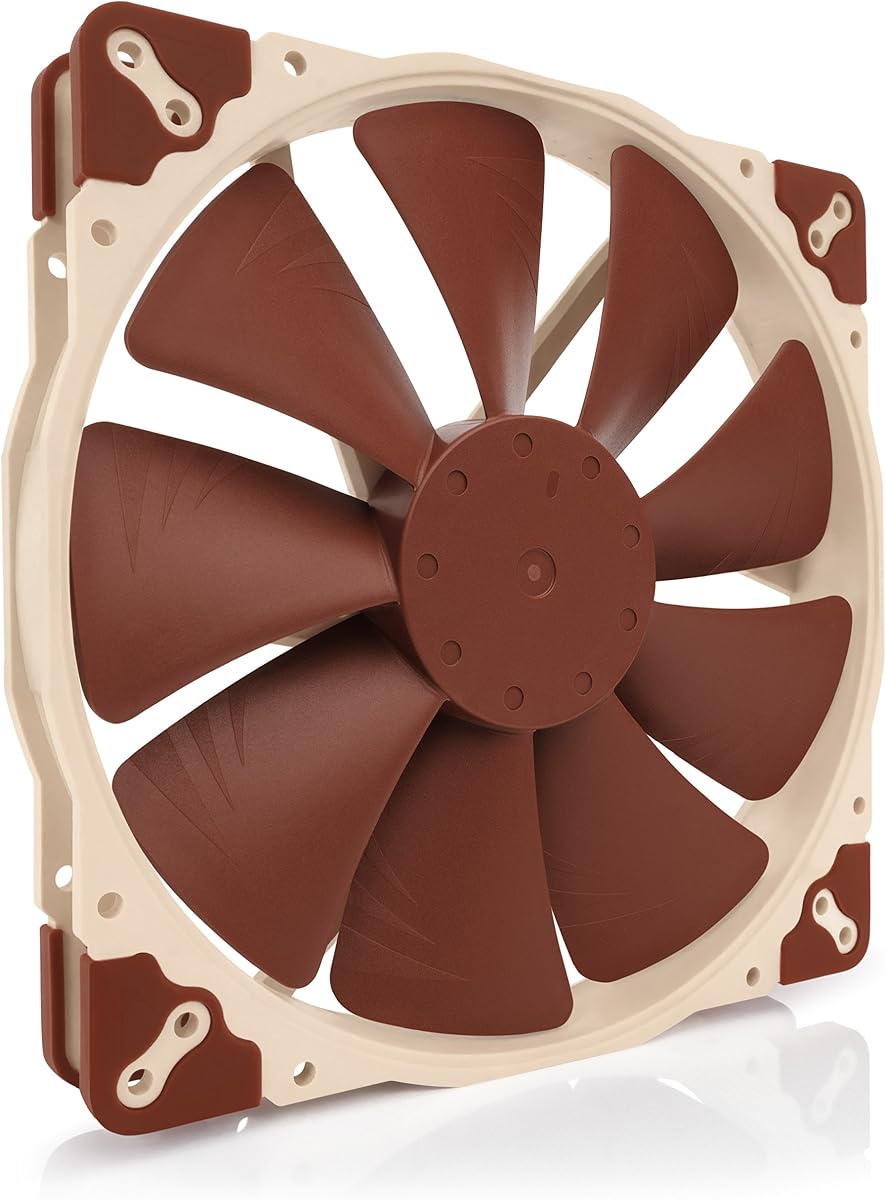
The Noctua NF-A20 PWM stands out as a top choice for users seeking premium cooling performance without noise. With a rating of 4.8 stars, it reflects consistent satisfaction among buyers who value quiet and efficient airflow. Its design prioritizes airflow optimization while minimizing acoustic disturbance, making it ideal for silent builds.
We may earn a commission when you buy through this link, at no additional cost to you.
Key strengths include its Flow Acceleration Channels and Advanced Acoustic Optimisation frame, which direct air precisely and reduce turbulence. The fan runs at a maximum of 800 RPM, keeping noise levels as low as 18.1 dB(A) while still delivering substantial air movement. It includes anti-vibration mounts, extension cables, and a Low-Noise Adaptor for flexibility.
Trade-offs involve its thickness of 30mm and larger price compared to budget options. These factors may limit fit in tight cases or strain budgets. However, for users prioritizing long-term reliability and acoustic comfort, these compromises are generally acceptable given the performance gains.
Buyers needing reliable, quiet cooling for high-end systems should strongly consider this model. It offers a balance of speed, silence, and build quality that few competitors match. Its inclusion of quality accessories ensures easy installation and future flexibility for system adjustments.
The fan uses optimized blade design and acoustic frame to achieve near-silent operation even under load.
Multiple mounting hole sizes ensure broad compatibility with various PC case chassis designs.
We may earn a commission when you buy through this link, at no additional cost to you.
This Thermaltake Pure 20 Series fan delivers excellent value for users needing robust cooling without a high cost. Rated 4.5 stars, it offers a strong balance of performance and price. Its thick 30mm design focuses air pressure effectively, ensuring adequate cooling for standard cases.
We may earn a commission when you buy through this link, at no additional cost to you.
The fan features blades designed to reduce noise while creating high airflow. It includes anti-vibration mounting pads to minimize system resonance and noise transmission. The sleeve bearing offers decent longevity and reliability for everyday use, making it a solid choice for budget builds.
Trade-offs include less advanced acoustic tuning and simpler aesthetics compared to higher-priced models. Some users may notice more noise under load. However, for those prioritizing airflow and cost efficiency, these are minor drawbacks compared to the overall performance per dollar.
Buyers looking for an affordable, effective cooling solution for standard PC cases should find this fan suitable. It performs well in scenarios where silence is secondary to cost and airflow. It is particularly well-suited for entry to mid-level gaming rigs.
Fan blades focus airflow to deliver strong cooling without excessive noise generation.
Shaved frame design allows flexible mounting options within Thermaltake chassis and other systems.
We may earn a commission when you buy through this link, at no additional cost to you.
The chromax.Black.swap edition combines top-tier performance with aesthetic customization for discerning users. With a 4.6 rating, it maintains Noctua’s reputation for quality while offering visual flexibility. The all-black design matches modern builds, and swappable pads allow color personalization.
We may earn a commission when you buy through this link, at no additional cost to you.
Its Flow Acceleration Channels and acoustic frame ensure quiet, efficient airflow similar to the standard NF-A20 PWM. Speed control via PWM allows dynamic adjustment to balance noise and cooling. It supports various mounting hole configurations for broad case compatibility and easy integration.
Trade-offs include higher cost and reliance on PWM headers for full control. Users without compatible headers may lose speed flexibility. Yet, for those wanting premium looks and reliability, these factors justify the investment given the performance and build quality.
Buyers seeking a high-end fan with visual customization should consider this model highly. It balances performance and aesthetics effectively, fitting well into premium gaming or workstation PCs. Its reliability makes it a long-term solution for cooling needs.
Swappable anti-vibration pads in multiple colors allow easy matching with your system theme.
4-pin PWM headers enable automatic speed control for optimized cooling and noise balance.
We may earn a commission when you buy through this link, at no additional cost to you.
The Thermaltake CT200 PWM delivers impressive airflow with 131.6 CFM while maintaining hydraulic bearing reliability. Rated 4.3 stars, it appeals to builders wanting strong cooling at reasonable cost. Its optimized nine blades push air effectively for demanding thermal loads.
We may earn a commission when you buy through this link, at no additional cost to you.
Hydraulic bearings ensure silent operation over long lifespans. PWM control enables speed adjustment between 500 and 900 RPM for noise optimization. Daisy chain connectors simplify multi-fan setups by reducing cable clutter and requiring fewer motherboard headers.
Trade-offs include moderate noise levels and a standard design that lacks advanced aesthetics. Users seeking silent or stylish fans may look elsewhere. However, for performance-focused builds, its airflow capacity and bearing durability stand out positively.
Buyers needing strong airflow for high-performance systems should consider this fan. It suits cases with multiple components needing active cooling. Its daisy chain feature also appeals to builders preferring clean cable management.
Optimized blade design pushes over 130 CFM for excellent heat dissipation in large cases.
Connect multiple fans easily without extra cables or headers using daisy chainable connectors.
We may earn a commission when you buy through this link, at no additional cost to you.
This fan blends cooling performance with striking aRGB lighting for visually appealing builds. Its 4.6 rating reflects satisfaction with both function and aesthetics. The frosted blades enhance light dispersion, creating vibrant color effects without overpowering brightness.
We may earn a commission when you buy through this link, at no additional cost to you.
The hybrid PBT frame minimizes noise through anti-resonance design while supporting optimized airflow blades. PWM speed control adjusts RPM to balance cooling and quiet operation. Dual-tier sealing protects against dust and oil leakage, extending lifespan and stability.
Trade-offs include needing an RGB controller and slightly higher pricing than basic fans. Users without RGB capabilities may not benefit fully from lighting features. Still, for gamers seeking aesthetic flair alongside cooling, this model offers compelling value.
Buyers wanting a balance of performance and lighting customization should consider this fan. It suits cases emphasizing visual design and component visibility. Its build quality ensures longevity even under continuous lighting and cooling duty.
Frosted blades diffuse aRGB light evenly for soft, vibrant illumination without hotspots.
PBT hybrid frame reduces vibrations and enhances stability during high-speed operation.
We may earn a commission when you buy through this link, at no additional cost to you.
The FLX model offers reliable quiet cooling without requiring PWM headers. Rated 4.7 stars, it appeals to users with older systems preferring 3-pin connectivity. It retains Noctua’s acoustic optimizations and quality build materials for consistent performance.
We may earn a commission when you buy through this link, at no additional cost to you.
Speed settings are 800 and 550 RPM using a Low-Noise Adaptor. This provides simple airflow control without software dependency. The 3-pin Molex interface ensures compatibility with legacy power supplies and motherboards lacking PWM headers.
Trade-offs include fixed speed options and premium pricing compared to simpler fans. Users needing dynamic software control may prefer PWM variants. However, for those valuing simplicity and proven reliability, this model remains highly recommended.
Buyers with legacy systems or simple setups should consider this fan. It delivers top performance without complex connectivity. Its robust build and accessory inclusion ensure easy installation and long-term satisfaction.
Low-Noise Adaptor switches fan speed between two fixed settings without software.
3-pin Molex connector works with older boards and power supplies lacking PWM headers.
We may earn a commission when you buy through this link, at no additional cost to you.
This fan runs on 5V PWM power, enabling use with USB devices or specific motherboard headers. With 4.7 stars, it offers versatility for niche applications. The polarity protection ensures safe operation even with reversed connections on compatible ports.
We may earn a commission when you buy through this link, at no additional cost to you.
PWM speed control maintains quiet airflow up to 800 RPM. Included USB adaptor allows running off power banks or USB supplies for unique cooling setups. OmniJoin adaptors support proprietary fan header connections for expanded compatibility.
Trade-offs include needing compatible 5V headers or power sources and higher cost. Users needing standard 12V fans will find this less applicable. However, for specialized builds requiring low-voltage control, it stands out uniquely.
Buyers with specific 5V cooling needs or USB-powered systems should consider this fan. Its adaptability and safety features offer peace of mind. The included adaptors ensure flexible integration into various power configurations.
Includes USB adaptor to run fan from power banks or USB ports without motherboard dependency.
Polarity protection protects the fan against reversed connections during installation or use.
We may earn a commission when you buy through this link, at no additional cost to you.
This fan combines RGB lighting with hybrid blade design for balanced cooling and aesthetics. Rated 4.4 stars, it works with major motherboard RGB systems. Its hybrid design uses jet engine and helicopter blade concepts for efficient airflow and pressure.
We may earn a commission when you buy through this link, at no additional cost to you.
Silent cooling technology includes sound-absorbing rubber pads and noise-reduction measures. The smart fan sensor stops the motor if jammed to prevent damage. RGB compatibility allows color control via Asus, MSI, and other ecosystem software.
Trade-offs include needing a separate RGB controller and moderate airflow compared to performance-only fans. Users prioritizing pure cooling efficiency may seek alternatives. However, for RGB-focused builds, it offers solid functional balance.
Buyers wanting RGB lighting with decent airflow should consider this model. It suits cases emphasizing visual appeal and component visibility. The jam sensor adds safety value for long-term use in varied environments.
Jam protection sensor stops the motor automatically if obstructed to prevent overheating.
Hybrid design balances static pressure and airflow for efficient intake performance.
We may earn a commission when you buy through this link, at no additional cost to you.
This CHICIRIS fan offers ARGB lighting at a competitive price. Its hydraulic bearing aims for quiet operation around 9 dBA. The translucent nine-blade design diffuses light evenly across inner and outer LED rings for uniform glow.
We may earn a commission when you buy through this link, at no additional cost to you.
Airflow reaches 95 CFM at 1000 RPM, providing efficient cooling for standard cases. Motherboard sync supports 5V 3-pin ARGB control via major software. The design includes tool-free installation cables for straightforward setup in most chassis.
Trade-offs include limited brand reputation and unknown long-term reliability compared to established names. Users may worry about warranty support. However, for budget ARGB fans, its features and performance offer strong initial value.
Buyers wanting affordable ARGB lighting should consider this model. It suits budget builds needing visual customization and decent airflow. Always verify warranty terms before purchasing new brand products.
Translucent blades and 34 LEDs create uniform ARGB lighting without harsh spots.
Hydraulic bearing with oil seal minimizes friction and noise for quiet system operation.
We may earn a commission when you buy through this link, at no additional cost to you.
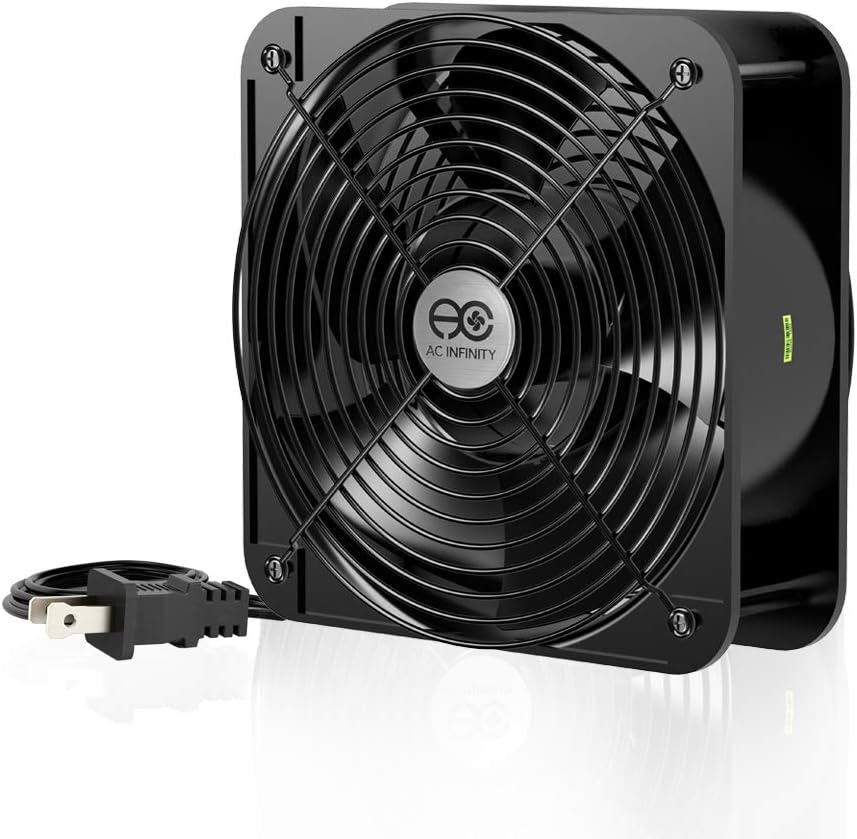
The AC Infinity AXIAL 2060 is a powerful 120V AC fan for heavy-duty projects. With 425 CFM airflow and 3200 RPM, it moves massive volumes of air. Rated 4.5 stars, it fits industrial or server cooling needs rather than standard PC cases.
We may earn a commission when you buy through this link, at no additional cost to you.
Dual-ball bearings provide a 67,000-hour lifespan and allow versatile mounting orientations. Heavy-duty aluminum construction ensures durability. Fans and mounting screws included for secure setup. It excels in ventilating enclosures where noise matters less than cooling.
Trade-offs include high noise levels and AC power needs unsuitable for typical PCs. Most builders require 12V DC fans. However, for specialized applications needing high static pressure and volume, this model performs exceptionally.
Buyers needing industrial cooling or enclosure ventilation should consider this fan. It handles tough airflow tasks efficiently. Ensure case compatibility and power availability before purchase to match application needs.
425 CFM airflow delivers intense cooling for high-heat industrial or server environments.
Dual-ball bearings and aluminum housing allow flat or upright mounting for custom setups.
We may earn a commission when you buy through this link, at no additional cost to you.
Selecting the right fan requires evaluating airflow, noise, size, and connectivity. This section explains key factors to consider before purchasing.
Airflow measured in CFM determines how much air moves through the case. Static pressure matters for pushing air through radiators or filters. High airflow fans suit open cases while high static pressure suits restricted areas.
Choose airflow based on your case layout and cooling needs. Open cases benefit from high CFM while restricted ones need static pressure.
Noise measured in decibels (dB) indicates how loud a fan runs. Lower dB means quieter operation important for work or gaming setups. Noise increases with speed and blade turbulence.
Prioritize fans with low dB ratings or PWM speed control for quiet environments. High-speed fans may be louder but offer better cooling.
200mm fans are standard but thickness varies. Most are 25mm or 30mm thick. Ensure your case has enough clearance for the fan to fit without blocking components.
Check your case specifications for compatible fan depth. Thicker fans provide more airflow but need more space.
Bearing types affect lifespan and noise. Sleeve bearings are cheap but less durable. Fluid dynamic and hydraulic bearings offer longer life and quiet operation.
Select bearings based on budget and expected lifespan. Premium fans usually feature fluid dynamic or hydraulic bearings for reliability.
Connectors include 3-pin or 4-pin PWM. PWM allows software speed control via motherboard. 3-pin offers fixed speeds or simple control via adaptors.
Choose PWM for dynamic cooling control or 3-pin for legacy compatibility. Ensure your motherboard supports the connector type.
RGB fans add lighting effects matching build style. Options include ARGB synchronized via motherboard or static RGB requiring controllers. Lighting adds cost and complexity.
Consider if lighting enhances your build or adds unnecessary cost. Synced ARGB fans integrate better with modern systems.
Accessories like screws, extension cables, and adapters affect installation. Quality fans include anti-vibration pads to reduce noise and screws for secure mounting.
Check included accessories for convenience. Good packaging simplifies setup and reduces need for extra purchases.
Reputable brands offer reliable support and longer warranties. Established manufacturers often provide better quality control and parts availability.
Prefer brands with strong warranty terms for peace of mind. Support ensures you can replace defective units easily.
Install fans correctly to optimize airflow direction. Intake fans pull cool air in while exhaust fans push warm air out. Align fans with case intake and exhaust ports for best cooling results.
Keep fans clean by dusting blades and mounts regularly. Dust buildup increases noise and reduces efficiency. Use compressed air every few months to maintain airflow performance.
Adjust fan speed via BIOS or software to balance noise and cooling. Lower speeds during light tasks reduce noise while higher speeds help during heavy workloads.
200mm fans generally move more air at lower speeds reducing noise. They suit larger cases needing high airflow. 120mm fans fit more spaces but may run faster and louder for same cooling.
Not all cases support 200mm fans. Check your case manual for front or rear mount compatibility. Some cases only accept 120mm or 140mm fans.
PWM stands for Pulse Width Modulation allowing speed control via motherboard. It lets fans adjust RPM based on temperature reducing noise when cooling needs are low.
Noise varies by model and speed. Premium fans stay below 20 dB at full speed. Budget fans may reach 30 dB or more especially at higher RPM.
Most use standard M3 screws for mounting. Some cases include screws but extras may be needed. Check mounting hole spacing for compatibility with your case.
RGB fans need compatible 5V 3-pin ARGB headers for syncing. Without headers, fans may light up at default color requiring controller purchase or software workaround.
Most use standard 4-pin PWM or 3-pin power headers. Molex adapters exist for older systems but modern motherboards handle fan power directly without extra connectors.
Fans with hydraulic or fluid dynamic bearings last 50,000 to 150,000 hours. Replace when noise increases or airflow drops. Many fans last years without replacement under normal use.
Choosing the right 200mm case fan depends on your balance of airflow, noise, and budget. Top picks like the Noctua NF-A20 PWM offer performance while budget options like Thermaltake provide value.
Prioritize compatibility and mounting options to ensure fit in your case. Features like PWM control and bearing type impact long-term satisfaction and system temperature management.
Check current prices and availability before buying. Prices fluctuate and promotions may offer better value on premium models. Investing wisely ensures better cooling and system longevity.