
ASUS ProArt PA32QCV
3.9Editor score
Factory calibrated accuracy
Thunderbolt 4 support
Auto KVM switch
Finding the perfect display for your workspace requires careful consideration of resolution, color accuracy, and connectivity options. The 32 inch 6K monitor category offers exceptional clarity and workspace real for creative professionals and enthusiasts alike. These screens provide over 21 million pixels, ensuring text and images remain sharp even during extended work sessions.
We evaluated ten leading models based on their panel technology, refresh rates, and professional features like Thunderbolt connectivity. Each product was analyzed for its ability to handle demanding workflows ranging from video editing to high-fidelity gaming. Our goal is to highlight the strengths and trade-offs of each option to help you make an informed decision.
Each pick in this list showcases a unique value proposition tailored to specific user needs and budget constraints. You will find detailed insights into color gamut coverage, ergonomic adjustments, and built-in features like webcams or touch capabilities. Please note that prices and availability change frequently, so always verify current offers before purchasing.
3.9Editor score

3.8Editor score

5.0Editor score
As an Amazon Associate we earn from qualifying purchases.
The following comparison table details the key specifications of each model to help you quickly identify the best fit for your specific workflow needs and hardware ecosystem.


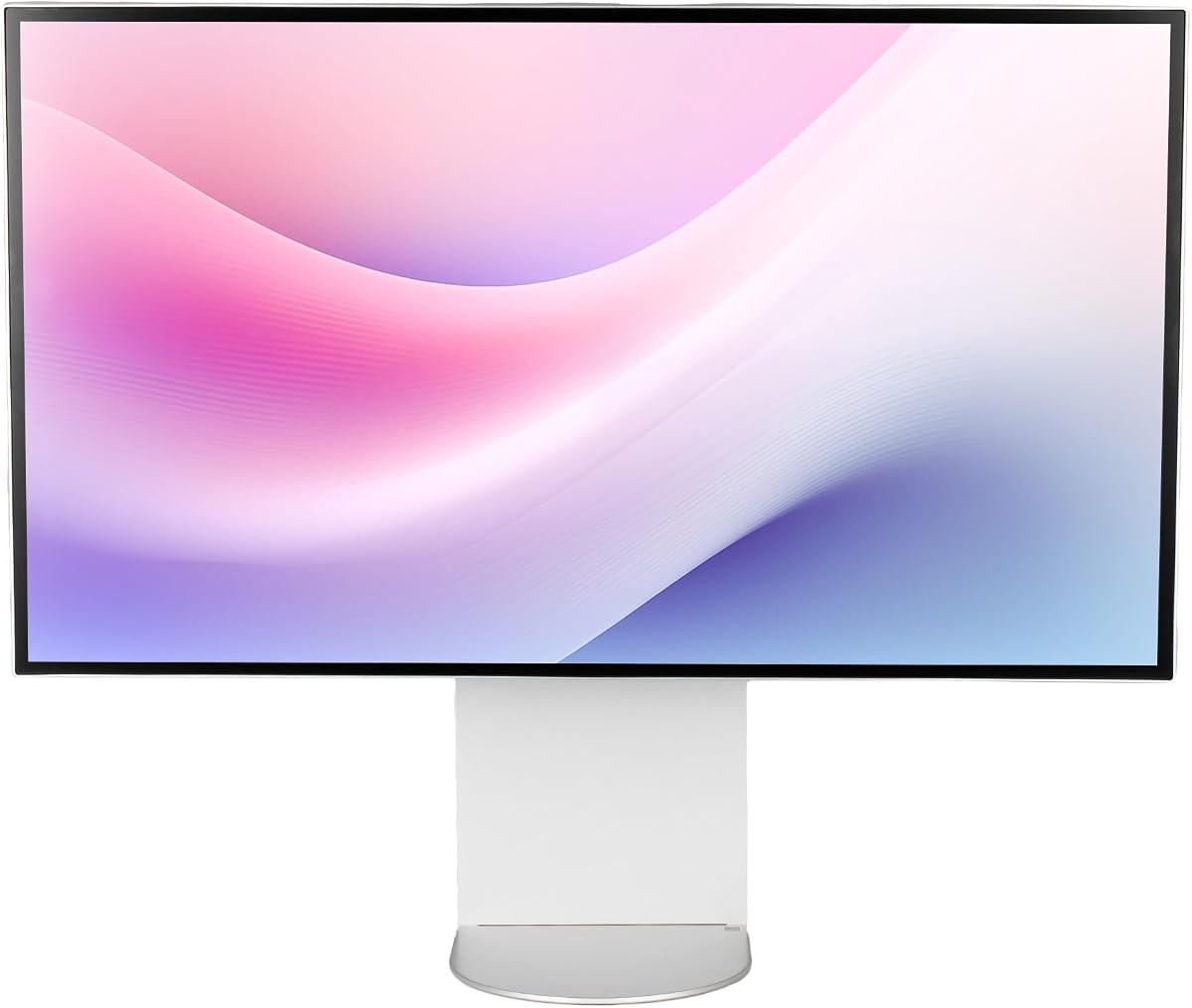
The LG UltraFine evo stands out as the premier choice for professionals seeking the highest visual fidelity available today. With its Thunderbolt 5 connectivity and Nano IPS Black panel, it delivers stunning clarity and deep blacks that are essential for color-critical work. The 6K resolution ensures that every detail is visible without requiring constant zooming or panning during complex editing tasks.
We may earn a commission when you buy through this link, at no additional cost to you.
This monitor excels in providing a massive workspace with over 150 percent more pixels than standard 4K displays. The color performance is exceptional, covering 99.5 percent of Adobe RGB and 98 percent of DCI-P3. This makes it ideal for photo retouching, video grading, and 3D rendering where precision is non-negotiable. The DisplayHDR 600 certification further enhances the visual experience by delivering bright highlights and crisp contrast.
While the monitor is powerful, the 60Hz refresh rate may not suit high-speed gaming enthusiasts. Additionally, the price reflects its professional positioning, which might be steep for casual users. However, for creatives who demand the best, the investment is justified by the productivity gains and visual quality. The ergonomic stand and comprehensive port selection add to its versatility in any studio setup.
If you are a creative professional looking for a future-proof display that bridges the gap between Mac and Windows workflows, this model is highly recommended. Its ability to daisy chain and deliver power over a single cable simplifies desk setups significantly. We recommend it for anyone prioritizing resolution and color accuracy above all other factors.
Thunderbolt 5 offers transfer speeds up to 80 Gbps and 96W power delivery, streamlining your workflow with minimal cabling.
The panel delivers a 2000:1 contrast ratio, ensuring deep blacks and rich shadows that traditional IPS panels cannot match.
We may earn a commission when you buy through this link, at no additional cost to you.
The ASUS ProArt PA32QCV offers an accessible entry point into the world of 6K displays without sacrificing professional color standards. It features factory calibration with Delta E less than 2 accuracy, ensuring colors are true to life right out of the box. The inclusion of dual Thunderbolt 4 ports and an Auto KVM switch makes it incredibly versatile for users managing multiple devices.
We may earn a commission when you buy through this link, at no additional cost to you.
Color accuracy is a strong suit for this monitor, with coverage of 98 percent DCI-P3 and 100 percent sRGB. The MacBook Color Matching preset allows Mac users to synchronize their display settings seamlessly with their laptop screens. This is particularly useful for designers who need consistency across devices. The ergonomic stand supports tilt, swivel, pivot, and height adjustments for comfort.
Although it does not match the raw pixel density of some competitors, the resolution remains sharp and effective for most professional tasks. The 5-year warranty provides added peace of mind for long-term use. Some users might find the HDR performance less impactful compared to higher-end models, but for standard SDR work, it performs admirably.
We recommend this monitor for freelancers and small studios looking for a reliable, color-accurate display that does not break the bank. The bundle including Adobe Creative Cloud adds significant value. It is an excellent choice for those prioritizing workflow efficiency and color fidelity within a constrained budget.
This mode ensures color consistency between your Mac laptop and the monitor for a seamless editing experience.
Ambient and backlight sensors adjust brightness and color temperature to maintain accuracy under varying lighting conditions.
We may earn a commission when you buy through this link, at no additional cost to you.
The ALOGIC Clarity Touch Series redefines what a professional monitor can do by introducing touchscreen functionality at 6K resolution. This is a game-changer for artists, architects, and designers who want to sketch directly on their display. The included Active Stylus with 4096 pressure levels offers a natural drawing experience on a massive digital canvas.
We may earn a commission when you buy through this link, at no additional cost to you.
Visual fidelity is maintained at the highest level with factory-calibrated color gamuts averaging Delta E less than 1. The 32-inch screen provides nearly 2.5 times the workspace of a standard 4K display. The Fold Stand allows the screen to tilt flat for comfortable drawing or stand upright for general productivity. This versatility is unmatched in the current market.
The primary drawback is the premium price, which reflects the specialized technology involved. Availability may also be limited compared to mass-market brands. However, for professionals who need direct touch interaction, this is a unique solution. The USB-C hub with 90W charging ensures you can power your laptop while working, keeping the desk clean and organized.
We suggest this monitor for creatives who rely heavily on digital sketching and annotation. The ability to pinch-to-zoom and navigate content with touch adds a layer of efficiency that traditional mice cannot match. If your workflow benefits from direct touch input, this is the ultimate tool for your setup.
The pressure-sensitive stylus allows for precise strokes and shading directly on the screen for natural artistic expression.
The rotating base lets you flip the screen flat on the desk, turning your monitor into a large graphics tablet.
We may earn a commission when you buy through this link, at no additional cost to you.
Samsung brings the 6K resolution to gaming with the Odyssey G8 G80HS, offering a unique dual-mode experience. It can run at 6K resolution with a 165Hz refresh rate or switch to 3K at 330Hz for competitive gaming. This flexibility allows you to prioritize visuals or speed depending on the game. The Fast IPS panel ensures vivid colors and wide viewing angles.
We may earn a commission when you buy through this link, at no additional cost to you.
Gaming features like NVIDIA G-SYNC compatibility and AMD FreeSync Premium reduce screen tearing and stuttering. HDR10+ gaming optimizes brightness and contrast for more immersive scenes. The monitor includes DP 2.1 and HDMI 2.1 inputs to support next-gen consoles and powerful GPUs. The stand is fully adjustable for height, tilt, pivot, and swivel.
While excellent for gaming, this monitor is less optimized for color-critical professional work compared to others. The response time of 1ms is fantastic for action games but may not be necessary for office tasks. It stands as the first 6K gaming monitor, pushing the boundaries of what gaming displays can achieve in terms of resolution and speed.
For serious gamers who also work, this offers a compelling compromise. If you want to play the latest titles at stunning clarity without sacrificing smoothness, this is a top contender. We recommend it for users who value both high-end gaming performance and detailed visuals in their setup.
Switch between 6K visuals and 3K speed modes to balance image quality with competitive performance as needed.
This panel type delivers quick response times to reduce motion blur while maintaining color accuracy across the screen.
We may earn a commission when you buy through this link, at no additional cost to you.
The Dell UltraSharp U3224KB focuses on productivity and convenience with its built-in webcam feature. This is ideal for remote work environments where space is limited and a clean desk is preferred. The 6K resolution ensures text is razor-sharp, reducing eye strain during long document editing sessions. It supports USB-C for quick data transmission and display output simultaneously.
We may earn a commission when you buy through this link, at no additional cost to you.
At 450 nits brightness, the screen performs well in well-lit office areas. The 60Hz refresh rate is sufficient for standard business applications and media consumption. The monitor is designed to showcase movies and photos with striking clarity due to its LED backlight technology. The USB-C port allows for a single-cable connection to your laptop for data and power.
While it lacks advanced gaming features, its focus on reliability and simplicity makes it a strong choice for business users. The response time is acceptable for general use. However, the price reflects the webcam integration which may not be worth it for those who already have high-quality external cameras.
We recommend this monitor for office professionals who need a clean, high-resolution display with integrated communication tools. It is a solid choice for corporate environments seeking to standardize hardware. If you value screen clarity and desk space above all else, this model delivers effectively.
Integrated webcam eliminates the need for extra peripherals to keep your workspace organized and professional.
Connect your laptop via a single USB-C cable to transmit data and display signals simultaneously.
We may earn a commission when you buy through this link, at no additional cost to you.
This bundle includes the same powerful LG UltraFine evo monitor paired with practical accessories for setup and maintenance. You receive cable ties to manage cords and an LCD screen cleaning kit to keep the display pristine. It maintains the excellent color accuracy and 6K resolution of the standard model. This is a convenient option for those who want a ready-to-go setup without buying extras separately.
We may earn a commission when you buy through this link, at no additional cost to you.
The Thunderbolt 5 connectivity and KVM functionality remain intact, supporting seamless workflows between multiple computers. The display is ideal for professionals who need high fidelity and robust connectivity. Having the cleaning kit ensures that dust and smudges do not compromise the image quality over time. It simplifies the initial setup process for new users.
While the monitor itself is the star, the accessories add tangible value for long-term care. The price includes these items, which may justify the cost for some buyers. However, if you already have your own tools, this might not be necessary. It is a practical choice for businesses or individuals buying for a workspace.
We recommend this bundle for users who want the best monitor experience with the necessary tools to maintain it. It removes the guesswork of purchasing compatible accessories. If you are setting up a new studio, this package offers a complete solution for your display needs.
The included cleaning kit helps you maintain the screen's clarity and color accuracy over years of use.
Cable ties help organize your desk for a cleaner and more professional-looking workstation setup.
We may earn a commission when you buy through this link, at no additional cost to you.
The G32X Minimalist Monitor prioritizes aesthetic simplicity and performance for those who value clean design. It features a CNC-machined aluminum body that looks premium and durable on any desk. The 6K IPS panel delivers 98 percent DCI-P3 coverage for accurate color reproduction. The 500-Nit brightness ensures visuals pop even in bright environments.
We may earn a commission when you buy through this link, at no additional cost to you.
This monitor is versatile with a universal mount compatibility, allowing you to use third-party monitor arms easily. The 100W high-speed port supports charging laptops while streaming video. Its ergonomic stand allows height, swivel, tilt, and pivot adjustments for comfort. The design is perfect for home offices where style matters as much as function.
While it lacks the extensive feature list of major brands, it performs well for general creative tasks. The anti-glare screen and flicker-free technology reduce eye fatigue. It is a strong option for users who want a high-resolution screen that does not look cluttered. The 5-star rating suggests high user satisfaction with its build quality.
We recommend this monitor for designers and users who appreciate a minimalist workspace. If you value a sleek look and high brightness, this fits well. It is a great choice for those building a custom setup with specific arm mounts or aesthetics in mind.
The CNC-machined aluminum body ensures a premium feel and durability that complements high-end desk setups.
Includes 100x100mm VESA support so you can attach any compatible third-party monitor arm easily.
We may earn a commission when you buy through this link, at no additional cost to you.
The G32P Glossy Monitor is designed to deliver vibrant colors and deep blacks similar to OLED displays but with 6K resolution. The glossy finish enhances the vibrancy of images, making it excellent for watching movies and cinematic content. The honeycomb cooling design ensures the panel stays cool during extended viewing. It offers 99 percent sRGB and DCI-P3 coverage for rich visuals.
We may earn a commission when you buy through this link, at no additional cost to you.
While sold without a stand, it includes universal mount compatibility so you can use your own arm. The 223 PPI ensures sharp text and smooth lines. For a home theater setup where color pop matters, this is a compelling choice. The anti-glare coating helps mitigate some reflections, though glossy screens are naturally more reflective than matte ones.
The honeycomb cooling system is a unique feature that prevents heat buildup. This monitor is best suited for users who have a dedicated stand or arm. The visual experience is immersive, with balanced visuals for HDR content. It is a niche pick for those prioritizing color richness over anti-glare performance.
We recommend this monitor for home cinema enthusiasts or creative users who prefer glossy screens. If you want the colors to pop and have a setup for mounting, it delivers. It is a strong alternative for those who value visual impact in dark or controlled lighting environments.
The glossy finish makes colors appear richer and more vibrant compared to standard matte IPS panels.
The honeycomb cooling structure helps dissipate heat to maintain consistent performance during long viewing sessions.
We may earn a commission when you buy through this link, at no additional cost to you.
This bundle pairs the Dell UltraSharp monitor with a 2-year extended protection plan for peace of mind. It comes ready to use with essential cables like USB-C, DisplayPort, and Mini DisplayPort. The 6K resolution provides a vivid display that is ideal for office productivity. This is an excellent choice for businesses or individuals who want a secure investment.
We may earn a commission when you buy through this link, at no additional cost to you.
The monitor itself focuses on maximum productivity with dependable performance. The LED backlight technology offers visual brilliance with efficiency. While the warranty adds to the cost, it ensures protection against potential defects. This is a smart option for corporate deployments where reliability and support are priorities. The included cables save time and hassle.
While the monitor lacks advanced features like touch or high refresh rates, it serves its purpose well. The 450 Nit brightness works well in office environments. The 5ms response time is adequate for general use. The bundle price is competitive when factoring in the protection plan value.
We recommend this bundle for corporate buyers or anyone concerned about hardware longevity. If you want a reliable display with extended support, this is a safe bet. It ensures your investment is protected without needing to purchase additional insurance separately.
The 2-year premium extended service adds security against defects and hardware failure.
Includes all necessary cables to get started immediately without hunting for compatible connectors.
We may earn a commission when you buy through this link, at no additional cost to you.
This LG UltraFine model is optimized for Mac users seeking a seamless display experience. The 6K resolution matches well with macOS scaling, providing sharp text and icons. It features anti-glare finish to reduce reflections in bright environments. The ergonomic stand supports tilt, height adjustment, and pivot for comfortable viewing angles. It connects via USB-C and HDMI for easy setup.
We may earn a commission when you buy through this link, at no additional cost to you.
The monitor delivers 450 nits brightness and HDR 600 support for decent contrast. The 5ms response time is standard for office and creative work. It is energy efficient and designed for daily use without excessive power consumption. The build quality is reliable, fitting well into professional environments. It prioritizes clean connectivity and visual clarity over gaming features.
While it does not support Thunderbolt 5 like higher-end versions, the USB-C ports are sufficient for most workflows. The stand is sturdy but basic. For Mac users looking for a dedicated display that integrates well with their OS, this is a solid choice. The price point is competitive for the resolution provided.
We recommend this monitor for Mac users who want a reliable 6K display for general productivity. If you value anti-glare and ergonomic adjustments, it fits your needs. It is a good option for those who do not need advanced gaming or touch features.
The finish reduces reflections to improve visibility in bright office or home environments.
The 6K resolution provides ideal scaling for macOS to ensure sharp text and UI elements.
We may earn a commission when you buy through this link, at no additional cost to you.
Selecting the right monitor involves balancing resolution, connectivity, and specific needs like color accuracy or refresh rate.
6K resolution offers 6144 x 3456 pixels on a 32-inch screen, providing extreme clarity. Look for models with at least 200 PPI to ensure text appears razor sharp without scaling issues. Higher pixel density reduces eye strain during long work sessions.
Nano IPS and Fast IPS panels deliver accurate colors and wide viewing angles. Black technology enhances contrast for deeper shadows. Choose IPS for color accuracy and fast response for dynamic content.
Thunderbolt 5 or 4 allows high-speed data and charging over one cable. Check for HDMI 2.1 and DisplayPort 2.1 for future-proofing. Ensure your laptop supports the interface for full performance.
For professionals, look for 98% DCI-P3 and Adobe RGB coverage. Factory calibration with Delta E less than 2 ensures true-to-life colors. This matters for print and video work.
60Hz is standard for office work while 120Hz or 165Hz is better for gaming. Decide based on your workflow. Higher refresh rates cost more but offer smoother motion.
Adjustable stands with tilt, swivel, and height are essential for comfort. VESA mounting allows flexible setups. Ensure the monitor reduces strain during long hours.
Consider built-in webcams, touch capabilities, or KVM switches. These add convenience but increase cost. Evaluate if they match your specific needs.
Check warranty length and customer support quality. Some brands offer extended protection. Reliable support ensures longevity and peace of mind.
Connect your monitor using a compatible cable like Thunderbolt 5 or DisplayPort 2.1 to achieve full resolution. Ensure your graphics card supports 6K output. Adjust the stand height to eye level for ergonomic comfort and reduced strain during long work sessions.
Calibrate the display using software or built-in presets to match your workflow needs. For design work, use the DCI-P3 or Adobe RGB settings. For general use, sRGB provides standard color accuracy. Use the auto brightness feature if available for consistency.
Clean the screen with a soft microfiber cloth to avoid scratches. Avoid harsh chemicals or direct sprays on the panel. Dust the ports occasionally to ensure good connectivity. Keep the area around the monitor ventilated to prevent overheating.
Not all models do. M1 Pro and later chips on MacBooks support 6K over Thunderbolt 3 or 4. Older Macs may not support full resolution without additional adapters. Check your specific Mac model's display support.
No, DisplayPort 2.1 or USB-C with sufficient bandwidth can also work. However, Thunderbolt 5 offers the highest speeds and charging capacity. It ensures the best performance for data transfer and daisy chaining.
6K provides significantly more screen space and sharper text. You can work with multiple windows at 100% scale without zooming. This boosts productivity and reduces eye strain compared to 4K.
Some models like the Samsung Odyssey G8 offer high refresh rates. Most professional 6K monitors are 60Hz which is fine for casual play but not competitive gaming. Check the refresh rate for your needs.
Most models use between 50W and 100W depending on brightness and settings. Look for Energy Star ratings to reduce energy costs. Many models support auto-brightness to save power when not needed.
Yes, models with high color gamut coverage like 98% DCI-P3 are ideal. Ensure you get a factory calibrated unit for accurate results. These monitors are designed for color critical work.
Most do, but some specialty models may not. Check the bundle details before purchasing. Most support VESA mounting for alternative setups.
It allows connecting multiple monitors to one cable. Thunderbolt 5 supports this for a cleaner desk. Ensure both monitors support daisy chaining to use this feature.
The LG UltraFine evo remains the top choice for professionals needing unmatched clarity and connectivity. For those on a budget, the ASUS ProArt PA32QCV offers excellent value with solid accuracy. For creative work requiring touch, the ALOGIC Clarity Touch Series stands out uniquely.
Prioritize connectivity options like Thunderbolt 5 if you want future-proof performance and reduced cabling. Consider your primary use case whether it is office work, design, or gaming to narrow down your selection. Ergonomics play a big role in daily comfort.
Prices and availability change frequently so verify the current offers before purchasing. Always check the warranty and support policies for long-term reliability. Investing in a quality monitor improves your workflow efficiency and visual experience significantly.