
Vlogging Camera, Mini Camcorder, Portable Handheld Video Camera
4.0Editor score
Compact pocket design fits anywhere
180-degree rotating lens
7-hour continuous battery life
This guide compares the top 10 cameras for social media content creators. It reviews features, video quality, and ease of use to help you choose the perfect
Creating engaging content requires the right tools. A good camera for social media content delivers clear video, reliable autofocus, and easy sharing options. Whether you film reels or vlogs, quality matters for audience growth and professional appeal.
We evaluated ten real products based on resolution, stabilization, audio support, and portability. Each option balances performance with usability for different creator needs. Our analysis highlights strengths and trade-offs to help you pick confidently without overspending on unnecessary features.
Every pick shows specific strengths like rotating lenses, flip screens, or built-in stabilization. Prices and stock change frequently so check current listings before buying. These selections cover beginners to advanced creators seeking reliable gear for platforms like TikTok, YouTube, and Instagram.
4.0Editor score

4.5Editor score
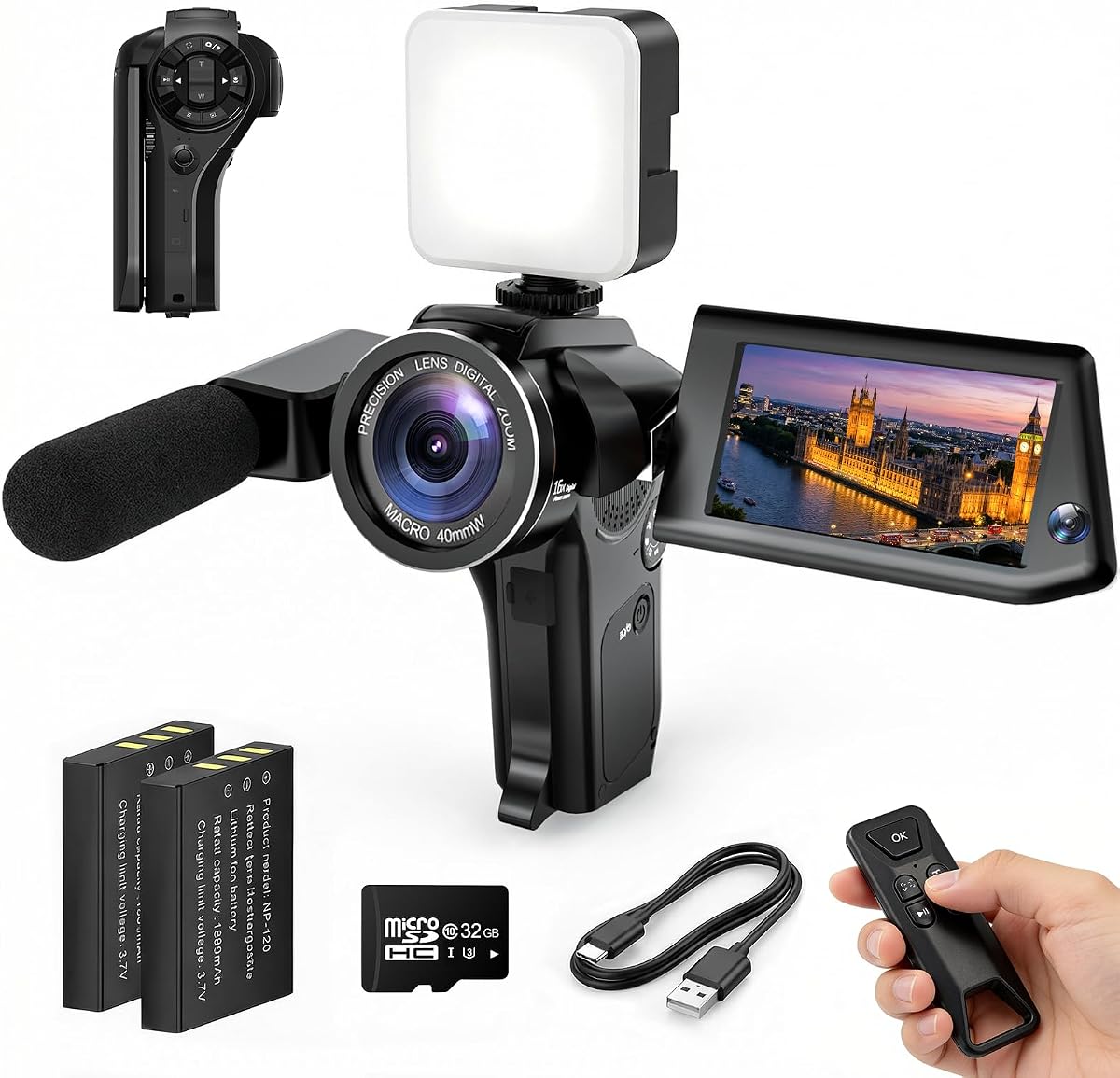
5.0Editor score
This table compares all ten cameras side by side. Look at resolution, screen type, zoom, and connectivity to find the best fit for your social media workflow.


This camera offers a complete starter kit for creators beginning their journey. With 4K video and a rotating lens, it simplifies solo shooting. The 4.4 rating reflects solid value and ease of use for daily vlogging tasks.
We may earn a commission when you buy through this link, at no additional cost to you.
The rotating lens allows you to frame yourself without adjusting the device. WiFi connectivity speeds up the workflow by moving files directly to your phone. Accessories like the tripod and SD card mean you start recording right away.
While the build is functional, it lacks premium durability. Battery life can vary depending on usage intensity. These trade-offs are acceptable given the low cost and the convenience of the included kit.
Beginners looking for an all-in-one package should consider this model. It removes setup friction and lets you focus on content creation immediately. For casual daily uploads, it provides reliable performance.
The rotating lens makes it easy to film yourself without constant adjustment.
Built-in WiFi allows fast transfers to your phone for social media editing.
We may earn a commission when you buy through this link, at no additional cost to you.
This combo delivers premium performance for serious creators. The 1-inch sensor and 4K 120fps video capture stunning detail. Its 4.5 rating highlights reliability and professional features in a pocket-sized design.
We may earn a commission when you buy through this link, at no additional cost to you.
Stabilization is a standout feature ensuring smooth footage even while moving. The rotating screen supports both horizontal and vertical shooting. ActiveTrack 6.0 keeps you centered automatically which reduces manual tracking effort.
The main drawback is the cost and battery limitations without accessories. The handle extends life but adds weight. These are acceptable trade-offs for the image quality and stabilization performance it offers.
Creators prioritizing image quality and smooth motion should choose this model. It excels in travel and dynamic content where stability matters. It is a strong investment for growth-oriented social media.
3-axis mechanical stabilization keeps footage smooth during movement.
Rotating screen enables easy switching between platform orientations.
We may earn a commission when you buy through this link, at no additional cost to you.
This camera stands out with Picture-in-Picture recording for unique content. It allows you to capture the scene and your reaction simultaneously. The perfect rating suggests high satisfaction among users for this innovative capability.
We may earn a commission when you buy through this link, at no additional cost to you.
Picture-in-Picture mode helps create engaging stories by showing emotion alongside events. The flip screen ensures you frame shots correctly. WiFi connectivity streamlines the editing workflow by moving files to your phone easily.
Some users may not need 8K resolution for social media. Information availability is limited which might affect buying confidence. However, the unique feature offers strong value for specific content types like tutorials.
Creators focusing on personality-driven content should consider this camera. It helps build connection with the audience by showing genuine reactions. For platforms where emotion matters, it delivers distinct advantages.
Picture-in-Picture lets you capture your reaction while filming the scene.
The flip screen makes self-recording and framing simple.
We may earn a commission when you buy through this link, at no additional cost to you.
This camcorder offers high specs at a competitive price. It supports 8K video and 88MP photos for sharp content. The 4.3 rating indicates strong performance relative to its cost and included accessories.
We may earn a commission when you buy through this link, at no additional cost to you.
IR night vision allows filming in dark environments without extra lights. The included stabilizer and remote add versatility for dynamic shooting. WiFi works through an app for transferring files to mobile devices.
Note that 8K video runs at 15fps which limits smoothness. Some users may prefer 30fps standard. This is acceptable if the primary need is resolution or static shots rather than fast motion.
For creators wanting maximum resolution on a budget, this fits well. The included accessories reduce extra purchases. It is a strong candidate for YouTube or content where detail matters more than frame rate.
Capture clear footage in low light with built-in infrared capability.
Accessories help you shoot steady footage and control recording from a distance.
We may earn a commission when you buy through this link, at no additional cost to you.
This camera prioritizes ease of use for beginners. The 3.5-inch flip screen is larger than average and helps framing. Its 4.4 rating reflects user satisfaction with image quality and portability.
We may earn a commission when you buy through this link, at no additional cost to you.
The larger screen makes selfies easier to compose accurately. HDR improves detail in high contrast scenes like sunny days. Including an SD card means you can start recording immediately without extra purchases.
Battery life can vary with usage intensity. Digital zoom may reduce sharpness compared to optical. These are minor drawbacks for the convenience and features provided at this price point.
Beginners needing a flip screen will find this helpful. It reduces guesswork in framing shots. For travel and casual vlogging, it balances image quality with simple operation.
The 3.5-inch screen simplifies framing self-shot videos.
HDR support helps balance light and shadow in bright scenes.
We may earn a commission when you buy through this link, at no additional cost to you.
This mini camcorder prioritizes simplicity and portability. It fits in your pocket and starts recording with one button. The 4 rating reflects user appreciation for easy operation in casual scenarios.
We may earn a commission when you buy through this link, at no additional cost to you.
One-button recording eliminates setup delays which helps capture spontaneous moments. The 7-hour battery allows all-day use without recharging. A memory card included so you start filming immediately.
Image quality is not professional grade but is sufficient for casual sharing. Lens rotation is manual requiring extra steps. These trade-offs are acceptable given the low cost and convenience.
Casual creators who want something tiny and easy should choose this. It is perfect for travel snapshots and quick social updates. The simplicity reduces friction in daily recording habits.
Its tiny form factor fits anywhere for immediate recording.
Start recording instantly without apps or setup.
We may earn a commission when you buy through this link, at no additional cost to you.
This variant offers similar features to the first pick with a focus on beginners. It captures 4K video and supports fast WiFi transfers. The 4.4 rating shows consistent performance and usability.
We may earn a commission when you buy through this link, at no additional cost to you.
The 330-degree rotating lens simplifies framing for solo shots. Accessories like the tripod help you start filming without extra gear. WiFi moves files to your phone for quick editing and posting.
Build quality is functional but not premium. Battery performance depends on usage patterns. These are minor concerns given the price and the convenience of the included accessories.
Beginners needing a complete kit should consider this option. It reduces the friction of getting started. For daily vlogging and casual travel, it provides reliable performance.
Includes tripod and memory card to start filming immediately.
The rotating lens helps frame yourself easily.
We may earn a commission when you buy through this link, at no additional cost to you.
This kit complements your smartphone with essential gear. It includes a wireless mic and RGB light to boost quality. The 4.4 rating shows users appreciate the convenience of a complete set.
We may earn a commission when you buy through this link, at no additional cost to you.
Wireless microphone ensures clear audio without background noise. RGB light adds color control for studio lighting. The flexible tripod helps you mount cameras in unique spots quickly.
It requires a phone to act as the camera. Setup may take time to arrange all parts. These are minor inconveniences for the significant upgrade in audio and lighting quality.
Smartphone users looking to elevate quality should consider this kit. It reduces the need to buy accessories separately. For TikTok and YouTube, it provides professional touches.
Includes wireless microphone to improve sound clarity.
Color adjustable light improves video lighting and mood.
We may earn a commission when you buy through this link, at no additional cost to you.
This kit automates framing with face tracking. It includes dual mics and lights to improve production value. The 4.4 rating reflects satisfaction with hands-free convenience and audio.
We may earn a commission when you buy through this link, at no additional cost to you.
Face tracking keeps you centered without adjusting the camera. The 70-inch height allows flexible angles for shots. Dual wireless mics ensure clear sound during movement.
Setup requires app connection which may delay start. The height may be bulky for travel. These are acceptable for users who prioritize stable framing and quality audio.
Creators needing hands-free recording will find this helpful. It simplifies solo shoots where tracking matters. For livestreaming and vlogs, it delivers consistent framing.
Auto tracking keeps you in frame without adjusting the device.
Two microphones ensure clear audio during movement.
We may earn a commission when you buy through this link, at no additional cost to you.
This webcam serves desktop creators well. It offers 1080p HD and auto-light balance for clean images. The 4.4 rating reflects reliability and ease of use on streaming platforms.
We may earn a commission when you buy through this link, at no additional cost to you.
Auto-light balance adjusts to room conditions automatically. The privacy slide ensures security when not in use. Plug and play works with most video calling apps.
It lacks manual controls which may limit advanced users. Being fixed to a desk reduces flexibility. These are minor trade-offs for a reliable desktop solution.
Creators who stream from a desk should consider this model. It simplifies setup and delivers consistent video. For meetings and live streams, it provides stable performance.
Auto-light balance adjusts brightness to your environment automatically.
Built-in slide covers the lens for privacy when off.
We may earn a commission when you buy through this link, at no additional cost to you.
Choosing the right camera involves balancing image quality, portability, and budget. Here are key factors to consider for social media creators.
Resolution defines image clarity. 4K is standard for social media. High frame rates allow slow motion effects.
Prioritize 4K video and 30fps or higher for smooth playback on platforms.
Stabilization keeps footage smooth during movement. 3-axis mechanical stabilization is best for active shooting.
Look for optical or mechanical stabilization to avoid shaky videos without a gimbal.
Flip or rotating screens help you see yourself while filming. Touch screens simplify control.
Choose a flip screen for vlogging to ensure accurate framing during self-recording.
Audio matters as much as video. Built-in mics vary. External inputs allow better sound.
Ensure the camera supports external mic input or includes good built-in audio.
WiFi or Bluetooth transfers speed up editing. Look for apps that support your phone.
Choose models with wireless transfer to move files quickly for editing.
Long recording sessions drain batteries. Extra batteries or USB charging extend usage.
Prioritize cameras with long battery life or USB charging for travel shoots.
Compact cameras fit in pockets and bags. Weight matters for long shoots.
Pick lightweight models for travel and handheld shooting to reduce fatigue.
Kits with tripods and memory cards save money. Check what is included before buying.
Look for starter kits that include essential accessories to reduce initial costs.
Start by setting the date and time on the camera. Connect to WiFi for transfers using the app. Insert a memory card and charge fully before use.
Frame shots using the flip screen if available. Stabilize your device on a tripod for steady video. Check focus before recording to avoid blur.
Clean the lens gently with a soft cloth. Store in a dry bag to protect from dust. Update firmware regularly to maintain performance.
4K provides more detail and allows cropping without quality loss. While some platforms compress video, 4K gives more flexibility. It is a worthwhile investment for long term content.
Not always if the camera has good stabilization. 3-axis stabilization in devices like the DJI Osmo is often enough. Gimbals are useful for professional shots but add bulk.
Yes webcams like the Brio work for desk recordings. They are ideal for streams or sit down content. However dedicated cameras offer better mobility and image quality.
Use built-in WiFi or Bluetooth for direct transfers. Many cameras have companion apps that simplify this. Alternatively use a card reader for faster offline transfers.
Yes clear audio is essential for viewer retention. Bad sound can ruin even great video. Consider external mics or cameras with good built-in audio.
At least 4 to 6 hours for travel vlogging. Many cameras include extra batteries or USB charging. Check power options before buying to avoid interruptions.
The top picks cover beginners to advanced creators with varied budgets. The DJI Osmo Pocket 3 leads for stabilization and image quality. Budget options like the Mini Camcorder offer simplicity for casual use.
Prioritize what matters most for your content. If you shoot solo a flip screen or rotating lens helps. For high quality audio and stability invest in higher end models with external support.
Prices and availability change often so verify listings before buying. Check current deals to get the best value. These options provide reliable tools for growing your social media presence.