
Amazon Fire 7 Kids
4.3Editor score
Seven inch screen size
Ten hour battery life
Includes kid proof case
Choosing the right tablet for young children requires balancing fun with safety and education. Parents need devices that are durable enough to survive drops and simple enough for small hands to navigate independently without constant supervision.
We analyzed ten leading models available in the market today. Our evaluation focuses on build quality, battery life, screen size, and the robustness of parental control features to ensure a safe digital environment for your child.
Each pick below highlights specific strengths and potential limitations. We include detailed specifications and real user feedback to help you make an informed decision. Please note that prices and availability can change frequently on retailer sites.
4.3Editor score

4.6Editor score

4.6Editor score
As an Amazon Associate we earn from qualifying purchases.
The following table provides a side by side overview of the key specifications for each device. This allows you to quickly compare screen sizes, storage options, and operating systems to find the best fit for your needs.




The Amazon Fire HD 8 Kids stands out as the top choice for families seeking a balanced tablet experience. With a 4.6 rating from thousands of users, it offers a larger 8 inch HD screen that is perfect for video watching and reading.
We may earn a commission when you buy through this link, at no additional cost to you.
Its standout feature is the included one year Amazon Kids Plus subscription which provides access to thousands of ad free books games and videos. The parental controls allow you to set educational goals and screen time limits easily through the parent dashboard.
While the Fire OS is limited compared to full Android it is specifically designed for safety and ease of use for children. The included case is sturdy and protects against drops which is a common concern for parents of toddlers.
This tablet is ideal for parents who want a reliable device with excellent battery life and strong safety features. The two year worry free guarantee adds significant value and peace of mind for long term use.
The thirteen hour battery life ensures the tablet lasts through long car rides or plane trips without needing a charge. This makes it a reliable companion for keeping children entertained on the go.
Parents can remotely review activity and set time limits to ensure healthy digital habits. The ability to prioritize educational content over entertainment helps children focus on learning during screen time.
We may earn a commission when you buy through this link, at no additional cost to you.
The Amazon Fire 7 Kids is the perfect entry level tablet for families on a budget. It retains most of the safety features of the more expensive models but comes in a more compact 7 inch form factor.
We may earn a commission when you buy through this link, at no additional cost to you.
It includes the same Amazon Kids Plus subscription which gives kids access to educational content and games. The parental controls are just as robust allowing you to manage screen time and filter content effectively.
The smaller screen and storage capacity are trade offs for the lower price. However for a first tablet for a young child the 16 GB internal storage is often sufficient for apps and books.
This is the best choice for parents who want a safe durable device without spending a lot of money. The two year warranty ensures that even if it breaks the device is replaced at no extra cost.
The 7 inch screen is lighter and easier for toddlers to hold for extended periods. This reduces hand fatigue and makes it more comfortable for young children to use independently.
Buying the tablet includes a case and a year of subscription which saves money compared to buying separately. This bundle makes it an incredibly cost effective option for new tablet users.
We may earn a commission when you buy through this link, at no additional cost to you.
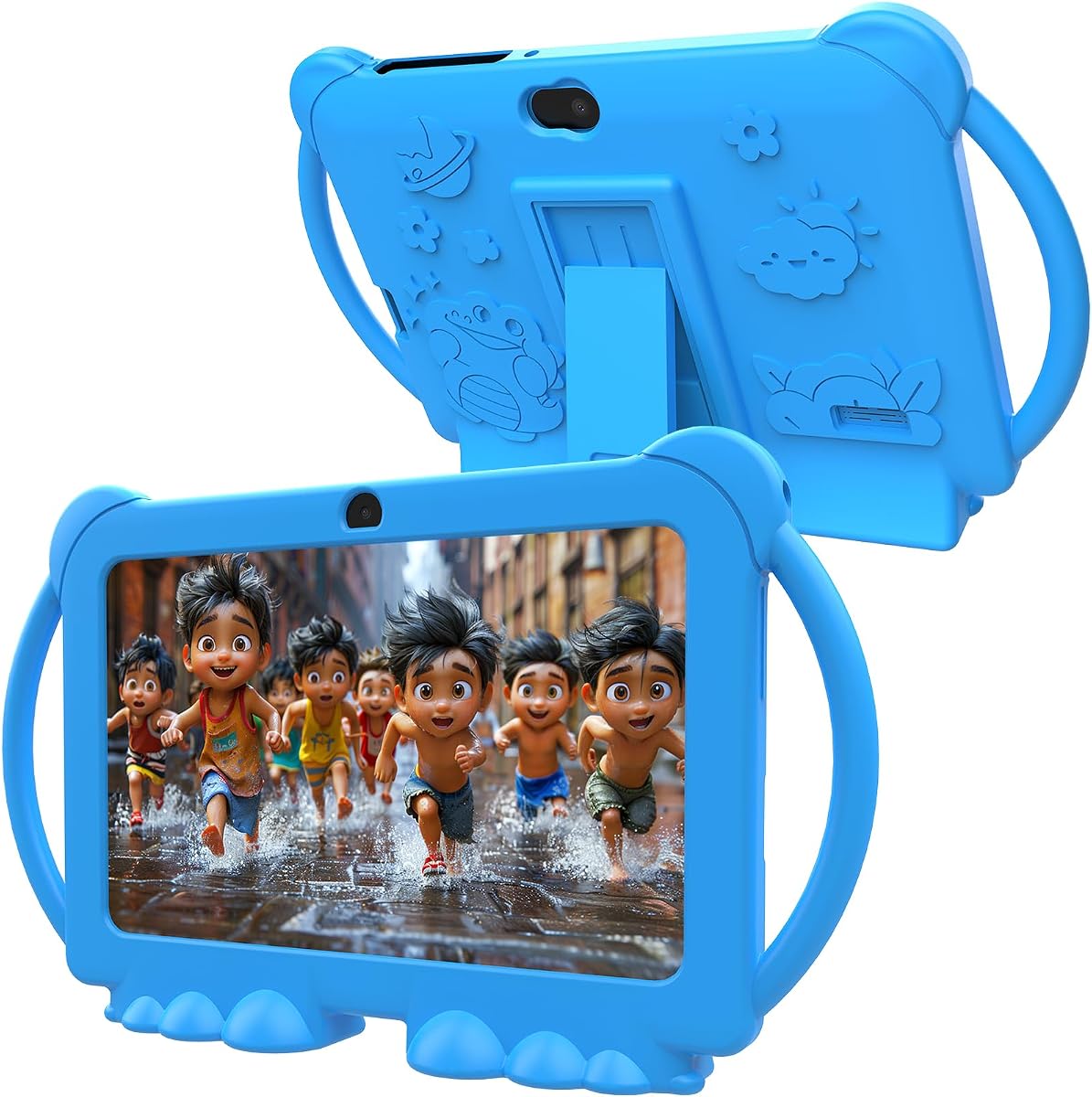
This Kids Tablet offers a full Android experience which allows access to the Google Play Store for a wider range of apps. It is a good alternative for parents who want more flexibility than Fire OS provides.
We may earn a commission when you buy through this link, at no additional cost to you.
The device comes with 32 GB of ROM which is double the base Fire 7 and supports expansion via microSD card. This is helpful if you plan to download many videos or large games for offline use.
While it includes parental controls and an eye protection mode the build quality is generally less robust than the Amazon branded tablets. The battery life is shorter which means more frequent charging during heavy use.
Choose this tablet if you prioritize app variety and storage capacity over brand specific safety features. It is suitable for children who need specific Android apps that are not available in the Amazon Kids ecosystem.
Parents can download a vast array of educational apps from the Google Play Store. This flexibility is useful if your child has specific learning needs or preferences not met by Amazon content.
The support for microSD cards allows you to add significant storage space cheaply. This is ideal for storing large media files or downloading many apps without running out of space quickly.
We may earn a commission when you buy through this link, at no additional cost to you.
The YosaToo Kids Tablet runs on a very recent version of Android which ensures access to modern apps and features. It includes pre-installed offline learning apps that are great for travel or areas with poor internet.
We may earn a commission when you buy through this link, at no additional cost to you.
Google Kids Space is pre-installed providing a safe curated environment for children to explore apps and content. This adds a layer of safety similar to Amazon Kids but with the flexibility of the Android ecosystem.
The device includes a drop proof case and adjustable stand which helps protect it during active use. However the brand is less established than Amazon so long term software support might vary.
This tablet is a strong contender for families who want modern Android features with built-in safety. It is particularly useful if you need offline content options for travel or daily commutes.
The pre-installed offline apps allow learning without an internet connection. This is perfect for road trips or flights where Wi-Fi is unavailable or unreliable.
Running Android 16 ensures compatibility with the latest educational apps. This future-proofs the device so it stays relevant longer than older Android models.
We may earn a commission when you buy through this link, at no additional cost to you.
The Fire HD 8 Kids Pro is designed for older children who need more advanced features. It offers double the storage of the standard model and a sleeker case that looks less like a toy.
We may earn a commission when you buy through this link, at no additional cost to you.
It includes a web browser with built-in guardrails so kids can browse safely without parents needing to monitor every click. The device also supports video calls which allows kids to stay in touch with family.
The 64 GB storage is a significant upgrade allowing for more games and offline media. The parental controls remain robust but offer more flexibility for older kids to explore the web independently.
This is the best choice for children approaching ten or older who are ready for more responsibility. It balances safety with the freedom older kids crave while maintaining parental oversight.
The web browser allows kids to search the internet safely with filters. This helps them learn research skills while preventing access to inappropriate content without constant intervention.
64 GB of internal storage means more room for large apps and media files. This is essential for older kids who tend to download more complex games and videos.
We may earn a commission when you buy through this link, at no additional cost to you.
The PEICHENG Kids Tablet offers a straightforward Android experience at a competitive price point. It provides basic functionality for learning and entertainment without the complexities of high end devices.
We may earn a commission when you buy through this link, at no additional cost to you.
It comes with 32 GB of storage and expandable options which is adequate for most basic apps. The shockproof case protects the device from minor drops which are common with toddlers.
Performance may be slower when opening multiple apps compared to more expensive models. The lower rating suggests some users have experienced minor issues with battery or build quality.
This is a good option for families on a tight budget who need an Android tablet. It serves well as a secondary device or for children who use the tablet sparingly.
The low price makes it accessible for many families. It is a practical choice if you need a functional tablet without investing in premium features.
Access to the Google Play Store allows for a wide variety of apps. Parents can install specific educational tools tailored to their child's curriculum or interests.
We may earn a commission when you buy through this link, at no additional cost to you.
The ApoloSignage 2026 stands out for its large 10 inch screen which is great for sharing content or reading. The high RAM allows for smoother multitasking when switching between apps.
We may earn a commission when you buy through this link, at no additional cost to you.
Google Kids Space is included to provide a safe environment for exploration. The expandable storage means you can store a massive amount of content on the device.
The larger size makes it less portable than 7 inch models and heavier for small hands. The battery life is not as long as premium models requiring more frequent charging.
Choose this if you need a big screen for educational videos or group viewing. It is best suited for stationary use at a table rather than handheld travel use.
The 10 inch screen provides a better viewing experience for videos and reading. It reduces eye strain by allowing larger text and clearer images.
With 8 GB of RAM the tablet can handle multiple apps running at once. This prevents lag when switching between games and learning apps quickly.
We may earn a commission when you buy through this link, at no additional cost to you.
The HOTTABLET Kids Tablet comes with pre-installed creative apps for drawing and gaming. It is a solid option for children who enjoy artistic activities and content creation.
We may earn a commission when you buy through this link, at no additional cost to you.
Parental controls are included to manage screen time and filter content. The silicone case includes a stand for hands free viewing which is convenient for watching videos.
It runs Android 12 allowing for a broad selection of apps. The storage is expandable but the battery life is average requiring charging after moderate use.
This tablet is a good fit for creative kids who want to make art on a screen. It balances creative freedom with safety controls effectively for young users.
Built-in drawing and painting apps encourage artistic development. This is valuable for children who want to express themselves visually during screen time.
The adjustable stand in the case makes it easy to watch videos without holding the device. This helps reduce hand fatigue during movie sessions.
We may earn a commission when you buy through this link, at no additional cost to you.
The aiprotablet 10 inch offers a powerful processor and a large battery for extended use. It is suitable for children who need a device for longer study or entertainment sessions.
We may earn a commission when you buy through this link, at no additional cost to you.
The Octa-core CPU ensures smooth performance when running demanding apps. Parental controls allow you to set limits and manage app access effectively.
While it has strong specs the weight may be a factor for very young children. The ratings are mixed so it is worth checking recent reviews before purchasing.
Choose this if performance and battery life are your top priorities. It is a capable device for older kids who can handle the larger form factor.
The Octa-core CPU ensures smooth navigation and app loading. This is beneficial for children who use multiple apps for learning and games simultaneously.
The 6000mAh battery provides long lasting power for all-day use. This reduces the need to find a charger during the day or travel.
We may earn a commission when you buy through this link, at no additional cost to you.
The PRITOM 7 inch provides a simple interface designed for young children. It includes pre-installed apps that are safe for kids to use without complex navigation.
We may earn a commission when you buy through this link, at no additional cost to you.
Parental controls allow you to manage content and screen time. The tablet runs Android 13 which is modern enough to support most current educational apps.
The price is competitive but performance is basic. It is best suited for light use such as reading or simple games rather than intensive tasks.
This is a good starter tablet for families on a budget. It offers basic functionality with essential safety features at an affordable cost.
The simplified home screen makes it easy for young children to navigate. This reduces frustration and helps them find content independently without needing help.
The low price makes it an easy choice for a first tablet. It allows parents to introduce digital learning without a large financial commitment.
We may earn a commission when you buy through this link, at no additional cost to you.
Selecting the right tablet requires considering several factors beyond just the price. This guide breaks down the essential features you should prioritize for young children.
Young children are prone to dropping devices so a sturdy case is essential. Look for tablets that come with a built-in protective case made of shock-absorbing material. This prevents cracks and breaks when the tablet is accidentally dropped on hard surfaces.
Durability is key for long-term satisfaction and value.
Robust parental controls allow you to set screen time limits and block inappropriate content. Ensure the tablet has a parent dashboard that lets you filter apps and set educational goals easily. This helps create a safe digital environment for your child.
Strong controls are necessary for responsible digital management.
Fire OS offers a safer curated experience while Android provides more app variety. Decide if you want a closed system or one with access to the Google Play Store. Both have pros and cons depending on your child's needs.
The OS choice impacts app availability and safety levels.
A 7 inch screen is lighter and easier to hold while an 8 inch screen offers better video quality. Consider how long your child will hold the tablet and their visual needs. Higher resolution helps reduce eye strain during reading and watching.
Size impacts comfort and visual experience significantly.
Internal storage determines how many apps and videos can be stored locally. At least 32 GB is recommended for a good experience. Look for microSD card support if you need to store large video files offline.
Storage needs grow with the content you download.
Long battery life is crucial for travel and all day use. Aim for at least 10 hours of mixed use to avoid frequent charging. This ensures the tablet is ready when your child needs it without constant interruptions.
A reliable battery prevents usage interruptions.
A warranty provides peace of mind in case of accidental damage. Some brands offer a two-year worry-free guarantee that replaces broken tablets. Check the terms to ensure you are protected against drops and spills.
A good warranty reduces long-term ownership costs.
Many tablets include a subscription to a kids content library. Check what is included for free and what requires renewal. High quality educational content adds significant value to the device beyond hardware.
Content subscriptions enhance the learning value.
Set up the parental controls immediately after unboxing to ensure a safe environment. Create profiles for each child to manage screen time and content access individually. This prevents confusion and ensures each child gets age-appropriate content.
Teach your child how to use the device gently and responsibly. Show them how to charge it properly and keep it away from water and direct sunlight. Establish rules about where and when the tablet can be used to promote healthy habits.
Regularly update the software to keep the device secure and running smoothly. Check for app updates to ensure features work correctly and security patches are applied. This maintains performance and safety over time.
Yes, tablets can be safe if used in moderation with parental controls. Most devices allow you to filter content and limit time. It is important to monitor usage and ensure it does not replace physical play.
Yes, once you download apps and videos the tablet can be used offline. This is helpful for travel or areas with no internet. Just remember to charge the battery before trips.
Most models offer between 10 to 13 hours of use on a single charge. Real-world usage varies based on screen brightness and app usage. It is best to charge overnight for full capacity.
Android tablets allow Google Play installation but Fire tablets require sideloading. Fire tablets use their own curated store for safety. Check the operating system before purchasing for app compatibility.
Amazon devices often include a two-year worry-free guarantee for drops and spills. Other brands may offer one-year limited warranties. Always check the specific warranty terms for your chosen model.
These tablets are designed for children ages 3 to 7. Older children may benefit from Pro models with more features. Ensure the interface is suitable for your child's skill level.
The Amazon Fire HD 8 Kids remains the top pick for most families due to its balance of features. It offers a large screen and excellent battery life with strong safety features.
For budget conscious buyers the Fire 7 Kids is a great alternative that does not compromise on safety. It is lighter and cheaper which makes it ideal for toddlers.
Remember to check current prices and availability before purchasing as these change often. Investing in a quality device ensures your child gets a safe and fun digital experience.