
SUPVAN T50M Pro Bluetooth Label Maker
4.5Editor score
Bluetooth app connectivity
Free editing software
Compact lightweight design
This guide compares the top 10 Label Printer with Clear Tape models for home and office organization, highlighting features like Bluetooth connectivity, tape
Finding the right Label Printer with Clear Tape can transform how you organize your home and office. Clear tape allows labels to blend seamlessly with shelves and bins while remaining legible for long periods of daily use and visibility.
We compared ten top-rated models based on portability, tape variety, app integration, and print quality. Each product offers unique strengths, from handheld simplicity to advanced Bluetooth features for custom designs and efficient labeling tasks.
Each pick shows detailed specs and real-world performance insights to guide your decision. Keep in mind that prices and availability change frequently, so check current listings before purchasing to ensure you get the best deal available today.
4.5Editor score

4.7Editor score

4.6Editor score
The following comparison table provides a side-by-side overview of all ten selected Label Printer with Clear Tape models. Review the specifications to find the device that best matches your organizational needs and budget constraints.





The Dymo LetraTag LT-100H stands out as the top pick for anyone seeking a reliable Label Printer with Clear Tape. With a rating of 4.7 stars, this kit offers everything needed for immediate organization tasks around the home or office.
We may earn a commission when you buy through this link, at no additional cost to you.
Its standout quality is the inclusion of both paper and clear plastic tapes. The thermal printing technology ensures crisp text without the need for ink cartridges, while the graphical display lets you preview labels before printing.
While the font selection is standard and battery reliance could be a drawback for some, these are minor trade-offs given the ease of use and complete package. The device is lightweight and fits easily into a drawer or bag.
Home organizers and small office users should buy this for its simplicity and versatility. It delivers professional-looking labels quickly and is an excellent choice for those wanting clear tape capability right out of the box.
The kit includes three rolls of easy-peel tape covering white paper, white plastic, and clear plastic needs immediately.
Thermal printing means no ink or toner is needed, reducing long-term costs and eliminating messy cartridge replacements.
We may earn a commission when you buy through this link, at no additional cost to you.
The SUPVAN T50M Pro offers an affordable entry point into modern labeling with Bluetooth capabilities. It supports various label shapes and clear tape, making it versatile for diverse labeling needs without breaking the bank.
We may earn a commission when you buy through this link, at no additional cost to you.
Its free app allows users to customize labels with icons, images, and multiple fonts. The enhanced image quality ensures clear text on clear tape, while the lack of ink keeps ongoing costs low for budget-conscious users.
However, it relies entirely on a smartphone for editing, which might not suit those who prefer physical keyboards. The need to connect via Bluetooth can occasionally slow down quick labeling tasks compared to standalone devices.
Small business owners and home users wanting customizable labels on a budget should choose this model. It balances cost and functionality well, providing excellent clear tape compatibility for professional-looking organization tasks.
The app allows easy customization with icons, images, and various fonts without requiring any registration or subscription.
Compatible with square, round, address, and cable labels, ensuring a perfect fit for any project or surface.
We may earn a commission when you buy through this link, at no additional cost to you.
The DYMO LabelMaker 100H combines premium build quality with practical features for serious organizers. Its graphical display and multiple tape options, including clear plastic, make it a top-tier choice for detailed labeling projects.
We may earn a commission when you buy through this link, at no additional cost to you.
Users can choose from various font sizes and styles to create professional labels. The auto-off function saves power, and the lightweight design ensures comfort during extended labeling sessions. It excels in clarity and ease of use.
While it lacks Bluetooth connectivity and carries a higher price tag, these trade-offs are acceptable for those who prefer a standalone device. The included tapes reduce initial setup time, adding to its premium appeal.
Office managers and home organization enthusiasts should buy this for its reliability and quality. It offers the best blend of premium features and clear tape functionality for those seeking a long-term labeling solution.
With 5 font sizes, 7 print styles, and 8 box styles, you can unleash your creativity to make unique labels easily.
Auto-off functionality extends battery life and enhances overall efficiency by saving power when the device is not in use.
We may earn a commission when you buy through this link, at no additional cost to you.
The SUPVAN E11 offers dual printing modes via keyboard and app, making it highly versatile for frequent labeling. Its minimal margin printing saves material, while the rechargeable battery supports on-the-go tasks without constant replacements.
We may earn a commission when you buy through this link, at no additional cost to you.
Features like 4 included tapes and extensive app customization make it ideal for varied needs. The lightweight design and compact size ensure portability, whether organizing a garage or a pantry with clear tape.
However, the battery may take time to charge fully, and navigating the app features might require a learning curve. These are minor inconveniences given the flexibility and efficiency provided by the keyboard and app options.
Frequent labelers and tech-savvy users should buy this for its adaptability. It balances traditional keyboard ease with modern app features, offering excellent value for those needing clear tape and diverse design options.
Prints labels with only 0.2 inch margin, saving material while improving label efficiency and allowing more content per strip.
A 1200 mAh battery provides up to 1 month of use per charge, offering great cost efficiency for regular users.
We may earn a commission when you buy through this link, at no additional cost to you.
The DYMO LetraTag 100T Bundle is a classic choice for those who prefer a straightforward handheld device with a QWERTY keyboard. It includes clear labels right in the box, simplifying the labeling process for various home tasks.
We may earn a commission when you buy through this link, at no additional cost to you.
Features like 2-line printing and 13-foot tape lengths ensure you can handle diverse labeling needs. The simple interface and auto-off power saving make it efficient and easy to use without complex setups or connectivity issues.
However, it lacks app support and relies on AA batteries, which may be less convenient for frequent travelers. Despite this, its simplicity and reliability make it a solid option for standard home organization requirements.
Crafters and home users seeking simplicity should buy this for its ease of use. It delivers consistent performance with clear tape, making it a reliable tool for everyday labeling without the need for smart features.
Includes 13-foot black on white and black on clear labels, providing plenty of tape for multiple projects at once.
A QWERTY keyboard allows for fast, convenient labeling without needing to switch to a smartphone or external device.
We may earn a commission when you buy through this link, at no additional cost to you.
The Phomemo D30 is a pocket-sized Label Printer with Clear Tape that connects via Bluetooth for convenient mobile printing. It includes a clear tape roll and supports diverse templates, making it perfect for on-the-go organization.
We may earn a commission when you buy through this link, at no additional cost to you.
Its direct thermal technology ensures inkless printing, reducing costs and mess. The app allows you to insert images and QR codes easily, while the rechargeable battery supports long working times without frequent battery changes.
However, the output is monochrome, meaning you cannot print colored text, only black on the patterned tape. This may limit creative options for some users compared to color label printers, but it suits most organizational needs.
Students and travelers should buy this for its portability. It excels in creating quick, clear labels for supplies, notes, and personal items, offering a compact and efficient solution for modern labeling tasks.
Choose from a wide variety of pre-designed templates including 1000+ symbols and 110+ frames for fun and effortless design.
Direct thermal technology means no ink or toner is needed, keeping costs much lower compared to traditional printers.
We may earn a commission when you buy through this link, at no additional cost to you.
The Brother P-Touch PT-N20 focuses on creativity with its Btag color tapes, adding vibrancy to any organization task. While primarily for color, its clear tape compatibility and full keyboard offer practical utility for desktop labeling.
We may earn a commission when you buy through this link, at no additional cost to you.
Features like a built-in cutter and 16-character display ensure precision and convenience. The user-friendly design is ideal for workshops and dorms, allowing quick identification of belongings and reminders with expressive labels.
However, it uses proprietary tapes and is limited to 12mm width, which may restrict larger labeling tasks. Despite this, its focus on personalization and ease of use makes it a standout for expressive labeling needs.
Creative users and students should buy this for its vibrant options. It balances function with fun, making labeling an expressive activity while maintaining clear and practical organizational capabilities for everyday use.
Use exclusively with Brother P-touch Btag Label Tapes available in 17 colorful options for creating vibrant, unique labels.
The built-in cutter provides clean, smooth edges on every label, ensuring a professional look with every print.
We may earn a commission when you buy through this link, at no additional cost to you.
The Brother P-Touch PTD220 is an everyday label maker designed for home and office organization. It prints on durable TZe tapes and supports clear options, making it reliable for maintaining tidy workspaces and living areas.
We may earn a commission when you buy through this link, at no additional cost to you.
Features like 30 label memory slots and 25 pre-set templates allow for quick, repetitive labeling tasks. The familiar QWERTY keyboard and 12mm width balance ease of use with professional results for varied applications.
While it relies on batteries or an adapter and has a basic design, these are standard for this class. The focus on efficiency and durability ensures it handles regular use well without frequent maintenance or replacement needs.
Office users and families should buy this for its practicality. It offers a robust solution for everyday labeling needs, ensuring organization is efficient and professional with clear tape compatibility for versatile use.
Save up to 30 frequently used labels to create and reprint as many times as needed for consistent organization.
Use the 25 pre-set label templates to create professional-looking labels instantly for various home and workplace tasks.
We may earn a commission when you buy through this link, at no additional cost to you.
The Dymo LetraTag LT-100H Starter Kit provides essential tools for home and office organization. Including clear plastic tape, it is ideal for those who want a simple device to handle basic labeling needs without complexity.
We may earn a commission when you buy through this link, at no additional cost to you.
Features like 2-line printing and quick access buttons ensure swift label creation. The thermal technology eliminates ink costs, and the 9 label memory helps with frequent tasks, making it efficient for standard household items.
However, customization is limited compared to app-enabled models. This basic functionality suits those who prefer straightforward operation over advanced design options, ensuring the device remains accessible to all users.
New users and DIYers should buy this for its simplicity. It offers a reliable starting point for organization, delivering clear labels efficiently while keeping the learning curve minimal and the focus on results.
Thermal printing technology means you will never need to buy ink or toner, saving money over the life of the device.
Easy to navigate buttons allow for swift label making, reducing the time needed to complete everyday tasks.
We may earn a commission when you buy through this link, at no additional cost to you.
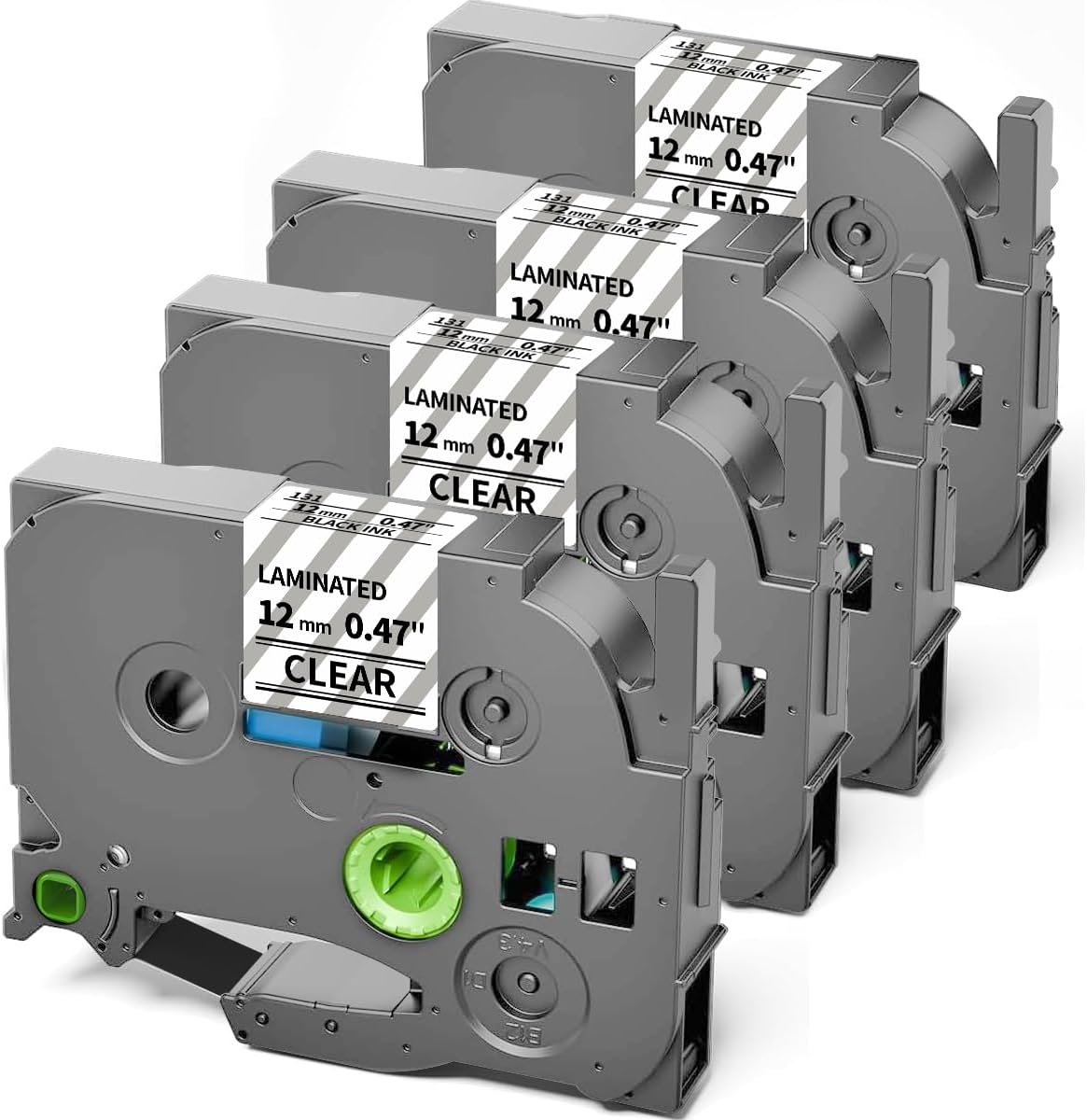
The TZe TZ Tape Clear is a crucial accessory for those using Brother P-Touch label printers. This 12mm laminated clear tape ensures labels remain visible and durable on various surfaces, from shelves to jars.
We may earn a commission when you buy through this link, at no additional cost to you.
Features like abrasion resistance and temperature tolerance make it ideal for long-term use. The split backing allows for easy application, reducing frustration when labeling items that require precision and clarity.
However, this product is an accessory and does not include a printer. Buyers must own a compatible device to use it, but for existing owners, it offers high-quality clear labeling that withstands daily wear and tear.
P-Touch owners should buy this for its quality and compatibility. It ensures labels stay legible and professional, extending the utility of your printer while providing a clear tape option for diverse organizational needs.
Withstands abrasions, hot and cold temperature, spills and fade, ensuring long-lasting labels for tough environments.
Split backing allows the backing to be easily peeled and stuck, making application straightforward and professional.
We may earn a commission when you buy through this link, at no additional cost to you.
Selecting the right Label Printer with Clear Tape involves evaluating features, compatibility, and your specific organizational needs to ensure long-term satisfaction and efficiency.
Ensure the printer supports clear tape rolls specifically designed for its mechanism. Different models accept various widths and materials, so verify compatibility before purchase to avoid wasted money on incompatible supplies.
Look for printers that explicitly include or support clear tape options to meet your visibility and blending requirements.
Decide between physical keyboard models and Bluetooth app-enabled devices. Physical keyboards are straightforward for quick text entry, while app-enabled models offer advanced customization like icons and images for creative labels.
Choose based on your preference for ease of use versus design flexibility and smart device integration.
Consider whether you need a desktop or handheld unit. Portable devices often use AA or AAA batteries, while some offer rechargeable options that reduce long-term costs and environmental impact significantly for frequent travelers.
Opt for rechargeable or high-efficiency power sources if you plan to use the device frequently away from a power outlet.
Thermal printing is common for label makers due to its inkless operation. Ensure the print head quality provides durable labels that resist fading and wear, especially for labels that will be in high-traffic areas.
Prioritize models with proven thermal technology to ensure your labels last long without requiring constant replacements.
Check for memory slots that save frequently used labels. This feature saves time on repetitive tasks like labeling file folders or storage bins, allowing quick reprinting without re-entering text every time.
Select a device with sufficient memory to streamline your workflow and reduce manual input for common labels.
The initial price of the printer is only part of the cost. Consider the ongoing price and availability of replacement tapes, as proprietary cartridges can become expensive over time compared to standard formats.
Factor in long-term supply costs to ensure the model fits your budget for both setup and maintenance.
A clear graphical display allows you to preview labels before printing. This reduces mistakes and waste, ensuring that fonts and layout appear exactly as intended on the clear tape before it is applied.
Choose a model with a preview screen to improve accuracy and reduce material waste during the labeling process.
Assess the scale of your labeling needs. A simple handheld model works for home storage, while small businesses may require more robust features like barcode printing or larger tape widths for detailed product information.
Match the device's capabilities to the volume and complexity of tasks you expect to complete regularly.
Insert the clear tape roll correctly by aligning it with the guide tracks. Press down the cover firmly to ensure it locks in place before attempting to print to avoid jams.
Use the display or app to preview your text before printing. This ensures fonts and alignment look correct, saving tape and ensuring a professional result for your organization tasks.
Store the printer in a cool, dry place to protect the print head from dust and moisture. Replace batteries regularly to maintain power efficiency and prevent leaks from damaging the internal components over time.
The Dymo LetraTag LT-100H is often the best choice for home use due to its ease of use, clear tape inclusion, and reliable thermal printing. It balances simplicity with functionality for everyday household organization tasks effectively.
Most modern Label Printers with Clear Tape use thermal printing technology which does not require ink or toner. This reduces ongoing costs and keeps the device cleaner for frequent use in home or office environments.
No, you must use clear tape designed for your specific printer model. Different devices require specific widths and formats, so checking compatibility with the manufacturer's specifications is essential to avoid jams.
Turn off the device and gently wipe the print head with a dry, lint-free cloth. Avoid using water or harsh chemicals that could damage the sensitive heating elements responsible for thermal printing on tape.
Most portable label printers require standard AA or AAA batteries. Some advanced models offer rechargeable options which provide longer life and reduce waste, so check the product specifications before purchasing batteries.
Clear tape allows labels to blend seamlessly with surfaces while remaining legible. This is ideal for organizing jars, shelves, and tools where visibility and a clean look are prioritized over standard opaque label colors.
Many modern Label Printers with Clear Tape offer Bluetooth connectivity to connect to smartphones or tablets. This enables the use of mobile apps for advanced customization, image editing, and design sharing capabilities.
Yes, many accessories like the TZe TZ Tape are designed to be compatible with Brother P-Touch models. Ensure the specific width and technology match your device for optimal performance and ease of use.
We explored ten top Label Printer with Clear Tape options for November 2026, highlighting versatility, ease of use, and print quality across various budgets and needs.
Prioritize tape compatibility and power source when deciding, as these factors impact long-term usability. Whether you want a simple handheld unit or a feature-rich Bluetooth model, clear tape remains essential for professional organization.
Always check current prices before purchasing since deals change frequently. This ensures you get the best value for your chosen printer and supplies while staying within your budget constraints.