
K7 Total Security Antivirus Software 2026 for laptop/pc
4.2Editor score
Ransomware protection
Webcam access control
Lightweight system impact
Fast email delivery
This guide compares top laptop protection software options including antivirus, VPN, identity monitoring, and backup tools to help you secure your device
Protecting your laptop from digital threats is essential in today’s connected world. Good protection software combines antivirus, firewall, identity monitoring, and secure browsing tools to shield against malware, phishing, and data breaches while maintaining system performance.
We evaluated ten leading laptop protection solutions based on threat detection rates, feature sets, ease of use, cross-platform support, and customer service quality. Our analysis covers suite tiers, from essential antivirus to comprehensive security suites with VPN and cloud backup capabilities.
Each pick highlights key strengths, unique features, and ideal use cases to help you match software to your needs. Note that pricing and subscription terms may change, so verify current offers before purchasing to ensure you get the best value for your security setup.
4.2Editor score

4.2Editor score

4.3Editor score
The following comparison table breaks down core specifications and capabilities across all ten featured laptop protection software options to help you quickly identify which suite matches your security requirements and device ecosystem needs.



McAfee Total Protection 2027 delivers all-in-one protection for up to five devices with robust threat detection, identity monitoring, and secure connections. Its adaptive protection ensures alerts stay relevant as threats evolve, while guided action simplifies responses to security events.
We may earn a commission when you buy through this link, at no additional cost to you.
The suite combines scam protection, VPN, web protection, and antivirus in a single interface. Identity monitoring watches exposed info and suggests actions, while secure connections automatically safeguard data on public networks. Clear alerts and 24/7 support help users act confidently without technical expertise.
Trade-offs include an auto-renewal subscription model that requires manual cancellation if unused, and reliance on digital code delivery rather than physical media. These are acceptable for most users seeking hassle-free annual coverage with consistent updates and round-the-clock assistance.
Ideal for households needing multi-device coverage with identity theft safeguards. If you prioritize balanced security features across laptops, phones, and tablets without managing multiple tools, this suite offers reliable protection with straightforward setup and ongoing maintenance.
Real-time monitoring tracks exposed personal data online and provides actionable steps to secure accounts, reducing identity theft risks significantly.
Built-in VPN and secure connection features automatically encrypt data traffic on public Wi-Fi, protecting sensitive info from eavesdropping.
We may earn a commission when you buy through this link, at no additional cost to you.
K7 Total Security offers essential laptop protection at an accessible entry point, focusing on ransomware defense, webcam privacy, and online identity safety. Its lightweight design keeps systems responsive while blocking viruses, spyware, and phishing attempts effectively.
We may earn a commission when you buy through this link, at no additional cost to you.
Features include intelligent antivirus scanning, ransomware protection that prevents file encryption by untrusted apps, and webcam access control to stop spying. Internet security modules maintain privacy during banking and shopping, while rapid email delivery ensures immediate use after purchase.
The main trade-off is single-user limitation and fewer advanced tools like VPN or identity monitoring compared to premium suites. For individuals or small households prioritizing core antivirus functionality without extra cost, this provides solid foundational security.
Best suited for budget-conscious users needing straightforward virus and privacy protection on a single laptop. If you want quick setup and essential threat defense without complex dashboards, this option delivers reliable security efficiently.
Built-in webcam protection blocks unauthorized apps from accessing your camera, preventing potential spying and ensuring personal privacy during daily use.
Specialized protection prevents malware from encrypting photos and files, safeguarding critical data against extortion attempts and system lockdowns.
We may earn a commission when you buy through this link, at no additional cost to you.
McAfee+ Premium 2027 stands out for unlimited device protection plus unique social privacy management and personal data scans. It extends all-in-one security including antivirus, VPN, and identity monitoring across every device in your ecosystem without extra fees.
We may earn a commission when you buy through this link, at no additional cost to you.
The social privacy manager finds and fixes hidden settings on social accounts, while personal data scans locate info on data-selling sites and guide removal. Threat detection, scam protection, and guided alerts ensure consistent security posture with clear action steps.
Premium pricing and auto-renewal may not suit everyone, but the unlimited coverage and advanced privacy controls justify cost for families or professionals with many devices. It eliminates the hassle of tracking individual licenses and ensures uniform protection levels.
Recommended for users with multiple laptops, phones, tablets, or shared family devices needing seamless security. If you value privacy tools that actively manage social footprints and remove your data online, this suite offers unmatched breadth and control.
Automatically locates privacy settings buried in social media accounts and adjusts them to minimize exposure and control shared information.
Scans sites selling personal information, notifies you if your data appears, and guides removal steps to reduce identity theft risks.
We may earn a commission when you buy through this link, at no additional cost to you.
McAfee Total Protection for three devices balances award-winning antivirus with identity monitoring, unlimited VPN, and password management. It secures accounts through complex password generation and dark web monitoring that alerts when credentials are compromised.
We may earn a commission when you buy through this link, at no additional cost to you.
The suite allows secure browsing, banking, and shopping anywhere via unlimited VPN, protecting privacy on public Wi-Fi. Identity monitoring tracks email, ID, and phone number breaches so you can act fast, while antivirus flags risky sites automatically.
While limited to three devices, it offers essential tools for individuals or small families needing password and dark web protection. Digital download code is fast, but users must track subscriptions manually since auto-renewal isn't always highlighted prominently.
Suitable for households with laptops, smartphones, or tablets where password reuse and account security are concerns. If you want dark web alerts and a password manager alongside antivirus without unlimited device fees, this mid-tier package fits well.
Built-in password manager generates and stores complex passwords, reducing reliance on weak or repeated credentials across different websites.
Surveys dark web marketplaces for your personal data and notifies breaches promptly, enabling quick password resets and identity safeguards.
We may earn a commission when you buy through this link, at no additional cost to you.
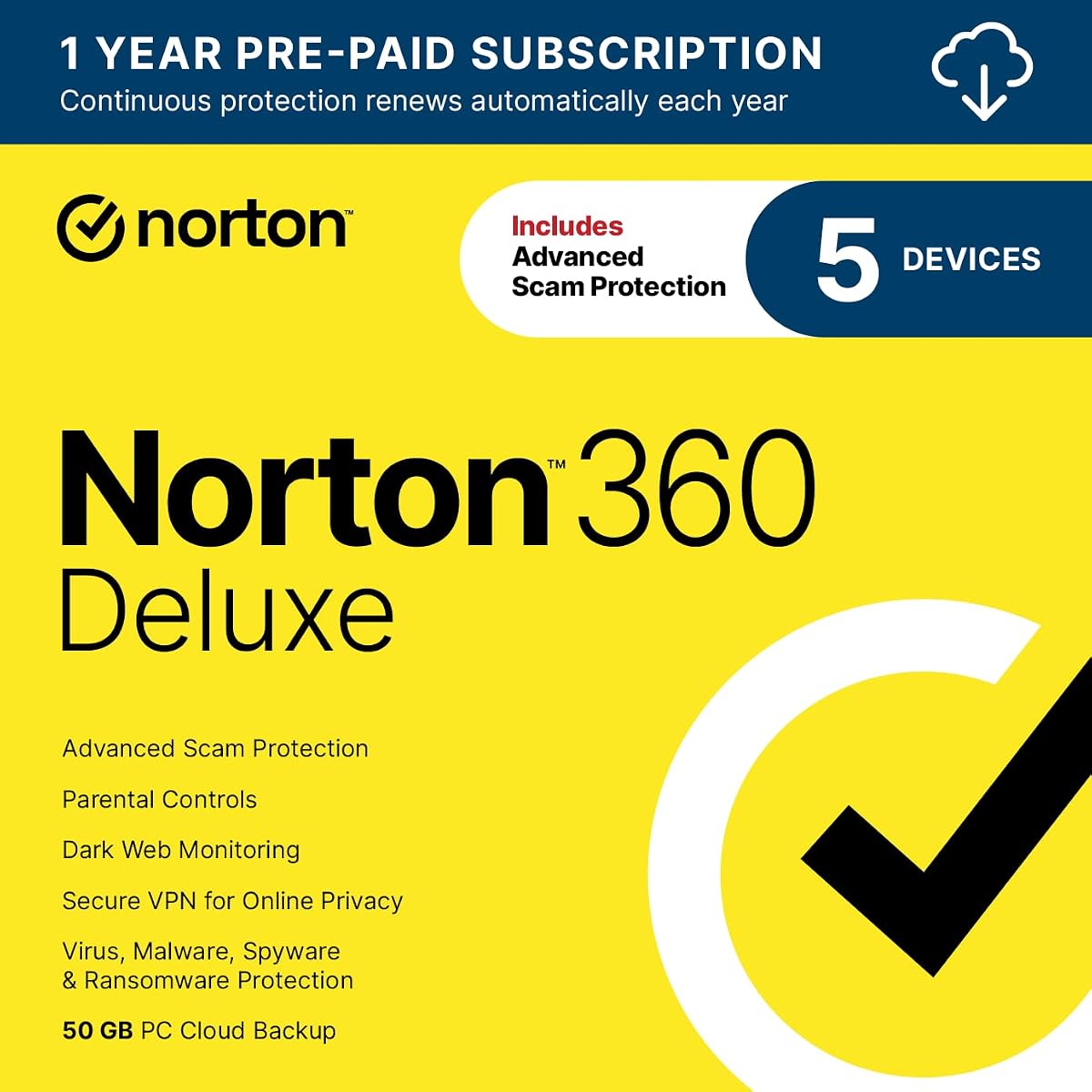
Norton 360 Deluxe protects up to five devices with real-time malware defense, dark web monitoring, and 50GB cloud backup for photos and files. Its Genie AI assistant helps identify suspicious emails and messages without technical knowledge.
We may earn a commission when you buy through this link, at no additional cost to you.
Top-performing VPN ensures privacy with faster speeds and server locations across devices including Smart TVs. Dark web monitoring searches forums for exposed info while advanced scam protection blocks threats without slowing device performance or consuming excessive resources.
Introductory pricing applies first year before renewal at standard rates. Payment method storage is needed for activation even without immediate charging. Backup storage adds value for ransomware recovery but users must remember renewal terms.
Great for users needing cloud backup alongside antivirus, especially those worried about ransomware or drive failure. If you want AI-driven scam guidance and reliable dark web alerts across five devices, Norton delivers dependable protection.
50GB secure cloud backup prevents data loss from ransomware or hardware failure, allowing quick file restoration when needed.
Built-in Genie AI assistant evaluates messages and emails for suspicious patterns, helping users spot scams before clicking links.
We may earn a commission when you buy through this link, at no additional cost to you.
ASURION protection plan focuses on physical damage and malfunctions rather than digital threats. It covers drops, spills, cracked screens, and post-warranty failures with zero repair costs including parts, labor, and shipping.
We may earn a commission when you buy through this link, at no additional cost to you.
Claims can be filed anytime online or by phone with fast approvals. If repair isn't possible, Amazon issues an e-gift card equal to purchase price. Experts assist with connectivity issues and troubleshooting beyond hardware repairs.
This is complementary to antivirus software, addressing accidental damage and hardware failures instead of malware. It requires purchase with or within 30 days of product purchase, excluding pre-existing conditions and manufacturer warranty overlaps.
Ideal for travelers or users prone to accidents needing hardware repair coverage. Combine with antivirus software for complete laptop protection against both physical harm and digital security risks.
Spills, drops, and cracked screens due to normal use are covered from day one, providing peace of mind for active laptop users.
24/7 experts help with setup, connectivity, and troubleshooting issues, extending support beyond hardware repairs.
We may earn a commission when you buy through this link, at no additional cost to you.
This three-device version of McAfee Total Protection 2027 mirrors core features like threat detection, identity monitoring, and secure connections at a lower price. Adaptive protection keeps detection current as threats evolve while guided action simplifies responses.
We may earn a commission when you buy through this link, at no additional cost to you.
It includes scam protection, VPN, and antivirus in one place with 24/7 phone or chat support. Personal info protection monitors exposed data while secure connections protect on public Wi-Fi automatically, ensuring privacy without manual setup.
Digital code download and auto-renewal terms mirror the five-device version. Users save money but cover fewer devices, making it suitable for individuals or couples with laptops and phones needing solid protection.
Recommended for those needing antivirus and VPN without premium extras. If you manage up to three devices and want guided alerts plus identity monitoring without higher costs, this balances value and essential security.
Clear alerts with simple guidance show exactly what matters and what steps to take next during security events.
Detection systems tune to user behavior and update automatically as new threats emerge, maintaining effective protection without manual adjustments.
We may earn a commission when you buy through this link, at no additional cost to you.
Bitdefender Total Security offers world-class antivirus across Windows, Mac, iOS, and Android devices with multi-layer ransomware and malware protection. A dedicated secure browser handles online banking safely while game and work modes minimize interruptions.
We may earn a commission when you buy through this link, at no additional cost to you.
Features include webcam and microphone monitoring, anti-tracker tools, parental controls, and 200MB daily VPN. The eco-friendly packaging ships activation codes on cards, avoiding bulky boxes. Speed optimization keeps devices responsive during scans.
Mail delivery for codes may delay immediate use compared to email. Users should verify platform compatibility before purchase. Overall it balances performance with comprehensive security tools suitable for mixed-device households.
Ideal for users with diverse operating systems needing unified protection. If you value dedicated banking security, anti-tracker privacy, and parental controls alongside antivirus, Bitdefender delivers robust cross-platform coverage.
A dedicated secure browser isolates financial transactions, preventing keyloggers and malware from intercepting sensitive banking data.
Built-in anti-tracker technology blocks online tracking, preserving privacy during browsing and reducing targeted advertisements.
We may earn a commission when you buy through this link, at no additional cost to you.
Norton 360 Deluxe for three devices delivers real-time malware defense, dark web monitoring, and 25GB cloud backup. Genie AI helps identify suspicious messages while premium VPN ensures privacy across devices without slowing performance.
We may earn a commission when you buy through this link, at no additional cost to you.
Dark web monitoring searches forums for exposed data and notifies users promptly. Cloud backup protects photos and files from ransomware or hardware failures. Auto-renewal terms apply after introductory first-year pricing.
Smaller backup size and fewer device slots limit scalability. However, instant download and solid core features suit individuals needing basic antivirus and backup. Check renewal pricing before committing to long-term usage.
Best for small households needing backup and dark web protection. If three devices suffice and 25GB storage meets your needs, this provides essential Norton security without premium costs.
25GB secure cloud backup helps prevent data loss due to ransomware or hard drive failures with quick restoration options.
Continuous dark web surveillance notifies you if your information appears on suspicious marketplaces, allowing fast protective actions.
We may earn a commission when you buy through this link, at no additional cost to you.
Norton 360 Premium supports up to ten devices with dark web monitoring, 75GB cloud backup, and Genie AI scam detection. Real-time malware defense protects without slowdown while premium VPN ensures privacy across all connected systems.
We may earn a commission when you buy through this link, at no additional cost to you.
Dark web surveillance notifies on exposed data while cloud backup preserves files from ransomware or failures. Genie AI guides users away from suspicious emails and links. Instant download enables quick installation on new devices.
Ten device coverage suits large families or small offices needing uniform security. Subscription auto-renewal requires attention to manage costs, but consistent updates and support justify ongoing fees for comprehensive protection.
Ideal for users needing extensive device coverage with generous cloud storage. If you want dark web protection, backup, and AI scam detection across ten devices under one account, this suite provides scalable security.
Supports up to ten PCs Macs iOS or Android devices simultaneously, ideal for large households or shared environments needing unified security.
75GB secure PC cloud backup provides ample space for photos and files, reducing risks from ransomware or hardware failures.
We may earn a commission when you buy through this link, at no additional cost to you.
Selecting the right laptop protection software depends on device count, desired features, and budget. This guide outlines key factors to consider before purchase to ensure comprehensive security tailored to your workflow and household needs.
Check how many devices the license covers. Most suites support between three and ten devices, while premium options offer unlimited coverage. If you have multiple laptops, smartphones, or tablets, ensure the plan scales without extra per-device fees to avoid gaps in protection.
Look for real-time antivirus, firewall, ransomware protection, and scam detection. Advanced suites include dark web monitoring and identity theft safeguards. Ensure features match threats you face such as phishing emails or public Wi-Fi usage for balanced security.
Secure browsing is essential when using public networks. Choose software with a built-in VPN that offers sufficient daily data limits or unlimited access. Additional privacy tools like anti-tracker or webcam protection help control what data is shared online during regular use.
Identity monitoring watches for exposed personal data and alerts on breaches. Password managers that generate complex credentials add account security. If you use banking or shopping regularly, these tools reduce risks by prompting timely password changes when data appears suspiciously.
Cloud backup protects against ransomware or hardware loss by storing copies of photos and files. Check storage size such as 25GB or 75GB to match your needs. Backup should integrate smoothly without consuming excessive system resources during active use on your laptop.
Quality protection software should not slow down your laptop. Look for speed-optimized designs and modes that minimize interruptions during gaming or work. If the tool causes frequent lag or high resource usage, it may disrupt daily productivity and reduce adoption.
Most tools use auto-renewal annual subscriptions. Review renewal rates after introductory first-year pricing. Ensure you can manage or cancel subscriptions easily through your account dashboard to avoid unexpected charges if you no longer need the service.
Accessible support like 24/7 phone or chat helps during critical issues. Regular threat definition updates are mandatory for effective protection. Check if help articles or guided alerts assist less technical users when they encounter alerts or setup steps.
After purchasing download the activation code via email or mail and follow setup steps on your laptop. Complete the initial scan to check for existing threats before allowing real-time protection to run continuously. This ensures your system starts secure from day one.
Keep all updates enabled and check threat definitions weekly. Regularly review identity alerts and dark web notifications to take quick action on exposed data. Adjust settings like scam protection thresholds or privacy tools based on your browsing habits and online activities.
Renew subscriptions before expiration to maintain protection. Back up critical files to cloud storage and test restores periodically. Uninstall unused tools to free resources and avoid conflicting security layers that might interfere with performance or system stability.
Yes modern laptops face constant malware ransomware and phishing threats that can steal data or lock systems. Protection software provides real-time defenses plus backup and privacy tools reducing risk and downtime significantly compared to unprotected devices.
Most suites offer multi-device licenses ranging from three to unlimited coverage. Check the plan details before purchase. Using one account across all devices simplifies management and ensures consistent security without separate subscriptions per machine.
Quality protection is optimized for minimal impact. Look for performance modes or speed-optimized tools. If slowdown occurs adjust scan schedules or disable unneeded features. Proper setup balances protection with smooth daily laptop operation.
They track exposed personal data online like email addresses or IDs on data broker sites. When exposure is found alerts guide you to secure accounts by resetting passwords or removing listings reducing identity theft risks effectively.
A VPN protects privacy on public Wi-Fi and encrypts data traffic. Many suites include unlimited or daily limited VPN. If you travel frequently or value anonymity adding VPN to antivirus strengthens overall security and browsing safety.
Antivirus detects quarantines and removes threats automatically. Ransomware protection stops file encryption while backup restores clean versions. Prompt response limits damage. Always update definitions and report incidents to support for extra guidance during recovery.
Log in to your account dashboard on the provider's site and find subscription management. Follow steps to cancel before auto-renewal. If stuck contact customer support via phone or chat. Keep cancellation confirmation for records.
Premium suites often include cloud backup ranging from 25GB to 75GB. It protects photos and files from ransomware or failure. Check plan specs. If not included use a separate backup service or external drive for added safety.
McAfee Total Protection 2027 leads overall with balanced features across five devices. K7 Total Security offers essential antivirus at an entry budget while McAfee+ Premium delivers unlimited device coverage with unique privacy tools tailored for large households.
Prioritize protection based on device count and needed features like identity monitoring backup or VPN. Ensure updates and support match your skill level. Combine with ASURION plans for physical damage protection to cover hardware and digital threats fully.
Verify current pricing and renewal terms before purchasing as introductory rates may change. Compare device limits and backup sizes to match usage. Regularly review alerts and settings to keep protection effective without unnecessary cost or complexity.