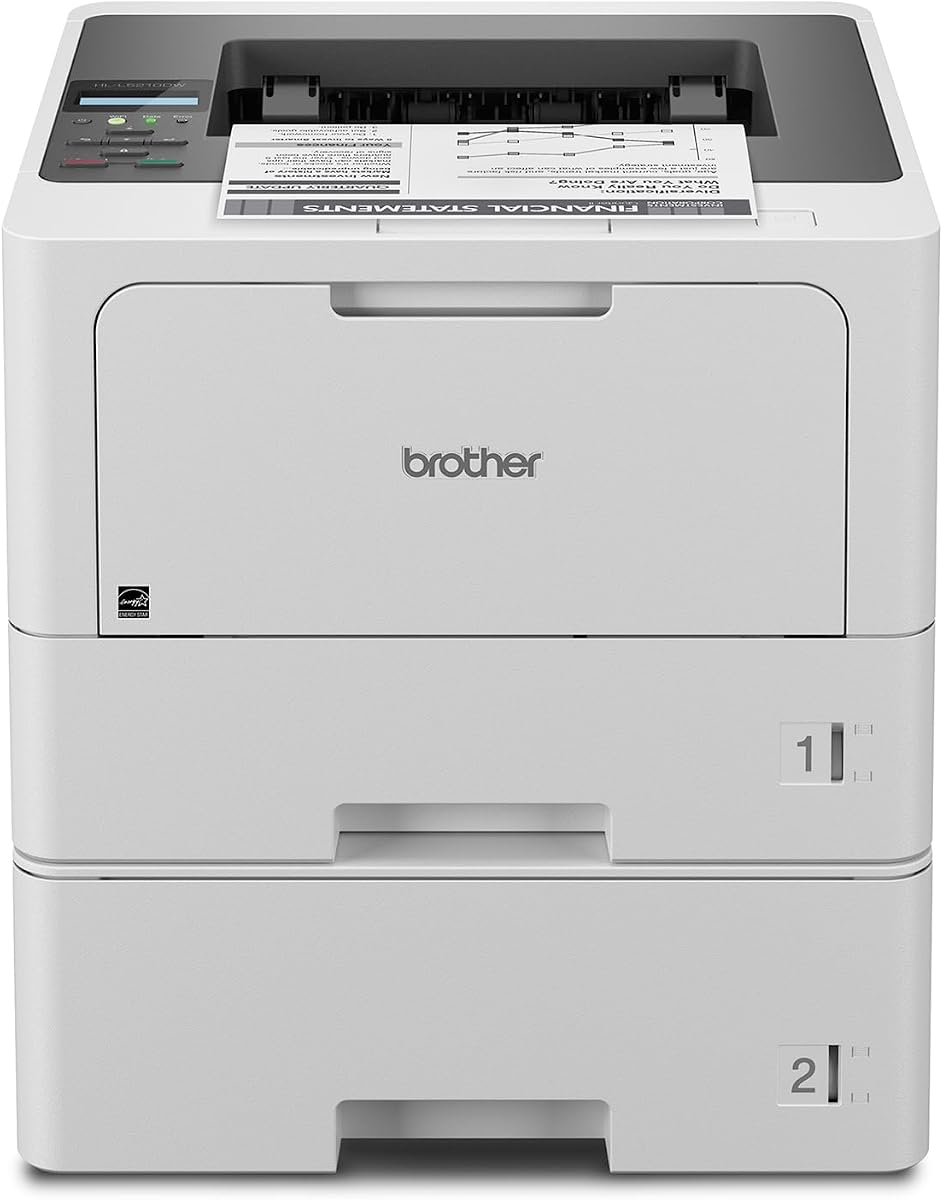
Brother HL-L5210DWT
4.3Editor score
48ppm monochrome speed
Dual paper trays included
Expandable to 1390 sheets
This guide compares the top 10 laser printers for large workgroups, evaluating speed, security, capacity, and value to help your office choose the best model.
Choosing the right laser printer for large workgroups is critical for maintaining high productivity and minimizing operational costs in a busy office environment. Modern devices must offer robust security, fast output speeds, and the ability to handle high volumes without frequent interruptions or paper jams.
We compared ten leading models based on print speed, paper capacity, connectivity options, security features, and overall reliability. Our analysis focuses on enterprise-grade solutions that can support mid to large-sized teams while ensuring seamless integration with existing network infrastructures and mobile devices.
Each pick highlights key strengths and trade-offs to help you find the perfect fit for your specific workflow needs. Please note that product specifications and availability may change over time, so verify current details before making your final purchase decision for your team.
4.3Editor score

4.4Editor score

4.0Editor score
The following table provides a side-by-side comparison of all ten selected laser printers, highlighting their core specifications to help you quickly identify the model that best matches your workgroup requirements.


The Brother MFC-L8930CDW stands out as a top-tier choice for large workgroups requiring reliable color output. With a rating of 4.4 stars, it delivers professional results while maintaining efficiency through advanced duplex printing and scanning capabilities.
We may earn a commission when you buy through this link, at no additional cost to you.
Its standout qualities include a 33ppm print speed and a high-speed two-sided scanner reaching 104ipm. The device features triple-layer security and an NFC card reader, ensuring document safety while enabling flexible connectivity via dual-band wireless and Gigabit Ethernet.
Honest trade-offs involve the higher upfront investment and a slightly complex menu system due to the rich feature set. However, these are acceptable given the robust security and productivity-enhancing shortcuts available on the touchscreen.
This printer is ideal for mid to large-sized workgroups needing high-quality color prints and secure network integration. Its sustainable design and low-cost toner options make it a smart long-term investment for busy offices.
Achieve professional-quality color prints quickly with up to 33ppm speed, ensuring your team stays productive during peak hours.
Protect sensitive business data with triple-layer security and NFC badge authentication, keeping your network safe from unauthorized access.
We may earn a commission when you buy through this link, at no additional cost to you.
The Brother HL-L5210DWT offers exceptional value for large workgroups focused on monochrome printing. Boasting a 4.3-star rating, it ensures fast, professional-quality documents to boost productivity in busy office settings.
We may earn a commission when you buy through this link, at no additional cost to you.
Key strengths include a 48ppm print speed and dual paper trays totaling 770 sheets, which can be expanded further. It features Triple Layer Security and flexible connectivity options like dual-band wireless and Gigabit Ethernet for seamless sharing.
The trade-off is that it lacks scanning capabilities and is limited to black-and-white output. For teams prioritizing cost-efficiency and high-volume text printing, these limitations are minimal compared to the operational savings.
This model suits small to mid-sized workgroups needing reliable, fast printing without extra multifunction features. Its cost-efficient toner options and expandable capacity make it a practical choice for daily office use.
Reduce operational costs with high-yield toner cartridges that deliver up to 11,000 pages per cartridge for long-term savings.
Minimize refills with dual trays and optional expansion up to 1,390 sheets, keeping your workflow uninterrupted during busy periods.
We may earn a commission when you buy through this link, at no additional cost to you.
The HP LaserJet Enterprise M406dn is a solid entry-level choice for large workgroups needing reliable monochrome output. With a 4.4-star rating, it empowers teams to succeed through efficient printing and robust security measures.
We may earn a commission when you buy through this link, at no additional cost to you.
Its strengths include a 42ppm print speed and FutureSmart firmware for long-term optimization. The device supports HP Wolf Enterprise Security and features a color display for intuitive management and card reader integration.
Trade-offs include the lack of built-in wireless and a basic interface compared to more premium models. However, these are acceptable for teams with wired network setups prioritizing security and efficiency over mobile flexibility.
This printer is best for workgroups needing dependable, secure printing without unnecessary complexity. Its ease of management and business efficiency features make it a strong contender for office environments.
Empower your team with fast printing and third-party solutions, ensuring everyone has the tools needed to succeed efficiently.
Keep your data safe with HP Wolf Enterprise Security, detecting and self-healing from malware to protect your business assets.
We may earn a commission when you buy through this link, at no additional cost to you.
The Brother MFC-L6810DW delivers high-volume performance for mid to large-sized workgroups with a 4.1-star rating. It ensures fast, professional-quality documents through rapid copy and print speeds up to 52ppm.
We may earn a commission when you buy through this link, at no additional cost to you.
Key strengths include a 200ipm single-pass scanner and an expandable paper capacity up to 1,660 sheets. It features Triple Layer Security and NFC authentication, alongside voice control compatibility for added convenience.
Trade-offs involve the higher initial investment and limited to monochrome output. For teams prioritizing speed and high-volume efficiency, these trade-offs are acceptable given the productivity gains and security features.
This printer suits busy offices needing rapid text processing and secure scanning. Its lifetime value toner options and large capacity make it a robust solution for demanding workgroups.
Boost workflow with 200ipm scanning speeds, quickly processing large batches of documents for digital storage or distribution.
Save on costs with ultra high-yield toner options offering up to 18,000 pages, maximizing your printing budget over time.
We may earn a commission when you buy through this link, at no additional cost to you.
The Brother HL-6210DW offers professional performance for high-volume printing tasks with a 4.1-star rating. It ensures exceptional efficiency and precision for your office needs through reliable monochrome output.
We may earn a commission when you buy through this link, at no additional cost to you.
Key strengths include a 50ppm output speed and a 520-sheet main tray expandable to 1,660 sheets. It features seamless integration via Gigabit Ethernet and dual-band wireless, alongside advanced security for daily protection.
Trade-offs are limited to monochrome printing and basic control interfaces. For teams prioritizing speed and connectivity, these are acceptable as the printer handles daily office tasks with reliability.
This model is ideal for workgroups needing fast, reliable wireless printing. Its cost-efficient toner and security features ensure operational savings and network safety for your business.
Ensure uninterrupted printing with a 520-sheet main tray and optional expansion, reducing refills during busy office hours.
Enable efficient sharing across your network with built-in Gigabit Ethernet and dual-band wireless for seamless mobile device printing.
We may earn a commission when you buy through this link, at no additional cost to you.
The Brother MFC-L5915DW is designed for busy offices needing reliable all-in-one functionality with a 4.3-star rating. It ensures fast, professional-quality documents through up to 50ppm print and copy speeds.
We may earn a commission when you buy through this link, at no additional cost to you.
Key strengths include low-cost output options and a 70-page ADF with 56ipm duplex scanning. Flexible connectivity via Gigabit Ethernet and dual-band wireless supports seamless network sharing and mobile printing.
Trade-offs include a smaller ADF compared to enterprise models and monochrome limitations. For teams focused on cost-efficiency and speed, these are acceptable compromises for daily operational needs.
This printer is well-suited for mid-sized workgroups needing quick processing. Its low-cost toner options and fast scanning help maintain efficiency in demanding office environments.
Reduce costs with ultra high-yield toner cartridges, helping to lower operating expenses while maintaining professional print quality.
Share easily via Gigabit Ethernet and dual-band wireless, ensuring seamless setup and access across all your business devices.
We may earn a commission when you buy through this link, at no additional cost to you.
The HP LaserJet Enterprise M507n is built to keep up with growing business demands and has a 4.0-star rating. It delivers consistently high-quality documents for enterprise workgroups needing reliability.
We may earn a commission when you buy through this link, at no additional cost to you.
Key strengths include over 200 embedded security features and HP JetAdvantage Security Manager for centralized control. Optional mobile printing and trustable toner cartridges ensure efficient workflow and reduced waste.
Trade-offs include wired-only connectivity and basic management tools compared to newer models. For teams prioritizing security and print quality, these are acceptable given the robust protection features.
This printer is ideal for growing businesses needing secure, reliable monochrome output. Its centralized control and high-quality performance help build long-term business efficiency.
Thwart malware and protect data with over 200 security features, ensuring your printer remains a secure part of your network.
Build efficiency with HP Web JetAdmin to easily manage devices and apply corporate policies across your organization.
We may earn a commission when you buy through this link, at no additional cost to you.
The HP LaserJet Enterprise MFP M634z is a high-end solution for large workgroups with a 4.0-star rating. It combines performance, energy efficiency, and security to keep business moving smoothly.
We may earn a commission when you buy through this link, at no additional cost to you.
Key strengths include 55ppm speed, a 2300-sheet capacity, and a 3-bin stapler. The 9-inch touchscreen and 150-page ADF enhance workflow with advanced error detection and scanning features.
Trade-offs include a high initial cost and large physical footprint. For enterprises prioritizing speed and volume, these are acceptable given the massive capacity and productivity boost.
This printer suits large organizations needing robust multifunction capabilities. Its energy efficiency and workflow features ensure long-term value and reliability for demanding workgroups.
Keep business moving with 55ppm speeds and 5.2 seconds first-page-out time, ensuring quick document turnover for busy teams.
Enhance productivity with a 150-page ADF and 9-inch touchscreen, streamlining scanning and navigation for complex documents.
We may earn a commission when you buy through this link, at no additional cost to you.
The Brother HL-L8430CDWT delivers dependable color performance with a strong 4.6-star rating. It ensures vibrant color and sharp black output to support busy offices and work teams effectively.
We may earn a commission when you buy through this link, at no additional cost to you.
Key strengths include dual paper trays, low-cost toner options, and NFC security. Flexible connectivity and default two-sided printing help reduce paper use while maintaining professional results for your documents.
Trade-offs involve smaller capacity compared to high-volume enterprise models. For mid-sized teams needing reliable color printing, these are acceptable given the efficiency and cost-saving benefits.
This printer is perfect for workgroups needing quality color without high running costs. Its security and low-cost options make it a smart choice for budget-conscious businesses.
Achieve professional results with vibrant color and sharp black output, ensuring your documents look great every time.
Lower printing costs with super high yield toner cartridges, maximizing your budget while delivering consistent quality.
We may earn a commission when you buy through this link, at no additional cost to you.
The Brother HL-L6310DW ensures fast, professional-quality documents for workgroups with a 4.2-star rating. It boosts productivity with speeds up to 52ppm and high-quality output for daily tasks.
We may earn a commission when you buy through this link, at no additional cost to you.
Key strengths include lifetime value toner options and expandable paper capacity up to 1,660 sheets. Device management solutions and Alexa compatibility make it easy to deploy and manage across your network.
Trade-offs are limited to monochrome and lack of scanning. For teams prioritizing speed and high-volume efficiency, these are acceptable given the robust security and easy management features.
This printer is well-suited for mid to large-sized workgroups needing fast output. Its cost-efficiency and user-friendly design ensure smooth daily operations for your office.
Safeguard your network with Triple Layer Security features, keeping devices secure and documents protected during transmission.
Reduce refills with expandable trays up to 1,660 sheets, ensuring uninterrupted printing for high-volume workloads.
We may earn a commission when you buy through this link, at no additional cost to you.
Selecting the right printer requires evaluating several key factors to match your office workflow, security needs, and budget constraints effectively.
Print speed significantly impacts productivity in large workgroups. Look for models offering at least 40 pages per minute to ensure that high-volume jobs are completed quickly without creating bottlenecks during peak business hours.
Prioritize faster models to minimize waiting times and keep your team moving efficiently through daily tasks without unnecessary delays.
Large workgroups require substantial paper storage to avoid frequent refills. Check for standard trays totaling 500 sheets or more, and ensure the printer supports optional expansion to handle thousands of pages.
Choose high-capacity models to keep workflows uninterrupted and reduce the time spent managing paper supplies during busy periods.
Security is paramount for protecting sensitive business documents. Look for advanced features like Triple Layer Security, NFC badge authentication, and embedded malware detection to safeguard your network and data.
Select models with robust security protocols to ensure your business data remains safe from unauthorized access or cyber threats.
Versatile connectivity ensures all team members can print easily. Look for built-in dual-band wireless, Gigabit Ethernet, and mobile printing support to accommodate both wired and wireless network setups.
Ensure flexible connectivity options to enable seamless sharing across your office without compromising speed or reliability.
Operating costs are a major consideration for large volume printing. Evaluate the cost per page by checking for high-yield or super high-yield toner options that offer thousands of pages per cartridge.
Prioritize models with affordable replacement toner to minimize long-term expenses and maximize your printing budget efficiency.
All-in-one printers add value by combining printing, scanning, copying, and faxing. Assess whether your workgroup needs high-speed duplex scanning and document feeders to streamline digital document workflows.
Select multifunction models if you need to digitize and manage documents efficiently alongside routine printing tasks.
Sustainable and energy-efficient models help lower utility costs. Look for Energy Star certification and low energy consumption designs that reduce heat and power usage during extended operation.
Choose energy-efficient printers to support sustainability goals and reduce overhead costs over time.
Enterprise-grade management tools simplify deployment and maintenance. Check for features that allow mass configuration distribution, firmware updates, and centralized monitoring to keep devices running smoothly.
Prioritize models with strong management capabilities to ensure easy maintenance and consistent performance across your fleet.
Proper setup is essential for long-term performance. Ensure the printer is placed on a stable, flat surface away from direct sunlight or moisture. Connect to your network using Gigabit Ethernet or dual-band wireless for reliable connectivity.
Regular maintenance keeps your device running smoothly. Clean the scanner glass and exterior surfaces weekly to prevent streaks or smudges. Replace toner cartridges before they run completely empty to avoid internal damage to the imaging drum.
Manage paper usage carefully to reduce jams. Use only recommended paper types stored in a dry environment. Keep trays aligned correctly and avoid overfilling them beyond their maximum capacity to ensure smooth feeding.
Most high-quality laser printers designed for enterprise use can last between five to ten years with proper maintenance. Regular cleaning, timely part replacements, and avoiding paper jams significantly extend the device's functional lifespan.
You can reduce printing costs by using high-yield toner cartridges and enabling duplex printing to save paper. Additionally, monitor usage and enforce print policies to avoid unnecessary printing tasks.
Triple Layer Security is a protection approach that prevents attacks, detects anomalies, and protects data during transmission. It ensures printers remain secure against malware and unauthorized access attempts on your network.
Yes, most models feature built-in dual-band wireless and mobile printing support for smartphones and tablets. Users can print directly from devices without needing to install specific software on their computers.
High paper capacity ensures that busy teams do not face interruptions due to frequent paper refills. Large workgroups benefit from printers with expandable trays that hold thousands of sheets for uninterrupted workflow.
Yes, many enterprise models offer device management solutions that allow centralized configuration and monitoring. Tools like HP Web JetAdmin help IT teams manage security settings and updates across the fleet.
Generally, laser printers are more cost-effective for high-volume monochrome printing due to lower cost per page. Inkjets are suitable for low-volume or specialized photo printing needs.
Selecting the right laser printer involves balancing speed, security, capacity, and cost efficiency for your team. Whether you choose the Brother MFC-L8930CDW for its balanced features or the HP MFP M634z for high-volume needs, each model offers unique strengths.
Prioritize models that match your specific workgroup demands such as network security requirements or paper capacity needs. Focus on features that reduce long-term operating costs while maintaining professional output quality for your documents.
Remember that specifications and availability may change over time, so always verify current details before purchasing. Investing in a reliable printer will improve productivity and keep your office running smoothly for years to come.