
Redragon K618 PRO
4.1Editor score
Tri-mode connectivity
Macro & media controls
Slim low profile design
This guide compares the top ten low profile mechanical keyboards for 2026. We evaluate build quality, switch type, connectivity, and features.
Low profile mechanical keyboards offer a sleek design that reduces wrist strain while delivering the tactile feedback enthusiasts love. They are perfect for those who want speed and comfort without sacrificing quality.
We compared ten models based on switch performance, build materials, connectivity options, and customization features. Each product was analyzed to ensure it meets the needs of gamers and professionals alike.
Every pick highlights unique strengths like wireless freedom, custom switches, or premium ergonomics. Prices change often so check current listings for the latest deals on these top-rated boards.
4.1Editor score

4.3Editor score

4.7Editor score
This table provides a side-by-side view of the top ten low profile mechanical keyboards. Compare their switch types, layouts, connectivity, and special features to find your ideal match.



The Redragon K618 PRO is a standout entry-level option for those seeking low profile mechanical typing without breaking the bank. It delivers solid performance with a slim form factor designed to reduce wrist strain during long sessions.
We may earn a commission when you buy through this link, at no additional cost to you.
Its tri-mode connectivity allows seamless switching between USB-C, Bluetooth, and 2.4GHz wireless. This flexibility makes it ideal for users who manage multiple devices like laptops and tablets. The dedicated macro zone adds utility for power users needing quick shortcuts.
While the build is primarily plastic, it feels sturdy enough for daily use. The linear feedback switches provide a smooth typing experience suitable for both gaming and office work. Software customization offers deep control over lighting and keybindings.
This keyboard is best for budget-conscious gamers or professionals needing versatility. It balances cost and functionality effectively. If you want a low profile board with wireless freedom and macro support, this is a strong starting point.
Switch between devices effortlessly using Bluetooth, 2.4GHz, or wired USB-C. This ensures you stay connected without re-pairing delays.
Record custom key combos and control media playback instantly. A 4×5 macro zone provides ample space for complex commands.
We may earn a commission when you buy through this link, at no additional cost to you.
The Keychron K3 Version 2 offers an exceptional balance of portability and power. Designed for Mac users first but compatible with Windows, it features QMK firmware for limitless customization. This makes it a favorite among developers and writers.
We may earn a commission when you buy through this link, at no additional cost to you.
Its compact 75% layout retains essential function keys while saving desk space. The aluminum body provides a sturdy feel that complements the sleek low profile design. Bluetooth 5.1 ensures stable wireless connections for up to three devices.
While it has some plastic parts, the overall feel is premium. The included keycaps for both operating systems make setup easy. QMK support allows deep remapping and macros via the Keychron Launcher.
Choose this if you value customization and build quality. It is perfect for multitaskers using mixed systems. The combination of wireless freedom and open-source potential makes it a top tier choice.
Customize every key using open-source software. Remap shortcuts and macros to fit your exact workflow needs.
Includes extra keycaps for both systems. A unique Mac layout supports multimedia keys seamlessly.
We may earn a commission when you buy through this link, at no additional cost to you.
The Keychron K1 Ultra 8K redefines low profile performance with an incredible 8K polling rate. This ensures minimal latency for competitive gaming while maintaining typing comfort. Its hardwood side panels add a touch of luxury.
We may earn a commission when you buy through this link, at no additional cost to you.
Hot-swappable low-profile POM switches allow easy customization without soldering. The 80% TKL layout balances desk space and functionality. ZMK firmware supports deep system-level customization via the web app.
Sound-dampening layers reduce noise during typing. The north-facing RGB offers clear lighting without glare. Despite the price, the build quality and features justify it for enthusiasts.
This is the ultimate choice for pros seeking speed and style. If you want a low profile keyboard that performs like a high-end gaming device, look no further. It stands out as a premium benchmark.
Achieve near-instant response times with 8K wired polling. Perfect for competitive gaming and precise input.
Swap low-profile switches easily. Customize feel and sound without needing to solder new components.
We may earn a commission when you buy through this link, at no additional cost to you.
The Cherry MX 10.0N brings the trusted name of Cherry to low profile designs. It features MX Low Profile Speed switches known for being linear and responsive. The aluminum housing provides a sleek and durable feel.
We may earn a commission when you buy through this link, at no additional cost to you.
At just 0.87 inches thin, it saves desk space while looking professional. Customizable RGB backlighting allows personalization. The integrated stand helps achieve better ergonomic angles.
It is reliable but focuses on core typing and gaming functions. The switches offer a smooth feel with quick actuation. It works well for users who value brand reputation.
Choose this if you prefer simplicity and brand trust. It offers a pure mechanical experience without extra bells and whistles. Ideal for office or gaming setups needing a slim profile.
Enjoy linear and quiet performance. Designed for fast actuation and smooth keystrokes.
Ultra-thin profile at 0.87 inches. Sturdy metal construction ensures longevity and style.
We may earn a commission when you buy through this link, at no additional cost to you.
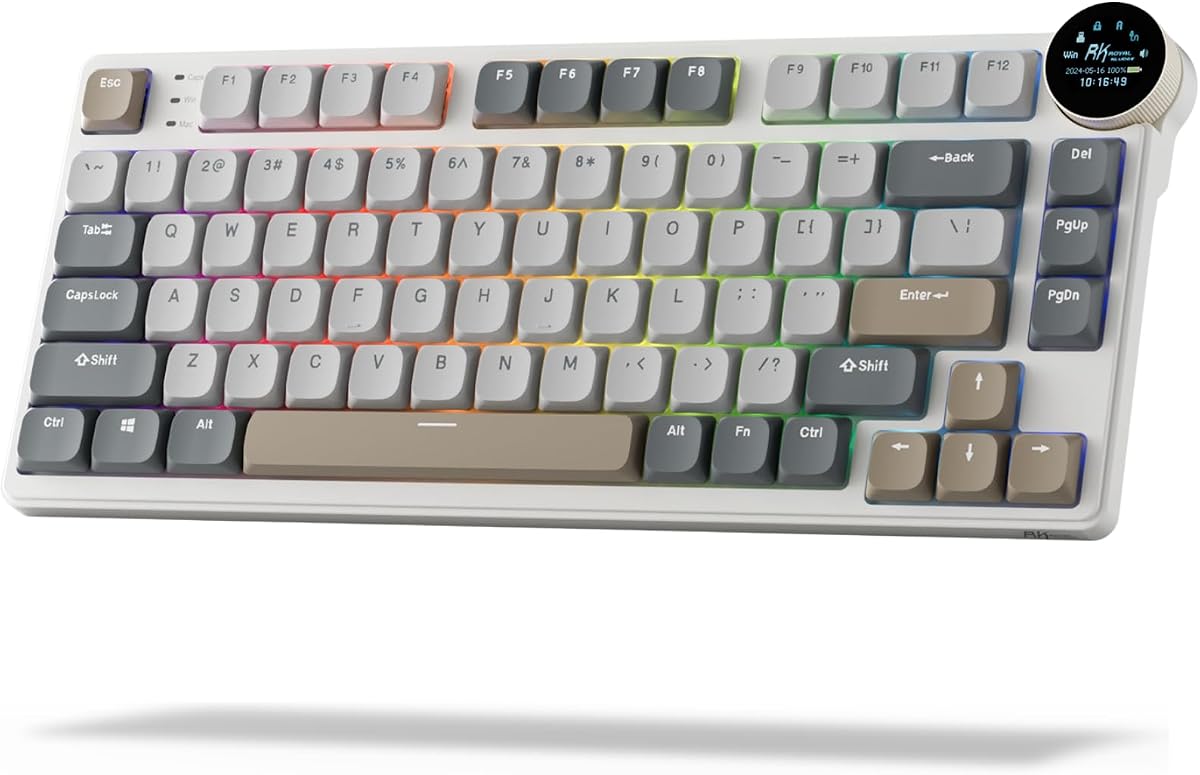
The RK ROYAL KLUDGE N80 stands out with a smart display screen showing GIFs or battery status. It adds a touch of innovation to a standard mechanical design. The volume knob makes media control intuitive.
We may earn a commission when you buy through this link, at no additional cost to you.
It uses a top-mounted structure for stability during intense gaming. Dual layer sound-absorbing foams reduce hollow noise. Tri-mode connectivity supports wired and wireless needs seamlessly.
The heavy duty base prevents wobbling which helps typing comfort. It is a fun choice for those wanting visual customization. The switches offer quick actuation for responsiveness.
This is great for users wanting a unique desk setup. It balances function and form with a modern twist. The smart screen provides instant visual feedback on status.
Showcase custom GIFs and connection modes. Adds visual flair and instant status updates to your desk.
Twist to adjust volume and brightness. Simple physical control for media and lighting settings.
We may earn a commission when you buy through this link, at no additional cost to you.
The Flow Lite 84 Keys focuses heavily on comfort with a lower front height. This design relaxes wrists during long typing sessions. Specter Linear switches offer a soft touch reducing fatigue.
We may earn a commission when you buy through this link, at no additional cost to you.
A gasket design provides a cushioned typing feel. PBT double shot keycaps stay sharp and textured over time. The 2.4GHz wireless offers reliable performance up to 1000Hz.
Battery life is strong with 80 hours of use. It suits office environments needing quiet precision. The layout is compact yet functional for productivity.
Choose this for comfort and durability. It reduces muscle strain effectively. If you type all day and value a smooth feel, this is a smart pick.
Lower front height relaxes wrists. Designed for natural hand positioning during extended use.
Durable and textured for better grip. Legends stay sharp without wearing off over time.
We may earn a commission when you buy through this link, at no additional cost to you.
The Keychron K17 Max packs a numpad into a slim 96% frame. It includes Gateron low-profile brown switches for tactile feedback without bulk. This layout saves space while keeping number entry functional.
We may earn a commission when you buy through this link, at no additional cost to you.
QMK firmware ensures transparency and security. The aluminum frame makes it one of the thinnest wireless keyboards available. Double-shot PBT keycaps provide a premium tactile feel.
RGB backlighting enhances visibility. Bluetooth and 2.4GHz modes ensure stable links. It suits office workers needing a full layout.
Select this if you need numbers without full size. It balances portability with utility. The build quality is solid for daily professional use.
Includes numpad and function keys. Saves space without sacrificing essential productivity tools.
Tactile feedback with low height. Quiet enough for offices but satisfying for typing.
We may earn a commission when you buy through this link, at no additional cost to you.
The Flow Lite 100 Keys offers a full numpad and function set. It keeps the comfort features of the 84 version. 3000mAh battery provides up to 100 hours of working time.
We may earn a commission when you buy through this link, at no additional cost to you.
Gasket mount design adds softness to keystrokes. Specter Linear switches reduce strain on fingers. PBT double shot caps offer durability.
It is ideal for users who need all keys daily. The quiet operation suits shared offices. The layout ensures compatibility with legacy software.
Choose this if you need full size but want low profile. It delivers comfort and quiet typing. It is a reliable full-sized workhorse.
100 keys including numpad. Ideal for data entry and spreadsheets without extra mouse navigation.
Softens keystrokes with cushioned layers. Creates a premium and comfortable typing experience.
We may earn a commission when you buy through this link, at no additional cost to you.
The Keychron K3 Max SE upgrades the classic K3 with QMK and 2.4GHz support. It features a compact 75% layout for efficiency. Hot-swappable support lets you change switches instantly.
We may earn a commission when you buy through this link, at no additional cost to you.
Acoustic foam layers dampen noise significantly. The redesigned stabilizers reduce wobble on larger keys. Milk POM switches are slim and responsive.
It suits gamers needing speed and typists needing quiet. Dual Bluetooth and wired modes offer flexibility. It builds on the original's legacy with better performance.
Select this if you want the K3 but better. The hot-swap feature is great for testing. It is a refined choice for mixed usage.
Change switches without soldering. Customize sound and feel in seconds easily.
Advanced acoustic foam reduces noise. Delivers a quieter and more cushioned experience.
We may earn a commission when you buy through this link, at no additional cost to you.
The Razer Ornata V3 uses Mecha-Membrane switches for a hybrid feel. It offers mechanical feedback with the quiet smoothness of membrane. UV-coated keycaps resist fade and wear.
We may earn a commission when you buy through this link, at no additional cost to you.
Dedicated media keys allow quick adjustments. The magnetic wrist rest adds comfort during long sessions. It is designed for gamers wanting low profile speed.
It is more affordable than full mechanical boards. The build feels premium with durable materials. RGB lighting is bright and functional.
Choose this if you want gaming features on a budget. It suits those new to low profile boards. It balances cost and reliability well.
Combines mechanical click with membrane smoothness. Familiar feel for casual gamers.
Durable and fade-resistant. Ensures legends stay sharp even after frequent use.
We may earn a commission when you buy through this link, at no additional cost to you.
Choosing the right low profile mechanical keyboard involves evaluating several factors to ensure it meets your daily needs.
Low profile switches come in linear, tactile, and clicky varieties. Linear switches are smooth and quiet ideal for gaming. Tactile switches provide a bump for typing feedback. Consider your preference for noise and resistance.
Choose the switch type that matches your workflow. This ensures comfort and reduces finger fatigue.
Sizes range from full size to compact layouts like 75% or 60%. Compact boards save space for mouse movement. Full layouts include numpads which are essential for data entry. Decide if you need all keys.
Pick a size that fits your desk and tasks. Compact layouts are great for portability and gaming.
Wireless options include Bluetooth and 2.4GHz. Bluetooth saves USB ports but may have lag. 2.4GHz offers low latency. Wired modes ensure reliability. Many keyboards support multiple modes for versatility.
Select connectivity that suits your usage. Wireless is great for clean setups.
Look for aluminum housings for durability and stability. Plastic builds are lighter but may flex. Keycap materials like PBT resist shine. A solid base prevents wobbling during intense typing.
Prioritize materials that ensure longevity. Heavy boards feel more stable and premium.
Some keyboards support hot-swap sockets allowing switch changes. QMK firmware enables deep software customization. Lighting effects and macro support add value. These features let you adapt the board over time.
Choose a model that allows future tweaks. Customization enhances the keyboard's lifespan.
Wireless keyboards rely on internal batteries. Aim for at least 50 hours on a single charge. Charging via USB-C is convenient. Longer life means less interruption.
Check battery capacity before buying. Reliable power ensures uninterrupted work.
Low profile designs naturally reduce wrist height. Some include kickstands for tilt adjustment. Wrist rests add support for comfort. Good ergonomics prevent strain during long hours.
Look for features that support your wrists. Comfort is key for daily users.
Always pair your keyboard via the correct mode. Use the included software to map keys. This helps utilize all features fully.
Clean the surface regularly with a soft cloth. Use compressed air to remove debris from keys. This keeps the switches responsive.
Store the keyboard flat to avoid dust. Remove it from the case only when used. This extends the lifespan of the components.
Yes, they are generally quieter because the switches are shorter. The reduced travel distance means less noise. However, clicky switches can still be loud.
Many models feature hot-swap sockets allowing switch changes. Check the product details. QMK boards often support this too. It allows for easy customization.
Compact layouts like 75% or 60% are preferred. They free up mouse space. This helps with aim and movement. Full layouts are fine for non-sim games.
Most modern options support Mac and Windows. They include specific keycaps. Check for layout compatibility before buying. This ensures all keys function.
Top models offer over 50 hours of use. This is enough for a week. Rechargeable batteries allow USB-C charging. Check capacity for your needs.
Yes, especially those with aluminum frames. Keycaps resist wear. But plastic builds may flex. Look for reinforced bases.
Most use standard USB-C cables. These are easy to find. Always check the box for included accessories. This ensures you have what you need.
Many use web apps or open-source software. Some work without software. Check for QMK or custom apps. This simplifies setup.
The Redragon K618 PRO and Keychron K3 Version 2 lead in value and customization. They serve most users well with wireless and low-profile features.
Prioritize comfort and layout based on your workflow. If you need numbers choose a 96% layout. Gamers might prefer compact sizes for speed.
Prices fluctuate often so verify listings before buying. These top picks offer strong performance across different budgets and needs.