
XIAOWTEK Wireless Earbuds
4.9Editor score
Bluetooth 5.4
50H Playtime
4 ENC Mics
Find the best earbuds for Teams Meetings with our expert comparison of top models featuring noise cancellation and clear call quality for professionals.
Choosing the right earbuds for Teams Meetings is essential for remote workers who need clear communication and focus. The ideal pair offers reliable connectivity, effective noise cancellation, and comfortable wear for long hours.
We compared ten top-rated models based on microphone quality, battery life, comfort, and platform compatibility. Our analysis highlights which earbuds deliver the best call performance for Microsoft Teams and other conferencing apps.
Each pick showcases unique strengths tailored to different work environments and budgets. Prices and availability change frequently so verify current details before purchasing to ensure you get the best value for your needs.
4.9Editor score

3.7Editor score

4.2Editor score
This side-by-side comparison highlights key specs across all ten models including microphone count, active noise cancellation, battery life, and specialized features designed for professional conferencing.



The Logitech Zone True Wireless earbuds stand out as the top choice for professionals requiring seamless integration with Microsoft Teams. With official certification, these earbuds guarantee optimized performance for video calls and audio conferencing.
We may earn a commission when you buy through this link, at no additional cost to you.
Its six microphones combined with advanced beamforming ensure your voice is isolated from background noise. The hybrid active noise cancellation helps maintain focus in noisy environments while the included USB receiver adds reliable connectivity.
While the price is higher than consumer models, the investment pays off in call quality and reliability. The customizable fit and app controls allow users to fine-tune audio to their specific work needs.
Ideal for office workers or hybrid teams needing certified hardware, these earbuds deliver consistent performance across all major conferencing platforms.
Microsoft Teams certification ensures latency is minimized and audio routing is optimized for professional meetings.
Bluetooth and USB receiver options allow flexible switching between mobile devices and computers.
We may earn a commission when you buy through this link, at no additional cost to you.
The Soundcore Liberty 5 Pro Max brings premium features tailored for power users including an AI note-taker that records in-person meetings. This model holds a Guinness World Record for speech quality among TWS earbuds.
We may earn a commission when you buy through this link, at no additional cost to you.
With ten sensors and the Thus AI Chip it processes noise signals to provide whisper-clear calls even in loud settings. The charging case features an AMOLED display for control and the audio quality is unmatched.
Privacy is a major focus here with AES-256 encryption and ISO compliance standards suitable for confidential business discussions. However accessing AI transcription requires a subscription which may add to the total cost.
Executives and professionals prioritizing audio fidelity and advanced AI features will find these earbuds worth the investment for high-stakes communication.
Integrated case microphone records local conversations for transcription and summary generation automatically.
Built to meet HIPAA and SOC 2 compliance for sensitive professional data handling.
We may earn a commission when you buy through this link, at no additional cost to you.
For those seeking cost-effective solutions the XIAOWTEK Wireless Earbuds offer impressive specs including Bluetooth 5.4 and fifty hours of total playback. They are highly rated by users for their reliable performance in calls.
We may earn a commission when you buy through this link, at no additional cost to you.
The four environmental noise cancelling microphones filter out background noise to ensure your voice comes through clearly. The ergonomic design and waterproof rating make them durable for daily use in various environments.
While they lack the premium build of expensive brands the connectivity and battery performance rival higher priced options. The LED display on the case helps monitor battery status easily during long work days.
Ideal for students or remote workers on a tight budget these earbuds provide essential features for effective Teams meetings without breaking the bank.
Bluetooth 5.4 ensures stable connections and better signal penetration for remote calls.
50 hours total battery means you rarely need to recharge during the work week.
We may earn a commission when you buy through this link, at no additional cost to you.
The Dell Pro Plus Earbuds EB525 are engineered specifically for professional environments with a focus on distraction-free communication. Their AI-based noise-cancelling mic ensures voice clarity regardless of background noise.
We may earn a commission when you buy through this link, at no additional cost to you.
Adaptive ANC allows you to switch between deep focus and awareness modes simply by pinching the earbud. The touch controls make handling calls and managing music intuitive without reaching for a device.
While the battery life is standard the comfort and fit are designed for all-day wear in office settings. The Bluetooth 5.3 connection provides a stable link for uninterrupted video conferences.
Business professionals looking for a reliable earbud that integrates well with work workflows will appreciate the balance of performance and usability.
Intelligent mic filters isolate your voice to improve call quality in noisy spaces.
Switch between ANC and transparency modes for better situational awareness.
We may earn a commission when you buy through this link, at no additional cost to you.
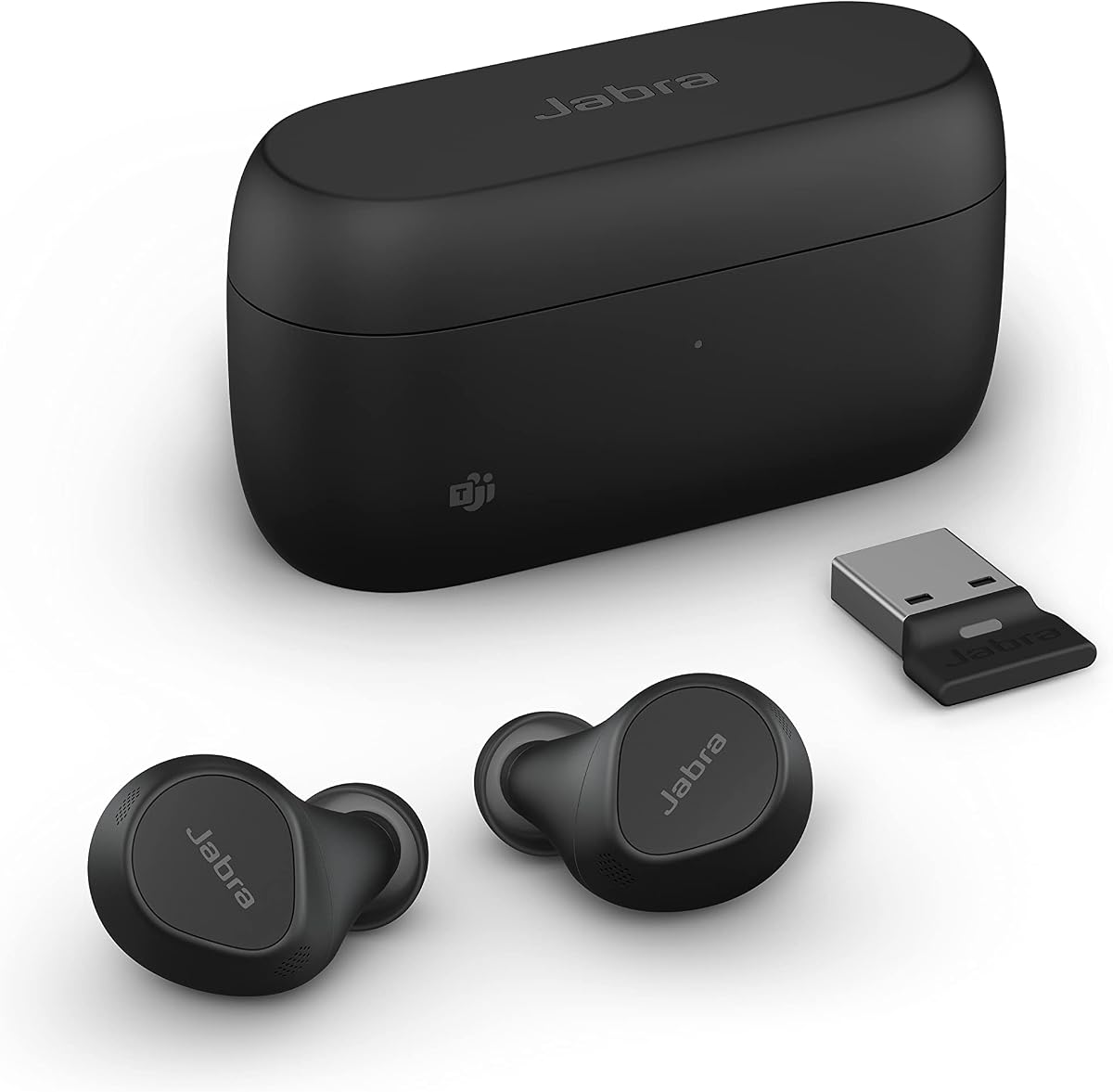
Jabra Evolve2 True Wireless earbuds combine Microsoft Teams certification with advanced MultiSensor Voice Technology for unmatched call quality. The bone conduction sensors detect your voice vibrations to reduce wind and ambient noise.
We may earn a commission when you buy through this link, at no additional cost to you.
Advanced Bluetooth Multipoint lets you stay connected to your laptop and phone simultaneously making switching between devices effortless. The ergonomic design ensures a custom fit that stays secure during movement.
Despite the higher cost the features like bone conduction and certified call quality justify the investment for heavy call users. The compact design fits easily in pockets for on-the-go professionals.
Those who need seamless switching between personal and work devices will find these earbuds offer reliable and professional performance.
Combines microphones with bone sensors to isolate voice in any environment.
Connect to two devices at once for smoother workflow management.
We may earn a commission when you buy through this link, at no additional cost to you.
TAGRY Hybrid ANC Earbuds are designed for active lifestyles with an earhook design that ensures a secure fit during movement. The hybrid active noise cancelling reduces ambient noise by up to ninety percent for focus.
We may earn a commission when you buy through this link, at no additional cost to you.
With an impressive eighty hours of total playtime you can go weeks without recharging. The Hi-Res audio quality delivers crisp sound for both calls and music while the Bluetooth 5.4 chip provides stable connectivity.
The earhooks might feel bulky to some but they offer superior stability for those who move around often. Transparency mode allows you to hear surroundings when needed without removing the earbuds.
Active professionals or those with dynamic work routines will appreciate the durability and long battery life of these earbuds.
Soft composite earhooks keep earbuds secure during physical activity.
13mm drivers deliver detailed audio for clear voice and music.
We may earn a commission when you buy through this link, at no additional cost to you.
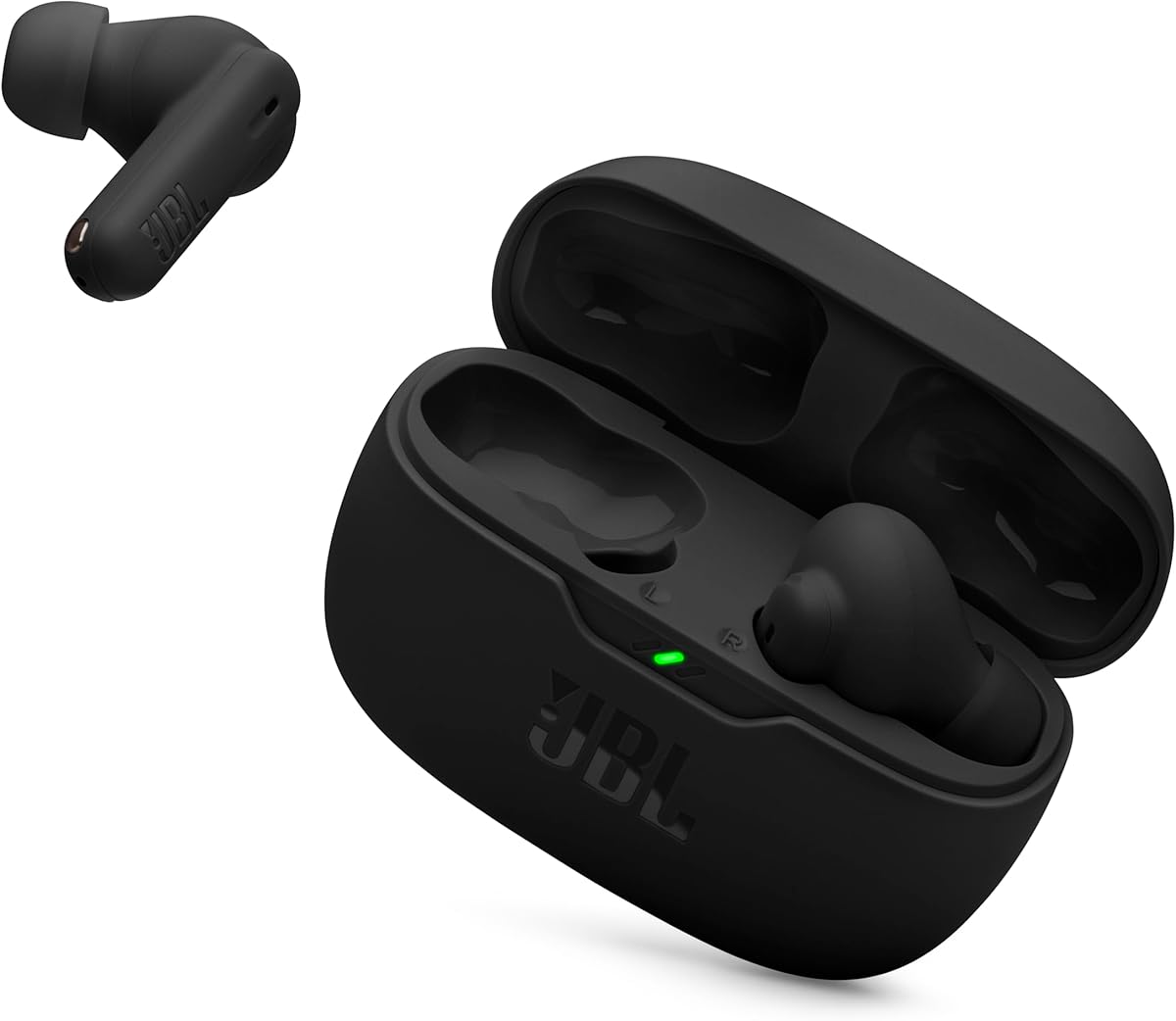
The JBL Vibe Beam 2 brings the brand's signature Pure Bass sound to professional calls with four microphones for crisp transmission. Active noise cancelling helps filter out distracting noise in busy environments.
We may earn a commission when you buy through this link, at no additional cost to you.
With 40 hours of total playback you have enough battery for a week of heavy use. The Smart Ambient feature lets you control how much of the outside world you hear for awareness.
While primarily known for music performance the call quality is solid enough for daily meetings. The companion app allows for EQ customization to suit different listening preferences.
Musicians or audio enthusiasts who need balanced sound during calls will enjoy the rich audio profile of these earbuds.
8mm drivers deliver deep bass and clear vocals for immersive audio.
Control ambient sound levels without removing earbuds.
We may earn a commission when you buy through this link, at no additional cost to you.
The Soundcore P30i features a unique 2-in-1 charging case that doubles as a phone stand for hands-free viewing during meetings. Adaptive noise cancelling detects external sound and optimizes levels automatically.
We may earn a commission when you buy through this link, at no additional cost to you.
With four microphones and AI algorithms your voice is picked up with precision even in noisy rooms. The case provides 45 hours of total playtime and the quick charge feature saves time.
The case design is a standout for anyone who often watches content or video calls without a stand. However the larger size may be less convenient for travel compared to standard cases.
Remote workers who value convenience and versatile viewing options will find this dual-function design highly practical.
Open back panel to use case as a phone stand for calls.
System automatically adjusts noise cancellation based on surroundings.
We may earn a commission when you buy through this link, at no additional cost to you.
The JLab Work Buds offer a detachable boom mic for superior call clarity in noisy offices. The USB-C charging dock keeps earbuds organized and provides 55+ hours of total playtime.
We may earn a commission when you buy through this link, at no additional cost to you.
With Bluetooth multipoint you can switch between devices effortlessly. The boom mic uses noise-canceling technology to ensure your voice is heard clearly without background interference.
While the design is bulkier than standard earbuds the dedicated mic makes it easier to communicate clearly during long meetings. The dock is compact enough for desk use or travel.
Those needing a headset experience with the flexibility of true wireless earbuds will appreciate this hybrid approach.
Attach boom mic for calls or remove for music and privacy.
USB-C dock charges and organizes earbuds and mic.
We may earn a commission when you buy through this link, at no additional cost to you.
The TOZO Hybrid ANC Earbuds reduce ambient noise by up to -45dB making them ideal for extremely noisy environments. Six built-in microphones and ENC technology enhance call clarity for remote work.
We may earn a commission when you buy through this link, at no additional cost to you.
With 68 hours of playtime and IPX8 waterproof rating these earbuds are durable for daily use and travel. The OrigX 2.0 tuning delivers clear vocals and fuller low-end for balanced audio.
Transparency mode helps stay aware of surroundings when needed. While the app allows EQ customization the primary focus remains on noise reduction and battery life.
Workers in loud spaces like workshops or offices will find the extreme noise cancellation features highly beneficial for focus.
Hybrid ANC reduces noise by up to 45dB for focus.
IPX8 waterproof rating protects against sweat and rain.
We may earn a commission when you buy through this link, at no additional cost to you.
Selecting the right earbuds involves balancing call quality, comfort, and connectivity features tailored to your specific work environment and budget.
The microphone is the most critical component for Teams meetings as it determines how clearly your voice is heard. Look for models with multiple microphones and environmental noise cancellation (ENC) to isolate your voice from background noise effectively.
Aim for earbuds with dedicated beamforming technology or boom mics for the highest clarity in noisy environments.
Hybrid or adaptive ANC helps block out distracting background sounds allowing you to focus on meetings. It also ensures you are not distracted by office noise or travel environments.
Choose adaptive ANC if you need to switch between focus and awareness modes during your day.
Ensure the earbuds work seamlessly with Microsoft Teams, Zoom, and other conferencing apps. Some models are specifically certified for Teams which optimizes call performance and reduces latency.
Certified hardware often provides a smoother experience for business users relying on specific enterprise tools.
Long battery life ensures you stay connected through back-to-back meetings without frequent recharging. Look for models offering at least 50 hours of total playtime with the charging case.
Quick charge features are also valuable for getting hours of playback from a short charging session.
Bluetooth 5.3 or 5.4 ensures stable connections and lower latency which is crucial for video calls. Multipoint connectivity allows you to switch between your laptop and phone easily.
USB receivers can provide a more stable connection for desktop computers without relying solely on Bluetooth.
Comfortable earbuds are essential for all-day wear during long work sessions. Look for models with multiple ear tip sizes and ergonomic designs that fit securely without causing fatigue.
Earhooks or wingtips can provide extra stability for active users or those prone to earbuds falling out.
Intuitive touch or button controls make it easy to manage calls, volume, and noise modes during meetings. Physical buttons are often more reliable than touch sensors to prevent accidental activation.
A companion app allows for EQ customization and firmware updates to maintain optimal performance over time.
Set a budget based on how often you use earbuds for meetings. Budget models can offer sufficient call quality while premium models provide advanced AI features and better build quality.
Consider the total cost of ownership including accessories or subscription services for advanced features.
Proper fit is essential for call quality and noise cancellation. Insert the earbuds securely and rotate them gently to ensure the tips seal the ear canal, which improves bass response and microphone performance.
Keep your earbuds clean by wiping them with a soft cloth and cleaning the charging ports regularly. For boom mics, ensure the tip is not blocked by hair or clothing to maintain clear voice pickup.
Update firmware via the companion app to benefit from performance improvements and bug fixes. Store earbuds in the case when not in use to protect them from damage and extend battery life.
The Logitech Zone True Wireless and Jabra Evolve2 True Wireless are Microsoft Teams certified. This certification ensures optimized latency and audio routing specifically for the platform, providing a more reliable experience during critical meetings.
Yes, most Bluetooth earbuds work with Teams. However, certified models or those with high-quality microphones and stable connections ensure better voice clarity and reduce dropped calls during important sessions.
Active noise cancellation filters out background noise like traffic or office chatter allowing you to focus on the conversation. It also ensures that background noise is not transmitted to other meeting participants through your microphone.
Aim for earbuds offering at least 30 hours of total playtime. This ensures you can work through several days without needing to recharge, keeping you connected during long conference calls.
Bluetooth works for most computers but a USB receiver can offer a more stable connection for PCs without reliable Bluetooth hardware. It reduces latency and ensures consistent call quality for desktop workers.
Most reputable brands use encrypted connections. However for highly confidential data consider models with business-grade privacy features like local encryption and secure data handling as found in premium professional models.
We highlighted top performers like the Logitech Zone True Wireless for certified reliability and XIAOWTEK Wireless Earbuds for affordable performance. Each model offers unique strengths tailored to specific needs and work environments.
Prioritize microphone quality and battery life when choosing earbuds. Ensure the connectivity matches your devices to avoid interruptions during important video calls and conference sessions.
Prices and availability change frequently so check current listings before purchasing. Verify the specs match your requirements to ensure you get the best value for your professional needs.