
NIMO 15.6 AI Creator Laptop
5.0Editor score
AMD Ryzen 5 6600H Processor
16GB DDR5 RAM
512GB SSD Storage
Vlogging demands powerful tools for capturing, editing, and sharing high-quality content on the go. A great laptop must balance portability with robust performance to handle video rendering and multitasking efficiently.
We evaluated ten leading laptops based on processor speed, graphics capabilities, display accuracy, and battery life. Our selection includes diverse options for beginners, professionals, and mobile creators needing reliable workflows.
Each pick highlights unique strengths like 4K editing, OLED screens, or upgradeable storage. Prices and availability may change, so verify current details before purchasing to ensure the best fit for your needs.
5.0Editor score

4.3Editor score

4.8Editor score
As an Amazon Associate we earn from qualifying purchases.
This side-by-side comparison highlights key specifications and strengths of each laptop to help you quickly identify the best match for your vlogging workflow and budget.



This NIMO laptop delivers strong value for beginner vloggers needing reliable performance without breaking the bank. With a 6-core AMD Ryzen 5 processor and 16GB RAM, it handles basic video editing and streaming smoothly.
We may earn a commission when you buy through this link, at no additional cost to you.
The Ryzen 5 6600H processor boosts up to 4.5GHz, ensuring quick task switching. DDR5 memory and a PCIe SSD provide fast boot times and responsive app launches for daily content creation.
While integrated Radeon graphics manage light editing, complex effects may be slower. However, upgradeability options allow you to expand storage and RAM later as your workflow grows.
Ideal for students or new creators starting their journey. It offers essential features like a backlit keyboard and fingerprint login at an accessible price point for entry-level vlogging.
Dual SO-DIMM slots and M.2 2280 SSD support let you expand to 64GB RAM and 4TB storage, adapting to future needs without replacing the device.
A 2-year manufacturer warranty and US-based after-sales support provide peace of mind for daily use and long-term reliability.
We may earn a commission when you buy through this link, at no additional cost to you.
The GEEKOM GeekBook X14 Pro stands out for its stunning 2.8K OLED display and ultra-portable design. Its Intel Core Ultra 9 processor and 32GB RAM provide exceptional power for creative professionals on the move.
We may earn a commission when you buy through this link, at no additional cost to you.
The 100% DCI-P3 OLED screen ensures accurate colors for video grading. A 120Hz refresh rate keeps animations smooth. Intel Arc graphics handle AV1 encoding efficiently for modern streaming workflows.
At just 2.2 lbs, it fits easily in bags for travel. The 72Wh battery supports all-day use, and a compact 65W GaN charger recharges quickly. Built-in privacy features like a camera shutter enhance security.
Best suited for creators prioritizing color accuracy and portability. If you edit on the go, this laptop balances power, display excellence, and a premium build that justifies its higher cost.
Self-lit pixels deliver true blacks and vibrant hues, critical for color-critical video editing and high-quality media consumption.
A dedicated NPU enables on-device AI features like background blur and noise reduction, enhancing video calls and creative tasks.
We may earn a commission when you buy through this link, at no additional cost to you.
The Acer Aspire Laptop 2026 is a powerhouse for content creators requiring touchscreen interaction and massive storage. Its Intel Core Ultra 7 processor features a dedicated NPU for local AI tasks, boosting efficiency.
We may earn a commission when you buy through this link, at no additional cost to you.
With 32GB RAM and a 2TB SSD, you can store extensive 4K project files and edit smoothly. The touchscreen enables intuitive photo retouching and stylus support for precise drawing or annotations.
Intel Arc graphics with 8 Xe cores accelerate video editing in software like Premiere. WiFi 6E ensures stable connections for uploads. It balances desktop-level performance with portable design for professionals.
Top choice for creatives needing high capacity and AI features. Whether editing videos or designing graphics, this laptop delivers the tools for demanding workflows without sacrificing mobility.
The dedicated NPU runs Copilot+ PC features like real-time video effects and background blur offline, enhancing privacy and speed.
A 2TB PCIe SSD provides ample room for large media libraries, reducing the need for external drives during projects.
We may earn a commission when you buy through this link, at no additional cost to you.
The HP 17 Laptop offers a spacious 17.3-inch display ideal for multitasking during video editing. Its AMD Ryzen 5 processor delivers efficient performance for office workflows and light creative tasks.
We may earn a commission when you buy through this link, at no additional cost to you.
Windows 11 Pro provides enterprise-level security features. The narrow bezels maximize screen real estate. Wi-Fi 6 ensures fast connectivity. The full-size keyboard with numeric keypad aids data entry.
However, 8GB RAM may limit heavy multitasking with many browser tabs. It is best used as a desktop replacement for editing rather than a mobile device due to its size.
Great for users needing a large workspace at home or office. The screen size makes complex timelines easier to navigate, supporting productivity for stationary video editing workflows.
Windows 11 Pro includes advanced security and management tools suitable for business users handling sensitive client data.
The 17.3-inch FHD screen offers a wide viewing area, reducing eye strain during long editing sessions.
We may earn a commission when you buy through this link, at no additional cost to you.
Similar to the earlier model, this HP 17 variant offers a large display for productive workflows. The Ryzen 5 processor handles multitasking efficiently for daily tasks and basic video editing.
We may earn a commission when you buy through this link, at no additional cost to you.
Its anti-glare display reduces eye fatigue. Wi-Fi 6 supports high-speed streaming and uploads. The included mouse and tablet stand enhance the mobile workstation setup for flexible use.
While 8GB RAM is sufficient for light use, upgrading may be beneficial for heavier workloads. It serves well as a stationary editing station with the space needed for multiple windows.
Perfect for creators who prioritize screen real estate over portability. It supports detailed editing and organization in a home office environment with reliable performance.
Includes accessories like a tablet stand and mouse to streamline the editing and working experience.
Ports like HDMI and USB-C allow connection to external displays and peripherals for expanded workspace.
We may earn a commission when you buy through this link, at no additional cost to you.
The Dell 16 Laptop features a 16:10 aspect ratio screen for more vertical workspace. Its Core 7 processor provides solid performance for everyday content creation and business tasks.
We may earn a commission when you buy through this link, at no additional cost to you.
ComfortView Plus technology reduces harmful blue light, keeping eyes comfortable during long hours. The 16GB RAM supports smooth multitasking. Onsite service ensures quick resolution for hardware issues.
While adequate for 1080p editing, it may struggle with heavy 4K rendering. However, the display quality and ergonomics make it a comfortable choice for daily editing sessions.
Recommended for users prioritizing visual comfort and reliable support. It offers a balanced experience for vloggers needing a dependable device without extreme power demands.
The FHD+ screen with blue light filtering helps maintain eye health during prolonged video editing sessions.
Dell offers 1 Year Onsite Service, ensuring prompt support for hardware maintenance and troubleshooting.
We may earn a commission when you buy through this link, at no additional cost to you.
This NIMO laptop delivers desktop-level performance for creators needing speed. The AMD Ryzen 7 8745HS processor and 32GB RAM handle 4K editing and heavy multitasking with zero lag.
We may earn a commission when you buy through this link, at no additional cost to you.
RDNA 3 Radeon 780M graphics provide smooth rendering without a dedicated GPU. A 75Wh battery supports extended work sessions. USB4 connectivity allows external GPU expansion for future needs.
The 180° lay-flat hinge facilitates sharing during presentations. Local US warranty ensures quick support. Thermal management keeps the system cool even under heavy loads for sustained performance.
Ideal for creators seeking high performance without premium costs. It balances raw power with practical features, making it a strong contender for professional vlogging workflows.
Integrated Radeon 780M graphics support 1080p gaming and 3D rendering efficiently for creators on a budget.
USB4 40Gbps ports support external GPUs and 8K displays, expanding the laptop's workstation potential.
We may earn a commission when you buy through this link, at no additional cost to you.
The Lenovo Yoga 7i offers versatile modes for editing and presenting. Its 16-inch 2K touchscreen enables intuitive touch navigation, while the Core Ultra 7 processor ensures efficient performance.
We may earn a commission when you buy through this link, at no additional cost to you.
Switch easily between laptop, tablet, tent, and stand modes for different workflows. Enhanced WiFi 6E reduces latency during video calls. Multiple ports support various peripherals without dongles.
While heavier than ultrabooks, the flexibility adds value for collaborative work. The display quality aids precise editing. However, battery life may vary when using tablet modes frequently.
Best for creators needing versatile interaction options. It supports diverse use cases from drafting to presenting, making it a flexible addition to any vlogger's toolkit.
The 360° hinge lets you adapt the device to different tasks, enhancing productivity across varied environments.
Ports like HDMI and USB-C enable connecting external monitors and peripherals for expanded workspace needs.
We may earn a commission when you buy through this link, at no additional cost to you.
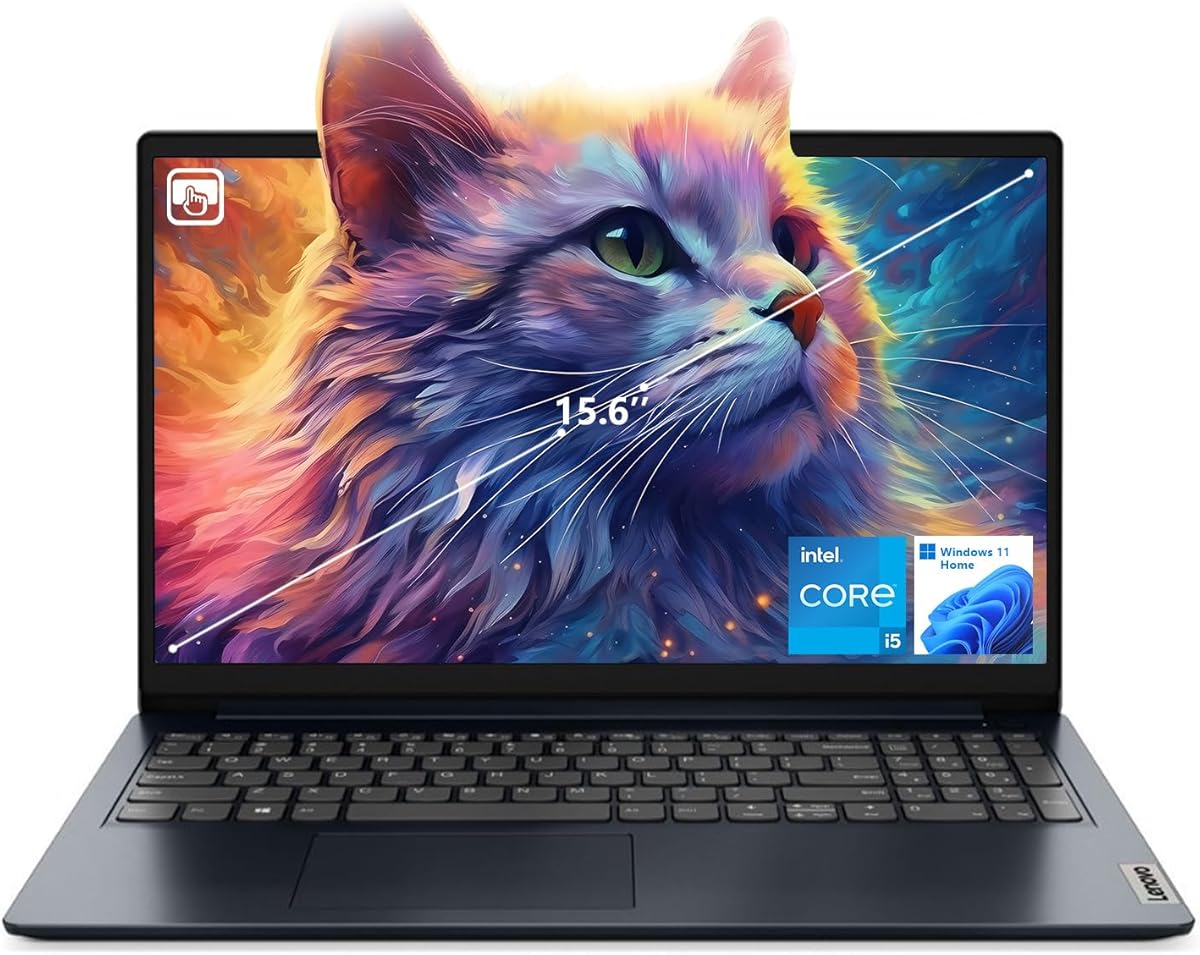
This IdeaPad model provides a cost-effective touchscreen for basic editing. With 16GB RAM and an i5 processor, it handles everyday tasks and light video work smoothly.
We may earn a commission when you buy through this link, at no additional cost to you.
The touchscreen enables intuitive interaction. PCIe SSD ensures quick boot and load times. It offers essential ports for peripherals. Windows 11 Home provides user-friendly management.
While DDR4 RAM is slower than newer standards, it remains sufficient for basic use. The laptop may struggle with 4K rendering but works well for 1080p content creation.
Suitable for beginners needing affordable touchscreen capability. It balances cost and performance for entry-level vloggers or students focusing on basic content.
The FHD touchscreen allows direct interaction with the interface, simplifying navigation and editing tasks.
A 512GB PCIe SSD provides quick data access, helping keep workflows efficient for daily tasks.
We may earn a commission when you buy through this link, at no additional cost to you.
Another robust NIMO option, this model emphasizes long-term usability through upgradability. The Ryzen 7 processor and 32GB RAM support professional creative software and AAA games smoothly.
We may earn a commission when you buy through this link, at no additional cost to you.
You can expand RAM to 64GB and add storage via dual SSD slots. 100W PD charging ensures quick power replenishment. The 180° hinge aids collaboration during presentations or reviews.
It adapts well to growing needs without replacing hardware. USB4 support allows external GPU expansion if needed later. Reliability and warranty provide confidence for professional daily use.
Perfect for creators planning long-term growth. It offers a blend of power and flexibility, making it a sustainable choice for evolving vlogging workflows.
Dual RAM and SSD slots allow easy upgrades, extending the device's lifespan as needs increase.
Universal 100W PD fast charging supports rapid power replenishment, minimizing downtime during busy days.
We may earn a commission when you buy through this link, at no additional cost to you.
Selecting the right laptop involves balancing performance, display, and portability to fit your unique workflow needs.
Look for multi-core processors like AMD Ryzen 7 or Intel Core Ultra 7 to handle video rendering and multitasking smoothly. A higher core count ensures faster exports.
Prioritize at least 6 cores for comfortable editing performance in 2026.
16GB is the minimum for basic editing, but 32GB provides headroom for multiple apps and complex timelines. DDR5 memory improves speed and efficiency.
Opt for 32GB if you plan to edit 4K content or run virtual machines simultaneously.
High-resolution displays like OLED or IPS panels with accurate colors ensure precise editing. A 100% sRGB or DCI-P3 gamut is beneficial for color grading.
Choose a 15-inch or larger screen for comfortable timeline management.
Fast NVMe SSDs accelerate file access and project loading. Aim for at least 512GB, but 1TB or more is recommended for storing raw footage.
Ensure the laptop allows storage upgrades for future expansion.
Lightweight designs under 4 pounds help when traveling. Consider battery life of 8+ hours to work without constant charging.
Select a balance between screen size and weight for your typical use cases.
Check for ports like HDMI, USB-C, and SD card readers to connect cameras and external drives. USB4 supports fast data transfer and external GPUs.
Ensure the laptop has enough ports for your peripherals.
Integrated graphics like Radeon 780M or Intel Arc can handle 1080p editing, but dedicated GPUs improve 4K rendering. AI acceleration features boost effects.
Consider integrated options for cost savings or dedicated for higher workloads.
A reliable warranty and accessible support protect your investment. US-based service centers offer faster resolution for hardware issues.
Choose brands with strong after-sales service records for peace of mind.
Position your laptop on a stable, flat surface to ensure proper airflow and avoid overheating during long editing sessions. Using a cooling pad can help maintain performance.
Regularly back up your project files and footage to cloud storage or external drives. This prevents data loss and ensures your work is safe from hardware failures.
Keep the display clean with a microfiber cloth and avoid using harsh chemicals. Adjust brightness and use blue light filters to reduce eye strain during extended work.
The AMD Ryzen 5 6600H offers strong performance for basic editing without premium costs. It handles 1080p projects efficiently and provides a good balance of speed and affordability.
While 16GB can manage lightweight 4K clips, 32GB is recommended for smooth playback and complex timelines. More RAM reduces lag when multitasking with other applications.
A touchscreen offers intuitive navigation for some tasks but is not essential. It depends on personal preference and whether you plan to use stylus tools for design.
A Full HD display is the minimum, but a 2K or higher resolution provides better detail for editing. Accurate color representation is crucial for professional-quality output.
Ideally, aim for at least 8 hours of usage to work without constant power. This ensures productivity during travel or long shoots where outlets are limited.
Many models offer upgrade options, but check the specifications. Some ultrabooks have soldered components, so confirm expandability before purchasing for future needs.
Modern integrated GPUs can handle 1080p editing well. Dedicated GPUs are only strictly necessary for high-end 4K rendering or complex effects requiring extra power.
Use a padded sleeve or protective case. Avoid extreme temperatures and shocks. Additionally, invest in travel insurance to cover accidental damage during trips.
We highlighted top picks like the GEEKOM GeekBook for premium display quality and the NIMO 15.6 for budget-friendly performance. Each model offers distinct strengths for different needs.
Prioritize features like RAM, screen accuracy, and portability based on your workflow. Investing in future-proof specs ensures longevity as your content demands grow.
Always verify current prices and availability before purchasing. Technology evolves quickly, so staying updated helps you make the best choice for your vlogging journey.