
Canon PIXMA TR4720
3.8Editor score
Affordable price point
Built-in fax capabilities
Wireless printing support
Compare the best cheap fax machines for home and small business. This guide reviews top models for speed, reliability, and features to help you find an
Finding an affordable fax machine can be challenging in today's digital world. Many users still need reliable sending and receiving capabilities for legal or medical documents. This guide highlights cost-effective options that balance performance with budget-friendly pricing.
We analyzed ten top-rated models based on user feedback and technical specifications. Our focus was on transmission speed, paper capacity, and ease of use. Each entry provides a clear overview to help you make an informed decision quickly.
Every pick includes key features and real-world performance notes. Prices and availability may change frequently on retail platforms. Check the latest details before purchasing to ensure you get the best value for your specific needs.
3.8Editor score

4.0Editor score

4.0Editor score
This table offers a side-by-side comparison of all ten selected models. It highlights key specifications to help you identify the right fit for your office or home setup.




The Brother FAX-575 stands out as a top contender for those seeking a reliable fax machine. With a solid rating from users, it delivers consistent performance for both sending and receiving documents. Its all-in-one design combines faxing, phone, and copying duties into a single unit.
We may earn a commission when you buy through this link, at no additional cost to you.
This model features a 9,600 BPS fax modem which transmits pages in about 15 seconds. The 512 KB memory allows you to store up to 25 pages for later transmission or recall. Additionally, the 50-sheet paper capacity reduces the need for frequent refilling during busy workdays.
While it is an older model, the simplicity of its interface is a significant benefit. The controls are straightforward, making it accessible for users who prefer physical buttons over complex menus. However, the price point may be higher compared to newer budget inkjet options.
This machine is ideal for small offices that need dependable fax capabilities without relying on cloud services. If you value stability and speed over modern smart features, this is a strong recommendation for your setup.
The 9,600 BPS modem ensures that documents are sent quickly, minimizing wait times during peak business hours.
With 512 KB of memory, you can buffer multiple pages, which is useful when phone lines are busy or out of paper.
We may earn a commission when you buy through this link, at no additional cost to you.
The renewed version of the Brother FAX-575 offers the same functionality as the new model at a reduced price. It is a great choice for budget-conscious buyers who do not require a brand-new unit. The performance specs remain identical to the original version.
We may earn a commission when you buy through this link, at no additional cost to you.
Users can expect the same 9,600 BPS transmission speed and 512 KB memory capacity. The 50-sheet paper tray provides sufficient volume for daily office tasks. This model is certified refurbished, meaning it has been inspected and cleaned to meet standards.
The main trade-off is the warranty and condition. While it functions well, there may be minor cosmetic imperfections. The warranty is typically shorter than what is offered with new products, so it is important to check terms before purchasing.
Choose this option if you want the reliability of a known model without paying full retail price. It serves well for small offices or home workspaces where budget is a primary concern.
This unit undergoes testing to ensure it works like new, offering significant savings while maintaining performance quality.
You get the exact same memory and modem speed as the new version, ensuring compatibility with existing workflows.
We may earn a commission when you buy through this link, at no additional cost to you.
The Sharp UXB20 is an inkjet fax machine that balances cost with standard features. It offers solid transmission speeds and includes useful features like caller ID and distinctive ring detection. This makes it a versatile choice for home offices needing a phone line solution.
We may earn a commission when you buy through this link, at no additional cost to you.
It includes 449 KB of memory which can store up to 24 pages if the machine runs out of paper. This feature ensures that incoming faxes are not lost during low-stock situations. The 30 speed dial presets allow you to send to frequent contacts easily.
However, the user rating is lower compared to some laser counterparts. Inkjet machines can be more expensive to maintain due to ink cartridge replacements. If you send high volumes of faxes, the ongoing ink costs should be considered carefully.
This unit is suitable for light fax usage where color printing is also desired. It provides a good entry point into faxing without the bulk of a dedicated standalone fax unit.
The out-of-paper memory ensures that important documents are received even when the paper tray is empty temporarily.
Program up to 30 frequent numbers to save time when sending documents to the same recipients regularly.
We may earn a commission when you buy through this link, at no additional cost to you.
The HP DeskJet 2955 is a compact all-in-one printer that fits well in small spaces. It offers wireless printing and scanning capabilities along with a mobile app that supports faxing features. This makes it an ideal choice for home users with limited desk space.
We may earn a commission when you buy through this link, at no additional cost to you.
It includes a trial for Instant Ink which can reduce the cost of printing during the initial months. The AI features help optimize print layouts to reduce waste. You can manage basic tasks directly from your smartphone without needing a computer nearby.
The print speed is relatively slow at 7.5 ppm for black documents. Faxing is handled through the HP app rather than a traditional phone line hardware connection. This might not suit users who need standalone hardware faxing capabilities.
If you primarily need a printer with occasional fax needs managed via mobile, this is a strong option. Its low cost and wireless connectivity make it a top pick for budget home offices.
The HP app allows you to print, scan, and send faxes directly from your smartphone for maximum convenience.
Its compact design ensures it fits easily on small desks or shelves without taking up valuable workspace area.
We may earn a commission when you buy through this link, at no additional cost to you.
The Canon PIXMA TR4720 is a true 4-in-1 printer that includes built-in fax capabilities. It is designed to be easy to set up and use, making it accessible for non-technical users. The inclusion of an auto document feeder adds convenience for scanning multiple pages.
We may earn a commission when you buy through this link, at no additional cost to you.
With a 100 sheet plain paper capacity, you can handle moderate volumes without constant refilling. The ink cartridges are designed for easy installation and replacement. Wireless connectivity allows you to print from mobile devices conveniently.
While it is a budget unit, the print quality is decent for documents. The control panel is straightforward but lacks advanced features found in higher-end models. It is a practical choice for light office use where cost is a priority.
This printer is recommended for home offices that need faxing without a dedicated machine. Its balance of price and functionality makes it a solid contender in the value segment.
Scan multiple documents at once rather than placing each page individually on the glass platen manually.
The Canon PRINT app guides you through installation quickly so you can start printing fax faxes fast.
We may earn a commission when you buy through this link, at no additional cost to you.
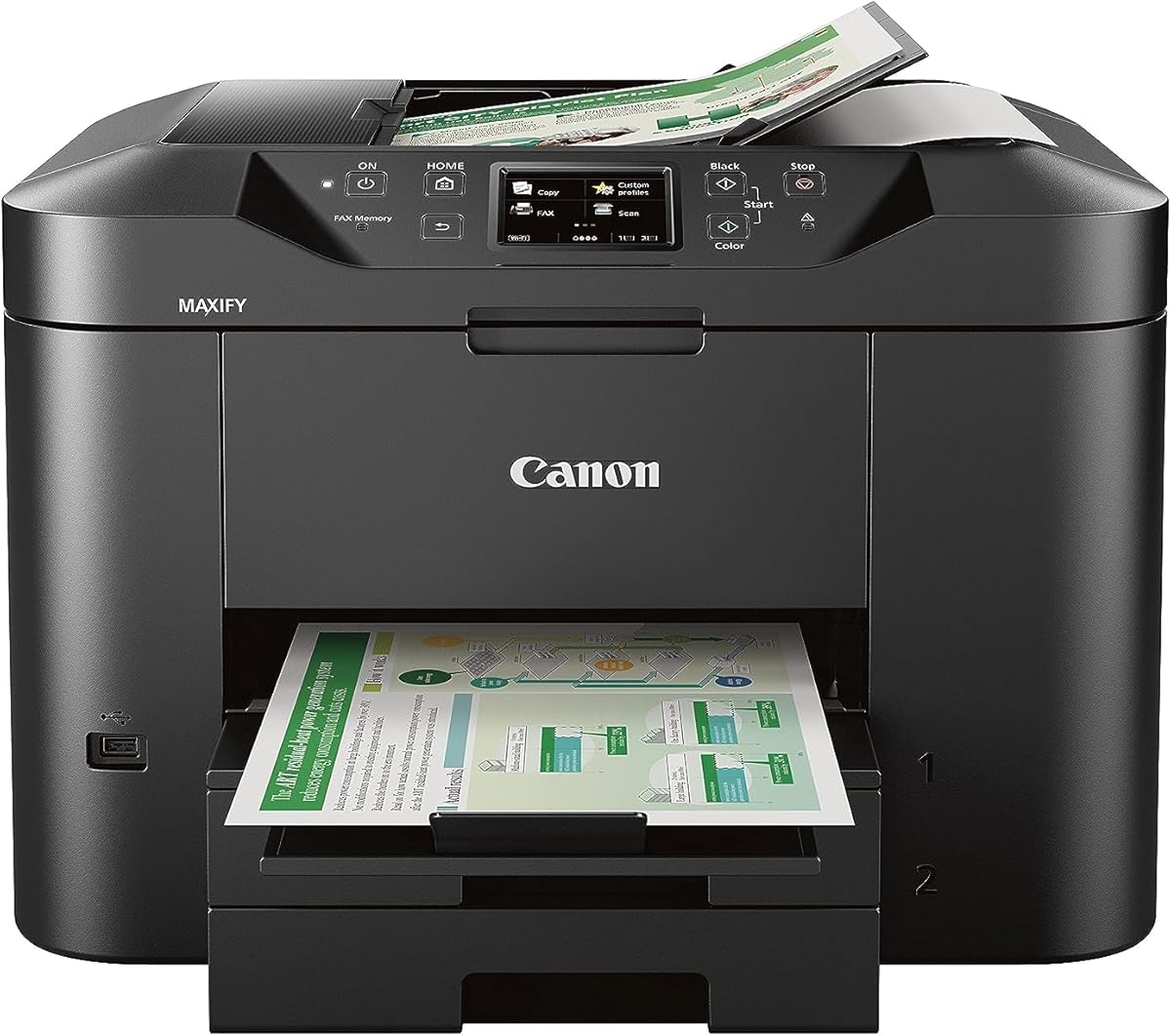
The Canon MAXIFY MB2720 is designed for business environments that require high volumes of printing. It features a combined paper capacity of 500 sheets which is ideal for busy offices. The laser technology ensures that text output is sharp and resistant to smudges.
We may earn a commission when you buy through this link, at no additional cost to you.
With a duty cycle of 20,000 pages, this printer is built to last for all your home business needs. The copy speed is fast, allowing you to produce multiple copies quickly. US-based service and support add to the reliability of the device.
The price point is higher than home inkjets, but it justifies the durability and speed. It is a significant step up in terms of performance for professional environments. The larger size means you need adequate space to place it comfortably.
This is the best choice for small businesses that print regularly. If you need a workhorse machine that can handle daily demands, this model is a strong investment.
Two paper cassettes provide a full ream of paper so you are ready for any job without interruptions.
The 20000 page duty cycle means it is designed to handle heavy use without needing frequent repairs or replacements.
We may earn a commission when you buy through this link, at no additional cost to you.
The Canon PIXMA TR8620a brings premium features like Alexa integration and smart ink reorders. It ensures you never run out of ink by placing smart orders automatically on your behalf. This convenience is perfect for busy professionals who want minimal maintenance.
We may earn a commission when you buy through this link, at no additional cost to you.
It features a 200 sheet capacity and supports auto 2-sided printing to save paper. The duty cycle is 1,000 pages which is decent for home office use. Wireless connectivity allows for easy printing from various devices including Android and Airprint enabled ones.
The advanced smart features come at a higher cost than basic models. The setup process is more involved due to the number of connectivity options. However, the time saved on ink management and duplexing makes it worth the investment.
This printer is best for users who value smart home integration. If you want a machine that manages its own supplies and prints duplex by default, this is a top pick.
Enroll in smart reorders to have ink delivered before you run out without needing a subscription or manual order.
Auto 2-sided printing saves paper and time by printing on both sides of the page automatically.
We may earn a commission when you buy through this link, at no additional cost to you.
The Brother intelliFAX-2840 uses laser technology to ensure sharp text output. It offers a speed of 21 ppm which is significantly faster than many inkjet competitors. As a standalone fax machine, it is dedicated to handling your faxing needs efficiently.
We may earn a commission when you buy through this link, at no additional cost to you.
The resolution is 200 x 300 dpi which is sufficient for business documents. While it is not network ready, it connects easily to phone lines. The laser toner usually lasts longer than ink cartridges for high volume printing.
The lack of network connectivity might be a limitation in some modern offices. However, for a direct line fax machine, it delivers consistent results. The higher initial cost for toner is offset by the volume capacity and speed.
Choose this model if you need a fast dedicated fax solution. It is ideal for offices that do not require network integration but value speed and reliability.
With 21 pages per minute, you can process high volumes of documents quickly without waiting in line.
Laser technology produces sharp text that is ideal for professional business documents and contracts.
We may earn a commission when you buy through this link, at no additional cost to you.
The Brother IntelliFax 575 Thermal uses thermal transfer technology which does not require ink cartridges. This simplifies maintenance and makes the unit compact for small spaces. It is Energy Star certified, contributing to lower energy costs during operation.
We may earn a commission when you buy through this link, at no additional cost to you.
It includes 512 KB of memory and a 10 sheet automatic document feeder. The 9.6 Kbps modem speed is standard for legacy fax machines. This renewed version offers the same capabilities at a more affordable price point than new units.
One downside is that thermal paper can fade over time. If you need to archive documents, consider using thermal paper with a coating or scanning them immediately. The paper cost is also higher compared to plain paper machines.
This model is great for users who want simplicity without ink. It suits environments where faxes are not archived long-term and space is limited.
Thermal transfer means you do not need to worry about replacing ink cartridges regularly for printing.
The design is small enough to fit on shelves or desks where larger all-in-one units would not fit.
We may earn a commission when you buy through this link, at no additional cost to you.
The Panasonic KX-FHD331 supports plain paper which is convenient for standard office supply usage. It is compatible with caller ID and includes an answering machine interface. This allows it to function effectively as a dedicated fax machine for home or office use.
We may earn a commission when you buy through this link, at no additional cost to you.
The unit features a 9.6 Kbps modem speed which is standard. It comes with a 6-month warranty with an exchange program. While it is affordable, the user rating is lower than competitors which may indicate reliability concerns.
The plain paper capability avoids the fading issues of thermal paper. However, you must weigh the benefits against the lower customer satisfaction scores. It is a viable option if you can find it at a significant discount.
This machine is suitable for those who strictly require plain paper. If you prioritize standard paper and caller ID features over advanced speed, it may fit your needs.
Using plain paper allows you to use standard office supplies and avoid thermal paper fading issues.
Caller ID compatibility helps you identify incoming faxes and manage your line more effectively.
We may earn a commission when you buy through this link, at no additional cost to you.
Choosing the right fax machine involves considering transmission speed, paper capacity, and connectivity options. This guide outlines the key factors to help you find the best match for your needs.
Transmission speed determines how quickly documents are sent over the phone line. Faster modems reduce wait times which is critical for businesses sending large files frequently. Look for models with at least 9600 bps to ensure efficient workflow.
Prioritize higher modem speeds if time is a critical factor in your daily operations.
Internal memory stores pages when the machine is out of paper or busy. This feature prevents the loss of incoming faxes during peak usage times. Models with 512 KB or more allow you to buffer multiple pages easily.
Ensure adequate memory to avoid losing documents during busy periods.
The number of sheets the tray holds affects how often you need to refill paper. A capacity of 50 sheets is standard for basic home use. Higher capacity trays reduce interruptions during long printing or copying jobs.
Choose a larger tray to minimize maintenance during high volume days.
Thermal fax machines use special paper while plain paper machines use standard office paper. Thermal paper can fade over time making it less suitable for archiving. Plain paper ensures your documents remain readable for long periods.
Select plain paper technology if document longevity is a priority.
Modern all-in-one printers offer wireless or app-based faxing. Traditional units rely on a physical phone line connection. Ensure the machine matches your office network infrastructure to avoid compatibility issues.
Verify connectivity matches your existing setup before purchasing.
Resolution is measured in dots per inch (dpi) and affects text clarity. A resolution of 400 x 400 dpi is standard for clear business text. Higher resolutions are rarely needed for simple text documents.
Standard resolution is sufficient for most text documents and contracts.
Warranty length varies by brand and condition of the device. Renewed units often come with shorter warranties compared to new products. Check the terms of the exchange program to ensure you are covered.
Always review the warranty terms to understand your protection after purchase.
Look beyond the initial price to consider ink or toner costs. Laser units may have higher upfront costs but lower costs per page. Inkjet machines might be cheaper but require frequent cartridge replacements.
Calculate long-term supply costs to find the most economical option.
Start by connecting the machine to a standard phone line. Ensure the dialing mode is set correctly for your line type such as tone or pulse. A secure connection prevents transmission errors during sending.
Load paper into the tray according to the guides to avoid jams. Keep the machine in a dry area away from direct sunlight to prevent overheating. Regularly clean the glass scanner to maintain document clarity.
Update the firmware if the model supports network connections. Perform regular test transmissions to ensure the machine is functioning correctly. Proper maintenance extends the life of your fax equipment significantly.
Most traditional fax machines require a physical phone line connection. However, some modern all-in-one printers offer fax over IP options through internet connections. Check your specific model to see if it supports VoIP services.
The cost depends on whether you are sending locally or internationally. Local faxes usually incur standard phone charges. International faxes may have higher rates depending on your phone plan provider.
Thermal fax machines use special heat-sensitive paper which can fade over time. Plain paper fax machines use standard office paper which is better for archiving. Plain paper models are generally more common in modern offices.
Yes, you can fax from your computer if you have a fax modem installed. Alternatively, all-in-one printers allow you to send faxes from your PC or Mac. Online fax services also enable this via web browsers.
Transmission time depends on the resolution and modem speed. A standard text page takes about 15 seconds to send. Images or high-resolution documents take significantly longer to transmit completely.
Yes, fax machines are still used in industries like law and healthcare. Many legal documents require physical signatures that are best verified via fax. Regulations often mandate traditional fax methods for sensitive data.
The Brother FAX-575 stands out as the reliable choice for traditional faxing. The Canon PIXMA TR4720 offers great value for those needing an all-in-one unit. For premium features, the Canon PIXMA TR8620a leads with smart integration.
Prioritize transmission speed and paper capacity based on your daily volume. If you need to archive documents, choose a plain paper model over thermal. Consider connectivity options to match your existing office infrastructure.
Prices and availability change frequently so check the latest deals before buying. These models offer a mix of reliability and affordability for various budgets. Selecting the right one will streamline your document workflow significantly.