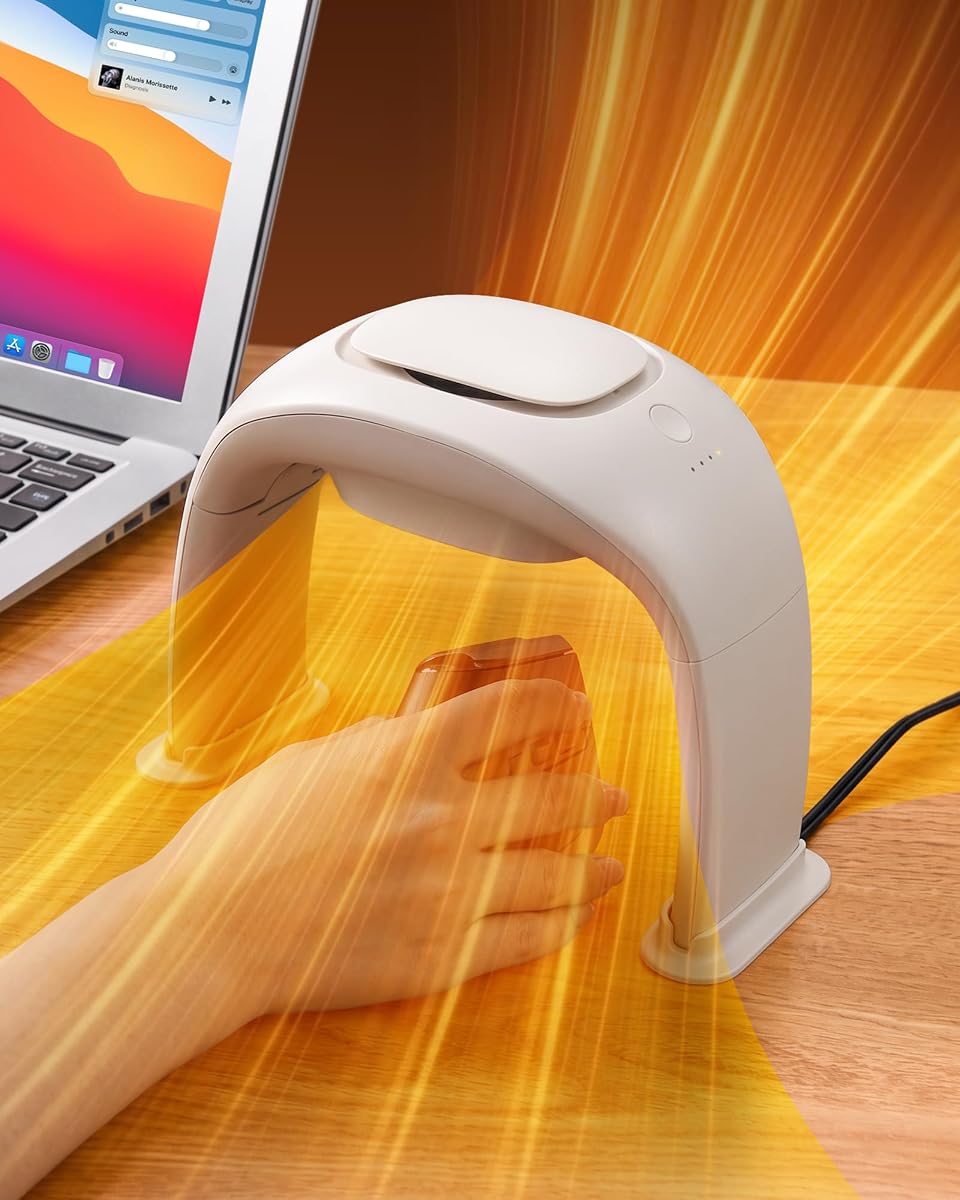
Desk Hand Warmer Over Mouse
4.5Editor score
Super quiet ceramic heating element
Free mouse operation space
Foldable compact desktop design
This guide compares ten top hand warmer mouse pads for comfort and heating performance to help you find the ideal desk accessory for cold winters.
Finding the right hand warmer mouse pad can transform your cold winter workspace into a cozy environment. These devices combine desk surface protection with targeted heat distribution to keep your fingers and wrists comfortable during long work or gaming sessions.
We evaluated ten popular models based on heating speed, safety features, build quality, and overall user comfort. Our analysis focuses on real-world performance metrics and practical design elements that matter most to daily computer users seeking relief from chilly desk conditions.
Each pick highlights unique strengths like adjustable temperature settings, auto shut-off timers, and ergonomic support structures. Remember that product availability and pricing change frequently so always verify current details before making your final purchase decision.
4.5Editor score

4.2Editor score

4.3Editor score
The following table provides a side-by-side comparison of all ten selected hand warmer mouse pads highlighting key specifications and unique features for easy reference.


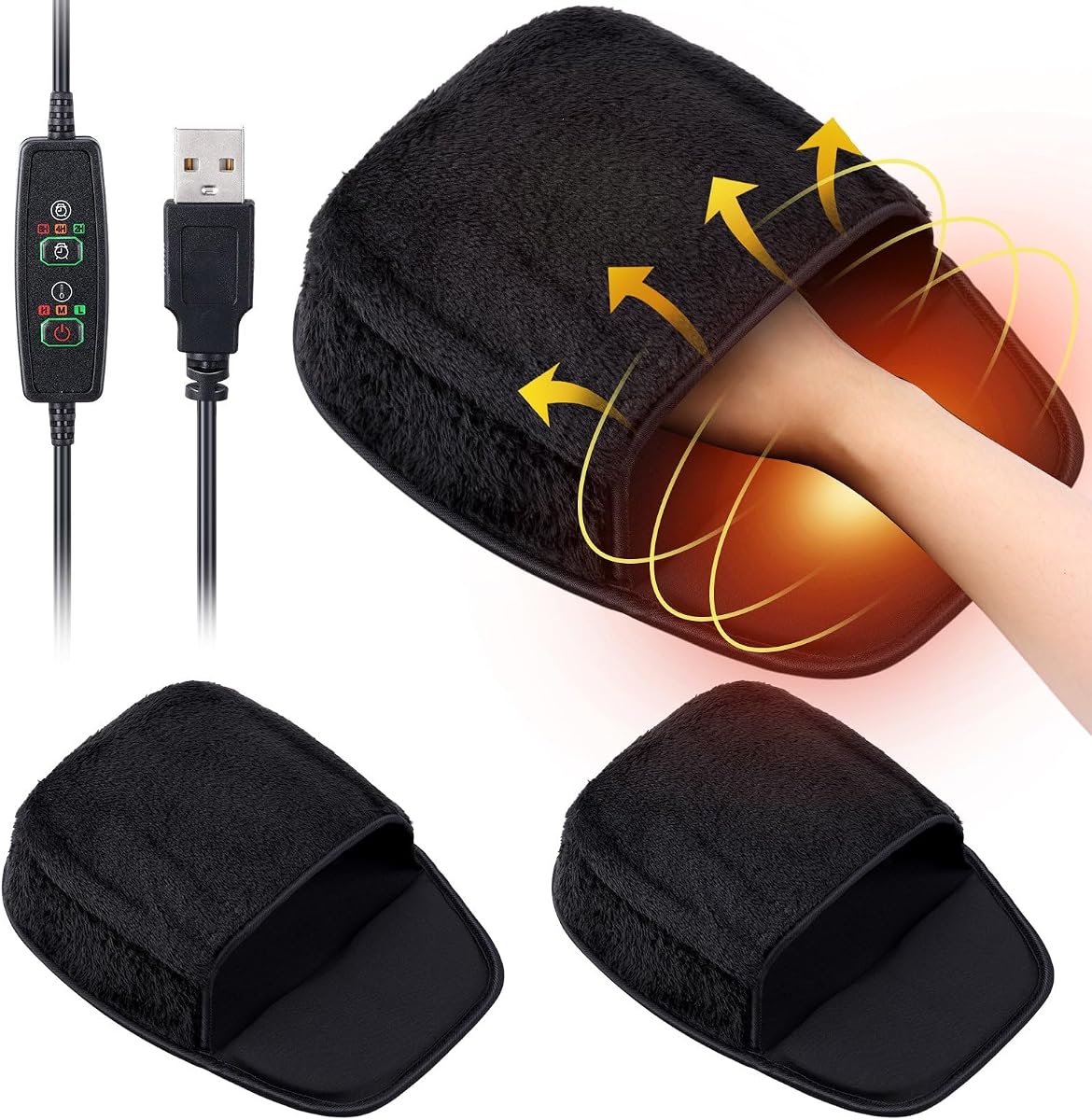

This Wolvio heated mouse mat stands out with its enclosed cocoon design that wraps your hand in a soft insulated neoprene shell. Rated 4.2 stars it delivers even heat distribution through a safe PTC heating element ideal for cold offices.
We may earn a commission when you buy through this link, at no additional cost to you.
The three temperature levels ranging from 110 to 145 degrees Fahrenheit let you customize comfort while built-in auto shut-off timers ensure safe worry-free use. Your fingers knuckles and palm stay warm without pressing against a hard surface.
Some users may find the cocoon shape restricts larger hands but the ergonomic wrist rest included supports a neutral position reducing strain. The removable heating pad allows for easy hand washing and maintenance of the neoprene top.
Ideal for remote workers gamers and students this pad makes a thoughtful gift for anyone battling cold hands at their desk. Plug into any USB port and go without drivers or complex setup for immediate warmth.
The design wraps your entire hand ensuring fingers knuckles and palm stay warm unlike flat mats that only warm wrists.
Auto shut-off timers and removable heating elements provide safe long-term use while making cleaning simple for daily hygiene.
We may earn a commission when you buy through this link, at no additional cost to you.
This desk heated mouse pad hand warmer offers premium performance with ceramic heating that operates at less than 20 decibels for a quiet workspace experience. Rated 4.5 stars it features a wide angle air guide for efficient heat transfer.
We may earn a commission when you buy through this link, at no additional cost to you.
Unlike slipper-style pads that press against your hand back this model provides 360 degree full hand warmth while allowing free mouse operation within its spacious 8.1 inch diameter area. The high mode delivers continuous heat at 131 to 140 degrees.
Safety is prioritized with tipping auto shut-off and over-temperature protection ensuring peace of mind during extended use. The smart energy-saving chip maintains constant temperature while reducing power automatically when target values are reached.
Perfect for those needing powerful heat without noise this unit folds compactly after use to save desk space. Ideal as a winter gift it offers practical comfort for anyone working or gaming in cold environments.
Advanced ceramic technology keeps noise below 20 decibels so warmth does not disturb quiet office or reading environments.
The spacious design allows full mouse freedom and 360 degree hand warmth without restrictive pads or limited movement zones.
We may earn a commission when you buy through this link, at no additional cost to you.
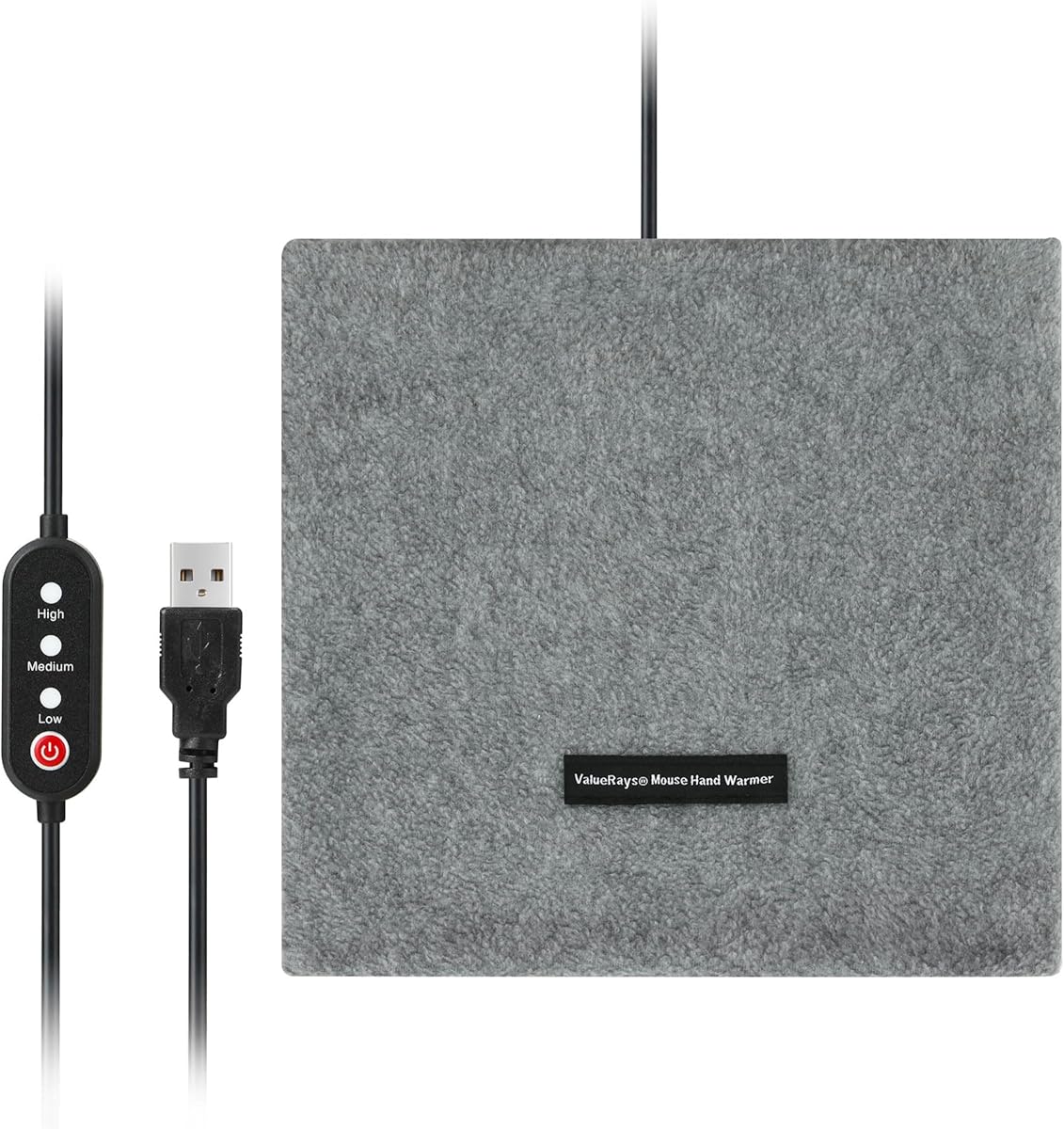
Adopting MCH technology and PTC ceramic heating this hand warmer keeps your mouse hand warm while working in winter with reliable consistent heat. It features three temperature options between 100 and 150 degrees Fahrenheit for adjustable comfort levels.
We may earn a commission when you buy through this link, at no additional cost to you.
Safety protection includes tip-over and overheat protection along with an anti-scald grille made from flame retardant material. The smart chip maintains constant temperature after heating to the set value to save energy and prevent overheating.
Its foldable design makes storage convenient without taking up much desk space while anti-slip silicone added at the bottom ensures stability. The noise level stays as low as 15 decibels so normal work or gaming remains unaffected.
This is an excellent budget choice for users wanting basic reliable warmth without complex features. It balances affordability with essential safety and portability making it a practical accessory for cold winter work sessions.
The foldable design ensures easy storage and portability making it ideal for small desks or travelers needing warm hands on the go.
With noise as low as 15 decibels it provides warmth without disturbing your work environment or gaming sessions during cold days.
We may earn a commission when you buy through this link, at no additional cost to you.
This Marspark set provides two heated mouse pads with plush wrist rests allowing flexibility at home and in the office. It maintains hands warm during study work or gaming sessions via USB connection for convenient desktop integration.
We may earn a commission when you buy through this link, at no additional cost to you.
The large size measuring about 11 by 9 inches offers ample internal space to move and use the mouse flexibly without taking up excessive desktop space. You can choose to use the heater or not based on your comfort needs.
Users should note that the heater and the mouse pad are separate components which might require manual setup before use. While affordable it has lower ratings suggesting potential consistency issues with heating performance over time.
Ideal for households needing multiple units this package meets basic warmth needs without complicated controls. Consider it for light use where cost matters more than premium heating consistency or advanced safety features.
Getting two pads for the price allows sharing between home and office setups without buying separate units individually.
Simple USB connection provides quick heat without thermostats or timers making it straightforward for basic comfort needs.
We may earn a commission when you buy through this link, at no additional cost to you.
Made of thick plush this pad provides a soft skin friendly and comfortable surface for your hands during cold computer use. The internal heating pad is detachable for easy cleaning and long-term application across multiple settings.
We may earn a commission when you buy through this link, at no additional cost to you.
Each package contains two pieces to meet needs at home and in the office or serve as thoughtful gifts. The size is about 11 by 9 inches with large internal space allowing flexible mouse movement without desktop clutter.
Recommendations include unplugging the USB plug after use to extend service life as heating element durability may be limited. Users should also be aware of burn risks during extended use as noted in the usage instructions.
This is a budget-friendly option for users wanting plush comfort and basic warmth without complex features. While ratings are moderate it offers practical utility for seasonal warmth needs across multiple locations.
The thick plush material offers a skin friendly tactile experience that enhances comfort during long work or gaming sessions.
A detachable heating pad makes cleaning easier ensuring the plush surface stays fresh and odor free over time.
We may earn a commission when you buy through this link, at no additional cost to you.
This heated desk pad heats up quickly and provides safe certification by UL and FCC for reliable operation. Made of PU leather and waterproof PVC materials it offers a smooth surface that functions as a mouse keyboard or writing pad when off.
We may earn a commission when you buy through this link, at no additional cost to you.
Three heat settings ranging from 104 to 122 degrees Fahrenheit let you select the most comfortable setting for quick warm up or all-day use. The control box sits at the left corner with color-coded indicators for easy visual status checks.
Auto shut-off after four hours ensures energy efficiency and safety while the large size covers enough desk space for full setup warmth. Note that it uses 110V American plug so check compatibility before purchasing for international or multi-region use.
Perfect for stationary workspaces this pad keeps fingers hands and arms warm throughout winter months. It combines desk protection with warmth functionality making it a versatile essential for home office comfort.
The 31.5 by 13 inch surface covers ample space for both keyboard and mouse providing comprehensive desk warmth.
Waterproof PU leather ensures easy cleaning and durability against daily spills and wear for long-term practical use.
We may earn a commission when you buy through this link, at no additional cost to you.
This xuenair heated pad offers fast heating with advanced PTC heating ceramics and double ball bearings for low noise operation rated 20dB. The activity space is wide allowing flexible use for both left and right hands without limitations.
We may earn a commission when you buy through this link, at no additional cost to you.
Three temperature settings provide precise comfort from gentle 95-104 degrees to toasty 131-140 degrees with optimized working logic for efficiency. Built-in intelligent energy-saving chip reduces power automatically when temperature reaches the set value maintaining a constant comfortable warmth.
Safety features include over-heating and tip over protection ensuring reliable use in various environments. The foldable legs allow easy storage after use and the compact size makes it portable for office travel or dorm use.
Backed by a 12-month warranty this unit is a solid choice for those needing powerful reliable warmth. Its efficient design and safety features make it suitable for long-term daily use in cold conditions.
Smart energy chip reduces power when target temperatures are reached ensuring efficient heating without unnecessary energy waste.
The wide activity zone allows free hand and mouse movement for both left and right handed users without restriction.
We may earn a commission when you buy through this link, at no additional cost to you.
This infrared heated mouse pad offers simple manual control via switch for quick heat adjustment during computer use. It provides a basic USB-powered solution for warming hands in cold environments with straightforward operation.
We may earn a commission when you buy through this link, at no additional cost to you.
While detailed specifications are limited the manual control switch allows users to toggle heating on and off as needed. The compact size fits well on smaller desks where space is at a premium.
Users seeking simplicity may appreciate the lack of complex thermostats or timers focusing on immediate heat delivery. The USB connection ensures compatibility with most laptops and desktop computers without extra power sources.
Given limited information this model suits basic needs where budget and simplicity drive decisions. Verify current availability and detailed specs before purchasing to ensure it matches your specific warmth and feature requirements.
Manual switch control offers straightforward on-off heating without complex settings ideal for users seeking minimal interaction.
The small design ensures it fits on tight desks without crowding other workspace items or peripherals.
We may earn a commission when you buy through this link, at no additional cost to you.
This USB powered pad delivers safe steady and consistent warmth via laptop desktop or power bank connection for long work sessions. It features three temperature modes from 110 to 145 degrees with auto-off timers to prevent overheating.
We may earn a commission when you buy through this link, at no additional cost to you.
The built-in wrist cushion fits the natural curve of your wrist reducing strain and fatigue from hours of mouse use. The thick rubber base grips tightly to any surface ensuring stable control without chasing the pad across the desk.
Packaged as two pieces it is ideal for sharing or multiple locations. Its slim lightweight design allows easy folding for travel and makes it a heartfelt gift for birthdays or holidays.
While ratings are moderate it offers practical warmth and ergonomic support for daily comfort. Consider it for those needing a reliable portable solution that prioritizes wrist support and gift appeal.
A built-in wrist cushion supports your wrist in a neutral position reducing strain during extended computer use.
Non-slip rubber base keeps the pad firmly in place allowing smooth stable mouse control during work or gaming.
We may earn a commission when you buy through this link, at no additional cost to you.
This heated desk pad mat is made from high-quality PU leather providing excellent durability and ease of cleaning. Its large size ensures full coverage of your desk making it a practical addition to your workspace for warmth and protection.
We may earn a commission when you buy through this link, at no additional cost to you.
Three adjustable temperature settings allow control via button presses with lights indicating status levels. It can function as a desktop mouse keyboard or even under-desk foot warmer providing versatile heating solutions.
The non-slip leather bottom ensures the mat stays in place during typing sessions. During cold months it helps keep hands and feet warm enhancing productivity and focus throughout the day.
Ideal for winter use this mat combines style with function in a single unit. While ratings are unavailable its multi-functional design offers broad appeal for various warm needs.
High-quality PU leather ensures durability and easy cleaning while maintaining an elegant look on your desk.
The mat adapts as a desk mouse or foot warmer providing flexible heat zones across your workspace.
We may earn a commission when you buy through this link, at no additional cost to you.
Selecting the right hand warmer mouse pad depends on your specific heating needs workspace constraints and safety preferences.
Look for PTC or ceramic heating elements as they provide consistent safe heat with low power consumption. Advanced models use MCH technology for faster warming and better temperature stability.
Prioritize units with certified heating elements to ensure safety during prolonged use.
Choose pads with multiple temperature levels to adapt to varying cold conditions. Auto shut-off timers add convenience and safety when you forget to turn the device off.
Select adjustable controls that match your comfort needs for both quick warming and all-day use.
Decide between enclosed cocoon designs that wrap your hand or open designs that allow free mouse movement. Ergonomic wrist rests reduce strain during long work sessions.
Ensure the design supports your hand position naturally to prevent fatigue and improve usability.
Verify tipping auto shut-off overheat protection and anti-scald grilles before purchasing. These features prevent accidents and ensure peace of mind during extended operation.
Safety certifications like UL FCC or CE indicate compliance with established industry standards.
USB powered models offer portability and work with laptops or power banks while plug-in models provide higher wattage for faster heat. Consider your workspace power availability when choosing.
Higher wattage units may require wall outlets and can consume more energy than USB variants.
Check noise ratings especially if you work in quiet environments or shared spaces. Ceramic and PTC heaters often operate silently under 20 decibels.
Low noise operation ensures warmth does not disturb your focus or others around you.
Foldable designs make storage easy for small desks or travelers. Lighter weight models are better for moving between locations regularly.
Ensure the unit folds compactly and remains stable when unfolded for daily use.
PU leather and neoprene tops resist wear and are easy to clean. Look for removable heating elements for better long-term maintenance.
Durable materials ensure the pad stays functional and clean throughout multiple seasons of use.
Plug the device into a compatible power source and allow a few minutes for it to reach the selected temperature setting before use.
Place your hands comfortably on or around the warm area ensuring no skin contact with hot internal components during operation.
Clean the surface regularly with a damp cloth and store the unit folded in a dry place when not in use.
Most models include auto shut-off timers that turn the device off after a set time. However it is safer to unplug them when leaving the desk for long periods to prevent unnecessary wear or safety risks.
Yes these pads work with any type of mouse as long as there is enough surface space for movement. The heat source is separate from the mouse so wireless or Bluetooth connections remain unaffected.
Most models reach target temperatures within two to five minutes depending on the wattage and ambient room temperature. PTC and ceramic heaters generally offer faster warm-up times than older technologies.
USB models work with laptops on battery but may reduce battery life faster. If possible plug into an AC adapter to maintain performance and prevent draining the computer power quickly.
Removable heating elements allow you to clean the cover by hand but avoid submerging electrical components. Follow the manufacturer instructions for cleaning to ensure safety and preserve heating performance.
Quality units can last multiple seasons with proper care but heating elements may degrade over time. Regular unplugging after use and avoiding physical stress on the heating cables helps extend longevity.
The top picks offer a range of solutions from enclosed cocoon warmth to spacious desk coverage. Each model provides reliable comfort for cold environments when matched to your specific use case.
Prioritize safety features and ergonomic support when making your decision to ensure long-term health and productivity gains. Balance your budget against the heating technology and durability features needed.
Always verify current pricing and availability since details may change over time. Choosing the right pad ensures you stay comfortable and focused throughout the winter season.