
HP Ultrabook 14 Laptop Business Study Home 2025
4.1Editor score
Intel Quad-Core CPU
8GB RAM and 628GB Storage
Lifetime Office License Bundle
Finding a laptop with lifetime Microsoft Office can save you money over time. These devices come with pre-installed suites that do not require monthly subscriptions. This makes them ideal for budget-conscious users who need reliable productivity tools without ongoing costs.
We analyzed ten current models from trusted brands like HP. Each option includes a permanent license for Office applications such as Word and Excel. Our comparison focuses on processor speed, memory capacity, and display quality to help you make an informed decision.
Every selection in this list highlights unique strengths for different user needs. Prices and stock levels change frequently so please verify details before purchasing. Read on to discover which machine offers the best combination of features and long-term value.
4.1Editor score

4.0Editor score

5.0Editor score
As an Amazon Associate we earn from qualifying purchases.
The table below provides a side-by-side overview of key specifications for each selected laptop to help you quickly compare performance and storage options.




This HP laptop stands out as a top contender for users seeking a permanent solution for productivity software. It comes with Microsoft Office LTSC Professional Plus 2024 pre-installed and activated, meaning you never have to pay a subscription fee again. The device balances performance and utility well, making it a strong candidate for students and office workers.
We may earn a commission when you buy through this link, at no additional cost to you.
Under the hood, the 12th Gen Intel Core i3-1215U processor provides six cores and eight threads for smooth multitasking. Paired with 16GB of DDR4 RAM, you can run multiple browser tabs, document editors, and communication apps simultaneously without significant slowdowns. The 1TB SSD ensures that boot times are quick and you have ample space for files, media, and applications.
The 15.6 inch touchscreen display offers a responsive interface which is convenient for navigation and annotation. While the resolution is standard HD, it is sufficient for general computing tasks. Battery life is average at around five hours of mixed usage, but the fast charge feature helps you get back to work quickly.
If you need a reliable machine for daily work that includes essential software out of the box, this model is highly recommended. It avoids the complexity of subscription management and offers professional features through Windows 11 Pro. Just ensure you are comfortable with the screen specifications before buying.
The included Office 2024 license covers Word Excel and other core apps without needing activation keys.
Windows 11 Pro provides enhanced security and management tools suitable for business environments.
We may earn a commission when you buy through this link, at no additional cost to you.
For buyers on a tight budget who still need reliable access to Microsoft Office, this ultrabook offers excellent value. It comes with a lifetime license for Office 2024 and Windows 11 Pro pre-installed. This makes it an ideal choice for students or light home users who need essential tools without ongoing costs.
We may earn a commission when you buy through this link, at no additional cost to you.
The Intel N150 processor provides adequate performance for web browsing, document editing, and streaming media. While it is not designed for heavy video editing or gaming, it handles daily tasks efficiently. The 8GB of RAM is sufficient for moderate multitasking. and the anti-glare display reduces eye strain during long sessions.
Storage is a hybrid setup with internal UFS storage and an external drive included in the bundle. This expands your total available space significantly. The compact 14 inch form factor makes it easy to carry to class or work. Wi-Fi 6 ensures fast and stable internet connections in modern environments.
If your primary need is writing documents and browsing the web without spending a fortune, this is a great option. Just be aware that it may struggle with very heavy workloads due to limited memory. It is best suited for standard productivity needs.
The compact 14 inch size makes it easy to carry anywhere for work or study.
Combining internal and external drives provides flexible storage options for files.
We may earn a commission when you buy through this link, at no additional cost to you.
This high-end laptop delivers impressive specifications for users who require maximum performance and storage. It features a generous 32GB of RAM which allows for running many applications at once without performance bottlenecks. The 2TB SSD ensures you will not run out of space for months or even years of usage.
We may earn a commission when you buy through this link, at no additional cost to you.
The Intel Core i3-N305 processor supports up to 3.8 GHz and handles multitasking with ease. You also get a lifetime license for Office 2024 which includes all the classic apps you need. The large 17.3 inch screen provides plenty of real estate for spreadsheets and multi-window workflows.
Additional features like the Copilot key give you quick access to AI assistance for tasks and creativity. While the unit is heavier and lacks a backlit keyboard, these are minor trade-offs for the internal power it offers. The 17.2 screen is not touch capable but remains sharp and bright.
If you need a desktop replacement that handles demanding workflows and offers long-term software value, this model is unmatched. It is perfect for power users who want to future-proof their system with plenty of memory and storage.
32GB of RAM ensures smooth operation even with dozens of open tabs and apps.
The 2TB SSD provides ample room for large video files and extensive documents.
We may earn a commission when you buy through this link, at no additional cost to you.
This laptop offers a spacious viewing experience with its 17.3 inch display which is great for multitasking. The 8-Core Intel processor ensures that you can run demanding applications smoothly. It comes with a lifetime license for Office making it a solid investment for business use.
We may earn a commission when you buy through this link, at no additional cost to you.
With 16GB of RAM and a combination of internal SSD and external storage you have plenty of room for your data. The Wi-Fi 6 support keeps your internet connection fast and stable. The included accessory bundle adds a docking station which expands your connectivity options further.
While it is not the lightest device due to its size, it serves as a powerful mobile workstation. The anti-reflective screen helps reduce glare during use in various lighting conditions. It is a strong choice for those who prefer a larger screen over portability.
If you need a capable machine for office work and want the convenience of a large screen and lifetime software, this is a great pick. It balances performance and value well for home or business offices.
The 17.3 inch screen provides ample workspace for multiple windows and documents.
The 6-in-1 hub simplifies connections to external monitors and peripherals.
We may earn a commission when you buy through this link, at no additional cost to you.
This slim laptop is designed for students and professionals who need to move frequently. Its compact 14 inch design makes it easy to slip into a backpack. The included lifetime Office license ensures you can work on projects without worrying about subscription costs.
We may earn a commission when you buy through this link, at no additional cost to you.
The Intel Quad-Core CPU paired with 16GB RAM handles daily multitasking effectively. You can have multiple applications running in the background while keeping your system responsive. The 500GB external drive included in the bundle adds significant storage capacity for your files.
Wi-Fi 6 connectivity keeps you online fast whether you are on campus or at a cafe. The unique green color gives it a distinct look among standard black laptops. It is a solid choice for anyone valuing portability and value.
If you want a lightweight machine that comes with essential software already set up, this model fits the bill. It is best suited for general productivity and light media consumption on the go.
The slim design and long battery make it ideal for carrying between classes.
Copilot integration helps streamline your writing and research tasks efficiently.
We may earn a commission when you buy through this link, at no additional cost to you.
This model stands out for its Full HD display which offers sharper visuals than standard HD panels. The 15.6 inch screen provides a comfortable workspace for editing documents or watching videos. With the included lifetime Office license it is ready for productivity right out of the box.
We may earn a commission when you buy through this link, at no additional cost to you.
The Intel 8 Core processor delivers robust performance for everyday tasks and light creative work. Combined with 16GB RAM and a 1TB SSD you get fast boot times and smooth application switching. This configuration is well-suited for users who want speed without sacrificing screen quality.
The lightweight design allows for easy transport while maintaining a solid build quality. It is a great option for home office use or small business operations. The high resolution ensures that text and images look crisp and clear.
If you prioritize screen clarity and fast system responsiveness in a portable package this laptop is a strong contender. It balances visual quality with computing power effectively for most users.
The FHD display ensures clear images and text for detailed work.
The SSD provides quick data access for better overall system performance.
We may earn a commission when you buy through this link, at no additional cost to you.
This laptop includes a touchscreen which adds convenience for interacting with content directly. It is perfect for navigating documents or making quick notes. The included Office 2021 license provides a solid set of tools for productivity without extra costs.
We may earn a commission when you buy through this link, at no additional cost to you.
Powered by a 12th Gen Intel Core i3 processor it handles daily tasks smoothly. The 12GB RAM allows for multitasking without frequent slowdowns. The 256GB SSD is fast though you may need cloud storage for larger files over time.
It is designed with a sleek silver finish that looks professional in any setting. The 11 inch screen is suitable for most general workloads. It is a good choice for students who want a modern interface.
If you need a touchscreen interface and a reliable operating system this model offers good value. Just keep in mind the limited internal storage and plan your file management accordingly.
Touch input makes navigation and annotation easier for interactive tasks.
The silver finish and slim profile suit professional and academic settings.
We may earn a commission when you buy through this link, at no additional cost to you.
This premium model offers a large screen that is excellent for detailed work. The 17.3 inch display allows you to see more content at once which boosts productivity. It comes with a lifetime license for Office ensuring you have all the tools you need.
We may earn a commission when you buy through this link, at no additional cost to you.
The Intel Core i3-N305 processor provides strong performance for multitasking and light creative tasks. With 16GB RAM and a fast SSD system responsiveness is quick. The Wi-Fi 6 support ensures you stay connected with high speed internet everywhere.
While it is heavier than smaller laptops it works well as a desk companion. The included HDMI port makes connecting to external monitors simple. It is a robust choice for home office setups.
If you need a large screen for data entry or video editing this laptop is a great fit. It offers a great balance of power and usability for stationary work.
The expansive display improves workflow by allowing more open windows.
Wi-Fi 6 and HDMI ports provide fast and flexible connection options.
We may earn a commission when you buy through this link, at no additional cost to you.
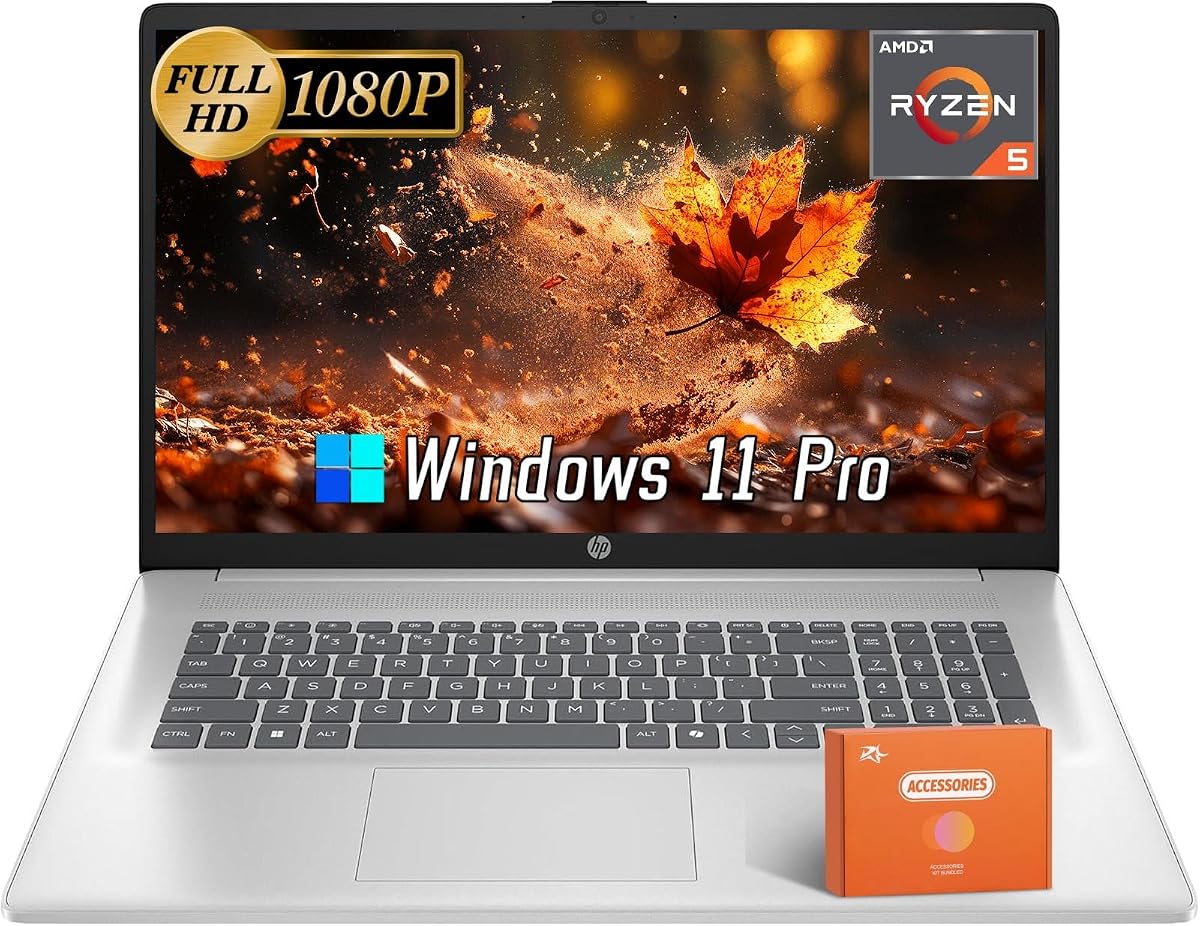
This laptop features an AMD Ryzen processor that delivers strong performance for demanding tasks. The 17.3 inch FHD+ display offers vibrant colors which are great for media and work. It includes a lifetime Office license so you can start working immediately.
We may earn a commission when you buy through this link, at no additional cost to you.
The 16GB RAM and AMD Radeon graphics handle multimedia editing better than basic integrated solutions. You get an anti-glare screen that reduces eye strain during long use. The included accessories add value to the package and simplify your setup.
It is designed to handle heavy workloads while maintaining a sleek look. The build quality is solid and the design is durable for daily use. It is an excellent choice for power users who prefer AMD chips.
If you need a versatile machine for creative work and general use this is a strong option. It offers great performance and a large high quality screen for your projects.
The Ryzen processor handles intensive apps and multitasking efficiently.
The FHD+ anti-glare panel provides clear visuals for any content.
We may earn a commission when you buy through this link, at no additional cost to you.
This model comes with a newer Intel Core i5 processor that offers fast processing speeds for demanding apps. The 17.3 inch screen provides a comfortable view for documents and media. The included lifetime Office license ensures you have all the tools you need.
We may earn a commission when you buy through this link, at no additional cost to you.
The 16GB RAM and Iris Xe graphics provide smooth performance for daily use. You can run multiple programs without lag and enjoy decent graphics capabilities for light creative work. The USB hub included adds extra ports for more peripherals.
It is a reliable choice for business use with Windows 11 Pro for added security. The design is sleek and professional for any environment. It is best for users who want a large screen and good performance.
If you need a strong laptop for work or school with a lifetime software bundle this is a solid pick. It offers excellent value for the performance it delivers.
The latest i5 CPU ensures fast processing for professional tasks.
The included USB hub expands your connection options for devices.
We may earn a commission when you buy through this link, at no additional cost to you.
Choosing the right laptop requires evaluating several key factors to ensure it meets your needs.
The processor is the brain of your laptop and determines how fast it can handle tasks. Look for modern Intel Core i3 or i5 or AMD Ryzen 5 processors for smooth performance in daily use.
A faster processor ensures you can multitask without lag when working on documents and browsing the web.
Memory allows you to run multiple applications at once. Aim for at least 8GB of RAM for comfortable use and 16GB if you run many tabs or heavy apps.
Storage is where your files live and 256GB SSDs are standard but 512GB or 1TB is better for long term use.
The screen size affects how comfortable you are working for long periods. Laptops with 15 to 17 inches offer more workspace but are less portable than 14 inch models.
A resolution of at least 1920 x 1080 ensures clear text and images for professional work.
Battery life determines how long you can use the laptop without a charger. Most models offer five to ten hours of mixed usage depending on screen brightness and processor load.
Check battery specifications carefully if you need to work away from an outlet for most of the day.
Some bundles include a lifetime license for Office 2021 or 2024 which means no monthly fees. Ensure the listing confirms this license is included and activated.
Avoid subscribing to Office 365 if your goal is to save money over time.
If you need to carry your laptop frequently look for models weighing under four pounds. Larger screens add weight but offer better visibility.
Slimmer designs fit easily into backpacks while still offering decent performance for most tasks.
Laptops come with USB ports and HDMI outputs to connect to monitors and drives. Ensure there are enough ports for your peripherals without needing extra adapters.
Wi-Fi 6 support is becoming standard and provides faster internet speeds in crowded networks.
Windows 11 Pro is included in many professional models and offers advanced security features. This is useful for business data protection and remote management tools.
Ensure the OS is updated and activated so you can access all the features immediately.
To get started with your new laptop follow the on-screen instructions to set up Windows and sign in to your account.
Locate the Office suite on the start menu and open it to verify the license status is valid.
Keep your device updated by running Windows Update regularly and cleaning the screen with a soft cloth.
The lifetime license does not expire as long as you keep the same installation on the device. You can use it indefinitely for the duration of the hardware life without needing to renew.
You can install Office 365 but it may override the lifetime license included in the bundle. It is best to use the pre-installed version to avoid losing your lifetime access to the app.
Most bundles include Word, Excel, PowerPoint, OneNote, Outlook, and Publisher. These cover all basic needs for documents, spreadsheets, and emails.
No separate key is usually needed because the software is pre-activated. However if you reset the device you may need to follow the provided instructions to restore access.
They work for light video editing but are not built for professional 4K workflows. Check RAM and GPU specs if you plan to edit complex footage regularly.
Most models include a standard one-year manufacturer warranty covering hardware defects. Check the seller description for extended warranty options if needed.
Our top picks provide excellent options for users who want a reliable machine without subscription costs. Each model balances performance and value in its own way.
Consider your need for portability and screen size when making your final decision to match your workflow.
Prices change frequently so please check current listings to confirm the latest offers and stock status.