
Amzboy 15.6 Laptop
4.8Editor score
FHD display
Type-C fast charging
Expandable storage
Finding a reliable laptop that fits your budget is essential for students professionals and home users alike. Today we explore affordable options that deliver solid performance for daily tasks like browsing streaming and document editing without breaking the bank.
We evaluated ten top-rated models based on processor speed memory storage display quality and battery life. Each product was selected for its ability to handle everyday computing needs while maintaining a lightweight and portable design suitable for travel and study.
Each pick highlights key strengths and potential trade-offs to help you make an informed decision. Note that product availability and pricing can change frequently so please verify current details before purchasing to ensure you get the best value available.
4.8Editor score

4.3Editor score

4.5Editor score
As an Amazon Associate we earn from qualifying purchases.
This side-by-side comparison highlights the core specifications of each model to help you quickly identify which laptop best suits your specific needs for performance portability and connectivity.



The HP Chromebook 14 stands out as a top choice for everyday computing with a solid 4.3 rating. It offers a balanced mix of portability and performance ideal for students and home users.
We may earn a commission when you buy through this link, at no additional cost to you.
Its Intel Celeron N4120 processor handles multitasking smoothly while the 4GB RAM ensures responsive browsing. The micro-edge display reduces bezel width for a modern look.
While storage is limited to 64GB eMMC cloud integration compensates well for most daily tasks. The anti-glare screen helps reduce eye strain during long sessions.
This model is perfect for anyone needing a reliable device for schoolwork streaming and basic productivity without paying a premium for unnecessary specs.
With up to 14 hours of battery life this Chromebook keeps you productive all day without needing a charger.
Chrome OS provides automatic updates and built-in virus protection ensuring your device stays safe and efficient.
We may earn a commission when you buy through this link, at no additional cost to you.
The Amzboy 15.6 Laptop delivers exceptional value with a high 4.8 rating making it ideal for budget-conscious buyers. It features a larger 15.6 inch Full HD screen for better visibility.
We may earn a commission when you buy through this link, at no additional cost to you.
Its fanless design ensures silent operation which is great for libraries or quiet workspaces. The Type-C PD fast charging adds modern convenience for quick power-ups.
Although the N4020 CPU is entry-level it handles daily web browsing and document editing with ease. Expandable storage via TF card helps overcome internal limitations.
Choose this laptop if you need a full Windows experience with a clear screen and modern charging without spending much money.
The 15.6 inch FHD anti-glare display offers wide viewing angles and crisp detail for videos and documents.
A 45W Type-C PD adapter allows you to charge both laptop and phone with one lightweight cord.
We may earn a commission when you buy through this link, at no additional cost to you.
The HP Essential Laptop 2026 brings AI-enhanced productivity with a 4.5 rating perfect for modern workflows. It includes a dedicated Copilot key for instant assistance with tasks.
We may earn a commission when you buy through this link, at no additional cost to you.
Powered by the Intel N150 processor it handles multitasking efficiently while 128GB UFS storage ensures fast boot times. Wi-Fi 6 provides reliable wireless speeds.
The inclusion of Microsoft 365 adds immediate value for document editing and cloud storage. Noise reduction features improve call quality significantly.
This model is ideal for professionals and students who want cutting-edge AI features and solid build quality in an affordable package.
Access Microsoft Copilot instantly to summarize research or generate content with a single press of the dedicated key.
Wi-Fi 6 technology ensures faster speeds and better connection stability even in crowded networks.
We may earn a commission when you buy through this link, at no additional cost to you.
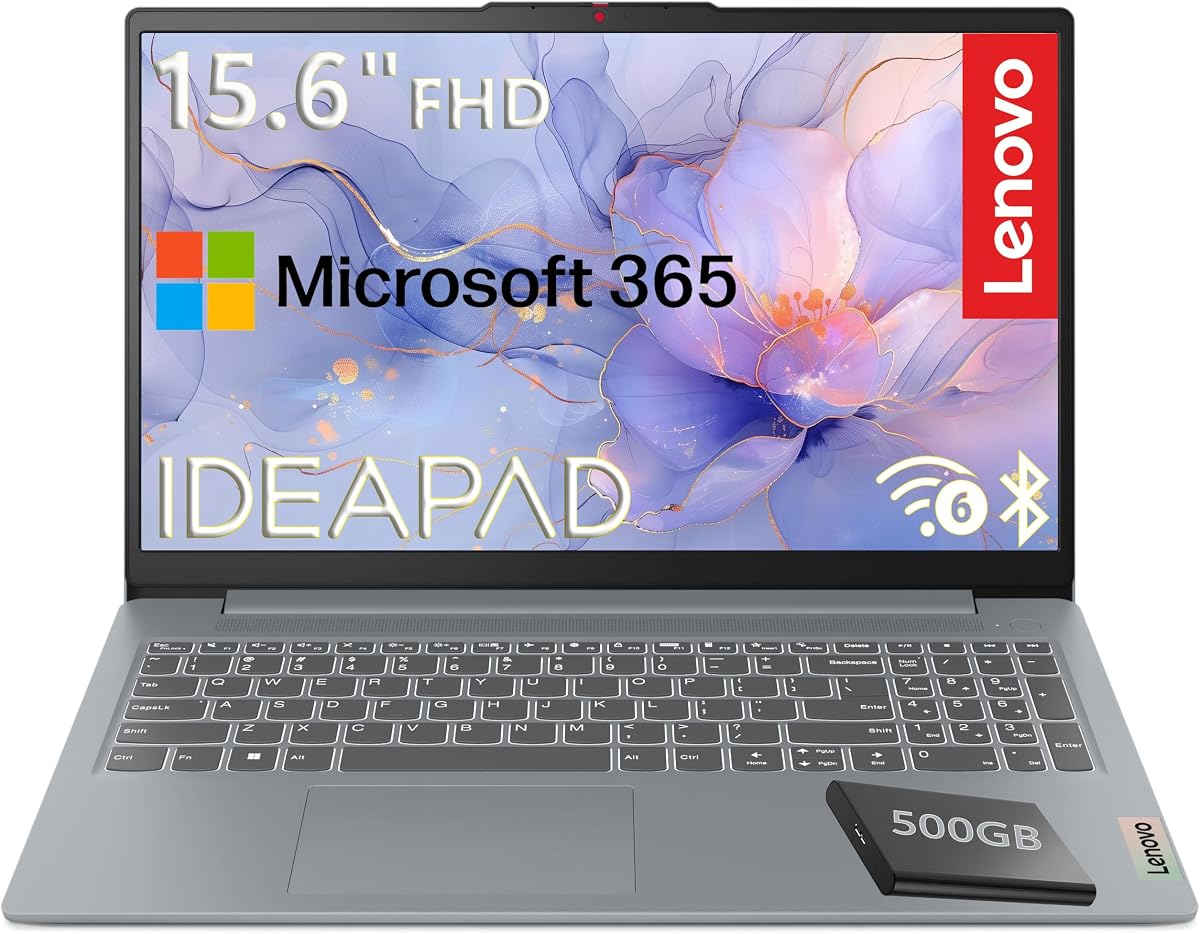
The Lenovo 15.6 Laptop earns a 4.2 rating for its robust build quality and practical storage solution. It features MIL-STD certification ensuring it can withstand daily wear and tear.
We may earn a commission when you buy through this link, at no additional cost to you.
The Intel N100 processor offers reliable performance for everyday tasks while the external hard drive provides ample space for files. Full HD display ensures clear visuals.
A physical privacy shutter adds security for video calls. The versatile ports allow easy connection to external monitors and peripherals.
Choose this laptop if you need a durable machine with ample storage potential for family use or active students.
Passed rigorous military standard tests this laptop resists drops and bumps making it ideal for travel.
Combining internal UFS storage with an external HDD gives you speed and capacity for all your needs.
We may earn a commission when you buy through this link, at no additional cost to you.
This HP Chromebook variant offers a higher configuration with 8GB RAM and 128GB UFS storage earning a 4.4 rating. The N100 processor ensures snappy performance for web apps.
We may earn a commission when you buy through this link, at no additional cost to you.
UFS storage provides faster data access than traditional eMMC making the system feel more responsive. The UHD graphics support smooth 4K streaming.
The anti-glare display is suitable for various lighting conditions. Chrome OS remains secure and simple for daily use.
It is a great choice for users who need more multitasking power in a Chromebook format without exceeding a budget.
With 8GB of LPDDR5 RAM you can keep dozens of browser tabs open without slowing down.
Universal Flash Storage offers quicker boot times and faster app launches compared to standard flash memory.
We may earn a commission when you buy through this link, at no additional cost to you.
The Lenovo Chromebook S330 is a lightweight option with a 4.2 rating ideal for basic tasks. It weighs only 3.3 lbs making it easy to carry around.
We may earn a commission when you buy through this link, at no additional cost to you.
Its MediaTek processor handles light browsing well while the 10-hour battery ensures day-long use. Google Drive storage helps offset local limits.
The compact design and simple interface make it great for young students or first-time laptop users.
Opt for this if portability and simplicity are your main priorities over high performance.
Less than 1 inch thick and 3.3 lbs this laptop slips easily into backpacks or bags.
Built-in cloud storage keeps your files accessible across devices without worrying about local space.
We may earn a commission when you buy through this link, at no additional cost to you.
Repeating in this list for its unique AI features this HP Essential Laptop scores 4.5 again. The Copilot key provides instant access to productivity tools.
We may earn a commission when you buy through this link, at no additional cost to you.
The Willow Green cover adds a stylish touch to workspaces. Dual speakers and improved mics enhance media and call quality.
It balances performance and modern aesthetics well for users who value design as much as function.
Select this if you want a sleek laptop with built-in AI assistance for daily tasks.
Noise reduction filters background sounds so your voice is clear during video meetings.
The natural silver keyboard and green cover offer a professional look that stands out.
We may earn a commission when you buy through this link, at no additional cost to you.
This Lenovo Flagship Chromebook features a Full HD touchscreen and scores 4.2. The Kompanio 520 processor delivers class-leading performance for a Chromebook.
We may earn a commission when you buy through this link, at no additional cost to you.
Touch navigation makes Chrome OS feel more intuitive especially for media consumption. IPS technology ensures vibrant colors from any angle.
WiFi 6 keeps connections fast even in crowded networks. The sleek design suits modern work environments.
It is ideal for users who want a responsive screen and fast processing in a portable Chromebook.
Finger-touch navigation enhances interaction with apps and media making it feel like a tablet.
WiFi 6 support ensures reliable high-speed internet for video calls and streaming.
We may earn a commission when you buy through this link, at no additional cost to you.
The HP Slim Laptop 2026 stands out with DDR5 memory and a sleek design. It balances performance and portability effectively for everyday use.
We may earn a commission when you buy through this link, at no additional cost to you.
Its 11-hour battery life supports all-day work sessions. The dedicated Copilot key simplifies accessing AI tools.
Wi-Fi 6 and versatile ports ensure modern connectivity standards are met.
This laptop is perfect for those needing a thin reliable machine with modern memory tech.
DDR5 RAM offers faster data transfer rates for smoother application loading.
At under 1 inch thick this laptop fits easily into tight spaces or bags.
We may earn a commission when you buy through this link, at no additional cost to you.
This Laptop offers 12GB RAM and a 128GB SSD for exceptional multitasking at a low cost. It scores 4.2 for its unique configuration.
We may earn a commission when you buy through this link, at no additional cost to you.
The IPS screen provides vibrant visuals and wide angles. A physical privacy slider ensures security during video calls.
Multiple USB ports and HDMI make it easy to connect peripherals without hubs.
It is an excellent pick for users who need maximum memory on a strict budget.
With 12GB RAM this laptop outperforms standard 8GB models in multitasking scenarios.
A built-in slider lets you physically cover the camera for added privacy during meetings.
We may earn a commission when you buy through this link, at no additional cost to you.
Selecting the right budget laptop involves balancing several factors to ensure it meets your daily needs without overspending.
The processor drives the overall speed of your laptop. For everyday tasks like browsing and editing look for entry-level Intel or AMD chips that handle multiple tabs efficiently. Avoid older generations that may lag with modern web apps.
Prioritize processors with at least two cores to ensure smooth multitasking.
RAM determines how many apps you can run at once. Aim for 8GB if possible though 4GB may suffice for light use. Storage should be at least 128GB to hold files and updates comfortably.
SSD or UFS storage is faster than eMMC and improves boot times.
A good screen reduces eye strain during long sessions. Look for Full HD resolution or better with anti-glare coatings. IPS panels offer wider viewing angles and better color accuracy than TN screens.
Higher resolution makes text sharper and media more enjoyable.
Portability is key for everyday use. Aim for at least 10 hours of battery life to last through a work or school day without charging. Fast charging features add convenience when outlets are scarce.
Always check real-world usage estimates rather than theoretical max values.
Decide between Windows and Chrome OS based on your needs. Windows supports more software and games while Chrome OS is simpler and faster for web-based tasks. Both offer security updates and cloud integration.
Choose based on whether you need desktop apps or web apps.
Modern laptops should include USB-C for charging and data. Multiple USB-A ports allow connecting peripherals without hubs. HDMI ports enable easy connection to external monitors for expanded workspace.
Check that the ports match your current accessories and future needs.
Durability matters if you travel frequently. Look for lightweight yet sturdy materials like aluminum or reinforced plastic. Certification like MIL-STD adds confidence in long-term reliability.
A solid build protects against bumps and drops during daily transport.
Comfortable typing is essential for productivity. Ensure the keyboard has adequate travel and key spacing. A responsive multi-touch trackpad simplifies navigation and gestures without needing a mouse.
Test the typing feel if possible before purchasing to avoid fatigue.
Keep your laptop in a protective sleeve or bag to prevent scratches and physical damage during transport. Avoid placing heavy items on top of it in your backpack.
Clean the screen with a microfiber cloth and mild solution regularly to remove smudges. Use compressed air to clear dust from keyboard gaps and ports periodically.
Update your software and operating system frequently to ensure security and performance. Close unused browser tabs and apps to maintain battery life and reduce system load.
Yes cheap laptops are well-suited for browsing streaming and basic office work. They handle common daily activities efficiently without requiring high-end specs.
For most users 8GB of RAM provides a smooth experience. If you multitask heavily aim for 8GB or more to avoid slowdowns.
Chrome OS is simpler and faster for web-based tasks while Windows offers broader software support. Choose based on whether you prioritize speed or desktop app compatibility.
Many budget laptops have soldered storage so check specifications before buying. Some models allow expansion via SD cards or external drives.
Most recommended models offer 10 to 14 hours of battery life. This range ensures all-day use without constant charging during travel or work.
Many options feature reinforced builds and lightweight designs suitable for students. Look for MIL-STD certification for added durability against drops.
We reviewed ten top laptops ranging from Chromebooks to Windows machines. Each offers unique strengths in performance battery life and design.
Prioritize the factors that matter most to you such as display quality or memory capacity. Consider AI features or AI if you work with modern software.
Remember to check current availability and details before purchasing. Prices and specs may change over time so verify what you need.