
ASUS RT-AX1800S
4.3Editor score
WiFi 6 support
AiProtection Classic
Gigabit ports
This guide compares the top ten ASUS WiFi routers for speed, security, and gaming. We analyze the latest models to help you choose the perfect network solution.
Finding the right wireless router is essential for modern homes and businesses. ASUS offers a wide range of options from budget-friendly to high-performance gaming systems that handle multiple devices efficiently.
We evaluated ten distinct ASUS models based on their technical specifications, user ratings, and feature sets. Each product brings unique strengths to different network environments and usage patterns.
Each pick below highlights key capabilities and real-world performance metrics. Please note that prices and availability change frequently so verify details before purchasing.
4.3Editor score
4.0Editor score

4.3Editor score
The following table provides a side-by-side comparison of all ten selected models. Review the specifications to find the device that fits your network needs.




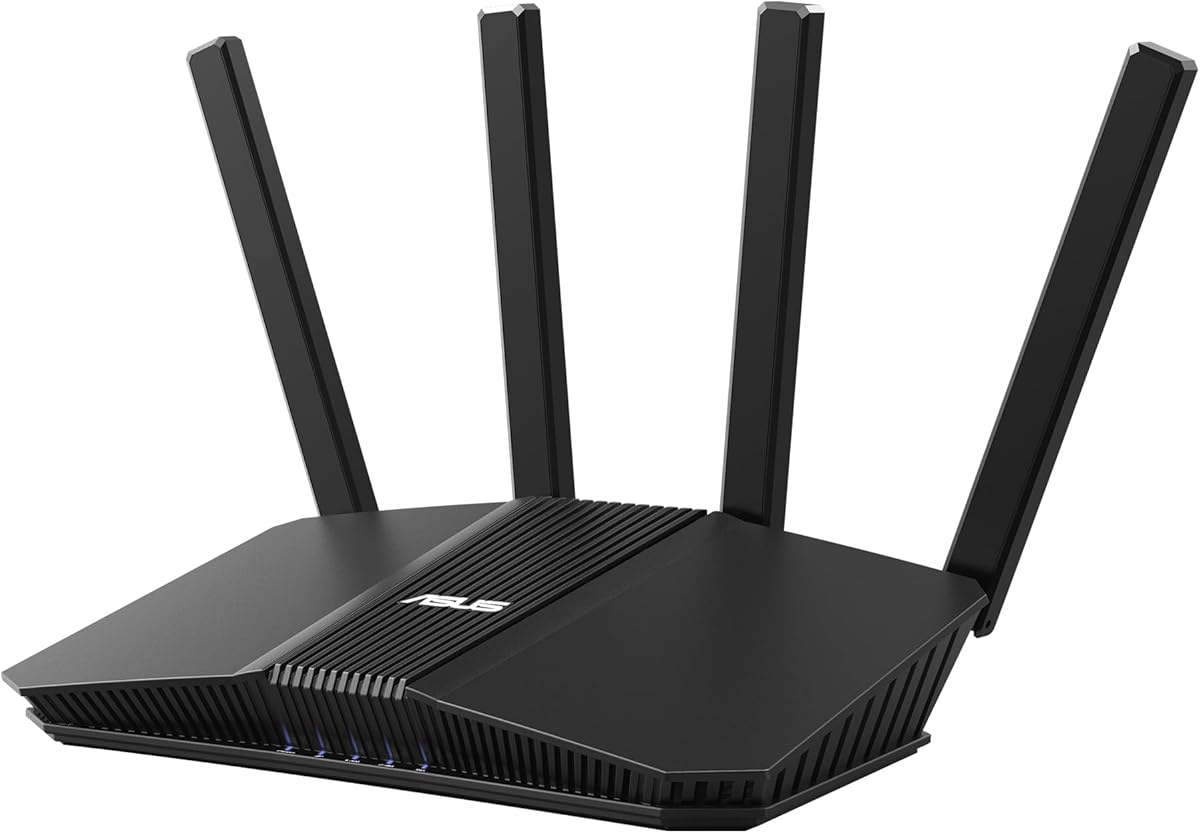
The ASUS RT-AX1800S is a strong contender for budget-conscious buyers needing modern connectivity. It holds a 4.3 rating from users who appreciate its balance of performance and cost. The device supports WiFi 6 standards including MU-MIMO and OFDMA which helps manage multiple devices efficiently.
We may earn a commission when you buy through this link, at no additional cost to you.
Key strengths include commercial-grade security via AiProtection Classic powered by Trend Micro. This ensures your network is protected without requiring extra subscription fees. The router features five Gigabit ports allowing wired connections for high-throughput devices like consoles or desktops. Its external antennas help direct signal where it is needed most in standard rooms.
Honest trade-offs involve limited physical size compared to high-end mesh systems. Coverage may vary significantly based on building materials and network traffic load. The lack of advanced features like 10G ports limits its use for very large setups but it fits small to medium homes well.
This router is ideal for first-time buyers or those upgrading from older AC models. It provides essential modern features without unnecessary complexity or high cost. For anyone seeking reliable security and basic gaming support the AX1800S remains a solid entry-level option in the ASUS lineup.
MU-MIMO and OFDMA technologies allow simultaneous communication with multiple devices reducing congestion during peak usage times.
AiProtection Classic provides threat detection and parental controls ensuring safe browsing for all connected devices in the home.
We may earn a commission when you buy through this link, at no additional cost to you.
The ASUS RT-BE58U introduces WiFi 7 technology to mainstream users seeking the latest wireless capabilities. With a 4.0 rating it stands out for its potential to handle high-bandwidth tasks seamlessly. The router supports speeds up to 3.6 Gbps using advanced modulation techniques like 4096-QAM.
We may earn a commission when you buy through this link, at no additional cost to you.
Its Multi-link Operation feature links multiple bands simultaneously ensuring stable internet even during heavy data transfers. Versatile WAN options allow users to establish always-on internet via USB tethering or dual-WAN detection. Smart Home Master simplifies IoT setup by allowing three separate SSIDs for better network segmentation and control.
Users should note that full WiFi 7 benefits require compatible client devices which may not be widely available yet. The router is priced higher than previous generation models reflecting its advanced capabilities. However this investment pays off for those preparing for future network demands and high-speed internet plans.
This model is recommended for tech enthusiasts and households with multiple high-demand devices like 4K streaming systems and PCs. It balances cutting-edge performance with practical features like AiProtection Pro for ongoing security. If you want the best current technology the RT-BE58U is a strong choice for modern homes.
WiFi 7 brings faster speeds and lower latency through new channel widths and modulation methods improving overall network efficiency.
Smart Home Master allows you to segregate IoT devices onto dedicated networks enhancing security and simplifying connection setup.
We may earn a commission when you buy through this link, at no additional cost to you.
The ASUS ROG Rapture GT-BE98 Pro represents the pinnacle of current wireless router engineering with WiFi 7 support. It carries a 4.3 rating reflecting user satisfaction with its raw performance capabilities. Designed for serious gamers and power users it delivers speeds up to 30 Gbps across a quad-band system.
We may earn a commission when you buy through this link, at no additional cost to you.
Key features include dual 10G Ethernet ports for ultra-fast wired connections and Triple-Level Game Acceleration to prioritize gaming traffic. The router uses cutting-edge external antennas to boost coverage and signal strength significantly. Multi-link Operation ensures stable connections by linking multiple bands simultaneously for efficient data transfers.
While its performance is unmatched the high price point makes it accessible only to enthusiasts and large households. Full utilization requires expensive clients and high-speed internet plans that may not be standard everywhere. The device is also large and may require specific placement to accommodate its size and heat dissipation needs.
This router is best for competitive gamers who need every advantage in latency and stability. It also suits media studios or offices requiring massive internal data transfer speeds. If budget is not a constraint and you demand top-tier performance the GT-BE98 Pro delivers an unmatched networking experience.
Triple-Level Game Acceleration optimizes traffic from your PC to game servers reducing lag and ensuring a smoother gameplay experience.
Dual 10G ports and quad 2.5G ports provide immense wired throughput for NAS drives and high-speed workstations.
We may earn a commission when you buy through this link, at no additional cost to you.
The ASUS RT-BE92U brings WiFi 7 capabilities to a tri-band design focusing on capacity and speed. With a 4.0 rating it appeals to users needing robust performance without the extreme cost of quad-band models. It supports speeds up to 9.7 Gbps leveraging new 320MHz channels in the 6 GHz band.
We may earn a commission when you buy through this link, at no additional cost to you.
Versatile WAN configuration options allow establishing always-on internet through AI detection or USB tethering for mobile networks. Smart Home Master facilitates easy IoT device setup by managing up to three SSIDs effectively. Commercial-grade AiProtection Pro ensures security with one-tap scans and safe browsing features for peace of mind.
While it offers significant power users may find the setup slightly complex compared to basic routers. The price is higher than standard WiFi 6 models but justified by the speed and future-proofing. It is best suited for those who want advanced features without reaching for the absolute top-tier gaming models.
This router is ideal for growing households with numerous smart devices and high-speed internet needs. It balances performance and security well while offering flexibility through mesh compatibility. If you need reliable high-speed coverage with strong management tools the RT-BE92U is a compelling choice.
Three frequency bands allow better distribution of traffic reducing congestion on the 2.4GHz and 5GHz bands.
AI WAN detection and USB tethering ensure your network stays online even if the primary ISP connection fails.
We may earn a commission when you buy through this link, at no additional cost to you.
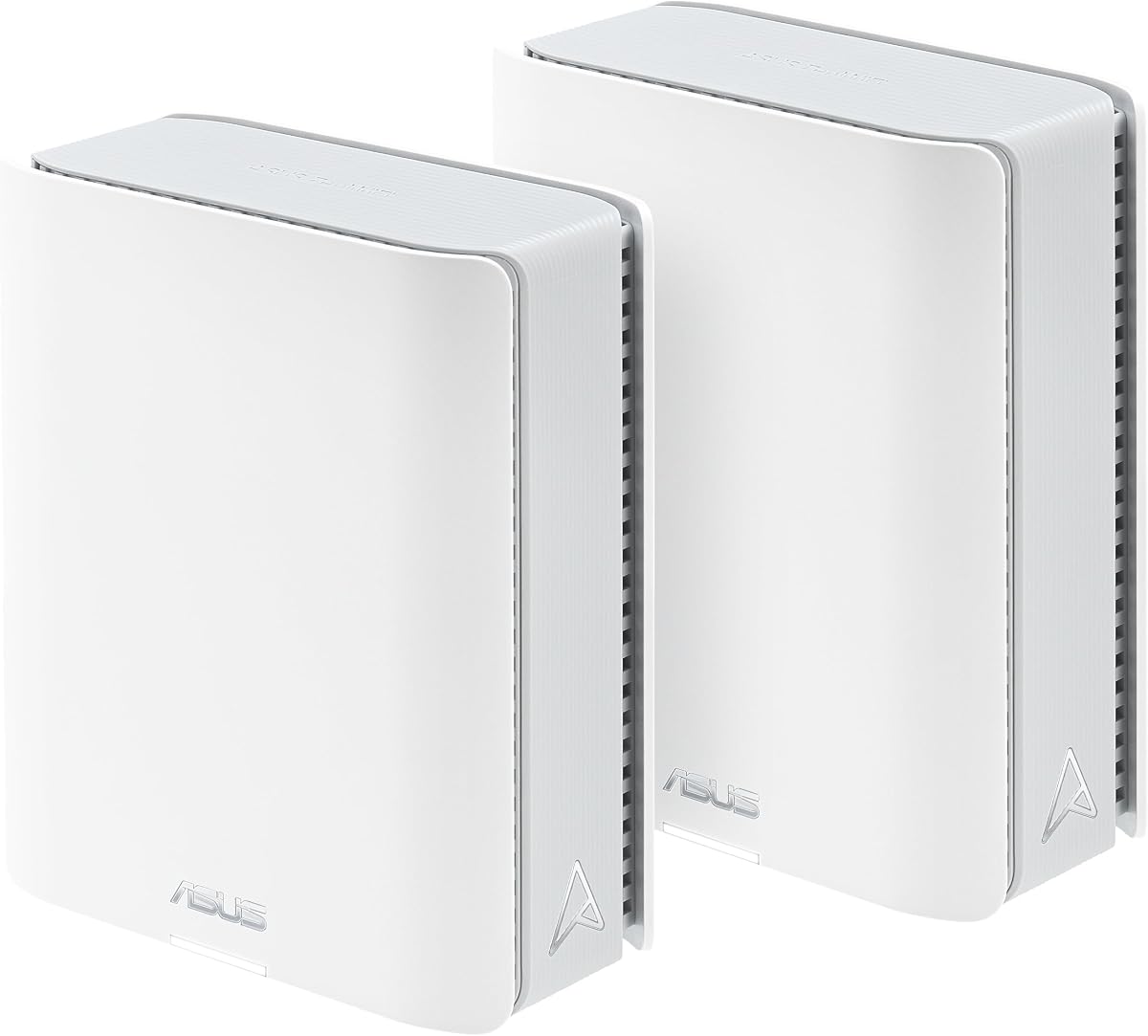
The ASUS ZenWiFi BT10 is a two-pack mesh system designed to cover large areas with WiFi 7 speeds. It has a 3.4 rating indicating mixed user experiences with setup or connectivity. The system provides speeds up to 18 Gbps and covers up to 6000 sq ft ensuring seamless connectivity across vast spaces.
We may earn a commission when you buy through this link, at no additional cost to you.
Ultimate AiMesh powered by AI delivers robust backhaul connections enabling easy scaling with other extendable routers. Internal antennas and high-power modules eliminate dead zones effectively. The dual 10G ports support ultrahigh-speed wired connections which is rare for mesh units and adds flexibility for high-performance needs.
Some users report initial connectivity challenges which may relate to firmware or specific network configurations. The price point is high reflecting the premium mesh and WiFi 7 capabilities. It requires careful placement of nodes to maximize the internal antenna efficiency and ensure optimal signal distribution.
This system is best for large homes needing reliable coverage without visible external antennas. It suits those who value seamless roaming and high-speed connectivity for multiple users. While setup may require patience the end result is a powerful network infrastructure capable of handling heavy modern loads.
AI-powered mesh ensures devices connect to the best node automatically providing a smooth experience as you move around the house.
Internal antennas combined with heat dissipation design improve reliability and reduce visual clutter compared to external antenna units.
We may earn a commission when you buy through this link, at no additional cost to you.
The ASUS RT-AX82U offers a blend of gaming performance and aesthetic appeal with customizable RGB lighting. It holds a 4.4 rating reflecting strong performance among users seeking a visual upgrade for their gaming setup. This router supports ultrafast speeds up to 5400 Mbps with the latest WiFi 6 technology and 160MHz channels.
We may earn a commission when you buy through this link, at no additional cost to you.
Mobile Game Mode minimizes lag and latency for mobile gaming with just a tap on the app. Aura RGB lighting effects allow customization to align with specific modes creating an immersive environment. ASUS AiMesh support enables creating a flexible whole-home network by integrating with other compatible routers easily.
Being a renewed model this option offers significant value but may lack the warranty certainty of a new unit. It lacks the newest WiFi 7 bands which limits future-proofing compared to newer models. However for current WiFi 6 needs it provides excellent speed and gaming features at a more accessible price point.
This router is ideal for gamers who care about setup aesthetics alongside performance. It is also suitable for households needing strong mobile game optimization without spending a fortune. If you want a stylish router with reliable performance the RT-AX82U remains a standout choice for mid-range gaming.
Mobile Game Mode prioritizes traffic from your phone reducing lag and ensuring smooth gameplay on the go.
Aura RGB lighting allows you to match router colors with your PC and other peripherals for a cohesive gaming vibe.
We may earn a commission when you buy through this link, at no additional cost to you.
The ASUS ZenWiFi BT8 provides tri-band WiFi 7 speeds in a single mesh node ideal for medium-sized homes. With a 4.0 rating it delivers speeds up to 14 Gbps with 6 GHz WiFi and 4K-QAM for enhanced capacity. This unit covers up to 3000 sq ft and is compatible with other routers for easier expandibility.
We may earn a commission when you buy through this link, at no additional cost to you.
Internal antennas and high-power front-end modules eliminate dead zones effectively without external hardware. 24/7 protection is ensured via commercial-grade AiProtection Pro and advanced VPNs. Smart Home Master simplifies IoT setup allowing you to manage multiple devices securely across different SSIDs.
As a single unit it offers limited range compared to two-pack systems for larger houses. The price is high for a single node but reflects the advanced WiFi 7 technology and mesh features. It is best for smaller homes or as an initial node in a larger network plan.
This router is suitable for users wanting modern performance in a compact package. It balances speed and security well while offering seamless integration with existing ASUS ecosystems. If you need a reliable mesh node that fits easily on a shelf the BT8 is a strong option.
Seven internal antennas and high-power modules focus signals to ensure strong coverage throughout the room.
Commercial-grade AiProtection Pro secures every device connected to your network against threats and vulnerabilities.
We may earn a commission when you buy through this link, at no additional cost to you.
The ASUS RT-AX3000 is a highly rated dual-band router offering reliable performance for typical households. It has a 4.5 rating indicating user satisfaction with its speed and stability. The router supports next-gen WiFi 6 technology providing speeds up to 3000 Mbps with 160MHz bandwidth for efficient data handling.
We may earn a commission when you buy through this link, at no additional cost to you.
It features one WAN port and four Gigabit LAN ports allowing stable wired connections for essential devices. The USB 3.0 port enables sharing storage or printers across the network easily. Lifetime free AiProtection Pro protects connected devices ensuring safety without recurring subscription fees.
This model lacks the newer 6GHz band which limits bandwidth for very heavy wireless loads. It is also limited to a single WAN port which may be restrictive for users needing backup connections. However its high rating and proven reliability make it a safe choice for most general home needs.
This router is ideal for families seeking proven performance without experimental features. It is suitable for users who value security and mesh scalability over cutting-edge wireless specs. For stable internet with robust protection the RT-AX3000 remains a top recommendation in its class.
160MHz bandwidth and 1024-QAM deliver fast speeds that handle multiple streams and downloads with ease.
AiProtection Pro provides ongoing security updates and parental controls without requiring extra monthly payments.
We may earn a commission when you buy through this link, at no additional cost to you.
The ASUS RT-AC68U is a classic AC router that has maintained strong performance over time. It holds a 4.5 rating from users who rely on its stability and security features. The router provides combined speeds of up to 1900 Mbps and includes five Gigabit LAN ports for extensive wired connectivity.
We may earn a commission when you buy through this link, at no additional cost to you.
Its 1GHz dual-core CPU enables smart multitasking by dedicating separate lanes for Wi-Fi and USB data. AiProtection Pro by Trend Micro offers multi-stage protection from vulnerability detection to sensitive data protection. Setup is effortless via the ASUSWRT web-based interface making it accessible for non-technical users.
This model uses the older AC standard which limits maximum wireless speed compared to modern WiFi 6 models. It is best suited for basic internet needs where wired devices dominate or for those not needing ultra-fast speeds. Despite its age it remains a reliable option for small to medium setups.
This router is ideal for households prioritizing wired connections and security. It is also suitable for budget-conscious users who prefer proven hardware over new tech. If you need a simple and secure router without complexity the RT-AC68U continues to serve well.
The dual-core CPU ensures smooth performance even when running multiple heavy network tasks simultaneously.
AiProtection Pro provides robust security features including malware blocking and site filtering for all devices.
We may earn a commission when you buy through this link, at no additional cost to you.
The ASUS ExpertWiFi EBR63 is designed specifically for small business needs requiring secure network segmentation. It carries a 4.2 rating reflecting satisfaction with its management tools and performance. The router supports speeds up to 3000 Mbps and allows separation of up to five SSIDs for different business scenarios.
We may earn a commission when you buy through this link, at no additional cost to you.
Custom Guest Portal features let you brand guest access with custom templates and names. Easy management is available through the ExpertWiFi app enabling remote setup and monitoring. Free commercial-grade AiProtection Pro ensures security while Backup WAN options maintain connectivity if the primary connection fails.
This model may be overly complex for typical home users who do not need VLANs or portal customization. It assumes a level of IT knowledge or business requirements not present in all households. However for small offices it provides essential tools for professional network management and guest access.
This router is ideal for businesses needing secure and branded guest Wi-Fi. It is also suitable for remote teams requiring reliable backup connectivity options. If you need business features without enterprise-level costs the EBR63 offers a practical and secure solution.
Custom guest portals allow you to present a professional welcome page to visitors connecting to your network.
The ExpertWiFi app gives you control over your network from anywhere ensuring quick responses to issues.
We may earn a commission when you buy through this link, at no additional cost to you.
Selecting the right router requires balancing speed requirements security and budget. This guide outlines the key factors to consider for your specific needs.
Choose a WiFi standard that matches your devices and internet plan. WiFi 6 is reliable for most users while WiFi 7 offers future-proof speed for heavy bandwidth tasks.
Look for high throughput rates like 10Gbps or 30Gbps to ensure your router keeps up with high-speed internet plans and multiple streaming devices.
Check the square footage coverage to ensure your home or office is fully connected. Mesh systems offer broader coverage while single units work best for smaller spaces.
External antennas provide better range and signal direction while internal antennas reduce clutter and are often found in modern compact designs.
Consider the number of Gigabit ports available for connecting gaming consoles or desktops. More ports reduce the need for external switches and simplify your setup.
High-speed 10G ports are valuable for transferring large files locally or for professional workstations requiring extreme throughput speeds.
Security is critical for protecting your data and devices from online threats. Look for built-in protections like AiProtection Pro that provide ongoing updates without extra fees.
Ensure the router supports WPA3 and has features like parental controls and VPN capabilities to keep your network safe from unauthorized access.
If you have a large property consider a mesh system or AiMesh compatible router. This allows you to add nodes later to expand coverage without replacing the whole system.
Scalable systems ensure seamless roaming so devices switch connections automatically as you move through the house without losing internet.
Gamers should look for routers with Game Acceleration or Traffic Prioritization features. These tools reduce lag by ensuring gaming packets are sent before other background data.
Features like Mobile Game Mode help optimize latency for mobile gamers providing a competitive edge during intense sessions on handheld devices.
Modern routers should help manage IoT devices efficiently through SSID segmentation. This keeps smart devices separate from your main network to improve overall security.
Look for features like Smart Home Master that simplify the setup of multiple devices and allow for easy control over access permissions.
A good router should be easy to install and manage without technical expertise. Apps that offer one-click setup and real-time monitoring are highly beneficial.
User-friendly interfaces ensure you can adjust settings like parental controls or guest access quickly whenever your needs change.
Place your router in a central location away from obstructions like metal objects or large appliances. Elevating the device helps improve signal distribution throughout the space.
Regularly update your router's firmware through the admin app to ensure you have the latest security patches and performance improvements.
Keep the unit clean and free of dust to prevent overheating. Use a soft cloth to wipe the exterior and ensure ventilation holes are never blocked by fabric or furniture.
WiFi 7 is a newer standard that offers significantly higher speeds and lower latency than WiFi 6. It supports wider channels and better multi-link operations for handling more devices efficiently.
Yes a mesh system is recommended for large homes to eliminate dead zones. It provides seamless coverage by allowing devices to connect to the nearest node automatically.
AiProtection Pro is a security suite provided by ASUS and Trend Micro. It offers threat detection parental controls and safe browsing without requiring a subscription fee.
Most ASUS routers work with standard modems via the WAN port. Just ensure your modem is in bridge mode or the router can handle the connection type directly.
Use the ASUS Router app or web interface to access parental controls. You can block websites schedule internet access times and manage user profiles easily.
Slow WiFi can result from interference distance or outdated firmware. Try rebooting the router changing the channel or updating software to improve performance.
We have reviewed ten top ASUS models ranging from budget to high-end gaming options. Each offers unique strengths whether you need speed coverage or robust security features.
Prioritize your needs such as gaming acceleration or mesh scalability when making a final decision. The right router ensures your network keeps up with modern demands without lag.
Check current prices and availability before purchasing as offers change regularly. Verify the specifications on the product page to ensure it meets your specific requirements.