
TP-Link Ethernet Splitter 1 to 2
4.6Editor score
Compact aluminum housing
Includes power cable
Secure-by-Design pledge
This guide compares the top internet splitter models for reliable connectivity, speed, and ease of use to help you choose the right network expansion solution.
Finding the right internet splitter can transform how you connect devices at home or work. A good splitter expands your network ports efficiently while maintaining high speeds and stable connections for all your gadgets.
We evaluated ten top-rated internet splitters based on performance, build quality, and ease of use. Our analysis includes gigabit models, compact designs, and options with extra features to suit different network needs.
Each pick highlights key strengths and trade-offs to help you decide quickly. Note that product prices and availability change often, so check current listings before making your final purchase decision today.
4.6Editor score

4.7Editor score

4.5Editor score
Here is a side-by-side comparison of all ten internet splitters to help you compare key features at a glance before making your final choice.



The TP-Link TL-SG105 stands out as a robust internet splitter solution for users needing multiple wired connections. With a high rating of 4.7 stars, it delivers reliable gigabit performance across five ports without complex setup.
We may earn a commission when you buy through this link, at no additional cost to you.
Its energy-efficient technology reduces power consumption while maintaining fast data transfer rates. The fanless metal design ensures quiet operation, making it ideal for home offices or living rooms where noise matters.
While it is slightly larger than mini splitters, the added durability and port count justify the footprint. Users benefit from shielded ports that prevent interference and ensure stable connections even in busy network environments.
Buy this if you need a permanent network expansion solution with room to grow. It offers the best balance of performance, reliability, and warranty support for serious home or small office setups.
IEEE 802.3X flow control provides reliable data transfer by managing traffic flow and preventing packet loss during high-load scenarios.
The sturdy metal casing and shielded ports protect internal components from physical damage and electromagnetic interference for years of use.
We may earn a commission when you buy through this link, at no additional cost to you.
This TP-Link splitter offers an affordable way to expand your network from one port to two without sacrificing gigabit speeds. Its 4.6-star rating reflects strong user satisfaction with ease of setup and stable connectivity.
We may earn a commission when you buy through this link, at no additional cost to you.
The compact aluminum housing ensures durability and efficient heat dissipation while keeping the unit small enough for travel. It supports up to 1000Mbps total bandwidth, allowing smooth streaming and file transfers on connected devices.
Users should note that bandwidth is shared when two devices are active, which may affect peak speeds during heavy use. However, for most home users, this trade-off is acceptable given the low cost and portability.
Choose this model if you need a quick, budget-friendly solution for a second device like a TV or gaming console. Its security features and compact size make it a smart choice for renters or frequent travelers.
No drivers or software are required for installation, making it extremely easy to connect and start using your expanded network right away.
TP-Link follows the U.S. CISA Secure-by-Design pledge to ensure this device is built with advanced security requirements from the ground up.
We may earn a commission when you buy through this link, at no additional cost to you.
UGREEN delivers a premium internet splitter experience with attention to build quality and signal integrity. Its 4.5-star rating highlights consistent performance and durable construction that resists wear over time.
We may earn a commission when you buy through this link, at no additional cost to you.
The full metal protection and gold-plated pin cores ensure fast, stable transmission speeds without interference or crosstalk between signals. This makes it ideal for users who demand reliable connections for high-bandwidth activities like gaming.
Although it costs slightly more than basic models, the enhanced durability and signal stability justify the investment for long-term use. The compact design allows easy placement behind TVs or on desks without taking up much space.
Invest in this if you prioritize build quality and consistent performance over the lowest possible price. It suits tech enthusiasts or professionals who need a trustworthy network extension tool for daily tasks.
Gold-plated pin cores and full metal protection prevent signal loss and interference, ensuring your data transfers smoothly every time you connect.
The eco-friendly PCB board built into the metal casing helps dissipate heat effectively for stable long-term operation without overheating risks.
We may earn a commission when you buy through this link, at no additional cost to you.
The LIEZHUA Gigabit Ethernet Splitter provides a straightforward way to expand your network to two devices with reliable performance. Its 4.3-star rating indicates solid functionality for home use without unnecessary complexity.
We may earn a commission when you buy through this link, at no additional cost to you.
Six LED indicators make it easy to see which connected devices are active and running, adding a layer of transparency to your network setup. The aluminium alloy casing protects internal components while allowing efficient heat dissipation.
Users must provide a 5V power source, which is standard but requires an adapter if not already available. This small requirement ensures stable data transmission but adds a cable to manage compared to passive options.
Pick this if you want clear visual feedback on your network status and a durable build. It works well for connecting a computer and streaming device simultaneously while maintaining high-speed connectivity.
Six built-in LED indicators let you quickly determine which devices are currently running and connected to the network splitter.
Integrated mechanical soldering and an enclosed insulated module design ensure high-quality materials and durability through daily use.
We may earn a commission when you buy through this link, at no additional cost to you.
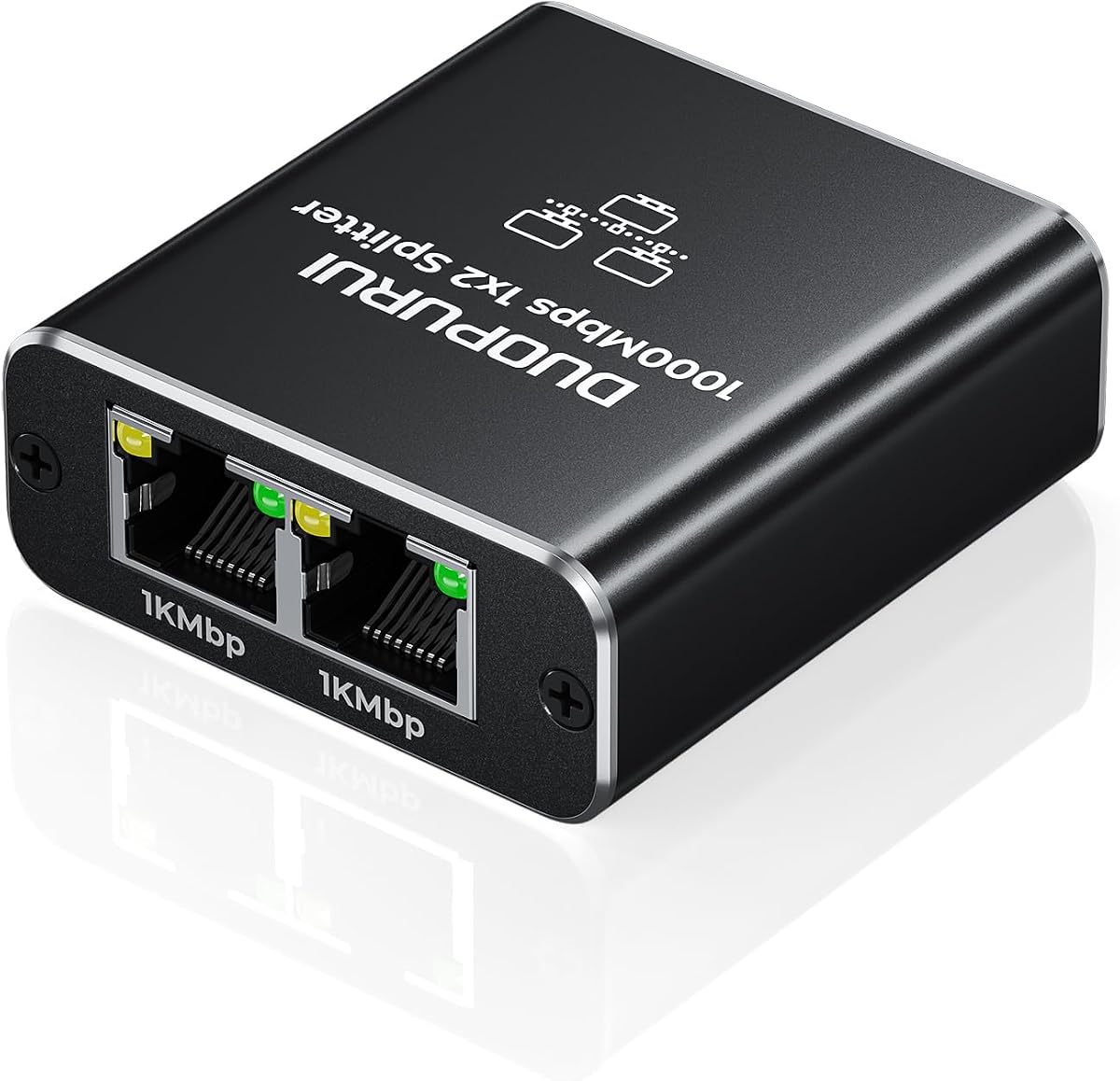
This DUOPURUI splitter delivers high-speed networking capabilities suitable for demanding applications like 4K streaming and large file transfers. With a 4.4-star rating, it offers stable performance for users needing reliable dual-port connectivity.
We may earn a commission when you buy through this link, at no additional cost to you.
The alloy shell material provides strong anti-jamming ability, ensuring reliable signal transmission in complex use scenarios with multiple electronic devices nearby. Adaptive matching supports 10/100Mbps networks if needed for older setups.
Users should ensure a USB power adapter is available, as the unit cannot function without external power. This requirement guarantees stable operation but means you need access to a USB power source nearby.
Choose this for high-bandwidth tasks where consistent performance matters. It is a solid choice for gaming consoles or media centers that need a wired connection without investing in a full switch.
Perfectly meets the needs of 4K HD video streaming and large file transfers with up to 1000Mbps transmission rate on all ports.
High-quality alloy shell and high-performance circuit board ensure stable operation and strong anti-jamming ability in any environment.
We may earn a commission when you buy through this link, at no additional cost to you.
This LIEZHUA splitter expands a single port to four connections, making it versatile for households with many wired devices. The 4.4-star rating reflects satisfaction with its speed and ease of deployment across various setups.
We may earn a commission when you buy through this link, at no additional cost to you.
Including a Cat 6 LAN cable simplifies setup right out of the box, reducing the need to purchase extra cables. The 1000Mbps speed supports streaming, gaming, and large file transfers with stable performance for all devices.
Bandwidth is shared among the four connected devices, so simultaneous heavy usage may slow individual speeds. However, for typical home use like browsing and HD streaming, this limitation rarely causes noticeable issues.
Opt for this if you need to connect multiple devices like a PC, console, and smart TV from one wall outlet. Its lightweight design also makes it easy to move between rooms as needed.
Connect up to four devices simultaneously with fast and stable gigabit network connections for all your wired home entertainment needs.
The package includes a Cat 6 LAN cable so you can start using the splitter immediately without ordering additional accessories separately.
We may earn a commission when you buy through this link, at no additional cost to you.
This internet splitter offers flexibility with four output ports from a single input, ideal for expanding wired connections easily. Its 4.4-star rating highlights user appreciation for its straightforward setup and reliable gigabit performance.
We may earn a commission when you buy through this link, at no additional cost to you.
Compatibility with Cat5 through Cat8 cables provides maximum flexibility for existing network infrastructure. The USB-C power cable ensures stable operation without needing extra adapters, simplifying the connection process significantly.
Users can connect up to four devices simultaneously, though total bandwidth is shared across all active connections. This trade-off is acceptable for most home users who need wired stability rather than maximum speed per device.
Select this if you want a simple way to expand your network to four devices quickly. Its plug-and-play nature and included USB-C power make it accessible for non-technical users as well.
Compatible with Cat5 to Cat8 ethernet cables so you can use whatever cables you already have around your home or office.
Includes a USB-C power cable so reliable and stable operation works without needing extra external power adapters or complex setups.
We may earn a commission when you buy through this link, at no additional cost to you.
This Ethernet Splitter bundle includes a Cat 6 cable, making it ready to use immediately upon arrival. With a 4.3-star rating, it delivers solid gigabit performance for home and office environments where quick setup is valued.
We may earn a commission when you buy through this link, at no additional cost to you.
The advanced transmission chip ensures high-speed connectivity without compromising performance, allowing uninterrupted internet access for two devices at once. LED indicators display the working status of each port clearly for troubleshooting.
While the lightweight plastic body may feel less robust than metal alternatives, it provides excellent heat dissipation and durability for typical indoor use. The nickel-plated jacks ensure stable signal transmission over time.
Choose this if you want an all-in-one kit that reduces setup hassle. It is perfect for users who need a quick network expansion without buying extra cables separately.
Includes a Cat 6 Ethernet cable so you can start using the splitter immediately without needing to purchase extra cables separately.
LED indicators clearly display the working status of each port so you can easily see if your devices are connected and active.
We may earn a commission when you buy through this link, at no additional cost to you.
This mini splitter is designed to connect three devices from one ethernet line, perfect for situations with limited cabling. Its 4.5-star rating reflects strong user approval for reliability and ease of setup in home and office settings.
We may earn a commission when you buy through this link, at no additional cost to you.
The compact design allows it to fit easily into laptop bags for travel, meeting connectivity needs in hotels or temporary offices. Advanced socket technology ensures safe and comfortable plugging and unplugging without risking port damage.
Users can connect an Xbox, PS5, and TV simultaneously without rebooting computers or configuring settings. Each cable group transmits independently without interference, though total bandwidth remains limited to 1000Mbps shared.
Select this if you need to connect three wired devices without adding extra wall cables. Its portability and simple operation make it a practical choice for flexible networking arrangements.
Lightweight and compact design allows you to fit it into any laptop travel bag for network expansion at home or on the road.
Each cable group transmits independently without interfering with each other so connected devices operate smoothly during simultaneous use.
We may earn a commission when you buy through this link, at no additional cost to you.
Dockteck offers a three-port solution for sharing a single Ethernet line effectively. With a 4.5-star rating, users appreciate its ability to solve connection issues in spaces with limited wired network ports.
We may earn a commission when you buy through this link, at no additional cost to you.
Crafted from high-quality aluminum metal, it provides durability and efficient heat dissipation for long-lasting stable connections. The compact and portable design offers greater flexibility for network expansion plans in home or office environments.
When three computers are connected, they share a total bandwidth of 1000Mbps, which may impact heavy concurrent usage. Still, for typical browsing and streaming, this performance remains reliable and fast enough.
Choose this if you need a portable and durable way to expand your network to three devices. Its build quality and simplicity make it a reliable choice for daily connectivity needs.
Crafted from high-quality aluminum metal material, it offers durability, stability, and efficient heat dissipation for long-lasting stable connections.
Works seamlessly with various devices including routers, computers, and TVs so it fits into most existing network setups easily.
We may earn a commission when you buy through this link, at no additional cost to you.
Choosing the right internet splitter involves considering several factors to ensure it meets your network needs and performance expectations.
Determine how many additional devices you need to connect. A 1-to-2 splitter is basic, while 1-to-3 or 1-to-4 models offer more flexibility but share bandwidth more.
Select a port count that matches your current devices and potential future growth without overcomplicating your setup.
Look for gigabit-capable splitters that support up to 1000Mbps for fast data transfer. Understand that total bandwidth is shared among connected devices.
Choose a splitter with speed ratings that match your internet plan and usage requirements for optimal performance.
Many active splitters require USB or external power for stable operation. Check if the package includes a power cable or adapter to avoid extra costs.
Opt for models that work with common USB power sources to simplify setup and reduce cable clutter.
Metal housings provide better heat dissipation and durability than plastic options. Look for gold-plated pins and shielded ports to minimize signal interference.
Invest in a unit with sturdy construction to ensure long-term reliability and resistance to wear.
Ensure the splitter supports your existing Ethernet cable types such as Cat5e, Cat6, or Cat8. Mismatched cables can limit performance or cause connection issues.
Check compatibility specifications before purchasing to guarantee seamless integration with your current network cables.
Plug-and-play models without software installation simplify deployment. LED indicators can help verify connection status and active ports easily.
Choose a user-friendly design to minimize troubleshooting time and start using your network immediately.
Prices vary based on features and build quality. Balance your budget with the performance and reliability you need for your specific use case.
Read reviews to ensure the product delivers value and meets expectations before committing to a purchase.
Some brands offer multi-year warranties and technical support. This protection adds peace of mind and ensures assistance if issues arise.
Check warranty terms and support availability to choose a reliable product backed by the manufacturer.
Connect the internet splitter to your router or modem using an Ethernet cable for the input port. Ensure the splitter is powered via USB or external adapter for stable operation.
Plug additional devices into the output ports using separate Ethernet cables. LED indicators will typically light up to show active connections.
Keep the splitter in a cool, well-ventilated area to prevent overheating. Avoid bending cables sharply and check connections periodically for best performance.
An internet splitter expands a single network port into multiple outputs allowing you to connect several wired devices like computers, TVs, and game consoles to your router without running new cables.
Use a simple splitter for basic port expansion with minimal configuration. Choose a switch if you need more advanced features like traffic prioritization or if you plan to connect many devices simultaneously.
Most active gigabit splitters require USB or external power to function properly. Passive splitters exist but typically limit speeds to 100Mbps which is insufficient for modern high-speed internet connections.
Yes, the total available bandwidth is shared among connected devices. If multiple devices use the network heavily at once, each may experience slower speeds compared to a single direct connection.
Most splitters support Cat5e, Cat6, Cat7, and Cat8 Ethernet cables. Ensure your cables match the splitter's speed ratings to avoid bottlenecks and maintain optimal performance.
Check the LED indicators on the splitter which usually show active connections. Test each device for stable internet access and consistent speed to confirm proper operation.
We reviewed ten top internet splitters with TP-Link TL-SG105 leading for reliability and TP-Link 1-to-2 offering excellent value. Each model brings unique strengths for different networking needs.
Prioritize speed, build quality, and port count when selecting a splitter. Ensure power requirements fit your setup and confirm cable compatibility before purchasing to avoid extra costs.
Remember that prices fluctuate so verify current listings and deals before buying. With the right splitter, expanding your wired network becomes simple and efficient for any home or office.