
Acer 21.5in FHD Office Monitor
4.6Editor score
100Hz refresh rate
Adaptive Sync support
ZeroFrame design
Choosing the right display is crucial for productivity and entertainment. An HDMI LED monitor offers sharp visuals and reliable connectivity for various setups. We review the best options available today.
We compared these models based on resolution, refresh rate, color accuracy, and connectivity options. Our analysis focuses on real-world performance for gaming, office work, and multimedia consumption.
Each pick highlights key strengths and ideal use cases to simplify your decision. Prices and availability change frequently, so verify current details before purchasing your next monitor.
4.6Editor score

4.6Editor score

4.7Editor score
As an Amazon Associate we earn from qualifying purchases.
This table provides a side-by-side overview of key specifications for all ten monitors. Use it to quickly compare refresh rates, panel types, and connectivity options.





The Sceptre 24-inch Prime Monitor stands out as a top choice for budget-conscious buyers seeking performance. With a 4.6 rating, it delivers sharp visuals and smooth motion suitable for both work and gaming.
We may earn a commission when you buy through this link, at no additional cost to you.
Its 99% sRGB coverage ensures accurate colors for design tasks and media consumption. The 100Hz refresh rate provides fluid motion that surpasses standard 60Hz displays, reducing eye strain during long sessions.
While the stand is basic and lacks height adjustment, the monitor supports VESA mounting for flexible positioning. The inclusion of built-in speakers saves desk space and simplifies cable management for most users.
This monitor is ideal for students, office workers, and casual gamers who want reliable performance without breaking the bank. We recommend it for anyone needing a versatile display with strong color and motion handling.
The 99% sRGB coverage delivers deeper and more accurate colors compared to standard monitors for richer visual experiences.
With up to 100Hz refresh rate, this monitor reduces motion blur and screen tearing during fast-paced gaming sequences.
We may earn a commission when you buy through this link, at no additional cost to you.
The Sceptre E275W offers a larger 27-inch screen for those who need more workspace or immersive media viewing. Its 4.5 rating reflects solid performance across everyday tasks and light gaming scenarios.
We may earn a commission when you buy through this link, at no additional cost to you.
Users appreciate the 100Hz refresh rate which makes scrolling and motion smoother than standard displays. The built-in speakers provide convenient audio without extra hardware, making it great for video calls.
The stand allows tilting for comfort but lacks height or pivot adjustments. While adequate for most users, those needing precise ergonomic positioning may prefer a VESA mount solution.
This monitor is perfect for home offices or living room setups where screen size matters. It balances affordability with useful features like high refresh rates and flexible connectivity options.
The 27-inch display provides more room for multitasking and detailed work compared to smaller 24-inch monitors.
Integrated speakers eliminate the need for external audio devices, simplifying your desk setup significantly.
We may earn a commission when you buy through this link, at no additional cost to you.
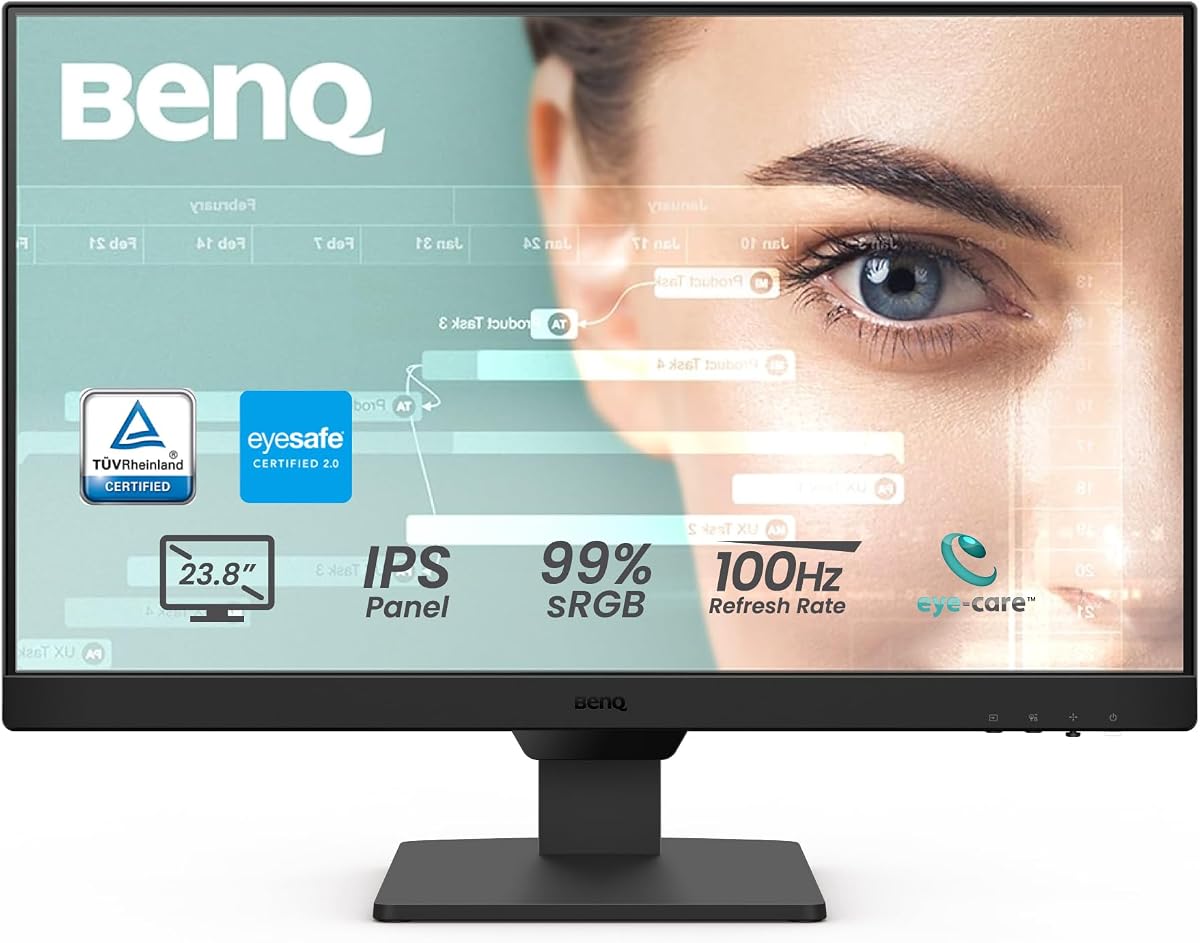
The BenQ GW2490 is renowned for its eye care technology, making it ideal for long work sessions. With a 4.6 rating, it combines visual comfort with professional-grade performance features.
We may earn a commission when you buy through this link, at no additional cost to you.
Its IPS panel ensures wide viewing angles and accurate colors for creative work. The Low Blue Light Plus feature filters harmful rays while maintaining vivid image quality for comfortable viewing.
Though the stand offers minimal adjustment, VESA mounting allows for flexible positioning. Adaptive brightness helps maintain comfort across different lighting conditions throughout the day.
This monitor is best suited for professionals and writers who prioritize eye health. It delivers a premium experience with reliable color and motion performance at a competitive price.
Blue Light Plus filters high energy blue light to reduce eye strain during extended use periods.
The IPS panel delivers consistent colors across wide angles for accurate design and photo editing work.
We may earn a commission when you buy through this link, at no additional cost to you.
The Dell SE2426H delivers premium performance with a 144Hz refresh rate and 1ms response time. Its 4.7 rating highlights exceptional fluidity and smoothness for demanding tasks and games.
We may earn a commission when you buy through this link, at no additional cost to you.
With IPS technology, it offers wide viewing angles and consistent color accuracy. AMD FreeSync eliminates screen tearing during gaming for a more immersive and responsive experience.
Although it carries a higher price than budget options, the build quality and performance justify the investment. TÜV certification ensures eye comfort even during prolonged daily use periods.
This monitor is ideal for gamers and power users seeking top-tier motion handling. It balances performance features with professional visual quality for versatile everyday use.
144Hz refresh rate and 1ms MPRT deliver incredibly fluid visuals for competitive gaming and fast content.
TÜV Rheinland 3-star certification reduces harmful blue light without compromising image quality.
We may earn a commission when you buy through this link, at no additional cost to you.
The Philips 241V8LB offers excellent value with its VA panel and 100Hz refresh rate. Its 4.6 rating reflects solid performance for media and everyday work tasks.
We may earn a commission when you buy through this link, at no additional cost to you.
VA panels deliver deeper blacks and higher contrast than IPS, making movies and images look more vibrant. The near bezel-free design creates an immersive viewing experience for single or multi-monitor setups.
Flicker-Free technology helps reduce eye strain during long sessions. While response times are decent, this monitor is not ideal for competitive gaming compared to higher refresh options.
This monitor is best for casual users and home offices prioritizing visuals. It provides reliable performance and a sleek look without demanding a premium price.
VA panel technology produces brighter whites and deeper blacks for more lifelike images and gradients.
Minimal bezels on three sides enhance the viewing area and simplify multi-monitor configurations.
We may earn a commission when you buy through this link, at no additional cost to you.
The Dell P2425H is built for comfort with a fully ergonomic stand. Its 4.6 rating highlights its utility for professionals needing precise positioning during work.
We may earn a commission when you buy through this link, at no additional cost to you.
Height, swivel, and tilt adjustments ensure the screen aligns with your posture. The 1500:1 contrast ratio delivers clear images for detailed office work and presentations.
This model focuses on reliability and adjustability over gaming features. The professional design fits well in corporate environments and dedicated home offices.
This monitor suits business users and anyone needing flexible viewing angles. It invests in ergonomics to promote health and productivity throughout the day.
Full height and swivel adjustments help reduce neck strain during long work sessions.
Dell builds this model for stability and clarity in demanding professional environments.
We may earn a commission when you buy through this link, at no additional cost to you.
The BenQ BL2490 achieves a 5.0 rating for its reliable performance and eye-friendly features. It balances basic needs with solid visual quality for everyday use.
We may earn a commission when you buy through this link, at no additional cost to you.
Anti-glare coating reduces reflections in bright rooms, improving visibility. The 100Hz refresh rate keeps motion fluid, making it suitable for general productivity and video watching.
While it lacks speakers, the DisplayPort option expands connectivity. The tilt stand is simple but adequate for most desk setups without extra adjustments.
This monitor is perfect for quiet offices or study environments. It provides a glare-free experience and dependable performance without unnecessary complexity.
Anti-glare surface minimizes reflections for clearer viewing in brightly lit rooms.
Includes both HDMI and DisplayPort for flexible connection to various devices.
We may earn a commission when you buy through this link, at no additional cost to you.
The LG 24U411A-B combines modern features like HDR10 and 120Hz refresh rates. Its 4.6 rating indicates strong performance for media and casual gaming needs.
We may earn a commission when you buy through this link, at no additional cost to you.
HDR10 support brings out richer details in compatible content. The slim bezel design creates a clean aesthetic that suits modern desks and multi-monitor arrangements.
Though it lacks height adjustment, the tilt range is practical. Reader Mode and Flicker Safe protect eyes during extended work and reading sessions.
This monitor is great for multimedia users and light gamers. It delivers vibrant visuals and useful software features in a compact design.
HDR10 support enhances contrast and color for more immersive video and gaming experiences.
Reader Mode lowers blue light to create a comfortable paper-like experience for reading documents.
We may earn a commission when you buy through this link, at no additional cost to you.
The Acer KB220Q H2bi offers exceptional value with a 100Hz refresh rate at a low price. Its 4.6 rating proves that affordability does not mean sacrificing essential performance.
We may earn a commission when you buy through this link, at no additional cost to you.
The near bezel-less design maximizes viewing space for a compact monitor. FreeSync support ensures smooth playback and gaming by syncing refresh rates with graphics cards.
While the screen is smaller than standard options, it fits well in tight spaces. The 1ms response time delivers crisp visuals free from smearing or ghosting artifacts.
This monitor is ideal for students and budget-conscious users. It provides smooth motion and clear visuals without straining your finances or workspace.
FreeSync compatibility eliminates screen tearing for smoother gaming and video playback.
ZeroFrame design offers more screen space and easier placement in smaller areas.
We may earn a commission when you buy through this link, at no additional cost to you.
The Dell S2425HSM is a complete package with a full ergonomic stand and high refresh rate. Its 4.6 rating reflects versatility for work, gaming, and multimedia needs.
We may earn a commission when you buy through this link, at no additional cost to you.
Height, tilt, pivot, and swivel adjustments let you customize the screen perfectly. Integrated 3W speakers and 144Hz refresh rate add convenience and performance without extra accessories.
The ash white color gives it a modern look, though it may show dust easier. The monitor handles both productivity and play smoothly with its reliable hardware.
This monitor suits users wanting a premium all-in-one experience. It delivers high performance and comfort in a stylish package for home offices.
Full range of adjustments including pivot and swivel ensures optimal viewing comfort.
Dual 3W speakers provide immersive sound without needing external devices.
We may earn a commission when you buy through this link, at no additional cost to you.
Selecting the right HDMI LED monitor requires understanding key features that impact visual quality and usability. This guide explains essential factors to consider before buying.
Refresh rate measures how many times the screen updates per second. Higher rates like 100Hz or 144Hz provide smoother motion and reduce motion blur during fast tasks.
Look for refresh rates above 60Hz for better fluidity in gaming and video playback.
IPS panels offer wide viewing angles and accurate colors for creative work. VA panels deliver higher contrast for deeper blacks in movies and dark scenes.
Choose IPS for color work and VA for media consumption based on your needs.
Response time indicates how fast pixels change color. Lower values like 1ms reduce ghosting and blur in fast-paced content.
For gaming and video, target 1ms to 5ms for the clearest motion.
HDMI is standard for video, but DisplayPort adds bandwidth for higher refresh rates. Multiple ports allow easy switching between devices like PCs and consoles.
Ensure your monitor has enough HDMI ports for all your devices.
Adjustable stands with height, tilt, and pivot options improve comfort during long sessions. Fixed stands save space but may cause strain over time.
Prioritize adjustability if you spend many hours daily in front of the screen.
Blue light filters and flicker-free technology reduce strain and headaches. Look for certifications like TÜV for verified protection during extended use.
These features help maintain comfort during long reading or work sessions.
High sRGB coverage ensures colors match real-life tones for editing. Good accuracy is crucial for graphic design and photo editing work.
Select monitors with 99% sRGB for professional visual tasks.
Integrated speakers save desk space and simplify setup by reducing cables. While not audiophile grade, they work well for calls and casual media.
Check for speaker wattage if audio quality matters for your workflow.
Connect the monitor using an HDMI cable to your computer or console. Adjust the brightness and contrast settings to match room lighting for optimal viewing comfort.
Clean the screen with a soft microfiber cloth to avoid scratches. Avoid spraying cleaners directly on the display to prevent liquid damage.
Use built-in eye care features during long work sessions to reduce strain. Proper positioning at arm's length ensures ergonomic comfort and better posture.
For general use, 100Hz offers a noticeable improvement over standard 60Hz displays. Gamers often prefer 144Hz for ultra-smooth motion. Most budget options today include 100Hz for better performance.
Many models like the Dell SE2426H support AMD FreeSync. This feature matches refresh rates to the GPU to reduce tearing. Always check specs if you plan to game.
HDMI 2.0 and later support 144Hz at Full HD. Older ports may cap at 60Hz. If your GPU needs more bandwidth, consider DisplayPort options if available.
Enable built-in blue light filters and adjust brightness to match ambient light. Take regular breaks using the 20-20-20 rule. Position the screen at eye level.
A 24-inch screen provides ample space for multitasking without taking up too much desk space. Larger 27-inch monitors are great if you need extra workspace.
Most models support VESA mounting for wall installation. Check the back for hole patterns like 100mm x 100mm. This is useful for saving desk space or dual setups.
The best choice depends on your specific needs for gaming, work, or media. Our picks offer a range of features and prices to suit various budgets and scenarios.
Prioritize refresh rate and eye care features if you spend hours in front of the screen. For general use, color accuracy and connectivity options also matter significantly.
Prices and availability change often, so verify current deals before finalizing your order. We hope this guide helps you find the perfect display.