
Kingston NV3 1TB M.2 2280 NVMe SSD
4.7Editor score
Up to 6000 MB/s read speed
Includes Acronis cloning software
5-year limited warranty included
This guide compares the top Kingston Internal NVME SSD options for 2026, analyzing performance, capacity, and value to help you choose the right drive.
Selecting the right internal storage solution is crucial for modern computing tasks. Kingston Internal NVME SSD options offer remarkable speed and reliability for various users.
We evaluated these drives based on real-world performance metrics, durability, and compatibility. Our list covers the latest models available to ensure you find the best fit.
Each pick highlights specific strengths and ideal use cases for different needs. Please note that pricing and availability may vary over time.
4.7Editor score
4.7Editor score

5.0Editor score
We have compiled a detailed side-by-side comparison of the top ten internal NVME storage solutions from Kingston. This table helps you quickly identify key specifications like speed, form factor, and intended use cases to streamline your purchasing decision.



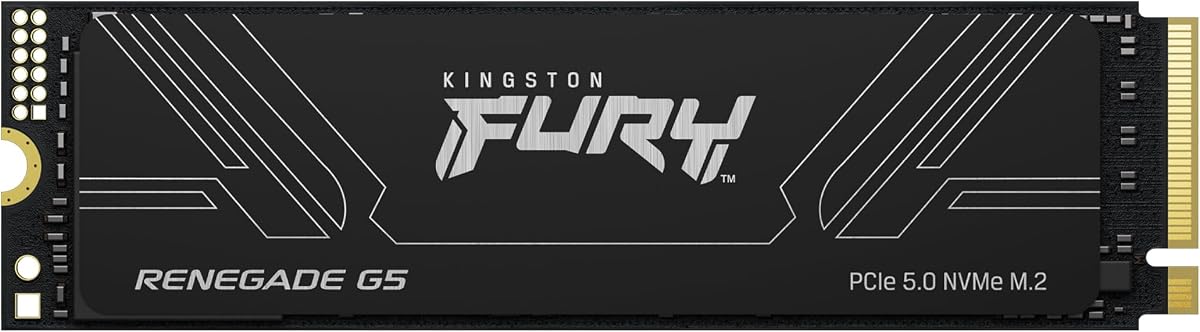
The Kingston FURY Renegade G5 stands out as the top performer in this lineup, earning its spot as Editor's Choice. With a stellar rating of 4.7 stars, this drive delivers unmatched speed for demanding users who need maximum throughput.
We may earn a commission when you buy through this link, at no additional cost to you.
Its standout feature is the ability to reach sequential read speeds up to 14,800 MB/s. This is achieved through PCIe 5.0 technology, which doubles the bandwidth of previous generations. The drive utilizes a SM2508 controller with 6nm lithography for efficiency. It also features a low-power DDR4 cache and a 12-layer PCB for stable power delivery.
Trade-offs include the requirement for a Gen 5 motherboard to fully utilize its speed. Additionally, the cost is higher than standard options. These factors are acceptable for professionals and enthusiasts who prioritize raw performance above all else.
This drive is perfect for power users, hardcore gamers, and content creators handling massive files. If you need the fastest available storage and have compatible hardware, this is the ultimate choice for your build.
The 14,800 MB/s read speed enables ultra-fast load times and seamless 4K video editing workflows without lag.
Advanced cooling features like the Buck IC and 12-layer PCB ensure stable performance even under heavy sustained loads.
We may earn a commission when you buy through this link, at no additional cost to you.
For those seeking value without sacrificing speed, the NV3 model is the clear winner. It carries a high 4.7-star rating from satisfied customers. This drive proves that budget-friendly storage can still offer Gen 4 performance for everyday users.
We may earn a commission when you buy through this link, at no additional cost to you.
It features PCIe 4.0 Gen 4×4 performance with read speeds up to 6,000 MB/s. This makes it suitable for gaming and heavy multitasking. The package includes Acronis cloning software to simplify upgrades. It is also designed for low power storage efficiency.
While it lacks the extreme durability of high-end models, it is sufficient for most desktops and laptops. The basic design is adequate for typical workloads. These trade-offs are minor given the affordable price point.
Buyers looking for an affordable upgrade for their PC or laptop should choose this option. It provides a smooth transition to faster storage with excellent reliability features like a 5-year limited warranty.
The included Acronis software allows you to clone your existing drive quickly without needing extra tools.
A 5-year limited warranty offers peace of mind that your data and investment are protected long-term.
We may earn a commission when you buy through this link, at no additional cost to you.
This model boasts a rare perfect 5.0 rating, reflecting exceptional customer satisfaction. The KC3000 series is known for its robust build quality. It represents the premium end of Kingston's consumer NVMe offerings effectively.
We may earn a commission when you buy through this link, at no additional cost to you.
The drive delivers read speeds up to 7000 MB/s and write speeds of 6000 MB/s. It is specifically optimized for notebook performance. The high-quality assurance ensures consistent reliability for professional workflows. It supports high-capacity options for growing storage needs.
The main drawback is the higher cost compared to other budget-friendly options. Additionally, the 1TB size might not suffice for massive media libraries. These factors are acceptable given the premium performance and build quality.
Users prioritizing reliability and speed for critical workloads should invest in this drive. It is an excellent choice for laptops and desktops where stability and performance are paramount.
Designed with notebook compatibility in mind to ensure efficient power usage and heat management.
Quality assured products ensure you receive a drive that meets strict performance and durability standards.
We may earn a commission when you buy through this link, at no additional cost to you.
This high-performance drive is a favorite among gamers due to its incredible speed and reliability. The Renegade series is engineered for intense workloads. Its 4.8-star rating highlights its capability to handle demanding applications without failure.
We may earn a commission when you buy through this link, at no additional cost to you.
It offers read speeds up to 7300 MB/s, which is near the limit for Gen 4. The drive often comes with a heatsink to prevent thermal throttling during long sessions. It fits standard M.2 2280 slots and supports high capacities up to 4TB.
The physical heatsink might not fit in ultra-slim laptops. Users with older SATA slots would need an adapter. These limitations are acceptable for those building gaming rigs or updating high-end laptops.
Gamers and power users should choose this model for its raw power and cooling features. It ensures your system stays cool and responsive during intense gaming sessions or data-heavy tasks.
Designed to meet Sony's storage standards for seamless integration into PlayStation 5 systems.
The included heatsink or heat spreader ensures the drive runs cool even during long gaming marathons.
We may earn a commission when you buy through this link, at no additional cost to you.
This variant of the NV3 series is specifically designed for compact computing environments. It maintains the high-speed Gen 4 performance despite its smaller size. The 4.7 rating confirms its reliability in niche devices.
We may earn a commission when you buy through this link, at no additional cost to you.
It utilizes the M.2 2230 form factor which is ideal for handheld gaming devices and small form factor PCs. Read speeds reach up to 6,000 MB/s ensuring quick boot times. It fits seamlessly into modern compact motherboards designed for this size.
Standard laptop cases may not fit this size without adapters. Users must check their device's slot specifications carefully. These constraints are acceptable for users who specifically need compact storage solutions.
Owners of handheld gaming PCs or compact laptops should select this model for the perfect fit. It offers significant speed improvements over older SATA storage in tiny enclosures.
Specifically compatible with modern handheld gaming devices to provide fast game load times.
Delivers 6000 MB/s read speeds even in a smaller 2230 form factor package.
We may earn a commission when you buy through this link, at no additional cost to you.
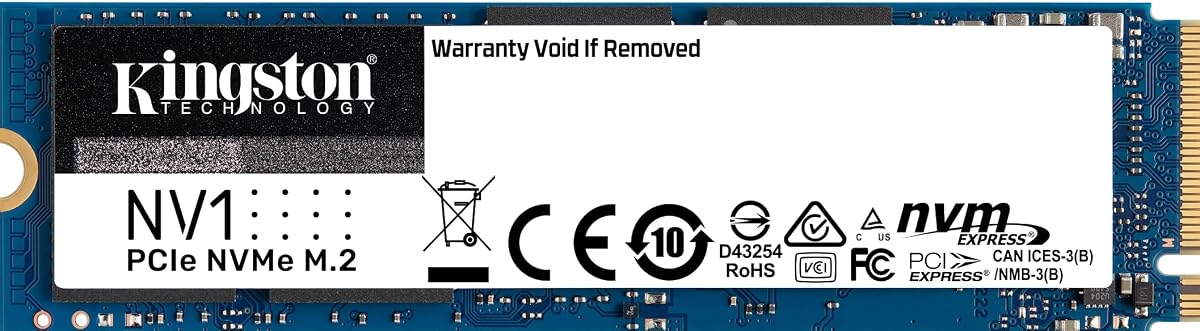
This drive offers a balance of affordability and capacity for standard storage needs. The NV1 line is popular for general upgrades. Its 4.7 rating indicates it performs well for everyday tasks.
We may earn a commission when you buy through this link, at no additional cost to you.
It supports capacities up to 2TB allowing ample space for documents and photos. Read speeds reach 2,100 MB/s which is fast for general use. It is ideal for laptops and small form factor PCs.
It is slower than Gen 4 options so it may not suit heavy video editing. Some users may notice slower load times compared to higher-tier drives. These trade-offs are acceptable for basic computing tasks.
Users needing reliable storage for media libraries on a budget should choose this drive. It provides a straightforward upgrade path to modern NVMe speeds without breaking the bank.
The 2TB capacity allows you to store thousands of photos and videos easily.
Works seamlessly in small form factor PCs where space is at a premium.
We may earn a commission when you buy through this link, at no additional cost to you.
This entry-level NVMe drive earns a strong 4.8-star rating from users. It serves as an excellent first step into NVMe technology. The brand reputation ensures quality reliability.
We may earn a commission when you buy through this link, at no additional cost to you.
It delivers read speeds up to 2,100 MB/s which is significantly faster than traditional hard drives. It is available in various capacities up to 2TB. The form factor fits standard laptop and desktop slots.
It is not suitable for heavy gaming workloads requiring high sustained speeds. Users with very large video libraries might need more capacity than the 500G base. These factors are acceptable for basic office and home PCs.
Owners of older systems looking for a simple speed boost should choose this model. It offers a smooth transition to NVMe performance at a budget-friendly starting point.
Offers the benefits of NVMe technology without requiring advanced hardware or huge budgets.
Backed by Kingston's history of quality assurance and long-term reliability for all users.
We may earn a commission when you buy through this link, at no additional cost to you.
This drive prioritizes security with self-encrypting technology. It is a favorite for businesses handling sensitive data. The 4.6 rating reflects its solid performance in enterprise environments.
We may earn a commission when you buy through this link, at no additional cost to you.
It supports TCG Opal 2.0 security management solutions. Hardware-based encryption protects your data without slowing down the system. It offers read speeds up to 3,500 MB/s for efficient workflows.
The base capacity starts at 250GB which might be small for personal media. Users need compatible software to utilize the advanced security features. These trade-offs are acceptable for secure work environments.
Users handling confidential information should choose this drive for its encryption features. It provides robust protection against unauthorized access and ensures data privacy.
Uses XTS-AES 256-bit encryption to protect your sensitive data securely.
Supports industry standard security management solutions like Symantec and McAfee.
We may earn a commission when you buy through this link, at no additional cost to you.
This compact drive is a niche product designed for specialized portable use cases. It serves as a specialized storage solution for creators. The 4.3 rating indicates it performs well within its specific use case.
We may earn a commission when you buy through this link, at no additional cost to you.
It utilizes the 2230 form factor which is compatible with Stream Deck Mini and similar devices. The small size makes it perfect for portable streaming setups. It uses NVMe PCIe technology for speed.
The 128GB capacity is limited to media libraries so it works best for specific apps. Users must verify their device compatibility carefully. These constraints are acceptable for streaming and control panel usage.
Creators needing extra space for their streaming setup should choose this drive. It offers a convenient way to expand storage on compact peripherals like the Stream Deck.
Specifically designed to fit into Stream Deck Mini units for expanded streaming options.
The small form factor makes it ideal for on-the-go setups and portable streaming kits.
We may earn a commission when you buy through this link, at no additional cost to you.
This alternative drive offers top-tier performance with proven reliability. While not from Kingston, it competes directly in this category. It carries a solid 4.7-star rating from satisfied users.
We may earn a commission when you buy through this link, at no additional cost to you.
It achieves read speeds up to 7,450 MB/s using a nickel-coated controller for heat management. The drive offers 50% better performance per watt than previous models. Samsung Magician software helps monitor and optimize health.
It is more expensive than basic options and is not a Kingston model. However, it is a great alternative for users wanting high performance. These trade-offs are acceptable for users prioritizing raw speed.
Users comparing different brands should consider this drive for its proven track record. It delivers high performance and excellent thermal management for demanding PC builds.
Delivers significantly better performance per watt for a cooler and more efficient PC.
Samsung Magician provides intuitive tools to keep your drive running at peak health.
We may earn a commission when you buy through this link, at no additional cost to you.
Selecting the right storage drive requires understanding your specific needs. This guide covers the critical factors to consider before making a purchase.
The interface generation determines the maximum data transfer speed. Gen 4 drives offer speeds up to 7000 MB/s while Gen 3 is slower at 3500 MB/s. Gen 5 drives exceed 14000 MB/s but require compatible motherboards.
Choose a generation that matches your motherboard's capabilities to avoid bottlenecks.
Most desktops use the standard 2280 form factor. Smaller devices like Steam Deck often require the 2230 size. Always check your device manual to ensure physical compatibility.
Ensure the physical dimensions of the drive fit your laptop or handheld device.
Capacity needs vary based on usage. 500GB is fine for OS and apps while 1TB or 2TB suits gaming. Professional video editors often need 4TB or more for raw footage.
Plan for future storage needs by choosing a larger capacity than your current minimum.
Read speeds affect boot times and game loads. Write speeds matter for saving large files. Look for balanced specs if you edit video or transfer heavy data.
Prioritize read speeds for gaming and write speeds for content creation workflows.
High speeds generate heat which can throttle performance. Some drives come with heatsinks or heat spreaders. Others rely on motherboard solutions.
Select drives with thermal solutions for sustained performance in high-load scenarios.
Warranties typically range from 3 to 5 years. Longer warranties indicate higher confidence in the drive's longevity. Check for TBW (Total Bytes Written) limits.
Look for a 5-year warranty to ensure long-term protection for your investment.
Budget drives like NV1 offer basic speeds. Premium options like FURY Renegade offer extreme performance. Determine how much speed you actually need.
Balance your budget with the actual speed requirements of your daily tasks.
Many drives include software for cloning data. This makes migration to a new SSD easier. Check if the manufacturer provides these tools.
Prefer drives that include cloning software to simplify your upgrade process.
Install the SSD into a compatible M.2 slot on your motherboard. Ensure you secure it properly with the screw or clip. Verify BIOS recognition after physical installation.
Update your motherboard BIOS to ensure full compatibility with Gen 4 or Gen 5 speeds. Install the manufacturer's software tools to monitor drive health.
Avoid overfilling the drive beyond 90 percent capacity to maintain speed. Regularly check for firmware updates to ensure optimal performance and security.
Yes you can use a Gen 5 drive in a Gen 4 slot but it will operate at Gen 4 speeds. The drive will function but you lose the extra bandwidth offered by Gen 5. It is backward compatible but not optimal for performance.
The standard NV3 does not typically include a built-in heatsink. You may need to check motherboard cooling solutions if thermal throttling is a concern. Some specific retail packages might vary in accessories.
Yes the NV3 includes Acronis cloning software to help transfer your data. This simplifies the process of moving your operating system to the new drive. You can activate it directly after installation.
The NV3 offers Gen 4 speeds up to 6000 MB/s while NV1 is limited to Gen 3 speeds around 2100 MB/s. NV3 is newer and faster but may cost slightly more. NV1 is a budget option.
Yes models like the Fury Renegade are PS5 ready. You must ensure the drive meets the required speed and capacity standards. Some drives come with a heatsink which is also required for PS5.
Check your laptop manual for M.2 slot specifications. If it supports M.2 PCIe or NVMe you can use these drives. Older models might only support M.2 SATA.
Yes the KC2500 is a self-encrypting drive. It supports hardware-based XTS-AES 256-bit encryption. This protects your data without impacting performance significantly.
Most Kingston NVMe drives come with a 5-year limited warranty. This covers defects and performance issues. Check the specific product page for details.
We have reviewed the top ten options ranging from budget NVMe models to high-performance Gen 5 drives. The Fury Renegade G5 offers the best speed while the NV3 provides excellent value.
Prioritize the interface generation and capacity that matches your workflow. Gaming needs different specs than video editing so choose accordingly.
Prices and availability fluctuate so check current listings before buying. This guide provides a solid starting point for selecting the ideal storage solution for your needs.