
AOC 27 Gaming Monitor QHD 240Hz
4.6Editor score
27 inch QHD IPS display
240Hz refresh rate via DisplayPort
Adaptive Sync for tear free gaming
This guide compares the top 1440p gaming monitors at 240Hz for smooth gameplay, color accuracy, and fast response times in competitive gaming.
Finding the right display for competitive gaming requires balancing resolution and refresh rate effectively. The 1440p gaming monitors at 240Hz category offers the perfect sweet spot for modern setups.
We evaluated ten leading models based on panel technology, response times, and adaptive sync support. Our analysis focuses on real-world performance for esports and single player experiences alike.
Each pick highlights specific strengths like OLED contrast or IPS brightness. Please note that product availability and pricing can fluctuate frequently over time.
4.6Editor score

4.4Editor score

4.5Editor score
The following table provides a side-by-side comparison of all ten models featured in this guide. Use it to quickly identify key specifications and model differences.


The AOC 27 Gaming Monitor offers a compelling entry point into high refresh rate gaming displays. With a strong user rating it delivers consistent performance for competitive titles.
We may earn a commission when you buy through this link, at no additional cost to you.
Its 240Hz refresh rate via DisplayPort ensures smooth motion. The IPS panel provides vibrant colors and stable visuals from various seating positions.
Trade-offs include a basic stand with tilt-only adjustment. The contrast ratio is typical for IPS panels but does not reach OLED levels.
Budget-conscious gamers seeking speed and clarity should consider this model. It balances cost with essential features for high frame rate play.
The 0.3ms MPRT response time minimizes blur during rapid action sequences effectively.
Vibrant color reproduction ensures games look vivid across wide viewing angles.
We may earn a commission when you buy through this link, at no additional cost to you.
The Acer Nitro XV272U brings a well-rounded feature set to the 1440p at 240Hz category. It earns a respectable user rating through reliable performance.
We may earn a commission when you buy through this link, at no additional cost to you.
An ergonomic stand with height adjustment adds significant value. The IPS panel delivers accurate colors suitable for both gaming and general tasks.
Limitations include HDMI port bandwidth restricting refresh rates. Peak brightness is moderate which may affect visibility in bright rooms.
Users needing adjustability and decent color accuracy will appreciate this model. It serves as a versatile display for mixed usage scenarios.
The stand supports tilt swivel and height adjustments for comfortable viewing.
FreeSync Premium technology reduces screen tearing during variable frame rates.
We may earn a commission when you buy through this link, at no additional cost to you.
LG UltraGear is known for quality displays and this model confirms that reputation. It stands out as a top choice for mixed platform gaming.
We may earn a commission when you buy through this link, at no additional cost to you.
Support for HDMI 2.1 allows full 240Hz on next gen consoles. The G-Sync Compatible certification ensures smooth visuals on NVIDIA systems.
HDR400 is present but offers limited dynamic range improvement. The stand is sturdy but occupies a significant footprint on your desk.
This monitor excels for those needing console and PC compatibility. It combines speed color accuracy and broad hardware support effectively.
HDMI 2.1 connectivity supports full resolution and refresh rates on modern consoles.
Wide DCI-P3 gamut coverage ensures vibrant and lifelike image reproduction.
We may earn a commission when you buy through this link, at no additional cost to you.
The Acer Predator X27U utilizes QD-OLED technology for unmatched visual fidelity. It represents the premium tier of high refresh rate gaming monitors.
We may earn a commission when you buy through this link, at no additional cost to you.
Quantum dots enhance color volume while OLED ensures perfect black levels. The 0.03ms response time is effectively instantaneous for any gameplay.
Static elements may risk burn-in over long periods without care. The premium price is justified by superior image quality and motion clarity.
Enthusiasts seeking the ultimate visual experience will find this ideal. It delivers cinematic quality combined with competitive speed seamlessly.
OLED technology allows for perfect blacks in dark game scenes.
Microsecond response times eliminate motion blur completely during fast scenes.
We may earn a commission when you buy through this link, at no additional cost to you.
The KTC H27E6S pushes the boundaries with an overclocked 275Hz refresh rate. It offers impressive speed for those seeking an edge in competitive play.
We may earn a commission when you buy through this link, at no additional cost to you.
Fast IPS technology ensures quick transitions without sacrificing color accuracy. The wide color gamut supports vibrant visuals across different media.
As a newer brand it lacks a long track record of reliability. Standard IPS contrast remains a limitation compared to newer panel technologies.
Users prioritizing sheer refresh rate performance will enjoy this option. It brings high-end speed to a more accessible price tier.
Overclocking up to 275Hz provides maximum fluidity in supported games.
High sRGB coverage ensures content looks accurate for design work too.
We may earn a commission when you buy through this link, at no additional cost to you.
ASUS ROG delivers professional grade features with the XG27ACMG model. It targets serious gamers who require robust connectivity and advanced motion control.
We may earn a commission when you buy through this link, at no additional cost to you.
The USB-C port with DP Alt Mode simplifies laptop connections. ELMB SYNC technology allows motion blur reduction without disabling adaptive sync.
Advanced AI features may require specific software installations. HDR performance is standard and does not match dedicated HDR displays.
Professionals needing single cable connections will find this valuable. It combines gaming speed with productivity friendly connectivity options.
USB-C support allows for simplified laptop and docking station connections.
ELMB SYNC enables clear motion without screen tearing during fast play.
We may earn a commission when you buy through this link, at no additional cost to you.
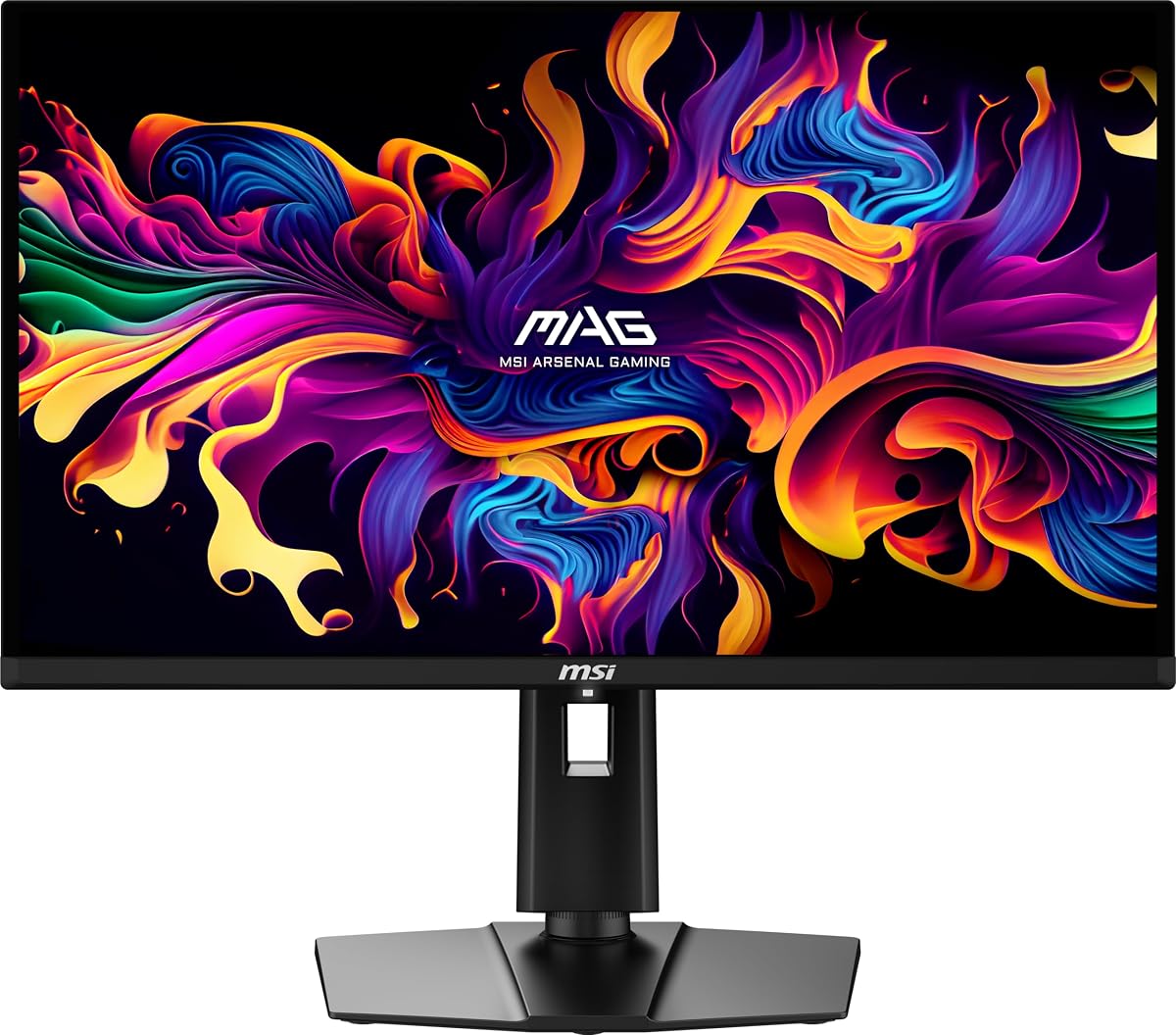
MSI integrates Quantum Dot technology with OLED for exceptional color depth. This model is a top contender for those seeking high fidelity visuals.
We may earn a commission when you buy through this link, at no additional cost to you.
The sub-pixel arrangement enhances text sharpness compared to standard OLED. Advanced heatsink design ensures silent operation without active cooling.
Cost remains a significant barrier for average buyers. Static image burn-in risks require awareness though mitigation tools are available.
Visual purists who want accurate colors will appreciate this panel. It balances cinematic contrast with precise color reproduction effectively.
Quantum Dot tech ensures wide color volume and high brightness.
Fanless graphene heatsink design ensures silent operation at all times.
We may earn a commission when you buy through this link, at no additional cost to you.
Alienware continues its legacy with a robust high refresh rate option. The AW2723DF is designed for immersive single player experiences with HDR support.
We may earn a commission when you buy through this link, at no additional cost to you.
VESA DisplayHDR 600 certification ensures high brightness for impactful lighting. The InfinityEdge screen maximizes the visible area for gaming.
The design aesthetic is bold and may not suit all offices. Its price point places it firmly in the premium market segment.
Users wanting standout design and strong HDR performance will like this. It offers a complete package for dedicated gaming stations.
Higher brightness levels allow for more vibrant highlights in supported games.
Iconic lighting and bezel design create a distinct desktop look.
We may earn a commission when you buy through this link, at no additional cost to you.
The Acer Nitro KG271U emphasizes color fidelity alongside high refresh rates. It is a strong option for creators who also game competitively.
We may earn a commission when you buy through this link, at no additional cost to you.
SRGB coverage is excellent ensuring accurate visuals for design work. The zero frame design offers an immersive look with minimal bezels.
Lack of height adjustment limits ergonomic customization for some. OSD controls are straightforward but lack advanced customizability.
Hybrid users needing accurate colors will find this monitor practical. It balances professional color needs with high speed gaming.
High sRGB coverage ensures content looks accurate for design work.
Zero frame bezels maximize the screen area for gaming.
We may earn a commission when you buy through this link, at no additional cost to you.
MSI refreshes its OLED lineup with improved care technologies and features. The MAG 271QPX brings latest generation panel performance to users.
We may earn a commission when you buy through this link, at no additional cost to you.
OLED Care 2.0 provides better protection against screen aging. High color accuracy remains a signature strength of Quantum Dot OLED panels.
Price is elevated due to advanced display technology integration. HDR400 is standard for OLED but dynamic range may be limited.
Early adopters seeking the best OLED features will value this unit. It combines improved longevity with exceptional motion performance.
Advanced care features significantly reduce risks of screen burn-in.
Microsecond response times ensure perfect clarity in fast moving scenes.
We may earn a commission when you buy through this link, at no additional cost to you.
Selecting the right monitor requires understanding how specific features impact your gameplay experience and workflow efficiency.
The most critical decision involves choosing between IPS OLED or VA panels. IPS offers reliable colors and wide viewing angles. OLED provides perfect blacks and instant response times. VA gives high contrast but suffers from motion blur.
Choose IPS for color accuracy OLED for contrast and VA for budget.
The 240Hz standard is now common in this category. Ensure your GPU supports such high frame rates to utilize it. Overclocked options reach 270Hz or more for extra smoothness.
Match refresh rate to your PC performance to see benefits.
Response time dictates how fast pixels change color. Look for under 1ms GtG to avoid ghosting. OLED panels offer sub-millisecond speeds automatically.
Prioritize low response times for competitive shooters.
G-Sync and FreeSync prevent screen tearing by syncing refresh rates. Ensure compatibility with your specific GPU brand for best results. Most modern models support both standards now.
Confirm sync support matches your graphics card manufacturer.
HDMI and DisplayPort versions determine max refresh support. HDMI 2.1 allows 240Hz on modern consoles. DisplayPort 1.4 remains the standard for PC gaming.
Check ports match your system to avoid bottlenecks.
Adjustable stands with height tilt and swivel reduce strain. A fully adjustable stand helps maintain healthy posture during long sessions. VESA mounts offer flexibility for custom setups.
Invest in height adjustability for long-term comfort.
Look for high DCI-P3 or sRGB coverage for vivid visuals. High coverage ensures games and media look vibrant. This matters for both gaming and creative work.
Prioritize high color gamut percentages for better visuals.
HDR adds contrast depth and brightness peaks. Higher certification levels like HDR600 offer better performance than HDR400. It enhances single player game immersion significantly.
Higher HDR ratings yield more noticeable visual improvements.
Connect your device using DisplayPort or HDMI 2.1 for full performance. Ensure your graphics card drivers are updated for the latest support.
Calibrate colors using built-in presets or software tools for accuracy. Adjust brightness to match your room lighting to reduce eye strain.
Clean the screen with a microfiber cloth gently when dust accumulates. Use a screen saver to prevent burn-in on OLED models.
Yes you generally need a high-end GPU to sustain 240Hz. The display can still work at lower rates for single player games.
For casual players standard 144Hz is often enough. However the extra smoothness helps if you play competitive shooters regularly.
HDR improves contrast and color depth in supported titles. It may reduce response speed on some IPS panels slightly.
Yes if they have HDMI 2.1 ports for full 1440p performance. Older HDMI versions may cap the refresh rate.
G-Sync is NVIDIA specific whereas FreeSync is AMD compatible. Most monitors support both now via Adaptive Sync technology.
Use screen savers and enable pixel shifting features often included. Avoid leaving static UI elements visible for hours.
High color coverage panels are suitable for editing work. However dedicated professional monitors may offer better calibration tools.
The standard aspect ratio is 16:9 for widescreen viewing. This format works well for most modern games and media.
We highlighted ten models ranging from budget options to premium OLED displays. Each offers a distinct balance of speed color and contrast.
Prioritize panel type and adaptive sync support based on your hardware. These features define the smoothness and clarity of your gameplay.
Check current pricing and availability before purchasing as details change. Select the model that best matches your specific needs.