
ARCTIC P12 Pro A-RGB
4.7Editor score
Up to 3000 RPM speed
High static pressure design
Fluid dynamic bearing
This guide compares the top 10 addressable RGB fans for 2026, evaluating performance, noise, lighting effects, and value to help you choose the right cooling
Addressable RGB fans have become essential for modern PC builds, offering customizable lighting and efficient cooling. Choosing the right ones requires balancing airflow, noise levels, and visual appeal to match your system needs.
We evaluated ten top models based on static pressure, PWM control, bearing quality, and lighting synchronization. Each product was assessed for real-world performance in case and radiator applications across diverse build scenarios.
Each pick highlights key strengths, pros, cons, and ideal use cases. Prices and availability may change, so verify current details before purchasing to ensure you get the best value for your setup.
4.7Editor score

4.7Editor score
4.8Editor score
The following comparison table provides a quick overview of key specifications for each model. Use this to compare airflow, speed, and unique features at a glance before diving into detailed reviews.




The Thermalright TL-C12C-S X5 offers a balanced mix of cooling performance and visual appeal. With a 4.7 rating, it stands out for its quiet operation and reliable PWM control, making it a top choice for general users.
We may earn a commission when you buy through this link, at no additional cost to you.
Its S-FDB bearings minimize noise while maintaining up to 1550 RPM. The 66.17 CFM airflow ensures effective heat dissipation, and the ARGB lighting integrates seamlessly with compatible motherboards for vibrant effects.
While limited to a fixed pack size, the consistent quality across fans simplifies builds. Some may prefer reverse blades for unique aesthetics, but this model delivers reliability and value for standard cases and coolers.
Buyers seeking quiet, efficient cooling with customizable lighting should prioritize this pack. It is ideal for standard case configurations and delivers consistent performance for both gaming and workstation systems.
The S-FDB bearing reduces friction and vibration, ensuring minimal noise even at high speeds for a peaceful computing environment.
Up to 17 light modes support motherboard synchronization, allowing you to match your system theme effortlessly through existing RGB software.
We may earn a commission when you buy through this link, at no additional cost to you.
The CORSAIR RS120 ARGB triple pack delivers impressive airflow for demanding builds. Rated 4.6, it is designed for high-performance cooling needs with daisy-chain connectivity for cleaner installation and control.
We may earn a commission when you buy through this link, at no additional cost to you.
Its magnetic dome bearings support speeds up to 2100 RPM, providing 72.8 CFM airflow. The Anti-vortex vanes concentrate air through radiators, making it excellent for liquid cooling setups and high heat components.
Users may experience slightly higher noise at max speed but it is a worthwhile trade-off for cooling power. Ensure your motherboard supports ARGB to fully utilize the lighting features effectively.
Choose this pack if cooling efficiency is your primary goal. It is best for cases needing maximum static pressure and airflow while maintaining an organized cable setup through daisy-chain connections.
Multiple fans connect with one connector, reducing cable clutter and simplifying setup for triple fan radiator or case configurations.
Anti-vortex vanes direct airflow precisely at hot components, improving cooling efficiency on radiators and dense hardware setups.
We may earn a commission when you buy through this link, at no additional cost to you.
The ARCTIC P12 Pro A-RGB delivers outstanding performance at a competitive price. With a 4.7 rating, it stands out for its fluid dynamic bearings and high speed capability, ideal for users seeking raw power.
We may earn a commission when you buy through this link, at no additional cost to you.
It achieves up to 3000 RPM and generates high static pressure to penetrate dense radiators. The redesigned blades optimize airflow and minimize vibration, ensuring quiet operation at lower speeds under normal loads.
Noise may increase significantly at maximum speed, so PWM control is essential. Basic ARGB effects provide functional lighting without distracting from its primary purpose of reliable, high-performance cooling.
Buyers prioritizing cost-effective cooling should consider this fan. It suits high-end liquid cooling loops and offers excellent value for those needing maximum airflow without premium branding costs.
Automatic balancing and high-precision measurement reduce gaps, ensuring smooth running and consistent performance across varied operating conditions.
Self-lubricating bearings minimize friction and noise, extending service life for long-term reliable operation in demanding environments.
We may earn a commission when you buy through this link, at no additional cost to you.
The Thermaltake CT120 EX introduces MagForce 2.0 magnetic daisy-chaining for easier setups. With a 4.6 rating, it is valued for its sleek design, hydraulic bearing reliability, and vibrant ARGB synchronization features.
We may earn a commission when you buy through this link, at no additional cost to you.
Nine addressable LEDs per fan offer 16.8 million colors via 5V motherboard sync. Anti-vibration mounting systems ensure smooth operation, while hydraulic bearings support long-term quiet performance in standard case applications.
Alignment for magnetic connectors can be tricky during initial setup, but once secured, connections are stable. The 3-pack limits customization for larger builds but offers a neat package for standard systems.
Choose this set if you prefer magnetic connections and clean builds. It suits gamers seeking visually appealing fans with reliable performance and simplified wiring for 3-fan configurations.
Magnetic connection design enables quick daisy-chaining of multiple fans without complex cabling for streamlined interior case aesthetics.
Embedded anti-vibration mounts reduce mechanical noise transfer to the chassis, ensuring a quiet computing experience during extended use.
We may earn a commission when you buy through this link, at no additional cost to you.
This 6 Pack ARGB PWM Combo offers unmatched versatility with forward and reverse fans. Rated 4.4, it is ideal for users wanting 360-degree lighting without cable clutter, supported by an integrated controller.
We may earn a commission when you buy through this link, at no additional cost to you.
Four forward and two reverse fans allow bottom and side intake visibility while maintaining airflow balance. With 28 ARGB LEDs per fan and a 3-sided prism design, lighting coverage is superior to standard options.
The hub controller simplifies management but introduces another cable to route. Quality can vary across fans, but the flexibility and lighting options provide strong value for complex case layouts.
Buyers seeking reverse blades or larger builds should consider this set. It offers maximum design flexibility and vibrant lighting effects suitable for gaming rigs prioritizing aesthetics and airflow direction.
Reverse fans maintain visible lighting when installed as bottom intake, creating consistent visuals while optimizing 3D cooling cycles.
A combined PWM and ARGB hub centralizes control, reducing motherboard header usage and simplifying multi-fan management for users.
We may earn a commission when you buy through this link, at no additional cost to you.
The Thermalright TL-C12C-S X3 delivers consistent cooling with S-FDB bearings for quiet operation. Rated 4.6, it suits standard builds needing dependable airflow and seamless ARGB synchronization without complex setups.
We may earn a commission when you buy through this link, at no additional cost to you.
At 1550 RPM, it generates 66.17 CFM airflow ideal for case intake and exhaust. The PWM interface allows automatic speed control based on temperature, optimizing noise and performance dynamically across use cases.
It lacks reverse blades for side intake visuals but remains a strong performer for traditional layouts. The triple pack offers balanced cost and performance for users prioritizing reliability over aesthetic novelty.
Select this pack for standard cooling needs. It provides solid value for general users who need quiet operation and customizable lighting without requiring specialized mounting configurations.
Automatic speed adjustment via PWM ensures fans run efficiently under load while staying quiet during idle periods for optimal power use.
High airflow capacity supports effective heat removal in cases and radiators, ensuring stable temperatures for high-performance components.
We may earn a commission when you buy through this link, at no additional cost to you.
The Thermalright TL-C12C-S Air variant emphasizes silence with S-FDB bearings. Rated 4.7, it is ideal for users prioritizing quiet operation while maintaining strong cooling and customizable ARGB lighting effects.
We may earn a commission when you buy through this link, at no additional cost to you.
Its intelligent PWM temperature control adjusts speeds automatically to match thermal needs. With up to 1550 RPM and 66.17 CFM airflow, it handles case cooling effectively while maintaining a noise level under 25.6 dBA.
Although it lacks reverse blade options, its performance and lighting integration offer balanced value. The 5-pack ensures you have enough fans for full case coverage without needing multiple purchases.
Choose this set if noise control is a priority. It suits users seeking quiet, efficient cooling with solid ARGB support for standard cases and CPU cooler configurations.
PWM control adjusts fan speeds automatically to match system heat, reducing noise during idle while ensuring cooling under load.
Optimized bearing and blade design keeps noise levels low, ensuring a comfortable acoustic experience during daily computing tasks.
We may earn a commission when you buy through this link, at no additional cost to you.
The Thermaltake CT120 ARGB provides a compact dual-pack solution with reliable performance. Rated 4.6, it is suitable for small to mid-sized builds needing effective airflow and clean daisy-chain ARGB integration.
We may earn a commission when you buy through this link, at no additional cost to you.
Its 7-blade design optimizes CFM and air pressure, while hydraulic bearings ensure smooth operation. The daisy-chain design reduces cable clutter, and anti-vibration mounts help keep noise levels low during extended use.
With speeds up to 2000 RPM, it offers solid airflow for typical case setups. However, RGB customization depends on motherboard software, which may limit advanced lighting scenarios without additional controllers.
Select this pack for streamlined setups needing 2 fans. It delivers reliable cooling and aesthetic appeal with simplified cabling, making it ideal for straightforward case upgrades or small form factor systems.
Redesigned 7-blade layout improves airflow efficiency, enhancing cooling performance without increasing noise levels or power usage.
Connect multiple fans with fewer cables and ports, simplifying installation and keeping your system interior clean and organized.
We may earn a commission when you buy through this link, at no additional cost to you.
The Thermaltake LE120 achieves a 4.8 rating, making it a top performer in this lineup. It offers balanced airflow and lighting quality with an included splitter for simplified triple-fan management and control.
We may earn a commission when you buy through this link, at no additional cost to you.
At 1500 RPM, it delivers 66.1 CFM airflow suitable for standard case cooling. The daisy-chain ARGB cables simplify wiring, and hydraulic bearings ensure smooth, long-lasting performance for reliable operation.
It lacks high-speed performance compared to some rivals, but its consistency and reliability make it an excellent choice for general use. The included splitter adds value by reducing additional component purchases.
Buyers prioritizing reliability and ease of setup should choose this fan. It is best for users needing dependable cooling with ARGB aesthetics without requiring specialized high-pressure configurations.
The included 3-way splitter enables quick and easy installation for triple fans without needing additional PWM headers on the motherboard.
Simplified ARGB daisy-chain cables reduce internal clutter and make connections easier for a cleaner and more organized PC case.
We may earn a commission when you buy through this link, at no additional cost to you.
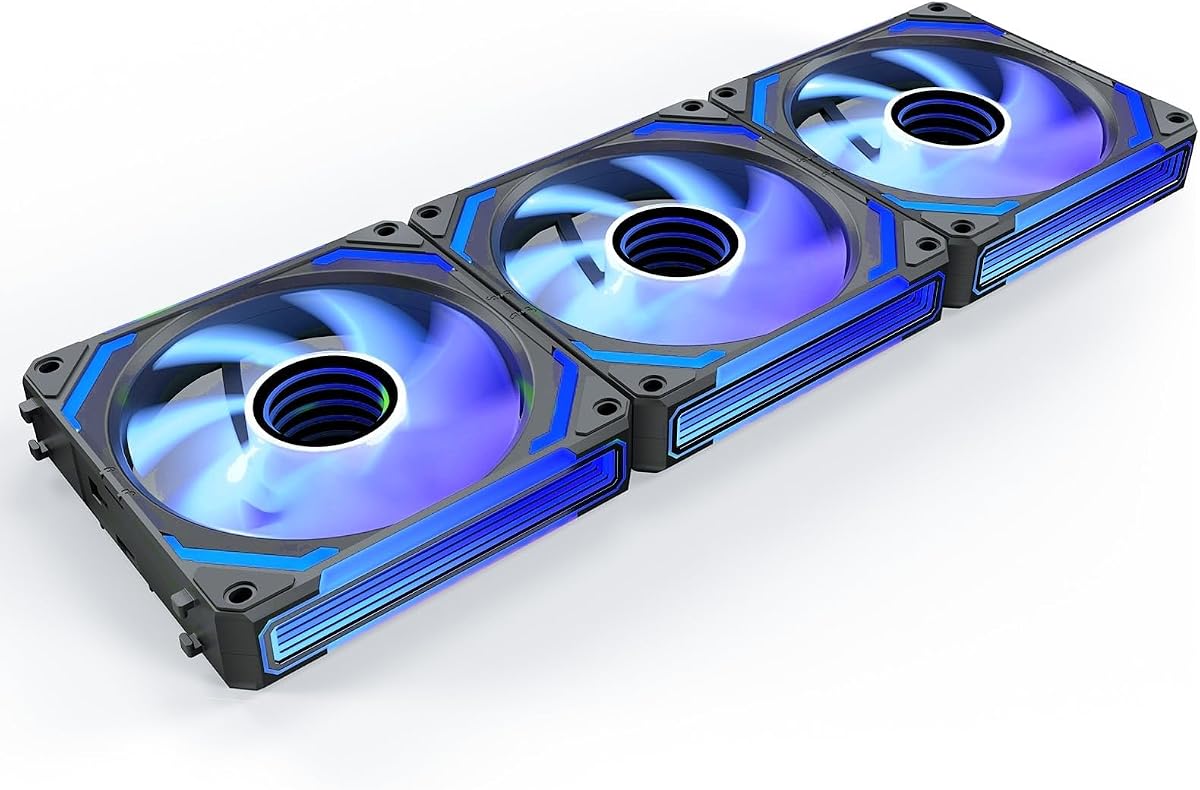
The AsiaHorse COSMIQ delivers a premium reverse fan experience with an infinity mirror effect. Rated 4.8, it stands out for its high-end visuals, music sync features, and reliable hydrodynamic bearing performance.
We may earn a commission when you buy through this link, at no additional cost to you.
With 2000 RPM and 68.5 CFM airflow, it balances performance and aesthetics effectively. The music sync module enables lighting to respond to ambient sound, adding a unique interactive element to gaming environments.
The included controller simplifies control but may be preferred over motherboard sync for some users. Pricing is higher than standard fans, but the premium visual and functional features justify the investment for enthusiasts.
Select this pack if aesthetics and premium features are priorities. It suits modders and gamers seeking a unique reverse fan look with advanced lighting effects and reliable cooling performance.
Layered LED designs create an infinity mirror effect, transforming your case into a vibrant visual landscape for maximum aesthetic appeal.
High-sensitivity sound pickup allows lighting to react to ambient sound, enhancing the interactive experience during gaming or music playback.
We may earn a commission when you buy through this link, at no additional cost to you.
Selecting the right addressable RGB fans involves evaluating performance, compatibility, and features. This guide breaks down key factors to help you make an informed decision tailored to your system needs.
Airflow determines how much air moves through your case, while static pressure indicates the ability to push air through restrictive components like radiators. High CFM is vital for open cases, whereas high static pressure is needed for dense liquid cooling radiators.
Choose fans with high CFM for intake and exhaust, and high static pressure for radiator mounts to ensure efficient cooling.
Bearings affect longevity and noise levels. Fluid Dynamic Bearings (FDB) and Hydro Dynamic Bearings (HDB) reduce friction and provide quieter operation over time compared to sleeve bearings. S-FDB and magnetic dome bearings further minimize vibration.
Opt for FDB, HDB, or S-FDB bearings to ensure long-term reliability and minimal noise during operation.
Pulse Width Modulation (PWM) allows automatic speed adjustment based on temperature via 4-pin connectors. Fans with wider speed ranges offer flexibility between quiet idle states and high-performance cooling during heavy loads.
Ensure your motherboard supports 4-pin PWM control for efficient speed management and power saving.
Addressable RGB (ARGB) uses 5V 3-pin connectors to control individual LEDs, allowing for complex lighting patterns. Look for fans that sync with motherboard software like Aura Sync or iCUE for unified system-wide effects.
Verify your motherboard has compatible 5V ARGB headers before purchasing to ensure seamless lighting synchronization.
Standard fans work well for front and rear airflow. Reverse fans allow side or bottom intakes while maintaining visible lighting without obstructing blades. Three-sided prism designs enhance visual appeal from multiple angles.
Choose reverse fans if you want full visibility from all intake sides without compromising lighting aesthetics.
Daisy-chain connectors reduce cable clutter by allowing multiple fans to connect through a single controller or motherboard header. Magnetic connection designs simplify setup further. Ensure the kit includes necessary splitters.
Prioritize fans with daisy-chain or magnetic designs to keep internal cables organized and improve airflow.
Noise levels are measured in decibels (dBA). Fans with optimized blades and bearings operate more quietly. For gaming or quiet environments, select models rated under 25 dBA at typical operating speeds.
Check noise ratings to ensure the fans fit your acoustic requirements for a comfortable working environment.
Ensure the fans are standard 120mm size to fit most cases and coolers. Anti-vibration mounting systems and rubber mounts reduce noise transfer to the chassis. Confirm available slots before installing.
Verify case dimensions and mounting points to ensure proper fit and secure installation without interference.
Connect the 4-pin PWM cable to a CPU_FAN or SYS_FAN header for speed control. Ensure the 5V 3-pin ARGB connector matches your motherboard header to avoid damage. Check polarity before applying power.
Use motherboard software to customize ARGB effects and sync across devices. For daisy-chain fans, plug the secondary connectors into the first fan to simplify wiring. Adjust speed curves for balance.
Regularly dust fans with compressed air to maintain performance. Check that screws are tight and vibration pads are intact. Avoid bending blades or applying pressure to the frame during cleaning.
RGB fans use 12V 4-pin connectors with fixed color patterns. ARGB fans use 5V 3-pin connectors allowing individual LED control for customizable effects. Using the wrong connector can damage the fan.
Not all boards have dedicated 5V ARGB headers. Check your motherboard manual. If none exist, a hub or controller may be required to manage lighting connections safely.
Yes, but software control may vary. Use a universal controller hub for consistent lighting. Ensure all fans share the same voltage type (5V) to avoid compatibility issues.
A reverse fan has blades rotated to blow air the opposite direction. It allows lighting to be visible when mounted as bottom or side intake. Standard fans would block the view from these angles.
Most cases support 3-6 fans. Front intake and rear exhaust are essential. Add more fans based on heat output and case airflow paths for optimal performance without noise overload.
Daisy-chaining connects multiple fans via one connector reducing cable clutter. Each fan links to the next. It simplifies setup but requires compatible fans and connectors for reliable control.
The Thermalright TL-C12C-S X5 leads as a reliable all-rounder while the ARCTIC P12 Pro A-RGB offers great budget performance. The AsiaHorse COSMIQ stands out for premium reverse fan aesthetics.
Prioritize airflow, bearing quality, and motherboard compatibility when choosing. Ensure your selected fans match your case layout, cooling needs, and lighting preferences for a balanced system.
Always verify current pricing and stock availability before buying. These factors change frequently, so checking the latest details helps secure the best value for your specific build requirements.