
VITURE Magnetic Connector to USB-C Adapter
4.2Editor score
Magnetic port compatibility
Up to 10 Gbit/s
Compact lightweight design
Discover the top Displayport Adapter for AR Glasses models for 2026. This guide compares performance, compatibility, and features to help you choose the right
Choosing the right Displayport Adapter for AR Glasses is essential for immersive gaming and productivity. A quality adapter ensures stable signal transmission and supports high resolutions for crisp visuals on your augmented reality headset.
We evaluated ten top-rated adapters based on resolution support, build quality, and compatibility with popular AR glasses. Our analysis covers essential features like power delivery and refresh rates to help you find the perfect match for your setup.
Each pick highlights unique strengths and ideal use cases for different users. Prices and availability change frequently, so verify current details before purchasing. This guide provides the insights you need to make an informed decision today.
4.2Editor score

4.8Editor score

4.2Editor score
This table provides a side-by-side comparison of all ten adapters. Review key specifications to find the model that best fits your specific AR glasses and usage requirements.
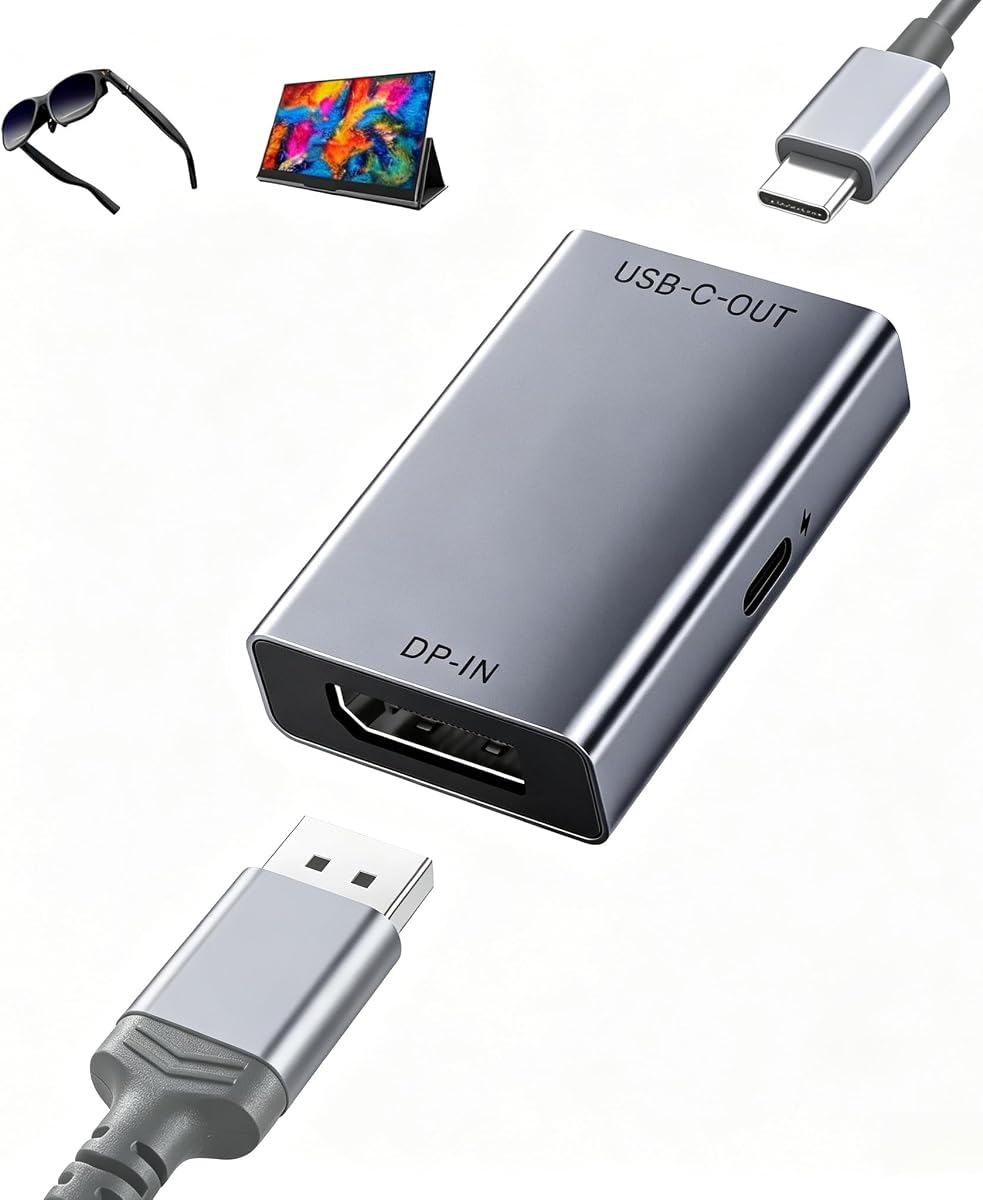
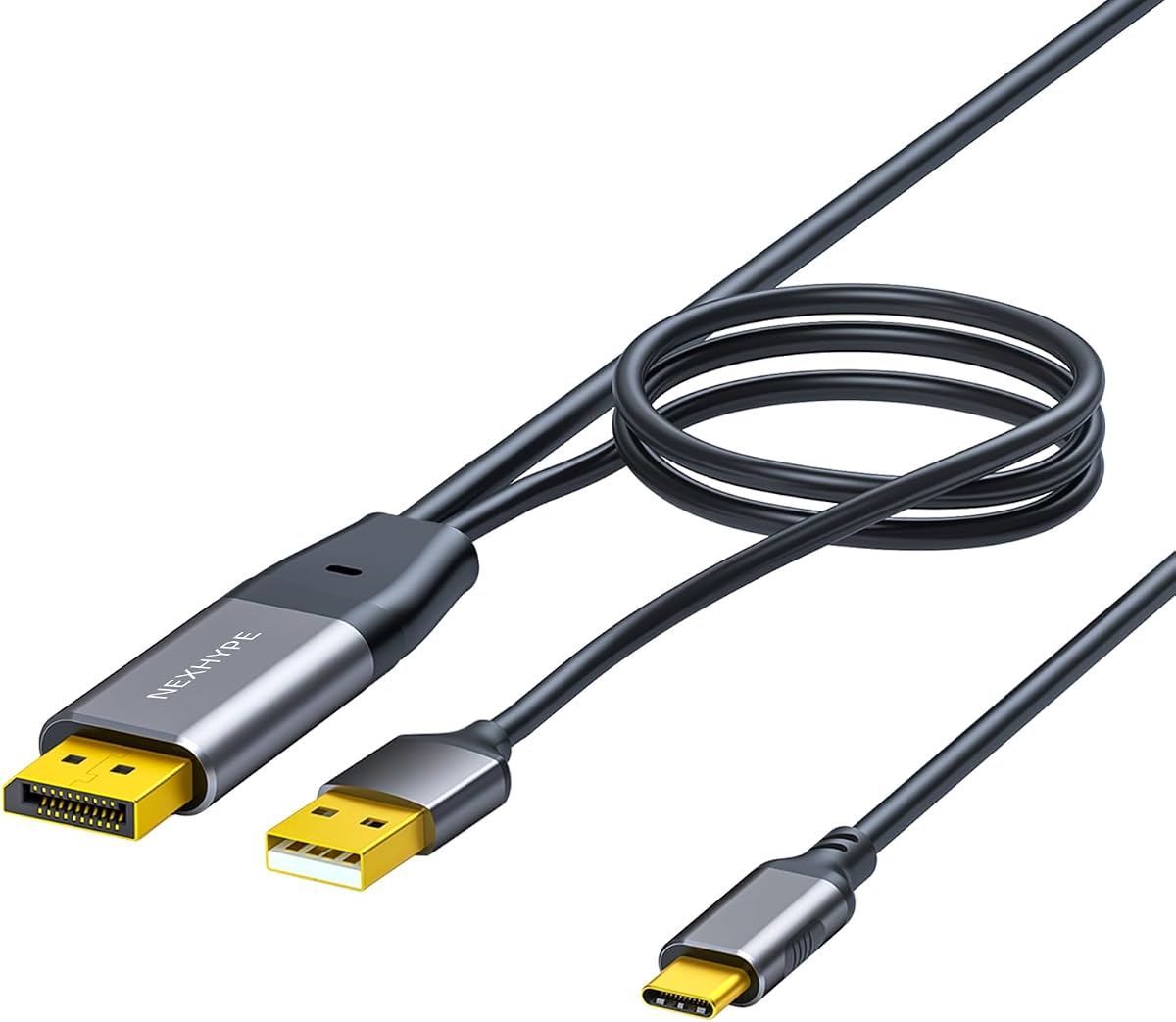


This DisplayPort to USB-C Adapter delivers 4K@120Hz visuals for crisp fluid AR gaming. Its 4.5 rating reflects reliable performance and a premium aluminum build that resists overheating during long sessions.
We may earn a commission when you buy through this link, at no additional cost to you.
The adapter supports one-way DP to USB-C transmission ideal for AR glasses and portable monitors. It works with devices like XREAL and RayNeo ensuring seamless video and audio output without needing extra drivers.
While it offers excellent refresh rates users must ensure their AR glasses support DP Alt Mode. The aluminum housing helps with heat dissipation but the adapter requires external USB-C power for stable operation.
Gaming enthusiasts and professionals seeking high refresh rates should consider this adapter. It provides the visual fidelity needed for immersive experiences while maintaining a compact form factor for travel.
Enjoy smooth motion with 4K 120Hz support ideal for fast-paced games and video content.
The aluminum alloy housing ensures durability and effective heat management during extended use.
We may earn a commission when you buy through this link, at no additional cost to you.
This cable offers a generous 6.6ft length for flexible setup options with AR glasses. Its 4.7 rating highlights its ability to deliver power and video through one integrated design without extra adapters.
We may earn a commission when you buy through this link, at no additional cost to you.
The cable transmits DP signals to USB-C displays with gold-plated connectors ensuring stability. It works with various AR glasses brands and supports touch data signals when connected properly.
Note that the USB power output is best for AR glasses or small monitors. Larger displays may need additional power sources which is a trade-off for its compact integrated design.
Users needing extra reach for their setup will find this cable valuable. It balances length and power delivery well for portable monitor and AR glasses usage.
The 6.6ft length allows for comfortable positioning without stretching or signal loss.
One cable delivers both video and power simplifying your desk setup.
We may earn a commission when you buy through this link, at no additional cost to you.
This adapter stands out with a 4.8 rating for its full touch and audio synchronization. It delivers 4K@60Hz video and supports creative pros connecting Macs to portable monitors or AR glasses.
We may earn a commission when you buy through this link, at no additional cost to you.
The integrated USB-A power tail stabilizes signals for smooth touch interaction. Graphene shielding ensures high-quality transmission minimizing interference for critical work or media playback.
Users should check GPU DSC support if using an Apple Studio Display. The adapter is not compatible with Nintendo Switch 2 which limits some gaming setups.
Professional creators and Apple users will appreciate its seamless integration. It provides reliable touch control and color accuracy essential for design and video editing workflows.
Integrated power tail enables responsive touch control on portable monitors and AR displays.
Designed to work smoothly with Mac Mini and MacBook Pro for creative workflows.
We may earn a commission when you buy through this link, at no additional cost to you.
This adapter offers 4K@120Hz performance with an integrated 3-port USB hub for peripherals. Its 4.2 rating reflects strong gaming performance though the USB hub requires a separate data connection.
We may earn a commission when you buy through this link, at no additional cost to you.
It supports HDR and 10-bit color for accurate visuals suitable for creative work. The aluminum housing ensures heat management during intensive gaming sessions or video processing tasks.
Note that the hub needs a separate USB 3.0 data cable to function fully. The adapter provides minimal power so external monitors may require their own power sources.
Gamers needing extra connectivity for keyboards or mice will find this useful. It balances high refresh rates with peripheral support for a complete setup.
Three USB ports allow connection of mice and keyboards without extra dongles.
HDR and 10-bit color provide vibrant accurate visuals for professional work.
We may earn a commission when you buy through this link, at no additional cost to you.
This adapter delivers 8K@30Hz and 4K@144Hz output for high-performance setups. With 65W power delivery it keeps portable monitors charged while transmitting video through a graphene-coated cable.
We may earn a commission when you buy through this link, at no additional cost to you.
It is built for gaming and creative work needing crisp visuals and stable power. The graphene cable offers flexibility and durability in a compact design ideal for travel.
The short cable length limits placement options for some users. Touchscreen displays are not supported which is a consideration for interactive setups.
Users seeking top-tier resolution and power will value this adapter. It simplifies setups by eliminating extra power adapters for USB-C displays.
8K 30Hz support provides stunning clarity for professional and high-end visual tasks.
65W PD keeps your display powered without needing a separate adapter.
We may earn a commission when you buy through this link, at no additional cost to you.
This female adapter offers a compact solution for connecting AR glasses via DP. Its 4.4 rating highlights stable signal transmission with gold-plated connectors ensuring reliable performance.
We may earn a commission when you buy through this link, at no additional cost to you.
It supports 4K 60 output with a short 1.6ft length perfect for close-range setups. The USB-A power supply cable helps stabilize the signal for consistent visuals.
Users might need extra power for high-power devices due to the compact design. Checking firmware updates may be required for models like Xreal to ensure audio works.
Those needing a simple portable adapter will find this suitable. It provides reliable 4K output in a small form factor.
The female port and short cable make it ideal for tight spaces.
USB-A power tail ensures consistent signal transmission for stable visuals.
We may earn a commission when you buy through this link, at no additional cost to you.
This cable delivers reliable 4K@60Hz performance at an accessible price point. Its 4.6 rating reflects consistent quality with a flexible PVC jacket that withstands daily bending.
We may earn a commission when you buy through this link, at no additional cost to you.
It connects DP outputs to USB-C displays with gold-plated connectors resisting corrosion. The USB power design stabilizes the signal but does not supply power to monitors directly.
Users must supply power to monitors separately for this setup to work. It is a straightforward plug-and-play option requiring no driver installation.
Budget-conscious users needing basic AR connectivity will find this value. It provides stable performance without extra cost or complexity.
Affordable pricing delivers consistent 4K output for everyday use.
The flexible PVC jacket ensures longevity and resistance to wear.
We may earn a commission when you buy through this link, at no additional cost to you.
This adapter supports Switch 2 dock mode and handheld console casting via USB-C. Its 4.5 rating highlights excellent compatibility for gaming on AR glasses or portable monitors.
We may earn a commission when you buy through this link, at no additional cost to you.
It offers PD3.0 pass-through charging with up to 100W support for extended sessions. The aluminum construction ensures effective heat dissipation during high-performance use.
The Switch 2 TV mode requires an external power source which users must plan for. Heat generation may be noticeable during intensive gaming sessions.
Switch 2 owners and handheld console gamers will appreciate its specialized support. It provides seamless video output and charging in one compact adapter.
Optimized for Switch 2 dock enabling immersive gaming on AR displays.
PD3.0 pass-through allows uninterrupted play while charging your device.
We may earn a commission when you buy through this link, at no additional cost to you.
This versatile cable supports a wide range of devices including MacBooks and XPS. Its 4.3 rating reflects reliable 4K 60Hz output with USB power stabilization.
We may earn a commission when you buy through this link, at no additional cost to you.
The 6.6ft length provides flexibility for desk setups. It supports touch functions on portable monitors when the USB power tail is connected properly.
Users should verify DP Alt Mode support for VR or AR smart glasses. The cable works best when connecting directly to the signal source.
Those needing a multi-purpose cable for various devices will find this useful. It balances length functionality and compatibility for different workflows.
Supports various laptops and monitors ensuring flexibility across setups.
6.6ft cable allows comfortable positioning for desktop or mobile use.
We may earn a commission when you buy through this link, at no additional cost to you.
This adapter uses a magnetic connector for quick and easy USB-C connection. Its 4.2 rating highlights simplicity for VITURE neckband users seeking straightforward video transfer.
We may earn a commission when you buy through this link, at no additional cost to you.
It supports up to 10 Gbit/s transfers with 4K 60fps output. Pairing with the mobile dock allows dual-display support for enhanced productivity.
XR glasses are not included so users must already own the hardware. It is designed specifically for VITURE magnetic ports which limits broader compatibility.
VITURE users seeking an affordable solution will find this practical. It simplifies connections with magnetic pairing and solid video support.
Magnetic connector ensures quick and reliable connections without fiddling.
Low cost and straightforward design make it ideal for VITURE users.
We may earn a commission when you buy through this link, at no additional cost to you.
Choosing the right adapter requires understanding key factors like resolution, refresh rates, and device compatibility.
Look for adapters supporting at least 4K660Hz for sharp visuals. High refresh rates like 120Hz are essential for smooth gaming and video playback.
Higher resolution ensures crisp text and images while higher refresh rates reduce motion blur.
Power delivery ensures your portable display or AR glasses remain powered during use. Adapters with 65W or more support reduce need for external power sources.
Adequate power prevents video dropouts and ensures consistent performance during long sessions.
Premium aluminum housing provides better heat dissipation compared to plastic. Gold-plated connectors resist corrosion and maintain stable signal transmission.
Durable materials extend adapter lifespan especially when frequently plugged and unplugged.
Choose a cable length that fits your workspace without restricting movement. 6 feet offers flexibility while shorter lengths suit compact setups.
Flexible jackets prevent cable strain and ensure durability over time.
If using interactive displays ensure the adapter supports touch functionality. This often requires an integrated USB power tail.
Touch support enables seamless navigation on portable monitors and AR displays.
Verify compatibility with your specific AR glasses brand and model. Check DP Alt Mode requirements to avoid connectivity issues.
Reputable brands offer better support and ensure device-specific optimizations.
Look for at least a 12-month warranty and accessible customer support. This ensures protection against defects and assistance with troubleshooting.
Responsive support helps resolve connectivity issues quickly.
Consider extras like USB hubs for peripherals or HDR support for color accuracy. These features enhance versatility depending on your needs.
Extra ports allow connecting keyboards or mice without additional adapters.
Connect the DisplayPort end to your source device like a PC or laptop. Ensure the USB-C end connects directly to your AR glasses or portable monitor.
If audio or video does not appear check firmware updates and device settings. Make sure your AR glasses support DP Alt Mode for proper signal input.
Store the adapter in a protective case to prevent physical damage. Avoid excessive bending of the cable to maintain internal integrity and signal quality.
Not all AR glasses support DP adapters. You must verify that your device supports DP Alt Mode or video input via USB-C. Check manufacturer specifications before purchasing.
DP Alt Mode allows USB-C ports to transmit DisplayPort signals. It is essential for connecting PCs to USB-C AR glasses. Without it video transmission will not work.
Some adapters supply power for AR glasses but portable monitors may require additional power. Always check the power requirements of your display device.
Many adapters work with Macs provided they have a compatible DisplayPort or Thunderbolt output. Always verify compatibility with your specific Mac model.
Flickering often results from insufficient power or incompatible resolutions. Ensure your adapter meets the display requirements and is powered correctly.
Yes especially models supporting high refresh rates like 120Hz. Low latency performance is critical for gaming without motion blur.
Some adapters support Switch docking but others may not. Verify specific compatibility with Switch 2 or other handheld consoles before buying.
Most adapters transmit both video and audio. If audio is missing check device settings and ensure your AR glasses support audio over USB-C.
We reviewed ten top adapters offering different strengths for gaming and productivity. The Editor's Choice delivers excellent touch and audio support while the Best Budget offers great value.
Prioritize compatibility with your AR glasses and power delivery needs. High refresh rates and durable build quality are also important factors for long-term satisfaction.
Prices and availability change regularly so verify current details before purchasing. Use this guide to find the adapter that fits your unique setup today.