
Micro-USB Ethernet Adapter for Amazon Fire TV Devices
4.5Editor score
Direct router connection support
Free up WiFi bandwidth
Compatible with Fire TV Cube
This guide compares the top Fire TV Stick Ethernet adapters for reliable wired internet, helping you choose the best micro USB and USB C adapter for your
Streaming devices often struggle with weak Wi-Fi signals causing buffering during movie nights. A reliable Fire TV Stick Ethernet Adapter solves this by providing a stable wired connection directly to your router for consistent performance.
We analyzed the top available options based on compatibility, build quality, and connection stability. Our team reviewed real user feedback and technical specifications to ensure each pick meets the needs of modern home theater setups effectively.
Each selection highlights key features like plug and play setup and heat dissipation design. Please note that prices fluctuate frequently so verify current listings before purchasing to ensure you get the best deal available today.
4.5Editor score

4.7Editor score

4.3Editor score
The following table provides a side-by-side comparison of all ten selected adapters. It highlights key compatibility details and features to help you quickly identify the right fit for your specific streaming device needs.


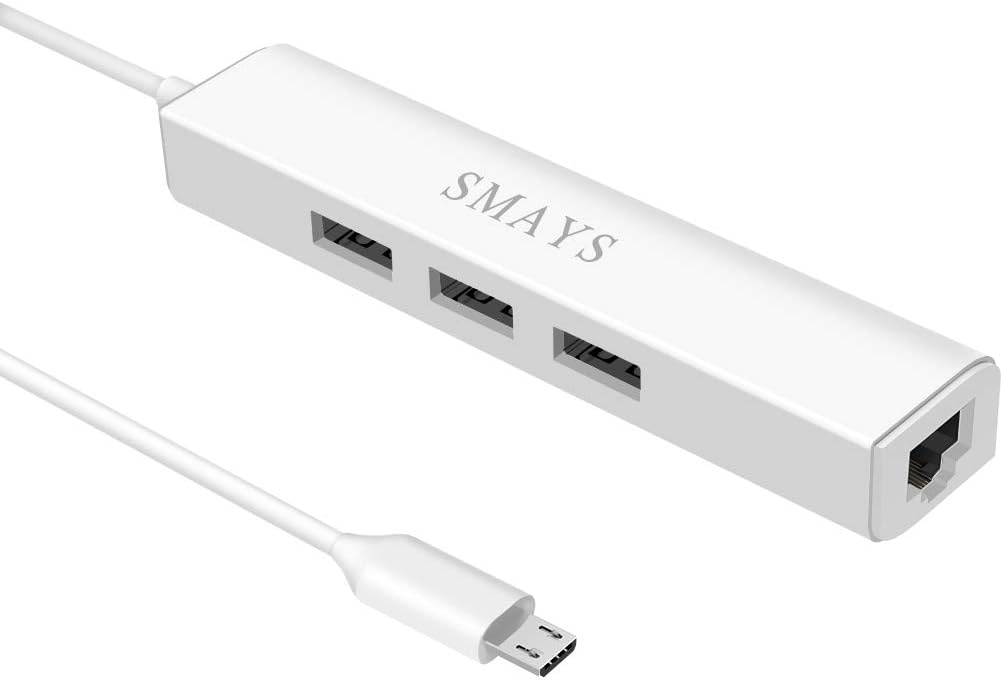
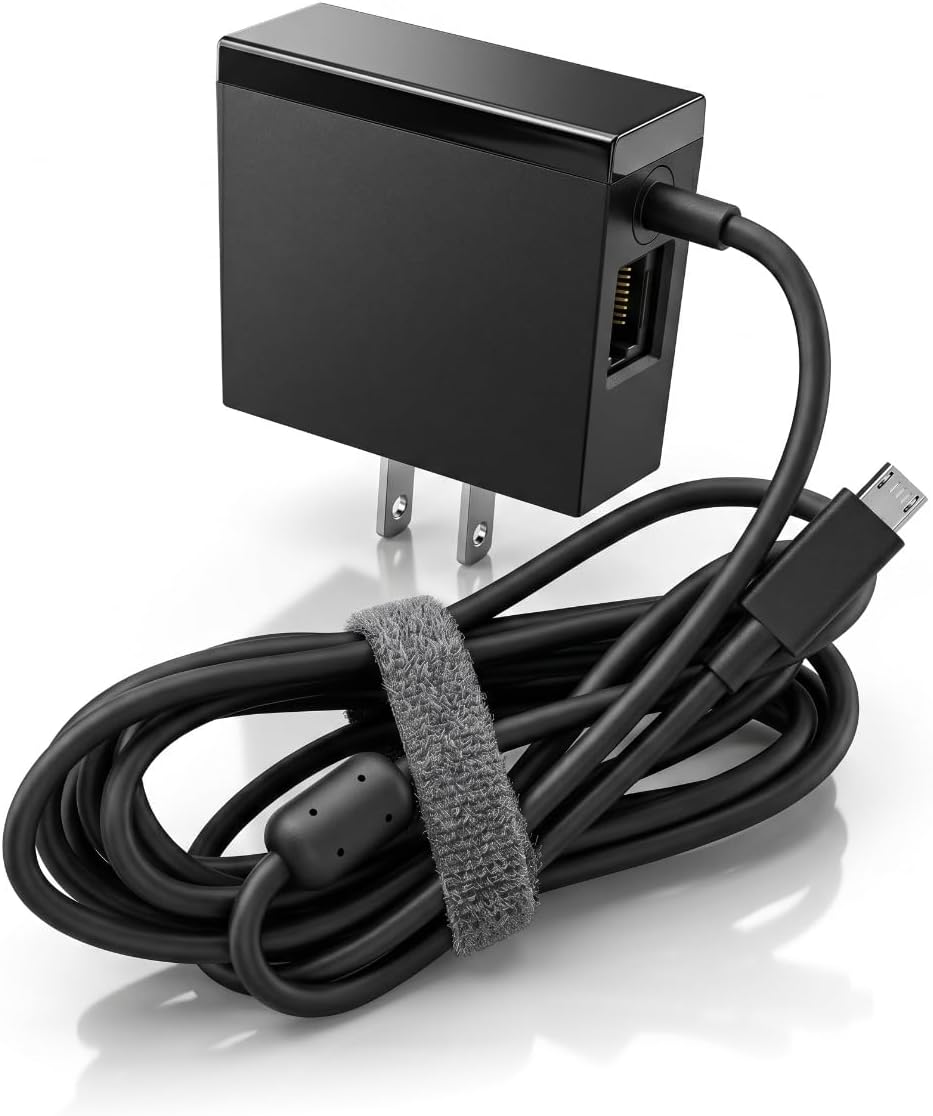
This Ethernet adapter stands out as the top choice for Fire TV Stick users seeking reliability. It boasts an impressive 4.7 star rating due to its consistent performance and ease of use. The universal Micro USB compatibility ensures it fits a wide range of streaming devices effectively.
We may earn a commission when you buy through this link, at no additional cost to you.
The key strength lies in its ability to eliminate buffering through a stable wired connection. The aluminum alloy casing helps dissipate heat during long streaming sessions maintaining optimal performance. The built-in LED indicator provides instant visual confirmation of your network status at a glance.
While it offers excellent speed and stability there are minor trade-offs to consider. It does not support Type-C ports which limits use with newer TV models. Additionally ensuring sufficient power via an external adapter is recommended for consistent operation without drops.
Anyone looking to upgrade their streaming experience should consider this adapter highly. It is perfect for households with unstable WiFi networks or those streaming 4K content. The included adhesive tapes help secure the device reducing clutter behind your television setup.
The direct Ethernet link eliminates wireless interference ensuring smooth playback without interruptions.
The aluminum alloy construction keeps the adapter cool during extended use preventing overheating.
We may earn a commission when you buy through this link, at no additional cost to you.
Budget conscious buyers will appreciate this adapter for its simplicity and affordability. It maintains a solid 4.5 star rating by delivering exactly what it promises a stable wired connection. The design is straightforward allowing anyone to set it up quickly without technical knowledge.
We may earn a commission when you buy through this link, at no additional cost to you.
Its main benefit is freeing up WiFi bandwidth by offloading your Fire TV to a wired connection. This is particularly useful for homes with many connected devices. The compatibility with Fire TV Cube and various Stick generations makes it a versatile choice for existing hardware.
The trade-off is that it lacks the advanced features found in pricier models like gigabit speeds. It relies on standard 10/100 Ethernet which is sufficient for most streaming needs. However it does not work with newer USB-C devices limiting future proofing.
This adapter is ideal for those on a tight budget who still want reliable streaming. It works well for basic HD and 4K streaming over a wired connection. Checking compatibility with your specific Fire TV model is recommended before purchasing to avoid returns.
Offloading your TV to Ethernet frees up your WiFi for other devices in your home.
The plug and play design requires no drivers or complex configuration steps to start.
We may earn a commission when you buy through this link, at no additional cost to you.
Owners of the newest Fire TV Stick HD with USB-C will find this adapter essential. It carries a 4.3 star rating reflecting its specialized utility for modern hardware. The right angle design is a standout feature that improves cable management behind your TV.
We may earn a commission when you buy through this link, at no additional cost to you.
The ability to support up to 480mbps when paired with the Fire TV Stick HD ensures high throughput. This adapter specifically targets the USB-C port found on newer models making it a premium choice for updated setups. It solves the connectivity issue where older adapters fail.
While highly specific it does not offer the broad compatibility of Micro USB adapters. It is strictly for the 2nd Gen HD model so checking your device is critical. The cost is higher but justified by the specialized nature of the connection type.
This pick is best for users who have upgraded to the latest Fire TV hardware. The right angle design prevents cable strain and keeps the area tidy. If you own the compatible model this is the only option that will work effectively with it.
Supports the USB-C standard found on the newest generation of Fire TV streaming devices.
The right angle design reduces cable strain and improves space behind your television unit.
We may earn a commission when you buy through this link, at no additional cost to you.
This adapter offers a significant speed upgrade with its 1000Mbps gigabit capability. With a 4.1 star rating it appeals to users needing faster LAN access for gaming or streaming. The aluminum alloy construction ensures it stays cool even during high throughput usage.
We may earn a commission when you buy through this link, at no additional cost to you.
The standout feature is its ability to provide high speed internet to Micro USB enabled TV sticks. This helps solve weak signal issues effectively providing a smooth experience with zero latency. The LED indicator and adhesive tapes add thoughtful design touches for practical use.
However compatibility is limited to devices with Micro USB ports excluding newer USB-C models. It is also not compatible with certain Fire TV Stick generations which requires careful checking before buying. The speed is excellent but must be supported by your broadband plan.
Consider this if you have a gigabit internet plan and a compatible TV stick. It brings the wired connection up to modern speeds improving overall network performance. Verify your device port type first to ensure it will fit your specific streaming hardware.
Supports gigabit speeds for faster internet access and improved performance.
The aluminum alloy casing helps keep the adapter cool during long operation.
We may earn a commission when you buy through this link, at no additional cost to you.
Gamers and streamers looking for lag-free performance will find this adapter appealing. It holds a 4.5 star rating for its reliability and ease of use. The setup process is incredibly fast allowing you to switch to wired internet in just one minute.
We may earn a commission when you buy through this link, at no additional cost to you.
The smart status lights provide immediate visual confirmation of connection health. The aluminum casing keeps the device cool during binge sessions which helps prevent performance drops. It works seamlessly with Fire TV 4K models ensuring smooth high quality video playback.
While it is reliable it is limited to 100Mbps speeds rather than gigabit options. It does not support USB-C connections which limits future compatibility with newer devices. You must have a compatible micro USB port on your TV stick for this to work.
This adapter is recommended for anyone wanting to upgrade their streaming experience. It is particularly useful for households with high latency WiFi issues. The smart lights add a touch of convenience helping you monitor your network status easily.
Provides a stable connection that eliminates buffering and improves overall streaming quality.
Smart lights give instant confirmation that your wired connection is active and working.
We may earn a commission when you buy through this link, at no additional cost to you.
The UGREEN adapter distinguishes itself with a generous 3.3 foot cable design. This feature is especially helpful when you have limited space behind your television or router. It includes a USB-A power cable ensuring you can power both the adapter and the stick.
We may earn a commission when you buy through this link, at no additional cost to you.
Users appreciate the plug and play nature which requires no driver installation. The stable wired connection helps avoid weak WiFi issues common in many homes. It works with a variety of devices including Fire TV and Google Chromecast models effectively.
One limitation is that it does not work with USB-C devices like the new Chromecast with Google TV. It is also not compatible with Roku devices which limits its universal appeal. Ensure your device uses a micro USB port before purchasing this adapter.
This is a great choice for users who need flexible cable routing. The included power cable simplifies the setup by reducing the need for extra adapters. It is a reliable option for securing a stable connection for your streaming device.
The 3.3 foot cable offers extra room to reach your router or power source easily.
Includes a power cable that supports both the adapter and the streaming stick.
We may earn a commission when you buy through this link, at no additional cost to you.
This adapter brings gigabit speeds to your TV stick with its 1000Mbps capability. While it has a lower 3.7 star rating it offers robust features like visual status indicators. The reinforced aluminum shell ensures durability and effective heat dissipation during use.
We may earn a commission when you buy through this link, at no additional cost to you.
The visual indicators allow you to monitor the adapter status at a glance. It includes multiple protection features such as over-voltage and short-circuit protection for safe operation. It supports seamless 4K streaming without buffering when connected to a strong network.
Note that it is not compatible with the Fire TV Cube or Roku devices. This limits the range of devices it supports compared to more universal models. You must have a micro USB port on your TV stick for this to function.
This adapter is suitable for high speed internet plans where you need maximum throughput. It is a solid choice for users who prioritize connection stability and speed. Always check your device compatibility to ensure a successful setup.
Green and yellow LED lights show the connection status clearly at a glance.
Includes over-voltage and over-current protection for safe reliable use.
We may earn a commission when you buy through this link, at no additional cost to you.
Cable Matters is known for quality connectivity solutions and this adapter reflects that. It comes with a 3-foot USB power cable which helps reduce clutter behind your TV. The stable wired connection significantly eliminates buffering caused by unreliable WiFi signals.
We may earn a commission when you buy through this link, at no additional cost to you.
The adapter supports data transmission up to 300Mbps which is faster than traditional fast Ethernet. It is backward compatible with earlier standards ensuring it works across many devices. The installation is hassle-free requiring no additional software or drivers for operation.
While it offers solid performance it does not match the top speeds of gigabit adapters. It is not designed for USB-C devices so compatibility is limited to older models. The 3-foot cable adds convenience but limits length if your router is far away.
This adapter is ideal for users prioritizing cable management and ease of use. The included power cable makes setup straightforward for most home theater setups. It is a reliable option for securing a stable internet connection for your streaming device.
The 3-foot USB power cable provides easy connection to a wall charger.
Delivers stable data transmission to ensure smooth video streaming without interruption.
We may earn a commission when you buy through this link, at no additional cost to you.
This hub combines an Ethernet adapter with multiple USB ports for expanded functionality. It allows your TV stick to access external storage like flash drives or SSDs. The 3-port design is unique and useful for users needing to connect peripherals like a keyboard.
We may earn a commission when you buy through this link, at no additional cost to you.
It supports a stable 10/100M internet speed to help avoid buffering during streaming. The setup requires connecting to a 5V DC power adapter which ensures sufficient power for all ports. It is compatible with various Fire TV models and even some smart displays.
The main limitation is that it requires an external power source to work correctly. The internet speed is capped at 100Mbps which may not be enough for very fast connections. It adds bulk behind the TV due to the hub structure and cables.
This adapter is great for users needing more than just a network connection. The ability to connect a mouse or keyboard enhances the TV interface experience. Ensure you have a suitable power adapter available for the hub to function properly.
Allows access to external USB drives and storage devices through the USB ports.
The additional ports allow connection to keyboards and mice for better control.
We may earn a commission when you buy through this link, at no additional cost to you.
This adapter combines Ethernet functionality with a standard power solution for your stick. It holds a high 4.6 star rating for its reliability in power delivery and connection. It supports stable 4K signal transmission ensuring no worrying signal delay or loss during playback.
We may earn a commission when you buy through this link, at no additional cost to you.
The design focuses on providing original standard power along with wired connectivity. It works with specific Fire TV Stick models and the Chromecast Ultra which are listed clearly. The 5V 1A output ensures your device gets enough power for consistent performance.
It does not support USB-C ports so you must check your device compatibility first. It is not for newer Chromecast with Google TV models which use a different connection. The speed is capped at 100Mbps which is sufficient for most streaming needs.
This adapter is recommended for those needing to replace both power and internet cables. It simplifies the setup by combining two essential connections into one unit. Verify your TV model is on the supported list before purchasing.
Provides a stable 5V 1A output to ensure your TV stick has enough power.
The Ethernet connection ensures stable transmission without signal delay or loss.
We may earn a commission when you buy through this link, at no additional cost to you.
Selecting the right Ethernet adapter requires understanding your device's port type and your network needs. This guide outlines the key factors to consider for a successful upgrade.
The most critical factor is ensuring the adapter matches your TV Stick's port. Older models use Micro USB while newer ones like the Fire TV Stick HD use USB-C. Always check your device specifications before purchasing to avoid buying an incompatible adapter.
Check your device port type before buying to ensure physical connection compatibility.
Most adapters offer 10/100 Mbps speeds which are sufficient for streaming. If you have a gigabit internet plan consider an adapter that supports up to 1000Mbps. This ensures your wired connection can handle high speed data transfer without bottlenecks.
Choose 1000Mbps adapters if you have high speed internet plans to avoid speed limits.
Consider how far your TV is from your router to determine the cable length needed. Some adapters come with longer USB cables to help reach power sources or ports. Adequate length prevents strain on the connectors and ensures a cleaner setup.
Verify cable length requirements to ensure your adapter reaches your router or power source.
Streaming devices and adapters can generate heat over time which may impact performance. Look for adapters made with aluminum alloy casings that dissipate heat effectively. This helps maintain stable performance during long binge sessions or extended use.
Select aluminum alloy adapters for better heat dissipation during extended use.
A sturdy build ensures the adapter withstands the stress of plugging and unplugging. Metal casings are generally more durable than plastic ones. High quality materials also tend to protect against internal electrical issues better.
Prioritize metal or alloy builds for long-term durability and reliability.
The best adapters are plug and play requiring no driver installation. Look for products that highlight automatic setup in their descriptions. This saves time and avoids technical hurdles for non-tech savvy users.
Ensure the adapter is plug and play to avoid needing complex driver installations.
LED lights on the adapter provide immediate feedback on connection status. This helps you know if the network link is active or if there are issues. It is a small feature that adds convenience to troubleshooting.
Look for LED indicators to easily monitor your network connection status visually.
Prices vary widely between basic models and those with advanced features. Determine if you need gigabit speeds or just a stable connection to justify the cost. Often a budget model suffices for standard 4K streaming needs.
Compare features against price to find the best value for your specific streaming needs.
To begin connect the Ethernet cable from your router to the RJ45 port on the adapter. Then plug the adapter into the USB port on your Fire TV Stick and ensure it clicks in securely. If your adapter has a power cable connect it to a USB wall charger to ensure stable power.
After connecting check the LED indicator if available to confirm the network link is active. Navigate to the network settings on your Fire TV to select the wired connection. The device should automatically detect the Ethernet connection and switch from Wi-Fi to wired.
Keep the adapter in a well ventilated area to prevent overheating. Avoid covering it with other objects that might block air flow. Clean the connectors with a dry cloth if they become dusty to maintain a good connection.
No you must match the adapter to your specific Fire TV model. Older devices use Micro USB ports while newer ones use USB-C. Buying the wrong type will prevent a physical connection so verify your port type first.
Most adapters are plug and play and do not require drivers. The Fire TV operating system automatically recognizes standard Ethernet adapters. This makes the setup process quick and simple for most users.
Some adapters draw more power than the TV Stick can provide alone. Using a wall charger ensures the adapter has enough power to run consistently. This prevents random disconnections caused by power starvation.
Yes a wired connection provides more stability than Wi-Fi. This reduces buffering and lag especially in homes with many connected devices. It ensures a steady stream for high bandwidth 4K content.
Some adapters are compatible with Chromecast Ultra and Google Home Mini. However you must check the specific compatibility list in the product description. Not all adapters support non-Ar devices due to port differences.
Standard adapters support 100 Mbps speeds while others support up to 1000 Mbps. Your actual speed depends on your broadband plan and the router capabilities. Ensure your internet plan matches the adapter speed for best results.
Most Micro USB adapters are compatible with the Fire TV Cube. However you should verify with the product details since models vary. The Cube has a specific port that may require a specific adapter design.
Choosing the right adapter can transform your streaming experience by eliminating buffering. Our top picks cover various needs from budget to premium options with specialized features. The Ethernet Adapter for Fire TV Stick stands out for its reliability and universal support.
Prioritize compatibility with your specific TV model before making a purchase. A secure physical connection and proper power supply are key to stable performance. Consider the cable length and build quality to ensure long term satisfaction.
Remember that prices change frequently so check the current listings before buying. Verifying the latest specs and user reviews helps ensure you get the best value. A wired connection is a small investment for a significantly better viewing experience.