
Amazon Basics HDMI to DVI Adapter Cable, Bi-Directional 1080P, Gold-Plated Connectors, 3 ft/0.9 m, Black
4.7Editor score
3 foot compact length
Gold-plated connectors
Bi-directional connectivity
Net jacket protection
This guide compares ten top-rated HDMI to DVI adapters cables for reliability speed and performance helping you choose the right connection for your displays.
Connecting modern devices to older displays often requires a reliable HDMI to DVI adapter cable. These adapters bridge the gap between digital video sources and legacy monitors ensuring crisp visuals without sacrificing compatibility.
We evaluated ten leading HDMI to DVI adapter cables based on build quality signal integrity and ease of use. Our selection process focuses on durability and performance to help you find the best option for your setup.
Each pick highlights specific strengths like shielding or connector quality to guide your decision. Prices and availability fluctuate so verify current details before purchasing to ensure you get the best value.
4.7Editor score

4.7Editor score
4.7Editor score
This side-by-side comparison highlights key specifications for each HDMI to DVI adapter cable to help you quickly identify the right fit for your specific display and source device needs.


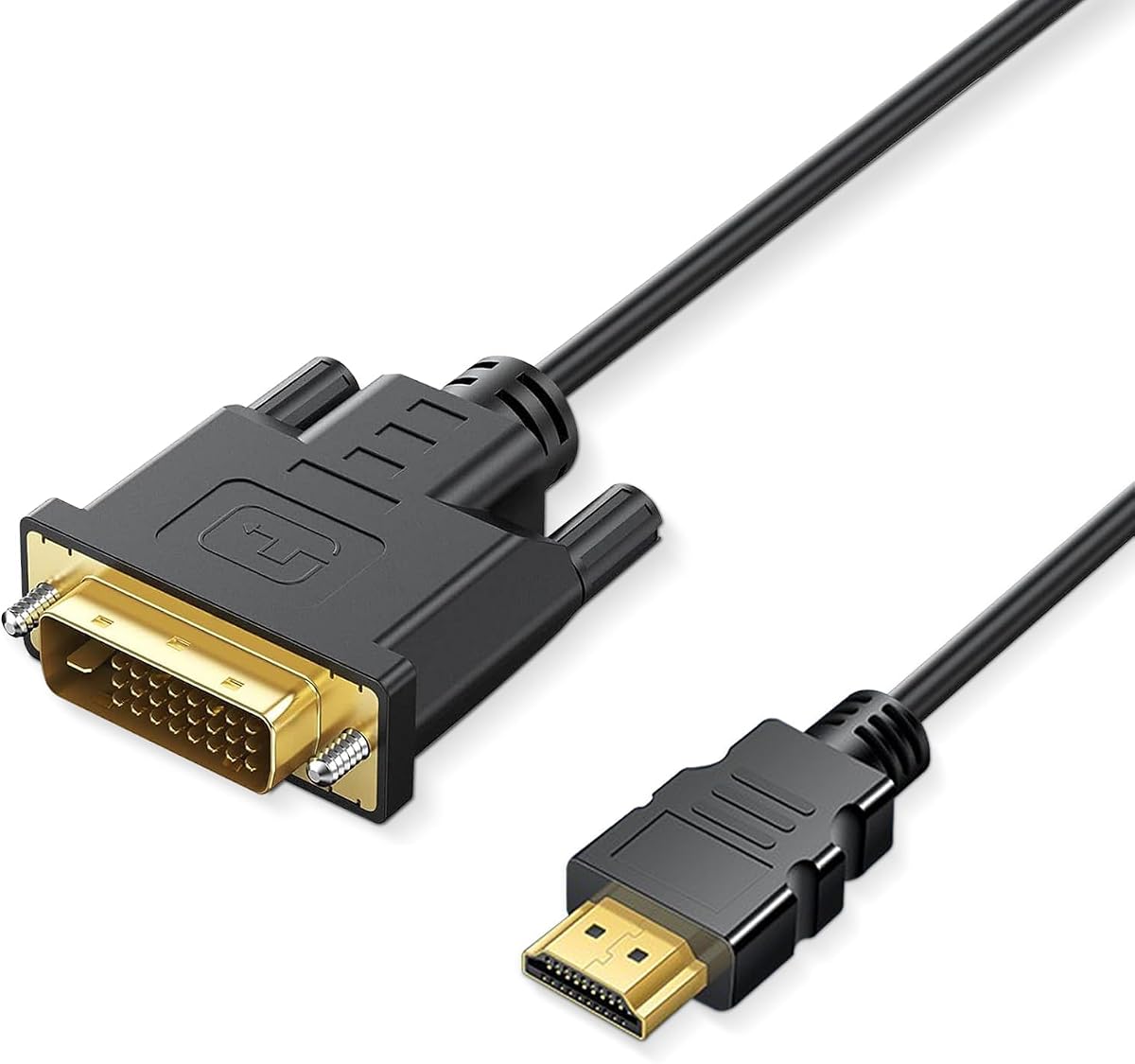


The Capshi HDMI to DVI-D adapter cable stands out as a top performer for users needing reliable video transmission between HDMI sources and DVI displays. With a strong 4.7 rating it is praised for its build quality and consistent performance across various devices.
We may earn a commission when you buy through this link, at no additional cost to you.
Its construction features 24K gold-plated connectors and oxygen-free copper lines that ensure maximum signal quality. The reinforced nylon braid and aluminum foil shielding protect against electromagnetic and radio frequency interference making it ideal for environments with high electronic noise.
While it offers excellent durability with molded strain relief and secure finger-tightened screws some users might find the six-foot length slightly cumbersome for very compact setups. However the trade-off provides ample reach for most home office or entertainment configurations.
This adapter is perfect for gamers and professionals connecting consoles or computers to older monitors. Its bi-directional capability adds versatility ensuring you can connect devices in either direction without worrying about compatibility issues.
The dual shielding layers ensure your video signal remains clear and stable even in crowded electronic environments.
Gold-plated connectors resist corrosion ensuring long-term reliable connections despite frequent plugging and unplugging.
We may earn a commission when you buy through this link, at no additional cost to you.
Amazon Basics offers a practical solution for those seeking a budget-friendly HDMI to DVI adapter without sacrificing essential features. Its 4.7 rating reflects consistent satisfaction among users who value reliability and affordability in equal measure.
We may earn a commission when you buy through this link, at no additional cost to you.
The cable features gold-plated connectors that provide optimal conductivity and resistance to corrosion. A net jacket adds an extra layer of protection making it durable enough for regular use in home or office environments.
One limitation is its three-foot length which might be restrictive if your devices are positioned further apart. Additionally it lacks the heavy shielding of more expensive models but still delivers solid performance for standard viewing needs.
Ideal for users with tight budgets or simple setups this cable connects HDMI sources to DVI displays effectively. It is a great choice for secondary monitors or occasional use where cost efficiency is a priority.
Delivering essential features like gold plating and bi-directional support at an entry-level price point.
The short three-foot length reduces cable clutter on desks and entertainment centers.
We may earn a commission when you buy through this link, at no additional cost to you.
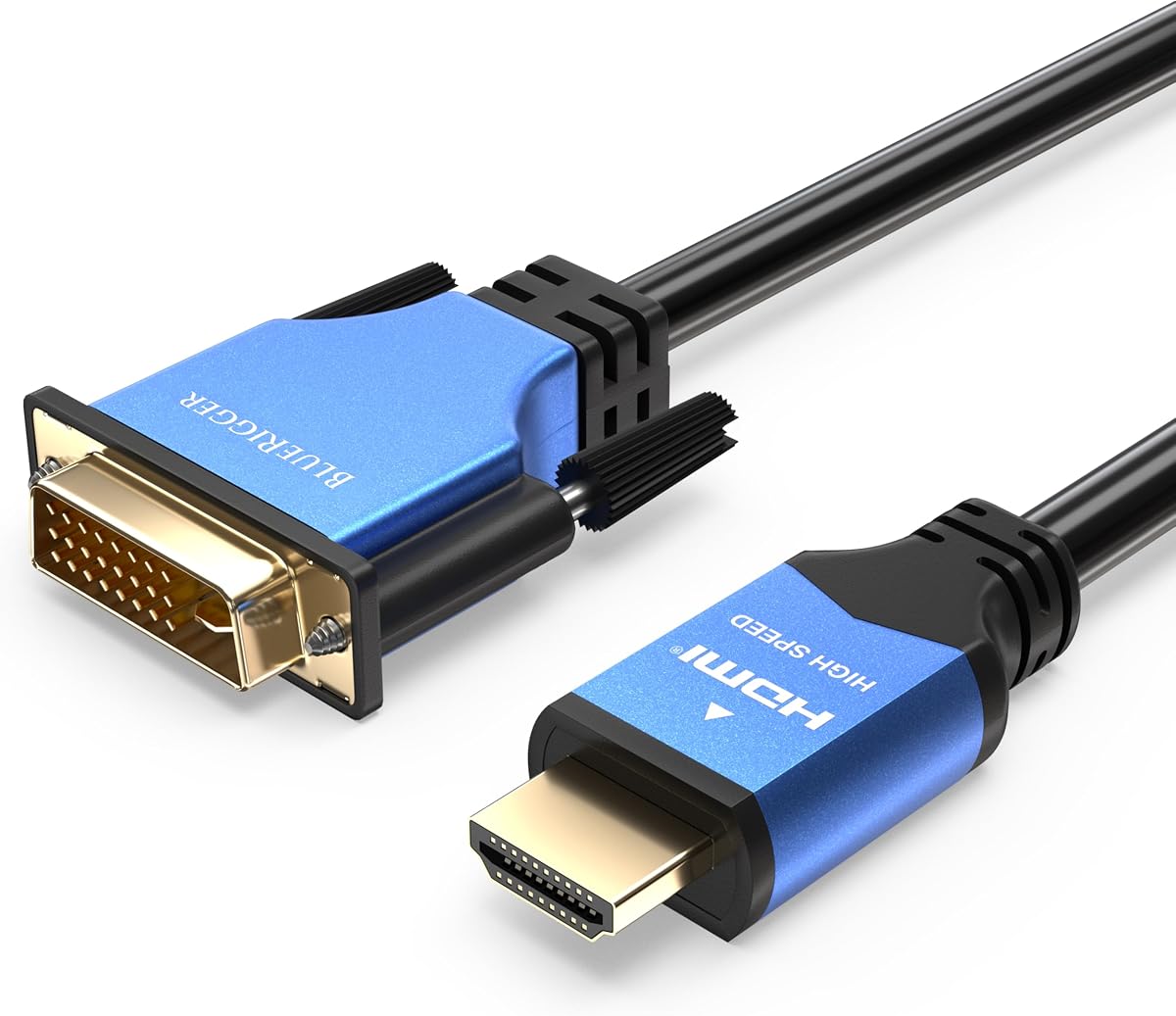
BlueRigger delivers a premium HDMI to DVI adapter cable designed for users who demand long-term reliability and top-notch performance. Its 4.7 rating highlights its success in maintaining signal quality across a wide range of devices.
We may earn a commission when you buy through this link, at no additional cost to you.
This cable features an aluminum alloy shell and oxygen-free copper wires that ensure optimal conductivity and protection against interference. The non-slip screws on the DVI connector provide a secure fit preventing accidental disconnections during use.
While it offers a lifetime warranty which is rare in this category some users may need to set up audio separately as DVI does not natively support it. The investment is justified for those seeking a durable long-lasting solution.
Perfect for professional setups or gaming rigs this adapter supports various devices from consoles to graphics cards. Its robust build and comprehensive warranty make it a confident choice for critical applications.
Comes with a lifetime warranty ensuring long-term support and replacement if needed.
Aluminum alloy shielding and oxygen-free copper maintain signal integrity over time.
We may earn a commission when you buy through this link, at no additional cost to you.
This HDMI to DVI adapter cable offers a straightforward solution for connecting devices with full HD support. It earns a 4.7 rating for its ease of use and consistent performance in various home and office scenarios.
We may earn a commission when you buy through this link, at no additional cost to you.
The six-foot length provides flexible placement options while gold-plated connectors ensure stable signal transmission. Hand-tightened screws on the DVI side help secure the connection preventing accidental dislodging during extended use.
While the PVC jacket offers protection it may not be as rugged as nylon braided options over long periods. However for most standard uses it provides reliable performance without requiring complex configuration or driver installations.
Ideal for users needing a longer cable without compromising on basic quality this adapter works well with consoles and computers. Its plug-and-play nature makes it accessible for users of all technical skill levels.
The six-foot length allows convenient device placement without stretching or additional extension cables.
Hand-tightened screws on the DVI end ensure a stable and reliable connection.
We may earn a commission when you buy through this link, at no additional cost to you.
The CableCreation HDMI to DVI cable is designed for portability making it ideal for travelers or tight desk setups. Its 4.7 rating reflects its ability to deliver stable video performance in a compact form factor.
We may earn a commission when you buy through this link, at no additional cost to you.
Supporting 1080p and 3D content it ensures high-quality visuals despite its small size. The oxygen-free copper core and gold-plated connectors work together to maintain signal integrity even during frequent plugging and unplugging.
Its main limitation is the short 15cm length which restricts placement flexibility. Additionally users must provide a separate audio cable as DVI does not support audio transmission natively.
Perfect for laptop users or gamers needing a portable connection this adapter bridges HDMI and DVI displays effectively. Its compact design makes it easy to carry in bags without adding bulk.
The short 15cm design fits easily in bags for on-the-go connectivity.
Handles 1080p and 3D content ensuring rich visuals on compatible screens.
We may earn a commission when you buy through this link, at no additional cost to you.
This HDMI to DVI adapter cable stands out with an impressive 4.9 rating reflecting exceptional customer satisfaction. It delivers reliable performance for connecting a wide array of HDMI sources to DVI displays without complexity.
We may earn a commission when you buy through this link, at no additional cost to you.
Supporting DVI-I Dual Link it enables resolutions up to 1080p Full HD ensuring crisp visuals. Gold-plated connectors resist corrosion while bi-directional transmission offers flexible connectivity for various setups.
While it lacks extensive marketing details its high rating suggests robust performance. Some users might prefer more detailed specs or length variations but for basic use it performs exceptionally well.
Great for budget-conscious users needing top reliability this adapter is a strong contender. Its simplicity and performance make it a practical choice for daily use in home or office environments.
Boasts a 4.9 rating indicating exceptional real-world reliability and user trust.
Supports DVI-I Dual Link allowing higher resolution outputs than single link variants.
We may earn a commission when you buy through this link, at no additional cost to you.
The five-foot HDMI to DVI cable offers a balanced length for many setups ensuring flexibility without excess clutter. Its 4.5 rating reflects consistent performance and durability for users needing a reliable connection.
We may earn a commission when you buy through this link, at no additional cost to you.
Doubled shielded PVC protects against interference while gold-plated connectors ensure optimal conductivity. Bi-directional transmission supports connecting HDMI sources to DVI displays and vice versa without configuration issues.
It is priced slightly higher than some options but the build quality justifies the cost. However audio still needs to be routed separately via a fiber-optic or standard audio cable for complete audio-video setups.
Ideal for users needing a medium length cable this adapter works well with gaming consoles and PCs. Its robust shielding makes it suitable for environments with potential signal interference.
Five feet offers enough reach without excessive cable bulk for most desks.
Doubled shielded PVC reduces electromagnetic interference for stable video output.
We may earn a commission when you buy through this link, at no additional cost to you.
BlueRigger's HDMI to DVI adapter cable is designed for demanding users who need reliable connectivity for gaming or professional setups. It holds a 4.7 rating for its robust build and consistent performance across diverse devices.
We may earn a commission when you buy through this link, at no additional cost to you.
The aluminum alloy shell provides excellent protection against physical damage and interference. Bi-directional capabilities ensure flexibility whether connecting a PC to a monitor or a console to a display.
While it supports up to 1080p resolution it does not handle higher-end 4K outputs. Additionally the price is higher than basic options but justified by its durable construction and lifetime warranty options.
Perfect for gamers needing a stable connection this cable works well with major consoles and PCs. Its durability ensures long-term use making it a smart investment for critical display setups.
Aluminum alloy shell protects against physical wear and signal interference.
Compatible with major gaming consoles ensuring smooth gameplay visuals.
We may earn a commission when you buy through this link, at no additional cost to you.
This 2-pack of HDMI to DVI adapters offers exceptional value for users managing multiple devices. With a 4.6 rating it is praised for its portability and ease of use in various scenarios.
We may earn a commission when you buy through this link, at no additional cost to you.
Supporting 1080p and 3D content it ensures high-quality visuals on compatible displays. Gold-plated connectors resist corrosion while the compact design makes it easy to carry in travel bags.
It does not include HDMI cables which must be purchased separately. Additionally users need a separate audio solution as DVI does not support audio transmission by itself.
Ideal for offices or households with multiple monitors this set provides reliable connectivity options. Its lightweight nature makes it perfect for professionals who move between workstations frequently.
Includes two adapters providing flexibility for multiple devices at a lower cost.
Compact and portable for easy transport between different setups.
We may earn a commission when you buy through this link, at no additional cost to you.
DTECH offers a compact HDMI to DVI adapter capable of supporting up to 4K resolution at 30Hz. Its 4.6 rating highlights its ability to deliver high-quality video in a small form factor.
We may earn a commission when you buy through this link, at no additional cost to you.
Gold plated connectors ensure durability and optimal conductivity while bi-directional functionality adds versatility. The adapter is suitable for connecting various devices including consoles computers and TVs to DVI displays.
While it supports 4K the refresh rate is limited to 30Hz which may not suit gaming needs requiring higher Hz. Audio must be routed separately as the DVI connection does not carry sound signals.
Perfect for users needing a compact high-res option this adapter fits well in portable or office setups. Its affordability and performance make it a practical choice for non-gaming high-resolution use cases.
Handles up to 4K at 30Hz ideal for productivity and media viewing.
Small design makes it easy to carry and store without bulk.
We may earn a commission when you buy through this link, at no additional cost to you.
Choosing the right HDMI to DVI adapter requires understanding compatibility cable length and build quality to ensure a stable connection between your devices.
Ensure the adapter matches your device's port type. DVI-D supports digital signals only while DVI-I can handle both digital and analog. Verify whether your source and destination ports are compatible to avoid connection issues.
Always check the pin configuration of your ports to confirm they match the adapter's design for seamless connectivity.
Select an adapter that supports the resolution your monitor can display. Most adapters support up to 1080p Full HD but some higher-end models allow up to 4K resolution at lower refresh rates.
Match the adapter's max resolution with your display to avoid visual issues or signal loss.
Measure the distance between your devices to choose an appropriate cable length. Shorter cables like 3 feet work for close setups but longer options offer more flexibility for larger desks or home theaters.
Choose a length that reduces cable clutter without creating tension on the connectors.
Look for adapters with gold-plated connectors and robust shielding against electromagnetic interference. These features ensure stable signal transmission and long-term durability especially in electronics-rich environments.
Prioritize cables with nylon braiding or metal shells for enhanced protection and longevity.
Be aware that DVI does not natively support audio transmission. If sound is required you will need to route audio through a separate cable or optical connection alongside the video adapter.
Confirm your audio setup requirements before purchasing to avoid additional costs or complexity.
Bi-directional adapters allow connecting HDMI sources to DVI displays and vice versa without needing different products. This flexibility is valuable for users who switch between devices frequently.
Ensure the adapter you choose explicitly supports bi-directional transmission for maximum versatility.
Compare prices based on the features you need. While basic adapters are affordable premium options often include warranties that protect against defects and ensure better long-term value.
Look for lifetime warranties or reliable return policies to safeguard your purchase.
To begin use connect one end of the adapter to your HDMI source device such as a laptop or gaming console. Ensure the connector aligns properly with the port before tightening any screws on the DVI side.
Connect the other end of the adapter to your DVI display like a monitor or projector. Once both ends are securely attached power on your source device and select the correct input on your display to view the signal.
To maintain longevity avoid bending the cable sharply near the connectors and store it neatly when not in use. Regularly clean connectors with a dry cloth to prevent dust buildup that can degrade signal quality.
No DVI interfaces do not support audio transmission so you will need a separate audio cable or optical connection for sound. Ensure your setup includes this extra step to experience full audio-video playback.
Yes most DVI-D adapters work with DVI-I ports but they will only transmit digital signals. Analog signals cannot be passed through these adapters so check your display capabilities accordingly.
Most adapters support up to 1080p Full HD with some offering 4K at lower refresh rates. Verify the adapter specs to ensure they meet your display's resolution needs for optimal visuals.
No these adapters are plug-and-play devices that do not require additional driver installations. Simply connect them to your devices and they will function immediately once both ends are secure.
Yes bi-directional adapters provide flexibility allowing you to connect devices in either direction without buying multiple adapters. This versatility is especially useful for users with mixed HDMI and DVI setups.
Measure the distance between your source device and display to select an appropriate length. Avoid excessively long cables that create clutter but ensure enough slack to prevent connector tension or signal degradation.
The Capshi Benfei and BlueRigger adapters offer exceptional reliability for users seeking durable connections between HDMI and DVI devices. Each model provides unique strengths from robust shielding to flexible bi-directional functionality.
Prioritize build quality and compatibility when selecting your adapter to ensure stable performance. Consider factors like cable length and resolution support to match your specific setup needs for the best experience.
Prices and availability may vary so always check current listings before purchasing to secure the best deal. With the right adapter you can enjoy seamless video performance across your diverse device ecosystem.