
TP-Link BE3600
4.2Editor score
WiFi 7 with MLO Support
Dual 2.5G Ports
2000 Sq Ft Coverage
This guide compares the top high bandwidth WiFi routers of 2026, evaluating speed, coverage, and features to help you choose the best model for your network
Finding a high bandwidth WiFi router is essential for modern homes packed with smart devices, 4K streams, and demanding gaming sessions. These routers use advanced standards like WiFi 6E and WiFi 7 to deliver massive speeds and low latency. A good model ensures every device gets the connection it needs without slowing down the network.
We analyzed ten top-rated routers from trusted brands like TP-Link, NETGEAR, ASUS, and GL.iNet. Our comparison focuses on real-world performance, coverage area, wired port speeds, and security features. Each product offers unique strengths, from budget-friendly options to ultra-premium gaming beasts capable of handling terabit speeds.
This guide provides detailed reviews and a side-by-side comparison to help you decide which router fits your space and budget. Each pick highlights key specs, pros, cons, and ideal use cases. Please note that prices and availability change frequently, so check current listings before purchasing to ensure you get the best deal.
4.2Editor score

4.3Editor score

4.3Editor score
The table below presents a detailed side-by-side comparison of all ten routers. It highlights key specifications such as WiFi generation, total bandwidth, coverage area, and wired port capabilities to help you quickly identify the right model for your specific networking requirements and home size.




The TP-Link AXE5400 stands out as a top choice for those needing high bandwidth without breaking the bank. Rated 4.3 stars, it leverages WiFi 6E to unlock the 6 GHz band for reduced congestion. This makes it ideal for households with many devices streaming and gaming simultaneously.
We may earn a commission when you buy through this link, at no additional cost to you.
Its tri-band design splits traffic across 2.4, 5, and 6 GHz bands, ensuring your fastest devices get dedicated speeds. The 5400 Mbps capacity handles 4K streaming effortlessly. With EasyMesh compatibility, you can expand coverage seamlessly across larger homes without losing performance.
While it lacks 2.5G wired ports which limits wired speed potential, the wireless performance compensates well. The design focuses on heat dissipation ensuring long-term stability. Users will appreciate the balance of price and cutting-edge 6E technology in this model.
This router is perfect for users wanting future-proof WiFi 6E at a reasonable cost. It suits medium to large homes needing reliable coverage for dozens of devices. If you prioritize wireless speed and mesh potential over wired ports, this is a highly recommended pick.
The 6 GHz band provides a clear lane for compatible devices avoiding the clutter of older signals. This results in smoother video calls and lower latency for gaming.
EasyMesh compatibility allows adding extenders to fill dead zones creating a unified network. This is crucial for multi-story homes or those with thick walls.
We may earn a commission when you buy through this link, at no additional cost to you.
The TP-Link BE3600 brings WiFi 7 technology to the budget segment making advanced speeds accessible. Rated 4.2 stars, it uses Multi-Link Operation to combine bands for better throughput. It is a fantastic entry point for users wanting next-gen WiFi without high costs.
We may earn a commission when you buy through this link, at no additional cost to you.
With dual 2.5G ports it supports multi-gig internet plans effectively. This ensures your wired devices like PCs or consoles get maximum speed. The 3600 Mbps wireless capacity is sufficient for streaming and browsing in average homes.
Coverage is capped at 2000 sq ft so larger homes might need extenders. Also lacking a dedicated 6 GHz band it relies on efficient band combination. However for the price point the performance is impressive and future-ready.
Choose this if you want WiFi 7 features on a tight budget. It works well for apartments or small houses with high-speed internet plans. The fast ports and MLO support make it a smart buy for tech-savvy budget shoppers.
You get WiFi 7 benefits like MLO at a fraction of premium router prices. This democratizes high speed internet for average consumers.
The inclusion of 2.5G ports allows connecting modern gaming PCs or NAS drives directly. This prevents bottlenecks even on fast fiber connections.
We may earn a commission when you buy through this link, at no additional cost to you.
The ASUS ROG Rapture GT-BE98 Pro is the ultimate choice for hardcore gamers and power users. Rated 4.3 stars, it delivers a staggering 30Gbps via quad-band WiFi 7. This ensures absolutely no bottlenecks for any device connected to the network.
We may earn a commission when you buy through this link, at no additional cost to you.
Its dual 10G Ethernet ports are rare in consumer gear supporting enterprise-level wired speeds. Triple-Level Game Acceleration optimizes traffic for gaming PCs reducing lag significantly. The coverage and signal strength are robust even in large multi-story homes.
The cost is substantial and it requires a high-speed internet plan to justify the price. Its size and cooling requirements mean it needs dedicated space. Yet for those who need peak performance it offers features no other router can match.
This router is best for enthusiasts who demand zero compromise on speed. If you have a multi-gigabit connection and need premium gaming tools this is the top pick. It future-proofs your network for years of high-bandwidth usage.
The Triple-Level Game Acceleration intelligently prioritizes gaming traffic to minimize ping. This gives competitive players a distinct edge over others.
Dual 10G ports allow direct connections for workstations or media servers. This eliminates network bottlenecks for large file transfers.
We may earn a commission when you buy through this link, at no additional cost to you.
The TP-Link BE6500 offers strong dual-band performance for modern homes needing speed. Rated 4.3 stars, it supports up to 90 devices simultaneously. Its 6500 Mbps capacity handles heavy streaming and downloading without congestion.
We may earn a commission when you buy through this link, at no additional cost to you.
MLO technology allows efficient data transfer across bands boosting reliability. The two 2.5G ports ensure wired devices can utilize fast internet plans. This is a solid choice for dense networks with many smart home gadgets.
It does not include the 6 GHz band which limits pure WiFi 7 potential. Also its mesh compatibility is limited to EasyMesh rather than full TP-Link Deco systems. However the raw speed and port selection make it very capable.
Buy this if you need high throughput for many devices but do not need 6 GHz. It fits well in apartments or small offices needing robust connectivity. The Tether app makes setup and management straightforward for users.
Supporting 90 devices means you can connect every smart bulb and camera easily. This prevents network slowdowns when everyone is online.
The 2.5G ports prepare your network for faster internet tiers soon. This ensures your setup remains relevant for years.
We may earn a commission when you buy through this link, at no additional cost to you.
The NETGEAR Nighthawk WiFi 7 delivers reliable tri-band speeds for expansive living spaces. Rated 4.3 stars, it covers up to 2500 sq ft effectively. The 9.3 Gbps speed ensures smooth 4K streaming and online gaming.
We may earn a commission when you buy through this link, at no additional cost to you.
A dedicated 6 GHz band isolates high-speed traffic reducing interference significantly. The 2.5G WAN port unlocks multi-gig internet speeds for compatible ISPs. This makes it ideal for large households with heavy data demands.
Security features like Armor require a subscription after the trial period. The Nighthawk app offers many tools but can be overwhelming for beginners. Despite this the hardware performance and range are consistently impressive for families.
Choose this for large homes needing broad coverage and strong security options. The tri-band architecture handles many devices well without slowdowns. It balances range and speed effectively for most modern networking needs.
Its ability to cover 2500 sq ft means fewer dead zones in large homes. Walls and floors are handled well by the antennas.
With a 2.5G WAN port you can fully utilize fast fiber plans. This prevents your router from limiting your internet speed.
We may earn a commission when you buy through this link, at no additional cost to you.
The NETGEAR Nighthawk RS90 brings dual-band WiFi 7 features to a moderate price. Rated 4.3 stars, it supports up to 50 devices comfortably. Its 3.6 Gbps speed is ample for streaming and browsing in standard homes.
We may earn a commission when you buy through this link, at no additional cost to you.
With a 2.5G WAN port it supports faster internet plans easily. The coverage extends to 2000 sq ft ensuring connectivity across most rooms. It is a practical upgrade for users moving from older WiFi 5 routers.
Dual-band design means more congestion potential compared to tri-band options. It also lacks the 6 GHz band which reduces peak performance potential. However for typical usage its reliability and ease of use are strong points.
This router suits small to medium homes needing reliable WiFi 7. It is easy to set up via the app and manages traffic well. A good choice for general users not needing extreme speed tiers.
OFDMA and MU-MIMO ensure smooth data distribution to multiple devices. This keeps your network responsive even when busy.
The 2.5G WAN port allows you to take full advantage of gig-plus plans. This ensures your home network matches your ISP speed.
We may earn a commission when you buy through this link, at no additional cost to you.
The TP-Link BE9300 is a powerful tri-band router capable of 9300 Mbps speeds. Rated 4.0 stars, it uses 320 MHz channels for massive throughput. This suits users needing extreme speeds for 8K streaming or large file transfers.
We may earn a commission when you buy through this link, at no additional cost to you.
It features multiple 2.5G LAN ports enabling wired devices to hit top speeds. EasyMesh compatibility allows expanding the network easily with other routers. This makes it versatile for growing smart home environments.
The rating is slightly lower due to mixed feedback on stability or heat. It is pricier than dual-band models but offers significant performance gains. For power users needing both wired and wireless speed it is a strong contender.
Select this if you need high multi-band capacity and flexible wired ports. It supports advanced home networks requiring robust throughput. The Mesh support ensures coverage expands as your needs grow over time.
The 320 MHz channels significantly boost wireless data rates for compatible devices. This allows near-wired speeds over WiFi 7 connections.
Using EasyMesh you can add nodes to cover multiple floors seamlessly. This helps eliminate dead zones in larger properties.
We may earn a commission when you buy through this link, at no additional cost to you.
The TP-Link AX5400 delivers high speeds using established WiFi 6 technology. Rated 4.5 stars, it covers up to 2000 sq ft with strong signals. Its 5400 Mbps capacity ensures fast streaming for most households comfortably.
We may earn a commission when you buy through this link, at no additional cost to you.
A USB 3.0 port allows easy sharing of media files and printers. This feature adds convenience without needing extra hardware. The design includes ample vents to keep the router cool during heavy loads.
It does not support WiFi 7 standards which might limit future upgrades. However for current devices the performance remains excellent and very stable. Many users appreciate its balance of price and reliable daily performance.
Choose this if you do not need 6 GHz or WiFi 7 features. It is an excellent choice for homes wanting proven performance and USB storage. The high rating confirms its dependability for general internet tasks.
The USB 3.0 port lets you share drives easily across your network. This acts like a personal cloud without extra subscription.
Improved vents help dissipate heat keeping performance consistent during use. This ensures the router does not throttle speeds under load.
We may earn a commission when you buy through this link, at no additional cost to you.
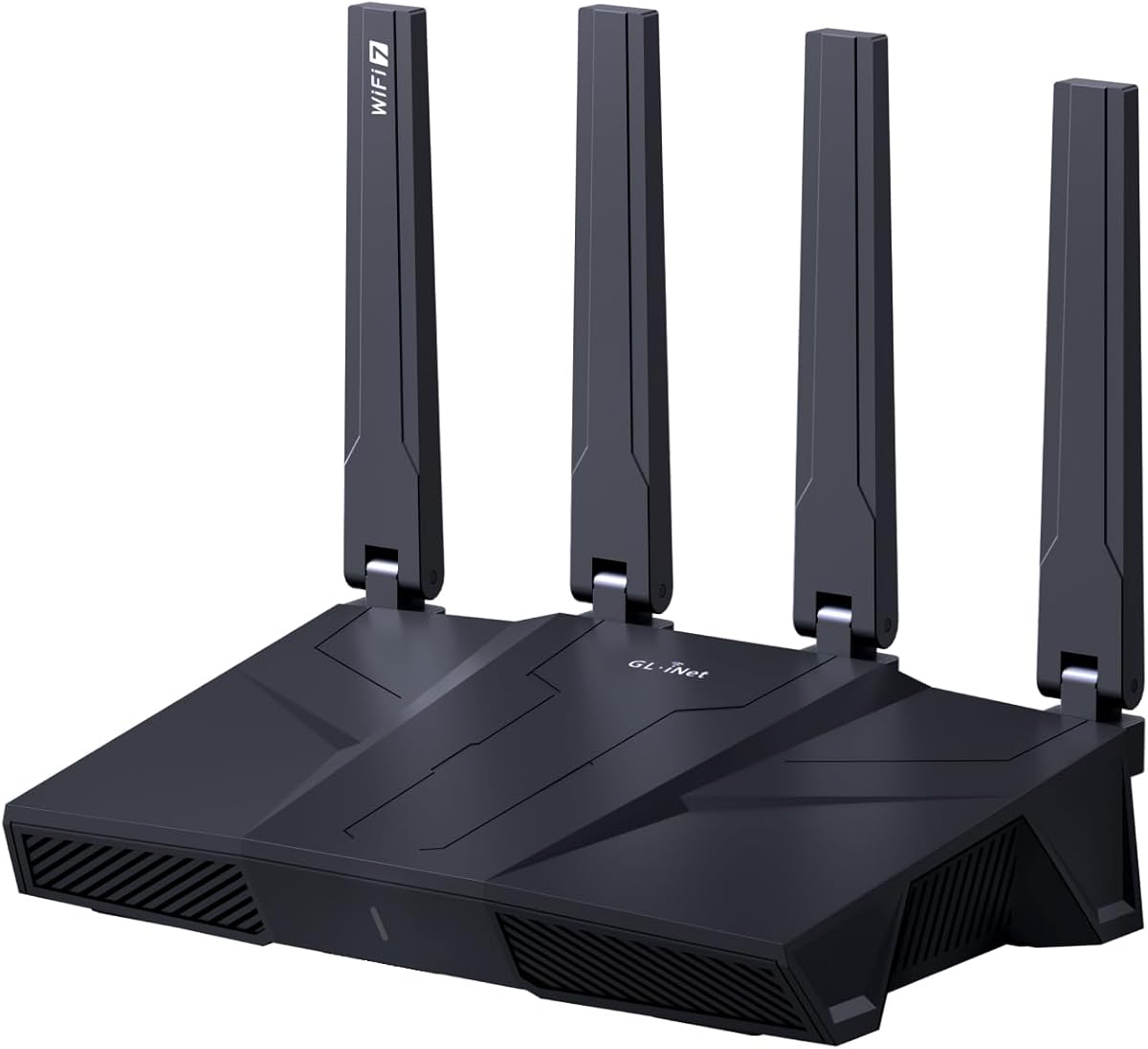
The GL.iNet GL-BE9300 Flint 3 offers unique features for privacy-conscious users. Rated 4.3 stars, it supports OpenVPN and WireGuard for secure connections. Its 9 Gbps speed and five 2.5G ports are impressive for data transfer needs.
We may earn a commission when you buy through this link, at no additional cost to you.
AdGuard Home support allows blocking ads and trackers at the network level. This protects all devices without needing individual apps. The router runs on OpenWrt enabling custom plugins for advanced users.
The interface may not be as polished as consumer brands like TP-Link. Setup requires more attention to detail but pays off in control. It is a niche choice for those valuing security and hardware flexibility.
Buy this if you want extensive VPN support and open-source flexibility. It suits tech-savvy users needing secure and customizable networking. The hardware offers great port density and modern WiFi 7 speeds.
Integrated OpenVPN and WireGuard support allows secure remote access easily. This keeps your data safe from public networks.
AdGuard Home integration blocks ads before they reach your devices. This saves bandwidth and protects against malicious trackers.
We may earn a commission when you buy through this link, at no additional cost to you.
The NETGEAR Nighthawk X10 is a powerful router designed for high throughput. Rated 4.3 stars, it offers 7200 Mbps speeds across tri-bands. Its unique 10G SFP+ port is rare for wired backbone connections in homes.
We may earn a commission when you buy through this link, at no additional cost to you.
It supports 60Ghz devices for short-range ultra-fast wireless connections. This was ahead of its time for streaming and gaming in specific setups. The coverage extends to 2500 sq ft ensuring good range.
It lacks modern WiFi 6 or 7 standards which limits compatibility with new devices. The interface is feature-rich but can be complex for casual users. It is now a niche choice for specific wired network needs.
Choose this if you specifically need the 10G SFP+ port for networking. It suits users needing high wired throughput and legacy support. For most others newer WiFi 7 routers offer better efficiency and features.
The 10G SFP+ port allows professional-grade backbone connections. This is rare in consumer routers.
Despite its age the 7200 Mbps speed still handles heavy loads well. It remains viable for specific high-bandwidth tasks.
We may earn a commission when you buy through this link, at no additional cost to you.
Choosing the right router involves understanding your internet speed needs and home size. This guide highlights key factors to ensure you invest in a router that delivers high bandwidth performance.
Modern routers use WiFi 6E or WiFi 7 standards. These provide faster speeds and better handling of multiple devices. WiFi 7 adds features like MLO which combines frequencies for better reliability.
Always choose a router with the latest standard if your devices support it. This ensures future compatibility and maximum wireless throughput for years.
The total speed rating like 30Gbps or 9.3 Gbps indicates theoretical max capacity. This number helps gauge how many streams or downloads the router can handle simultaneously.
Higher speed is crucial for large households with many active users. Ensure the router's total bandwidth matches or exceeds your internet plan speed.
Tri-band routers offer three streams including a dedicated 6 GHz band. Dual-band routers use 2.4 GHz and 5 GHz. More bands reduce congestion and improve speed for connected devices.
Choose tri-band for homes with many devices needing fast speeds. Dual-band is often sufficient for smaller setups needing basic high-speed access.
Coverage depends on antenna count and signal strength. Most routers cover 2000 to 2500 sq ft effectively. Larger homes may require mesh systems or extenders.
Check the square footage rating to ensure it matches your home layout. Thick walls and floors can reduce actual range significantly.
High-speed wired connections need at least one 2.5G or 10G port. Many routers still limit ports to 1Gbps. This can bottleneck multi-gig internet plans.
Look for 2.5G ports if you have fast internet or wired desktops. This ensures your wired devices get full internet speeds without slowdowns.
Built-in security protects against malware and threats. Look for routers offering WPA3 encryption and regular firmware updates. Some include optional paid subscriptions for advanced protection.
Basic security is standard but advanced tools add a layer of safety. Decide if you need premium features like deep packet inspection.
Some routers support mesh systems to expand coverage. Check if the router works with EasyMesh or a specific brand ecosystem. This helps in filling dead zones easily.
If you have a large home choose a router that meshes well. This ensures seamless coverage as you move between rooms.
Prices range from budget-friendly to high-end premium. Higher cost often brings better hardware and more ports. Balance your needs against what you can afford.
Invest in a mid-range model if possible for better longevity. Extreme budget models may lack essential features needed for high bandwidth.
Begin by placing the router in a central location away from walls and metal objects. This maximizes signal spread and reduces dead zones. Keep it elevated on a shelf or mount it on a wall for best results.
Connect your modem to the WAN port using an Ethernet cable. Ensure the router is plugged into a power outlet. Use the manufacturer app to set up your network name and secure password.
Regularly update the firmware to keep performance and security optimized. This prevents vulnerabilities and ensures new features are available. Also restart the router occasionally to clear cache and maintain stability.
A high bandwidth WiFi router supports advanced standards like WiFi 6E or 7. It delivers faster speeds and lower latency. These routers handle many devices without slowing down.
Not always. WiFi 6E can offer fast speeds with the 6 GHz band. WiFi 7 is best for future-proofing but not strictly required for most users.
Most high bandwidth routers support 50 to 90 devices simultaneously. This depends on the model and specific features like OFDMA or MU-MIMO.
Yes for busy homes. They provide a dedicated 6 GHz band to reduce congestion. This helps gamers and streamers avoid slowdowns.
Look for at least one 2.5G Ethernet port. This supports faster internet plans beyond standard 1Gbps speeds.
Use EasyMesh or a compatible mesh system. This adds access points to cover dead zones without losing speed.
We reviewed ten top routers ranging from budget picks to premium gaming beasts. The TP-Link AXE5400 stands out for value while the ASUS ROG Rapture leads in raw performance.
Prioritize features like WiFi 7 and multi-gig ports if you need future-proofing. For general use a solid WiFi 6E router might save money without sacrificing speed.
Remember to check current prices as they fluctuate often. Ensure the router matches your internet plan speed for optimal performance.