
HP 14 inch Laptop
4.5Editor score
Intel N150 Processor
14 inch Display
1TB Cloud Storage
This guide compares the top 10 laptops and accessories for Zoom calls in October 2026 to help you choose the right device for clear video and reliable
Finding the right laptop for Zoom calls involves more than just checking the processor speed. You need a device with a high-quality webcam, reliable microphone, and strong connectivity to ensure your meetings run smoothly without interruptions or technical glitches.
We have evaluated ten top products including laptops and essential accessories like lighting kits and webcams. Each item was selected based on performance, portability, and features that specifically enhance the video conferencing experience for professionals and students alike.
Each pick in this list highlights key strengths and potential trade-offs so you can make an informed decision. Please note that prices and availability change frequently, so always check the latest details before making your final purchase decision online.
4.5Editor score

4.3Editor score

5.0Editor score
This side-by-side comparison outlines the core specifications and strengths of each product to help you quickly identify which device or accessory best fits your specific needs for professional and personal video conferencing.





This HP 14 inch laptop is an excellent entry level option for anyone needing a reliable machine for video calls on a budget. It features an Intel N150 processor that handles basic multitasking efficiently while keeping power consumption low for better battery life.
We may earn a commission when you buy through this link, at no additional cost to you.
The device includes 4GB of DDR5 RAM which is sufficient for running Zoom alongside a few browser tabs without significant slowdowns. The 14 inch display offers clear visuals and an anti-glare coating that helps reduce eye strain during long meetings in various lighting conditions.
While the local storage is limited to 128GB SSD, the inclusion of 1TB of cloud storage provides ample space for documents and files without cluttering the local drive. This makes it ideal for users who store most data online rather than on the physical device.
For students or remote workers seeking an affordable solution, this laptop delivers solid performance for virtual meetings. Just ensure you connect to a stable Wi-Fi network to maintain smooth video quality during important calls.
The Intel N150 processor ensures efficient multitasking for Zoom and other apps without draining battery quickly.
1TB of cloud storage compensates for limited local SSD space keeping your files accessible and organized.
We may earn a commission when you buy through this link, at no additional cost to you.
Lighting is often the most overlooked aspect of setting up for video calls yet it has a massive impact on how you appear. This Cyezcor Video Conference Lighting Kit solves common lighting issues by providing even and adjustable illumination directly on your screen.
We may earn a commission when you buy through this link, at no additional cost to you.
It offers three color temperatures and five brightness levels allowing you to customize the light to match your environment perfectly. The circular design ensures soft light without harsh shadows making your face look more natural and professional during meetings.
The clip on design is simple to set up and requires no tools just attach it to the top of your monitor and plug into USB. Since it is USB powered you can use a laptop or power bank making it ideal for traveling or working from different locations.
Whether you work from home or frequently attend meetings this lighting accessory improves video clarity significantly. It is a low cost investment that delivers high value by enhancing your professional appearance on camera.
The ring design creates soft even light without glare ensuring you look your best on camera.
Lightweight and easy to attach this kit is perfect for moving between workspaces or traveling.
We may earn a commission when you buy through this link, at no additional cost to you.
The NIMO 15.6 FHD Copilot AI Laptop stands out with its powerful specifications designed for heavy multitasking and reliable performance. With 16GB of RAM and a 512GB SSD this device handles video calls alongside complex applications without lagging or slowing down.
We may earn a commission when you buy through this link, at no additional cost to you.
The 15.6 inch Full HD screen provides sharp visuals making it easy to see shared documents and video feeds clearly during meetings. The 175 degree flat hinge allows you to share the screen easily with others across a table during collaborative sessions.
Security is enhanced with a fingerprint unlock and hardware level encryption keeping your work data safe especially if you work in public spaces. The 65W fast charger ensures you can quickly top up battery power between meetings or long work sessions.
For professionals needing high efficiency and security this laptop is an excellent choice. The combination of speed storage and display quality makes it a top performer for demanding video conferencing environments.
16GB RAM allows you to run dozens of tabs and Zoom simultaneously without performance drops.
The 15.6 FHD screen offers ample space for content and clearer details on camera feeds.
We may earn a commission when you buy through this link, at no additional cost to you.
The HP Everyday Slim Laptop combines portability with essential features needed for effective video communication. Its thin profile and lightweight design make it easy to carry to meetings or use from different rooms without strain.
We may earn a commission when you buy through this link, at no additional cost to you.
Equipped with a True Vision 720p HD camera featuring noise reduction and dual microphones this laptop ensures clear audio and video quality. This makes it a strong contender for users prioritizing communication clarity over raw processing power.
With Microsoft 365 included you have immediate access to productivity tools without extra costs or setup hassle. The dedicated Copilot key on the keyboard allows quick access to AI assistance helping you draft emails or summarize notes instantly.
Ideal for daily commuting or frequent travelers this laptop provides a balanced experience. Just keep in mind that storage is limited so external drives may be needed for large media files.
The True Vision 720p HD camera with noise reduction improves your video presence on calls.
Slim and lightweight profile makes it easy to carry and use comfortably anywhere.
We may earn a commission when you buy through this link, at no additional cost to you.
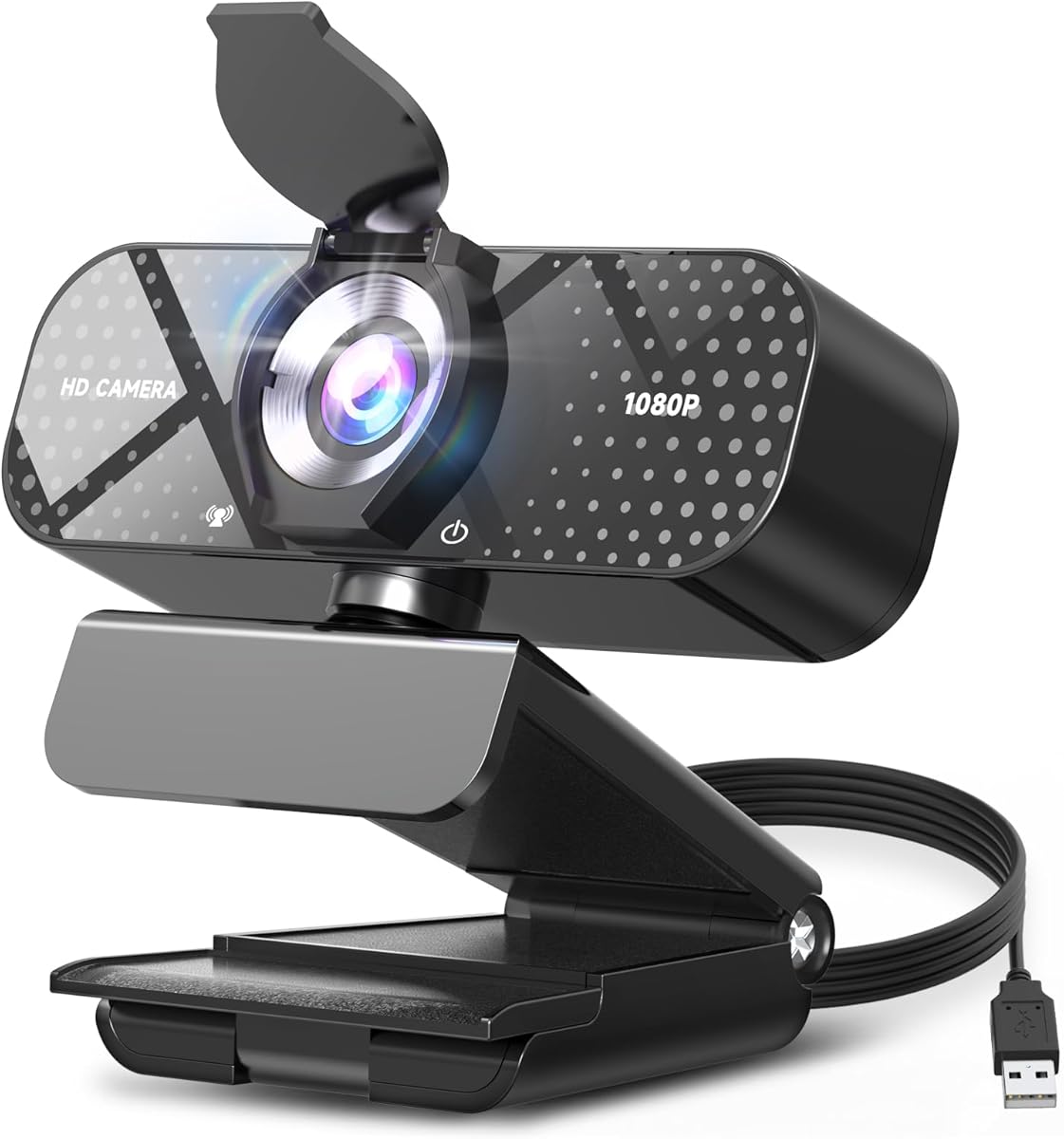
Upgrading your webcam can dramatically improve your video presence on Zoom. The TRAUSI 1080P FHD Webcam delivers sharp vibrant images and smooth video at 30fps making you look clear and professional on any call.
We may earn a commission when you buy through this link, at no additional cost to you.
Built in noise canceling microphone ensures your voice is transmitted clearly even if there is background noise. Automatic light correction adjusts brightness and color dynamically so you look good in both low light and bright environments.
Security is addressed with an included privacy cover allowing you to block the lens when not in use. Plug and play setup means you can start using it immediately without installing drivers on Windows Mac or Linux systems.
For anyone with a laptop having a poor camera this accessory is a perfect fix. It offers a budget friendly way to achieve high quality video performance suitable for professional and personal use.
Dynamically adjusts video brightness ensuring optimal quality regardless of your room lighting.
Included shield slide cover provides immediate privacy and peace of mind after meetings.
We may earn a commission when you buy through this link, at no additional cost to you.
This desk ring light is designed to provide uniform soft illumination perfect for video calls and online teaching. It uses edge-lit technology to reduce eye strain and make you look natural on camera without harsh shadows.
We may earn a commission when you buy through this link, at no additional cost to you.
With 10 brightness levels and three color temperatures you have precise control over how you appear on screen. The 7-inch screen light features a sturdy metal base ensuring stability during long work sessions.
It offers 360 degree rotation allowing you to adjust the angle to eliminate glare or brighten specific parts of your face. The height is adjustable from 22 to 32 inches making it versatile for different desk heights.
As a versatile desk lamp it can also serve as a reading light. It is an excellent investment for home offices that need reliable lighting solutions for both work and creative projects.
Edge-lit technology delivers even gentle light reducing eye strain during long video sessions.
10 brightness and 3 color settings allow you to find your perfect look for any meeting.
We may earn a commission when you buy through this link, at no additional cost to you.
This circular clip-on light provides excellent color rendering with a CRI over 95 ensuring your colors look vivid and realistic on video. The 6-inch curved design helps avoid glare issues while protecting your eyes from harsh direct light.
We may earn a commission when you buy through this link, at no additional cost to you.
You can easily adjust brightness from 10 to 100 percent and cycle through warm mixed and cold light modes. This flexibility makes it suitable for various scenarios from professional calls to live streaming content creation.
The clip mechanism is secure enough for most monitors but ensure compatibility with your screen thickness. It is a cost-effective way to upgrade your video quality significantly without investing in expensive studio lighting setups.
Ideal for beginners or anyone on a budget this ring light improves your on-camera presence immediately. It delivers professional results with minimal setup and effort for remote work or content creation.
High CRI ensures your colors appear realistic and vivid on camera for professional video.
10 dimming levels and multiple modes let you adapt lighting to any environment easily.
We may earn a commission when you buy through this link, at no additional cost to you.
This HP 14 Business Laptop is designed for professionals who need reliable performance and productivity tools. It comes with a one year subscription to Office 365 allowing you to create and edit documents for meetings without extra fees.
We may earn a commission when you buy through this link, at no additional cost to you.
The display offers 1366 x 768 resolution which is acceptable for basic tasks and clear text viewing. With multiple USB ports and an SD card reader you can easily connect peripherals and external drives for additional storage or data transfer.
The Intel N150 processor handles daily tasks efficiently making it a solid choice for budget conscious businesses. While not ideal for heavy editing it serves well for email and and video conferencing.
For small businesses or students needing a functional laptop with office software this model is a practical pick. Ensure you check if the resolution meets your visual needs before purchase.
Includes Microsoft 365 subscription so you have all tools needed for professional work immediately.
Multiple USB ports and SD reader offer versatile connection options for devices and accessories.
We may earn a commission when you buy through this link, at no additional cost to you.
This HP Everyday Slim Laptop introduces Copilot AI features to help streamline your workflow during meetings. It includes Microsoft Office 365 and 1TB of cloud storage providing ample space for all your documents and files.
We may earn a commission when you buy through this link, at no additional cost to you.
The True Vision 720p HD camera ensures you stay clear in virtual meetings with dual microphones and noise reduction. Battery life is strong allowing for several hours of video playback or streaming without needing a charger.
While user ratings are lower than other models it offers good value through bundled software and cloud capabilities. Just ensure your workflow can handle limited local storage by relying on cloud backups for important data.
For users who prioritize software bundles and cloud services over raw hardware specs this model is worth considering. It serves well for students or professionals relying heavily on online tools.
Dedicated Copilot key gives instant access to AI tools for faster productivity and note taking.
1TB of cloud storage ensures you can keep all files safe and accessible without local clutter.
We may earn a commission when you buy through this link, at no additional cost to you.
The yAyusi dual lamp system provides brighter and more even lighting compared to single bar kits. Two light bars ensure you are well lit from both sides reducing shadows on your face for a professional look.
We may earn a commission when you buy through this link, at no additional cost to you.
You can control the light via touch or remote control allowing easy adjustments during meetings without getting up. The system supports 3 color modes and 10 brightness levels for versatile lighting control.
Both lights are rotatable 360 horizontal and 180 vertical giving you full range over how the light hits your face. The set includes stands and wire tie ensuring you can mount them securely on most monitors or desks.
If you need studio quality lighting for streaming or serious conferencing this dual bar system is a step up. It is ideal for influencers or professionals needing consistent and adjustable illumination.
Two light bars provide even coverage eliminating shadows for a more professional video appearance.
Remote and touch controls allow quick adjustments without interrupting your flow during meetings.
We may earn a commission when you buy through this link, at no additional cost to you.
Selecting the right laptop for video conferencing requires evaluating several hardware and software factors to ensure reliable performance and clear audio video.
The processor is the brain of your laptop and dictates how smoothly it handles Zoom and other apps. Look for at least a quad-core Intel N150 or equivalent to ensure lag-free performance during meetings.
A capable processor prevents freezing and ensures your video stream stays smooth without distracting lags.
RAM determines how many tasks your system can run simultaneously. For Zoom calls with multiple browser tabs and documents open 8GB or more is recommended to maintain responsiveness.
Higher RAM ensures your system remains fast and responsive even with heavy multitasking during work.
Built-in cameras and mics are crucial for video quality. Look for HD resolution 720p or better and noise canceling microphones to ensure clear communication.
Good audio and video hardware is essential for maintaining professional presence on calls.
A clear display helps you see meeting participants and shared content. Anti-glare coatings and Full HD resolution improve readability in various lighting conditions.
High quality screens reduce eye strain and enhance the overall meeting experience.
Long battery life ensures you can join meetings without being tied to a power outlet. Aim for at least 8 hours of real world usage for all day productivity.
Reliable battery life prevents interruptions during critical calls when charging is unavailable.
Ports like USB-C HDMI and headphone jacks allow you to connect external devices easily. Wi-Fi 6 support ensures fast and stable internet connections.
Multiple connectivity options enhance versatility for peripherals and reliable network access.
Ensure the laptop runs a current version of Windows or macOS to receive security updates. Windows 11 offers optimized features for touch and digital pen use.
Modern OS versions provide better security and performance for video conferencing apps.
If you travel often a lightweight laptop under 4 pounds is easier to carry. Thin designs are also more convenient for using in different spaces.
Portability is key for professionals who work from multiple locations frequently.
Position your laptop at eye level to reduce awkward angles and make video calls look more natural. Use books or a stand to elevate the camera if needed.
Regularly update your operating system and Zoom software to ensure compatibility and security. Outdated software can lead to crashes or security risks.
Clean your webcam lens and screen with a soft microfiber cloth to maintain image clarity. Dust and smudges can reduce video quality significantly.
For smooth Zoom performance look for a quad-core processor at least 8GB of RAM and a stable internet connection. A 720p or 1080p webcam and noise canceling microphone also enhance call quality significantly.
Yes you can use an external USB webcam or a phone as a camera. Many budget laptops omit webcams so adding one can greatly improve your video capabilities.
Improve lighting with a ring light position yourself facing the light source and use a wired internet connection. These steps reduce shadows and ensure your video stays stable and clear.
Zoom does not require a high-end laptop but a processor with at least 4GB or 8GB of RAM helps avoid lag. A good webcam and mic are often more important than raw power.
A 14 inch display offers a good balance of portability and screen real estate. Larger 15.6 inch screens provide more space for multitasking but are heavier to carry.
Use a laptop with a noise canceling microphone or an external mic. Also enable background noise suppression in Zoom settings and work in quieter environments when possible.
Cloud storage offers accessibility anywhere but relies on internet speed. SSDs provide faster local access. A mix of both is ideal for backup and performance.
Lower screen brightness close unused apps and enable battery saver mode. Using a stable Wi-Fi connection also reduces power consumption during calls.
Choosing the right laptop or accessory for Zoom calls depends on your budget and specific needs. The HP 14 inch offers great value while the NIMO 15.6 provides premium performance for professionals.
Prioritize features like RAM processor speed and display quality to ensure a smooth video experience. Accessories like ring lights and external webcams can also significantly upgrade your setup.
Always check current prices and availability before purchasing since deals change often. We hope this guide helps you make an informed decision for your next video conferencing setup.