
X99 LGA 2011-3 Motherboard for Intel Xeon E5 V3/V4 and Core i7 Series Processors
3.9Editor score
4 DDR4 RAM Slots Support
NVME M.2 Slot Speed
Realtek 8111H LAN Port
This guide compares the top Lga 3 X99 Motherboard options for servers and workstations offering detailed specs and user ratings to help you build.
Choosing the right Lga 3 X99 Motherboard is crucial for building a powerful workstation or server. These boards support high core count Xeon processors and offer extensive memory expansion capabilities for demanding tasks.
We evaluated ten distinct models based on their chipset support, memory channels, and connectivity options. Our analysis focuses on real world performance potential and compatibility with common enterprise hardware configurations.
Each pick highlights specific strengths like dual CPU support or multi NVME slots. Keep in mind that availability and stock levels change frequently so verify details before finalizing your purchase today.
3.9Editor score

4.1Editor score

3.7Editor score
This side-by-side comparison highlights the key specifications of each board to help you identify the best fit for your specific hardware needs.



This MACHINIST board stands out with its robust support for three NVME M.2 slots which is rare in this price range. It offers a solid foundation for workstation builds needing fast storage without sacrificing PCIe lanes.
We may earn a commission when you buy through this link, at no additional cost to you.
The C612 chipset ensures stable bus communication while the 6 phase power supply handles high core count Xeon processors well. The VRM cooling fan helps maintain thermal stability under heavy load conditions.
One trade off is the lack of included documentation and battery which means extra cost for setup. Users should verify memory compatibility carefully as server and desktop RAM cannot mix on this board.
Ideal for builders needing triple M.2 storage on a budget this board delivers exceptional value. It balances performance and cost effectively for those prioritizing storage speed over extensive onboard features.
Three PCIe 3.0 x4 slots allow multiple high speed SSDs for massive data throughput.
Six phase power delivery ensures consistent voltage for demanding E5 processors.
We may earn a commission when you buy through this link, at no additional cost to you.
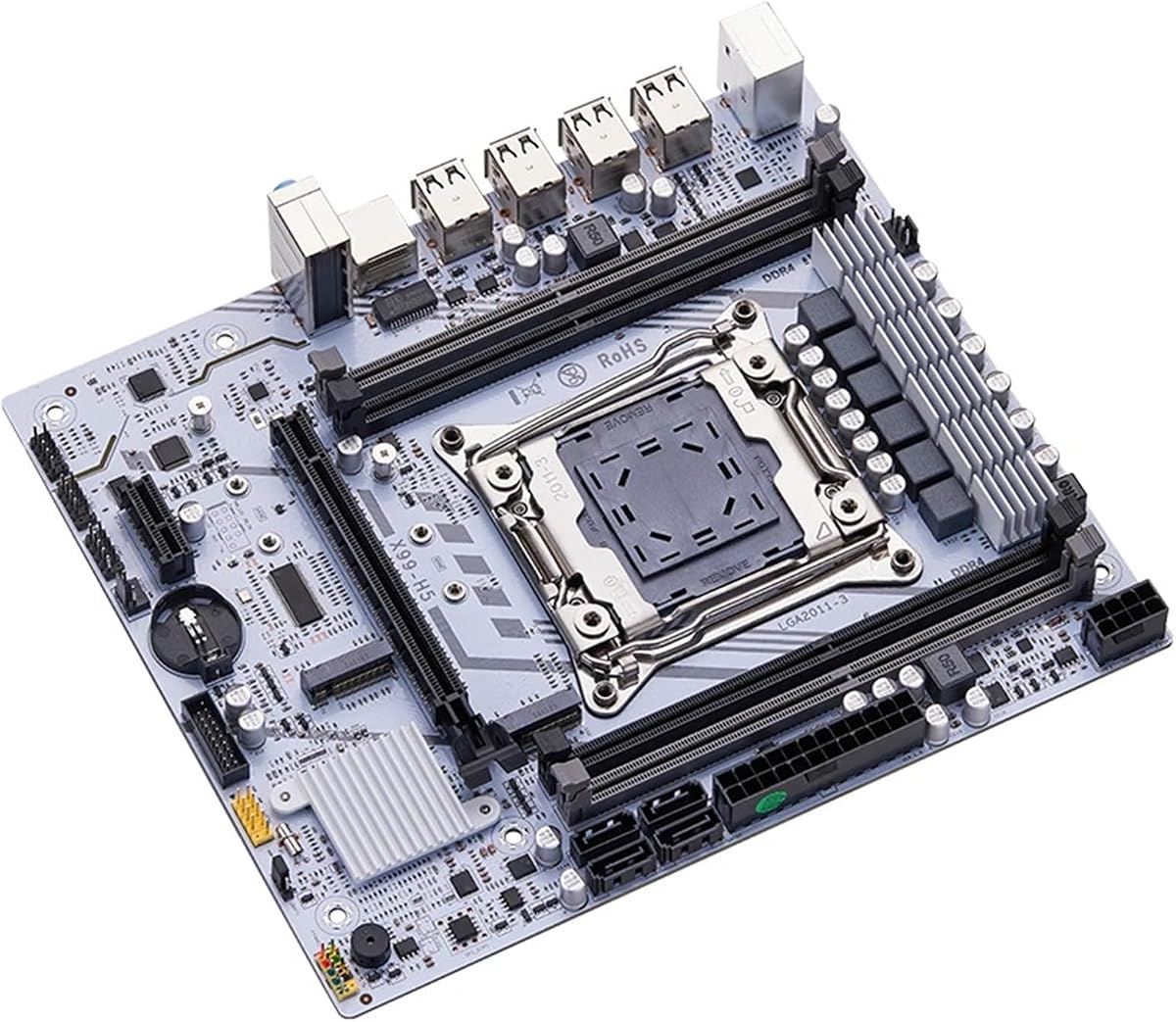
The X99 PR9-H White offers a compelling entry into LGA 2011-3 builds at a low price. Its M-ATX design fits many cases while supporting full range CPUs like Xeon E5 and Core i7 series.
We may earn a commission when you buy through this link, at no additional cost to you.
It includes a NVME M.2 slot capable of 3600M/S speeds which is excellent for budget workstations. The Realtek 8111H LAN port provides reliable networking for office or home server tasks.
While it lacks an included manual and battery these are minor hurdles for tech savvy users. The solid capacitor design and optimized circuit layouts ensure stable power delivery for consistent performance.
This board is perfect for cost conscious builders needing basic server capabilities. It provides essential features without the premium price tag making it a smart choice for starter setups.
Fits smaller cases while still offering full Xeon CPU support and expansion.
M.2 slot supports PCIe 3.0 x4 for high speed storage connectivity.
We may earn a commission when you buy through this link, at no additional cost to you.
The ASUS X99-E WS is designed for professional workstations requiring maximum graphics and storage flexibility. Its 4 Way PCIe Gen3 x16 link supports SLI and CrossFireX for heavy rendering tasks.
We may earn a commission when you buy through this link, at no additional cost to you.
Built in USB 3.1 doubles the speed of USB 3.0 which is vital for fast data transfers. The onboard M.2 x4 slot supports both PIKE II and Thunderbolt II cards for expanded connectivity.
Features like Q Code Logger and Dr. Power LED simplify troubleshooting significantly during setup. These maintenance tools save time for IT professionals managing multiple systems in a server environment.
This board is ideal for enterprise users needing top tier expansion capabilities. While expensive it delivers industry leading power efficiency and stability essential for critical workloads.
Four PCIe slots enable multi GPU setups for intensive rendering and compute.
Q Code Logger and Dr. Power LED streamline diagnostics and repairs.
We may earn a commission when you buy through this link, at no additional cost to you.
The ASUS X99-A focuses on balanced performance with the OC Socket to drive 8-core CPUs beyond expectations. Its 5-Way Optimization simplifies tuning for cooling and overclocking with a single click.
We may earn a commission when you buy through this link, at no additional cost to you.
Connectivity includes PCIe 3.0 M.2 for storage and SATA Express for legacy support. Crystal Sound 2 provides high fidelity audio which is a nice bonus for media centers.
While it lacks the extreme expansion of the WS variant it remains a reliable choice for single GPU workstations. The Intel Gigabit Ethernet ensures stable network performance for home offices.
Users seeking a straightforward ATX board with good overclocking potential will appreciate this model. It offers solid build quality and essential features without the complexity of workstation specific cards.
Enhances CPU and DDR4 performance by improving electrical connectivity for overclocking.
Intelligent software for one-click system tuning and thermal management.
We may earn a commission when you buy through this link, at no additional cost to you.
This model is built specifically for dual CPU configurations allowing for massive computational power. It supports up to 256GB of memory across eight slots which is vital for virtualization and heavy data processing.
We may earn a commission when you buy through this link, at no additional cost to you.
The inclusion of two PCIe x16 slots enables dual GPU setups for rendering or AI training tasks. Integrated RTL8111H gigabit NIC ensures reliable network connectivity for server environments.
The main limitation is the lack of modern NVME storage support which slows down boot and load times. Users must rely on SATA drives which are slower than the M.2 alternatives found on other boards.
Best for specialized server builds needing dual CPU cores this board delivers raw processing strength. It is a solid choice for workloads that prioritize compute power over storage speed.
Enables dual Xeon processors for doubled core counts in single system.
Eight slots support massive RAM loads for large scale virtualization.
We may earn a commission when you buy through this link, at no additional cost to you.
The Tangxi X99 Gaming targets budget builders wanting high performance features. It supports 4 channel DDR4 memory up to 128GB providing massive capacity for intensive applications.
We may earn a commission when you buy through this link, at no additional cost to you.
An M.2 NVME NGFF slot offers high speed storage up to 6Gb/s which is crucial for gaming and editing workflows. The 8 layer PCB design helps with signal integrity and long term durability.
Some users report lower reliability compared to established brands so checking return policies is wise. The 6 phase power supply provides stable delivery but might struggle with highest end overclocks.
This board is a viable option for those needing 4 channel RAM at a low price. It balances cost and features effectively for home labs that do not demand enterprise grade reliability.
NVME support up to 6Gb/s ensures fast boot and asset loading.
8 layer design improves signal stability and reduces heat issues.
We may earn a commission when you buy through this link, at no additional cost to you.
Similar to its black counterpart this white variant focuses on dual processor workloads. It offers the same 8 DDR4 slots for massive memory and PCIe expansion for multi GPU configurations.
We may earn a commission when you buy through this link, at no additional cost to you.
The inclusion of two PCIe x16 slots allows for significant bandwidth expansion for high end professional use. Integrated Gigabit LAN ensures standard networking speeds for most enterprise environments.
User feedback indicates lower stability on this specific model so caution is advised for critical tasks. The lack of M.2 storage means relying on older SATA technology for boot drives.
Ideal for secondary server builds needing extra CPU cores this board delivers raw power. It is best suited for non-critical workloads where raw compute speed is the priority.
Dual CPU socket support doubles processing cores for heavy multithreaded tasks.
Eight slots accommodate up to 256GB for large virtual machine pools.
We may earn a commission when you buy through this link, at no additional cost to you.
This board stands out for supporting both DDR3 and DDR4 memory types which offers flexibility for budget builders. Dual M.2 NVME slots allow for high speed boot drives alongside massive storage capacity.
We may earn a commission when you buy through this link, at no additional cost to you.
Adoption of latest chip technology reduces system latency for smoother multitasking in heavy workloads. The Core Boost tech supports more cores and provides better performance efficiency for Xeon processors.
The passive heatsink design keeps costs down but may struggle in poorly ventilated cases. Users should ensure good airflow to prevent thermal throttling during intensive operations.
Best for those transitioning from DDR3 to DDR4 this board provides a bridge. It offers excellent compatibility and modern storage options at a reasonable cost compared to premium brands.
Supports both DDR3 and DDR4 for flexible upgrade paths.
Latest chip tech reduces system response time for efficient workloads.
We may earn a commission when you buy through this link, at no additional cost to you.
The X99 M-ATX model provides a compact solution for builders needing small form factors. It supports E5 V3 and V4 CPUs with NVME M.2 for fast boot times and efficient storage.
We may earn a commission when you buy through this link, at no additional cost to you.
Its PCIe 3.0 slots provide standard connectivity for GPUs and network cards. The simple layout makes it easy to navigate for users prioritizing functionality over extra features.
Thermal management relies on case airflow since active cooling components are minimal. Users should ensure adequate case ventilation to maintain stable temperatures during extended runs.
Best for compact home labs this board balances size and performance effectively. It is an excellent choice for those needing a small workstation without sacrificing core capabilities.
M-ATX form factor fits smaller cases while supporting powerful CPUs.
NVME M.2 support ensures fast data access for system drives.
We may earn a commission when you buy through this link, at no additional cost to you.
The E5 MR9A V1.0 offers a reliable foundation for entry level workstations. It supports Xeon E5 processors with DDR4 memory and includes NVME M.2 for fast storage expansion.
We may earn a commission when you buy through this link, at no additional cost to you.
Solid power supply and cooling ensure low temperatures under full load conditions. Complete external interfaces support a wide range of peripherals making it versatile for office builds.
Multiple safety protections help prevent hardware damage during power surges or short circuits. This reliability makes it a good choice for users who need consistent uptime.
Best for basic office and server tasks this board provides essential modern connectivity. It is a dependable option for those prioritizing stability and straightforward hardware compatibility.
Solid cooling ensures stable temperatures even during long processing runs.
Wide range of interfaces supports various office and server peripherals easily.
We may earn a commission when you buy through this link, at no additional cost to you.
Selecting the right motherboard requires understanding socket types, memory support, and expansion slots needed for your specific workload.
Ensure the board supports LGA 2011-3 to fit Xeon E5 V3/V4 or Core i7 5th/6th gen processors. Verify BIOS support if planning to use older or newer CPU generations.
Check processor compatibility lists before purchasing to avoid hardware conflicts.
Look for boards offering at least 4 DDR4 slots to reach 128GB or more. ECC support is vital for server stability while non-ECC is sufficient for standard workstations.
Prioritize boards with ECC/RECC options for critical data integrity needs.
NVME M.2 slots provide essential high speed storage connectivity for OS and apps. Ensure PCIe 3.0 x4 support to achieve full drive performance.
Select models with multiple M.2 slots for extensive storage scalability.
PCIe x16 slots determine how many GPUs or capture cards you can use. Ensure the chipset supports lane distribution for multi GPU setups.
Count your required expansion cards to verify the board has enough physical slots.
ATX boards offer more features while M-ATX boards save space. Ensure your case supports the chosen motherboard size before buying.
Choose M-ATX for compact builds and ATX for maximum feature availability.
Gigabit LAN is standard but verify the controller quality for server uptime. Reliable networking is critical for data transfer and remote access tasks.
Opt for boards with proven realtek or Intel LAN controllers.
Strong VRM designs with sufficient phases ensure stable power for high core CPUs. Look for solid capacitors to maximize longevity under load.
Choose boards with robust cooling for power delivery components.
Access to manuals and BIOS updates is essential for smooth setup. Verify vendor support policies to ensure help if issues arise.
Prioritize vendors providing clear documentation and driver support.
When installing the board connect CPU and memory first before securing it to the case. Ensure the cooler bracket is properly aligned to avoid CPU damage.
Keep firmware updated to maintain compatibility with newer hardware. Regular BIOS updates can fix bugs and improve power management efficiency.
Maintain clear airflow around the VRM to prevent overheating. Use dust filters and clean the board periodically to ensure long term reliability.
These boards support Intel Xeon E5 V3/V4 and Core i7 5th and 6th gen processors. Always verify the specific motherboard model supports your chosen CPU generation.
Most models support only DDR4. Some niche boards may offer DDR3 and DDR4 slots but mixing memory types is generally not supported.
Most modern boards include at least one M.2 slot supporting NVME SSDs. Verify PCIe 3.0 x4 speed for optimal performance.
Most models support up to 128GB across four or eight slots. Dual CPU boards can support up to 256GB for massive workloads.
Yes some specific boards support dual LGA 2011-3 sockets. These models are designed for heavy server and virtualization tasks.
Updating BIOS can improve stability and CPU compatibility. Always check for the latest firmware before finalizing your system build.
We identified the ASUS X99-E WS as the top choice for professional workstations needing maximum expansion. The MACHINIST X99 V9S offers excellent value for high speed storage needs.
Prioritize CPU and memory compatibility first to ensure your system runs smoothly. Budget buyers should consider the X99 PR9-H White for basic server tasks.
Always check current stock and prices before buying as models change frequently. Verify the exact model number matches your hardware requirements for a successful build.