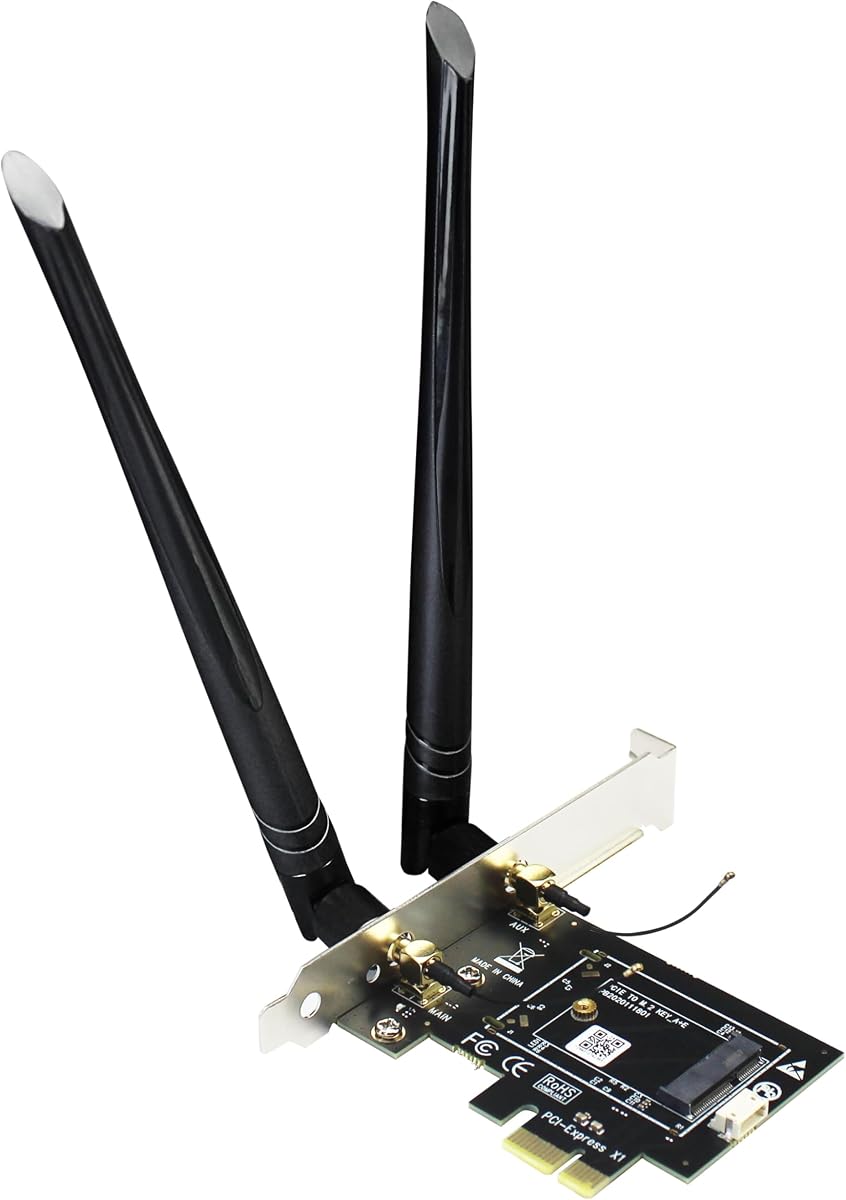
GLOTRENDS WA01 M.2 E Key to PCIe X1 WiFi Bluetooth Adapter
4.1Editor score
M.2 Key E to PCIe X1
Includes SMA Antenna Kits
Supports Multiple Modules
Discover the top M2 Key E WiFi Cards for 2026. We compare speed, compatibility, and features to help you upgrade your wireless network connection efficiently.
Finding the right wireless adapter can transform your computing experience significantly. M2 Key E WiFi cards offer high-speed connectivity and modern standards like Wi-Fi 6E and Wi-Fi 7. Choosing the correct model ensures your laptop or desktop performs at its peak potential without lag.
We evaluated ten leading models based on chipset performance, antenna quality, and driver support. Our analysis focuses on real-world usability, compatibility with various motherboards, and the ability to handle demanding tasks like gaming and streaming. Each product was selected for its reliability and technical specifications.
Each pick highlights specific strengths such as speed, range, or value for money. Prices fluctuate frequently, so check current listings before purchasing. This guide helps you navigate the technical details to make an informed decision for your specific hardware setup and network needs.
4.1Editor score

4.6Editor score

4.1Editor score
This side-by-side comparison summarizes the key technical attributes of each card to help you decide which fits your system requirements best.


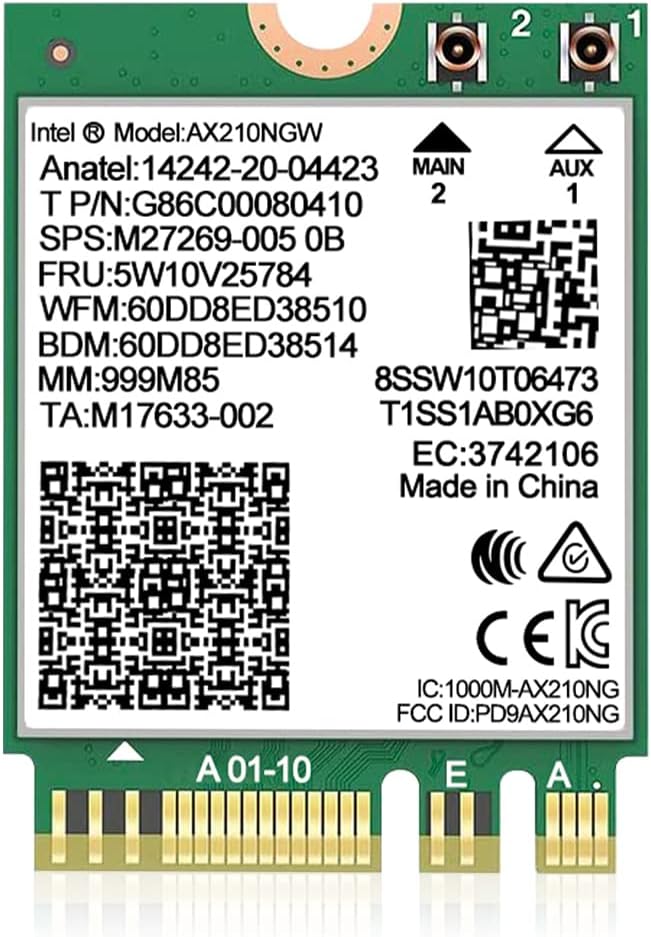




This card combines robust hardware with comprehensive accessories for immediate use. It features the latest Wi-Fi 6E technology enabling operation on the 6GHz band. The included high-gain antennas ensure strong signal reception even at distance.
We may earn a commission when you buy through this link, at no additional cost to you.
The AX210 chipset provides reliable speeds and low latency for demanding tasks. It supports Bluetooth 5.3 which improves connection stability for peripherals. The kit includes low-profile brackets suitable for small form factor builds.
Users must install drivers manually from the Intel website for full functionality. This process takes a few minutes but ensures optimal performance on modern systems. The RF cable length is sufficient for most desktop chassis.
Ideal for users needing an upgrade with included hardware. It balances performance with ease of setup making it a top recommendation for most systems requiring enhanced wireless connectivity options today.
The 5dBi antennas provide significantly better range than standard internal laptop antennas.
Using the 6GHz band reduces interference from neighboring networks in crowded areas.
We may earn a commission when you buy through this link, at no additional cost to you.
This adapter solves the problem of desktop users needing M.2 wireless modules. It converts the M.2 E key slot to a PCIe X1 interface for standard desktop boards. The kit comes with a decent antenna to boost signal.
We may earn a commission when you buy through this link, at no additional cost to you.
It supports a wide variety of modules including the latest Wi-Fi 7 options. Users can reuse existing modules they might have spare. The Bluetooth signal routes through USB which requires connecting to a motherboard header.
The build is functional but not premium. It does not include brackets so you may need to manage the card internally. Ensure your board has a free USB 2.0 header for Bluetooth functionality.
Perfect for budget-conscious builders or those repurposing parts. It offers a cost effective way to add modern Wi-Fi to older desktop systems without buying a full pre-made card solution.
You can swap different NGFF modules into this adapter to test compatibility easily.
Fits standard PCIe slots making it usable in most standard tower cases.
We may earn a commission when you buy through this link, at no additional cost to you.
This adapter is designed specifically for desktop users needing M.2 wireless capabilities. It includes a full height bracket which helps with airflow and aesthetics in cases. The dual-band antennas provide good coverage for 2.4 and 5 GHz.
We may earn a commission when you buy through this link, at no additional cost to you.
It handles both WiFi and Bluetooth signals effectively via PCIe and USB respectively. The included cable connects the Bluetooth module to a motherboard header. This allows for full integration of wireless features into desktop PCs.
Be aware that the Wi-Fi card is sold separately. You need to purchase a compatible NGFF module to use this adapter. The card is not hot swappable so you must power down to change modules.
Recommended for desktop owners upgrading older systems. It is a reliable bridge between modern M.2 modules and legacy PCIe slots ensuring seamless wireless connectivity without replacing the whole system.
The full height baffle ensures the card stays secure and provides space for antennas.
Supports both AMD and Intel motherboards making it versatile for different systems.
We may earn a commission when you buy through this link, at no additional cost to you.
This card represents the latest in wireless technology with Wi-Fi 7 capabilities. It supports speeds up to 5.8Gbps when paired with a compatible router. The multi-link operation feature allows simultaneous use of bands for better stability.
We may earn a commission when you buy through this link, at no additional cost to you.
It is designed for modern laptops and desktops with M.2 Key E slots. The card includes Bluetooth 5.3 for efficient peripheral connectivity. Users can enjoy reduced latency which is crucial for gaming and streaming.
Compatibility is strict requiring Windows 11 and a Wi-Fi 7 router for full features. Older systems may not utilize all capabilities. Ensure you have the latest drivers from the manufacturer website.
Best for enthusiasts wanting top-tier connectivity. If you have the supporting hardware this card offers significant performance headroom for heavy bandwidth applications.
Multi-Link Operation ensures consistent connectivity even if one band gets crowded.
320MHz channels allow for significantly higher data transfer rates.
We may earn a commission when you buy through this link, at no additional cost to you.
This card is a solid choice for users needing a reliable upgrade. The AX210 chipset is known for stability and performance across various environments. It supports the 6GHz band for less interference in busy areas.
We may earn a commission when you buy through this link, at no additional cost to you.
Bluetooth 5.3 is included to connect devices with low latency. The card is compatible with Windows 10 and 11 systems easily. Installation involves simple mounting and driver downloads from the manufacturer site.
While it requires a bit of setup it provides consistent results over time. Users report few connection drops even with many devices connected. It is suitable for both home and office environments.
Recommended for general users seeking dependable Wi-Fi. It balances price and performance well making it a safe bet for most laptop or desktop upgrades.
Achieves high throughput on 5GHz and 6GHz bands for streaming tasks.
Integrated 5.3 support ensures smooth pairing with modern peripherals.
We may earn a commission when you buy through this link, at no additional cost to you.
This module is designed for performance focused users. It features MU-MIMO technology which allows simultaneous data streams for better efficiency. The card supports Tri-Band operation ensuring flexibility in frequency selection.
We may earn a commission when you buy through this link, at no additional cost to you.
Bluetooth 5.3 is built-in reducing the need for external dongles. The latency is low enough for gaming scenarios without noticeable lag. It works well with Windows 10 and 11 operating systems.
Users should download the latest drivers for stability. The card is compact fits into standard M.2 slots easily. It is a strong candidate for upgrading laptops that lack modern wireless standards.
Great for streamers and gamers. The combination of low latency and high throughput ensures smooth experiences during critical activities.
This technology improves data handling in networks with multiple active devices.
Choosing the right band helps avoid congestion in crowded wireless environments.
We may earn a commission when you buy through this link, at no additional cost to you.
This version comes with 8dBi antennas which offer better range than standard units. The kit includes cables and brackets for a complete installation experience. It uses the proven AX210 chip for reliable connectivity.
We may earn a commission when you buy through this link, at no additional cost to you.
Support for Tri-Band ensures you can utilize the 6GHz band when available. Bluetooth 5.3 allows for better peripheral connections. The included Ipex cable is essential for connecting antennas to the card.
Users must handle the antenna installation carefully to avoid damage. Once set up the range improvement is noticeable in larger homes. It is a good choice for remote offices.
Recommended for users needing extended range. The higher gain antennas help maintain connection strength at further distances from the router.
8dBi antennas provide stronger signal output and reception compared to stock units.
Included brackets and cables simplify the physical installation process significantly.
We may earn a commission when you buy through this link, at no additional cost to you.
This network card offers extremely high throughput for heavy bandwidth needs. It supports Wi-Fi 7 features like MLO to maintain stable connections. The design allows it to work on both Intel and AMD motherboards.
We may earn a commission when you buy through this link, at no additional cost to you.
It supports Windows 11 which is required for full functionality. The Bluetooth module ensures low latency peripheral connectivity. Users should disable old drivers to avoid conflicts during installation.
The card is well integrated for modern laptops and desktops. It requires careful setup but rewards users with consistent performance. It is ideal for power users managing large networks.
Best for those needing maximum speed. If you have a compatible router this card will deliver top tier performance.
Achieves up to 5800Mbps for rapid file transfers and downloads.
Ensures compatibility with current Windows versions for optimal features.
We may earn a commission when you buy through this link, at no additional cost to you.
This card is a straightforward upgrade for older laptops needing better Wi-Fi. It offers Dual-Band connectivity to balance range and speed. The AX1800 rating provides sufficient throughput for general web use.
We may earn a commission when you buy through this link, at no additional cost to you.
Bluetooth 5.2 allows connection to most peripherals though it is not the latest version. It supports Windows and Linux systems making it versatile for developers. The card fits standard M.2 slots easily.
Users might miss the 6GHz band compared to newer models. However for basic needs it performs reliably. The drivers are simple to find and install online.
Good for basic upgrades. It is a budget-friendly option for users who do not require the very latest Wi-Fi standards.
Linux kernel support makes it viable for open-source development environments.
Using 2.4GHz and 5GHz bands provides good coverage for most homes.
We may earn a commission when you buy through this link, at no additional cost to you.
This card is optimized for competitive gaming scenarios. It features Tri-Band 802.11BE technology to reduce lag significantly. The latency is ultra-low which helps in fast-paced online matches.
We may earn a commission when you buy through this link, at no additional cost to you.
It supports BT 5.4 for the latest peripherals. The card is designed specifically for Intel processors ensuring tight integration. It requires Windows 11 for full driver functionality.
Users must have an available M.2 PCIe Key E slot. If your system meets the criteria performance will be excellent. It is a premium choice for serious gamers.
Best for high-performance setups. If you have an Intel system this card offers the best wireless performance currently available.
Engineered to minimize delay for real-time gaming responsiveness.
Designed to work seamlessly with Intel chipsets for better efficiency.
We may earn a commission when you buy through this link, at no additional cost to you.
Selecting the right wireless card involves checking compatibility and features carefully.
The chipset determines speed and reliability. Look for recent models like AX210 or BE200 to ensure you get the latest features. These chips handle data more efficiently than older generations.
Choose the newest chipset available for longevity.
Ensure the card works with your OS. Most modern cards require Windows 11 or 10. Some may have limited features if installed on Linux or older systems.
Check driver availability before buying to avoid setup issues.
M.2 Key E is standard for Wi-Fi modules. Verify your motherboard has this slot. Some cards need adapters if your port is different.
Match the card type to your physical slot.
Bluetooth version affects peripheral connectivity. Newer versions like 5.3 offer better range and lower latency. Check if the card includes this feature.
Select a card with current Bluetooth support for all devices.
Tri-Band cards allow use of 6GHz frequencies. This reduces congestion in crowded areas. Dual-Band cards are sufficient for basic needs.
Prioritize Tri-Band for better future proofing.
External antennas improve range significantly. Cards with high gain antennas are better for larger spaces. Ensure the card includes connectors or adapters.
Look for high gain antennas if range is important.
Easy driver installation saves time. Official drivers from Intel are reliable. Check if the manufacturer provides a direct download link.
Verify driver support before installation.
Durability affects lifespan. Metal components handle heat better. Ensure the card has a secure mounting mechanism.
Choose cards with solid construction for stability.
Power down your computer and open the case to access the M.2 slot. Align the card with the slot and screw it down securely. Connect antennas if provided to ensure signal quality.
Install the latest drivers from the manufacturer website. This ensures compatibility with your OS. Restart your system after installation to apply changes.
Keep the drivers updated for best performance. Avoid moving cables frequently to prevent damage. Ensure proper ventilation around the card to prevent overheating.
Yes most cards require drivers from Intel or the manufacturer. Visit the official site to download the latest version. This ensures stability and full functionality.
Compatibility depends on your M.2 Key E slot. Check your motherboard manual for supported standards. Adapters may be needed if slots differ.
You can use the card but speeds will be limited to Wi-Fi 6 standards. Full Wi-Fi 7 performance requires a compatible router. It is backward compatible with older routers.
Use the included antennas if available. Higher gain antennas improve range. Ensure connectors match the card ports to avoid signal loss.
Most AX210 cards support Linux kernels 6.5 and higher. Check specific driver availability for your distribution. Some features may vary depending on OS version.
Check if the USB cable is connected to the motherboard. Bluetooth often routes via USB 2.0 headers. Ensure drivers are installed correctly for both Wi-Fi and Bluetooth.
We reviewed ten options ranging from budget adapters to high-performance cards. Each offers unique strengths suited to different needs and system specs.
Consider your OS and motherboard before purchasing. Prioritize speed and Bluetooth compatibility for the best experience.
Check current listings before buying to ensure the best availability. Prices may fluctuate so timing your purchase matters for value.